
fatal: Authentication failed for ‘https://***/‘ 2021年改版后的git登录问题解决和登录注意要点。
在使用git bash命令的时候,clone、push、pull。等远程链接操作都需要你先登录自己的账号操作,这里遇到小白登录不上的情况,导致远程操作失败。
在使用git bash命令的时候,clone、push、pull。等远程链接操作都需要你先登录自己的账号操作,这里遇到小白登录不上的情况,导致远程操作失败。
报错内容:
remote: Support for password authentication was removed on August 13, 2021. Please use a personal access token instead.
remote: Please see https://*****-token-authentication-requirements-for-git-operations/ for more information.
fatal: Authentication failed for 'https://***/'
例如这里我想远程clone一个项目到本地:
Git clone http://*****
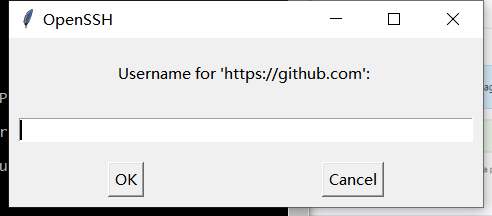
会弹出让你登录git账号的窗口:
注意点1:
这里的用户名注意使用不是你的git账户名称,而是你注册时候用的邮箱账号!!

注意点2:
这里使用 的密码不是你登录你git hub网站的登录密码,而是你的个人‘权限token’!
如果使用的你登录账号会报如下错误:
remote: Support for password authentication was removed on August 13, 2021. Please use a personal access token instead.
remote: Please see https://*****-token-authentication-requirements-for-git-operations/ for more information.
fatal: Authentication failed for 'https://***/'
翻译翻译什么叫惊喜:
对密码认证的支持于2021年8月13日被删除。请使用个人访问令牌代替。远程:请参阅****
明白了吗?现在密码用的都是token登录。
如何获取个人token:
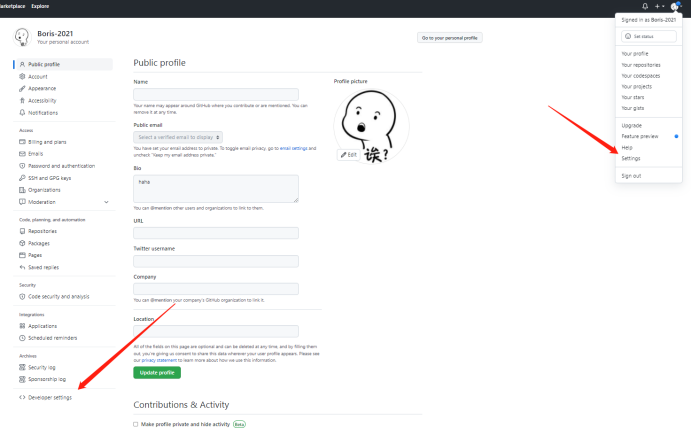
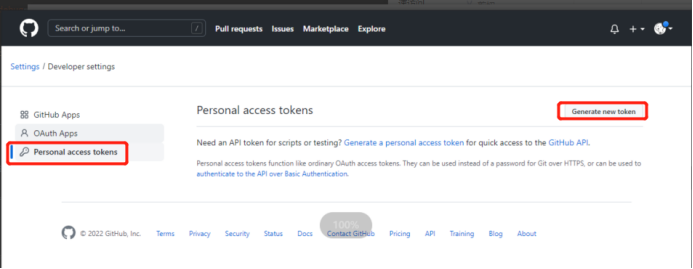
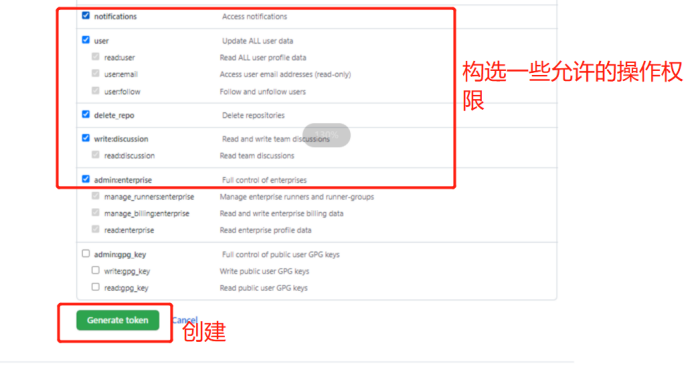
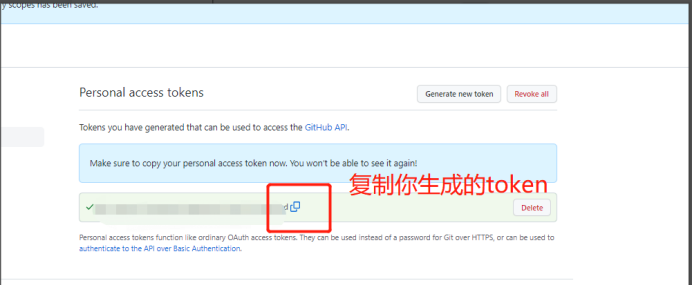
使用这个tocken做密码 登录:
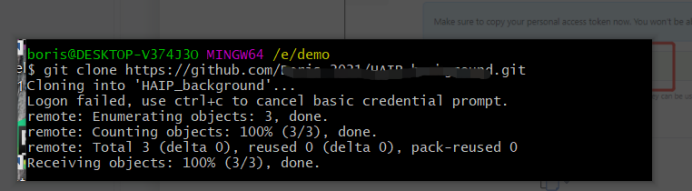
成功clone!可进行正常的远程操作。

一站式 AI 云服务平台
更多推荐



 2
2 0
0- 0


 已为社区贡献2条内容

所有评论(0)