
ubuntu 拒绝ssh连接,连不上ssh,无法远程登录: Connection failed.
尝试来连接立马就显示连接失败!ssh一个空ip 地址 都会有一段的搜索时间。这种情况就是 openssh-server安装好了,也能ping通。把sshkey 代理打开了,不知道怎么打开的,关掉。明显不是安装问题,而是配置问题。
·
问题描述
[C:\~]$

Connecting to 192.166.8.85:22...
Could not connect to '192.166.8.85' (port 22): Connection failed.

Type `help' to learn how to use Xshell prompt.
[C:\~]$

Connecting to 192.166.8.85:22...
Could not connect to '192.166.8.85' (port 22): Connection failed.

Type `help' to learn how to use Xshell prompt.
[C:\~]$

Connecting to 192.166.8.85:22...
Could not connect to '192.166.8.85' (port 22): Connection failed.

Type `help' to learn how to use Xshell prompt.
[C:\~]$

Connecting to 192.166.8.85:22...
Could not connect to '192.166.8.85' (port 22): Connection failed.

Type `help' to learn how to use Xshell prompt.
[C:\~]$

Connecting to 192.166.8.85:22...
Could not connect to '192.166.8.85' (port 22): Connection failed.

Type `help' to learn how to use Xshell prompt.
[C:\~]$
这种情况就是 openssh-server安装好了,也能ping通
尝试来连接立马就显示 连接失败!ssh一个空ip 地址 都会有一段的搜索时间
明显不是安装问题,而是配置问题
视窗 可视化桌面
把ssh key 代理打开了,不知道怎么打开的,关掉
OK打完收工!
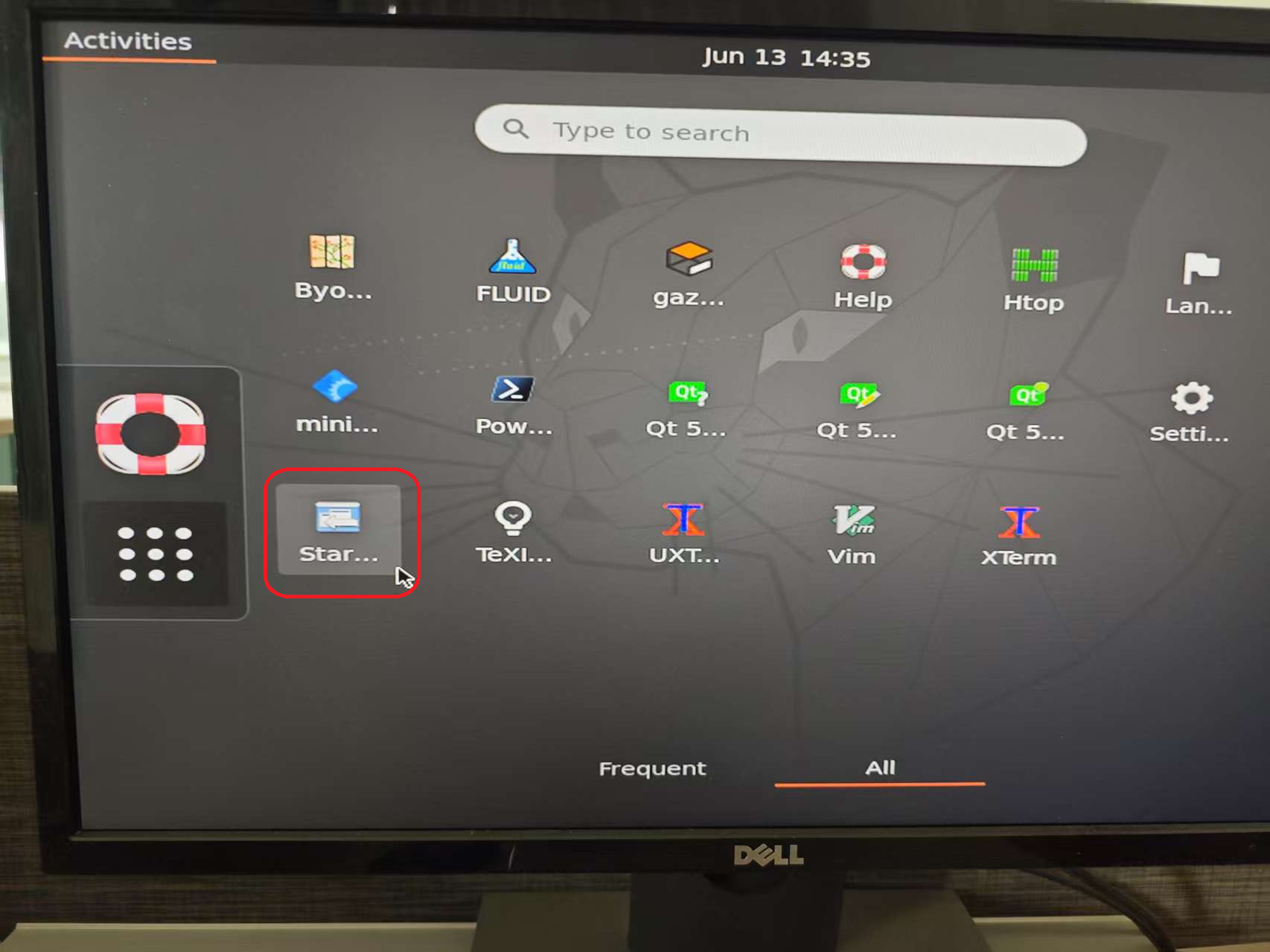

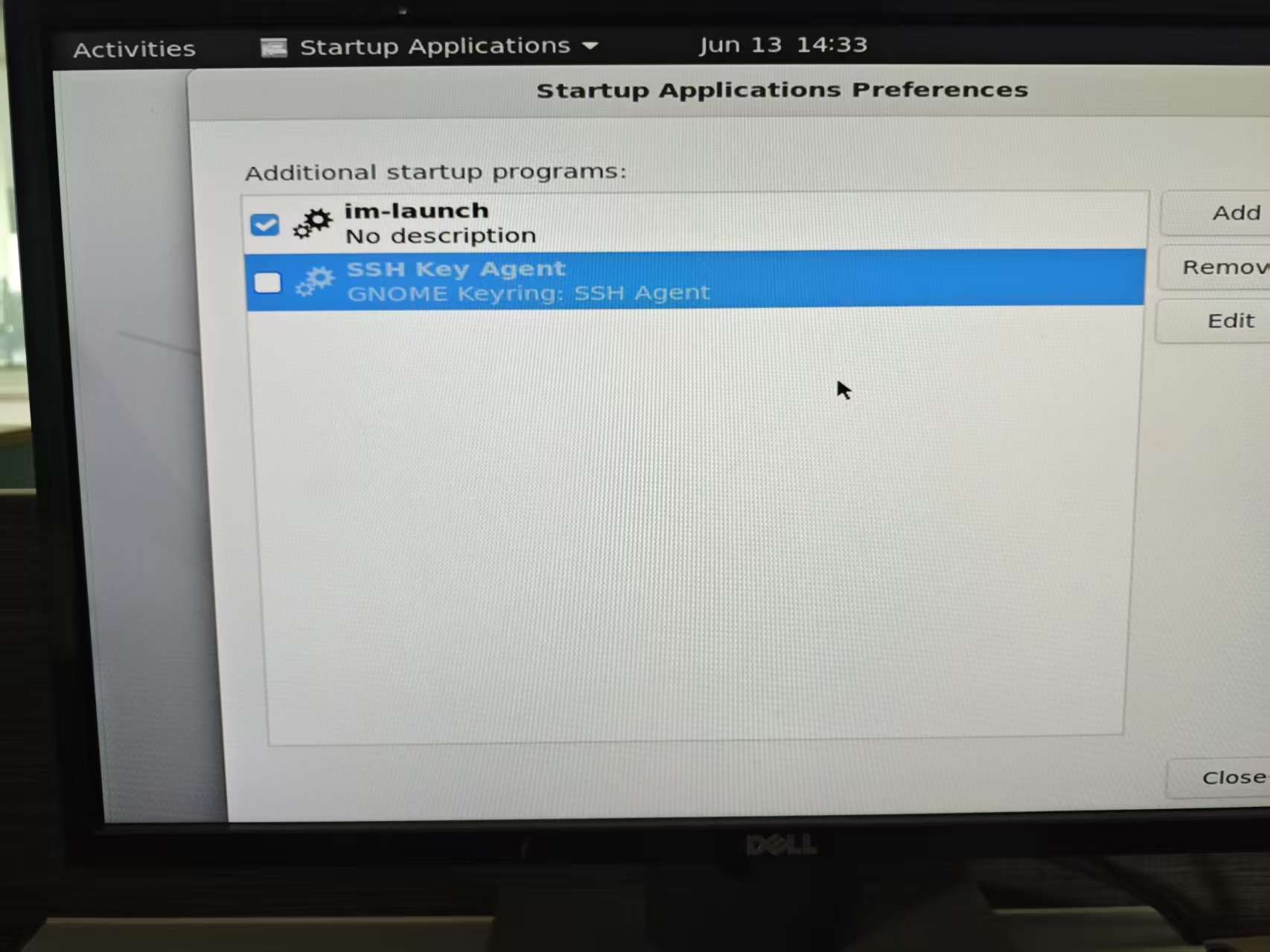
命令行
建议关闭图形界面:
关闭
sudo systemctl set-default multi-user.target
恢复
sudo systemctl set-default graphical.target
关闭
ssh-agent -k
禁止自启动
eval $(ssh-agent)
查看进程是否在运行
ps aux | grep ssh-agent

一站式 AI 云服务平台
更多推荐



 5
5 0
0- 0


 已为社区贡献1条内容

所有评论(0)