
raise SMTPServerDisconnected(‘please run connect() first‘), smtp发送邮件,python, 网易163服务器
smtp发送邮件 python 网易163服务器
·
学校的作业:用smtp发送邮件,我用python做的
代码参考:链接
import smtplib
from email.mime.text import MIMEText
from email.header import Header

# 发送邮件服务器地址
smtp_server = 'smtp.163.com'

# 发送方账号
sender = 'xxxxxxxxx@163.com'
# 发送方密码(或授权密码)
password = 'xxxxxxxxx'
# 收件方邮箱
receiver = 'xxxxxxx@qq.com'
# 邮件标题
subject = 'Python SMTP 测试邮件'
# 邮件内容
mail_msg =  """
            <p>Python 邮件发送测试...</p>
            <p><a href="http://www.baidu.com">这是一个链接</a></p>
"""

# 三个参数:第一个为文本内容,第二个 plain 设置文本格式,html 设置文本格式为html格式  第三个 utf-8 设置编码
message = MIMEText(mail_msg, 'plain', 'utf-8')  # 发送内容 (文本内容,发送格式,编码格式)
# 发送地址
message['From'] = sender
# 接受地址
message['To'] = receiver
# 邮件标题
message['Subject'] = Header(subject,'utf-8')

try:
    # 创建SMTP对象
    smtp = smtplib.SMTP()

    # 连接服务器
    smtp.connect(smtp_server)

    # 登录邮箱账号
    smtp.login(sender, password)

    # 发送账号信息
    smtp.sendmail(sender, receiver, message.as_string())
    print('success:发送成功')
except smtplib.SMTPException:
    print(smtplib.SMTPException)
finally:
    # 关闭
    smtp.quit()
但会报错:
raise SMTPServerDisconnected(‘please run connect() first’)
smtplib.SMTPServerDisconnected: please run connect() first
检查了一下代码没问题
后来看到这篇文章:链接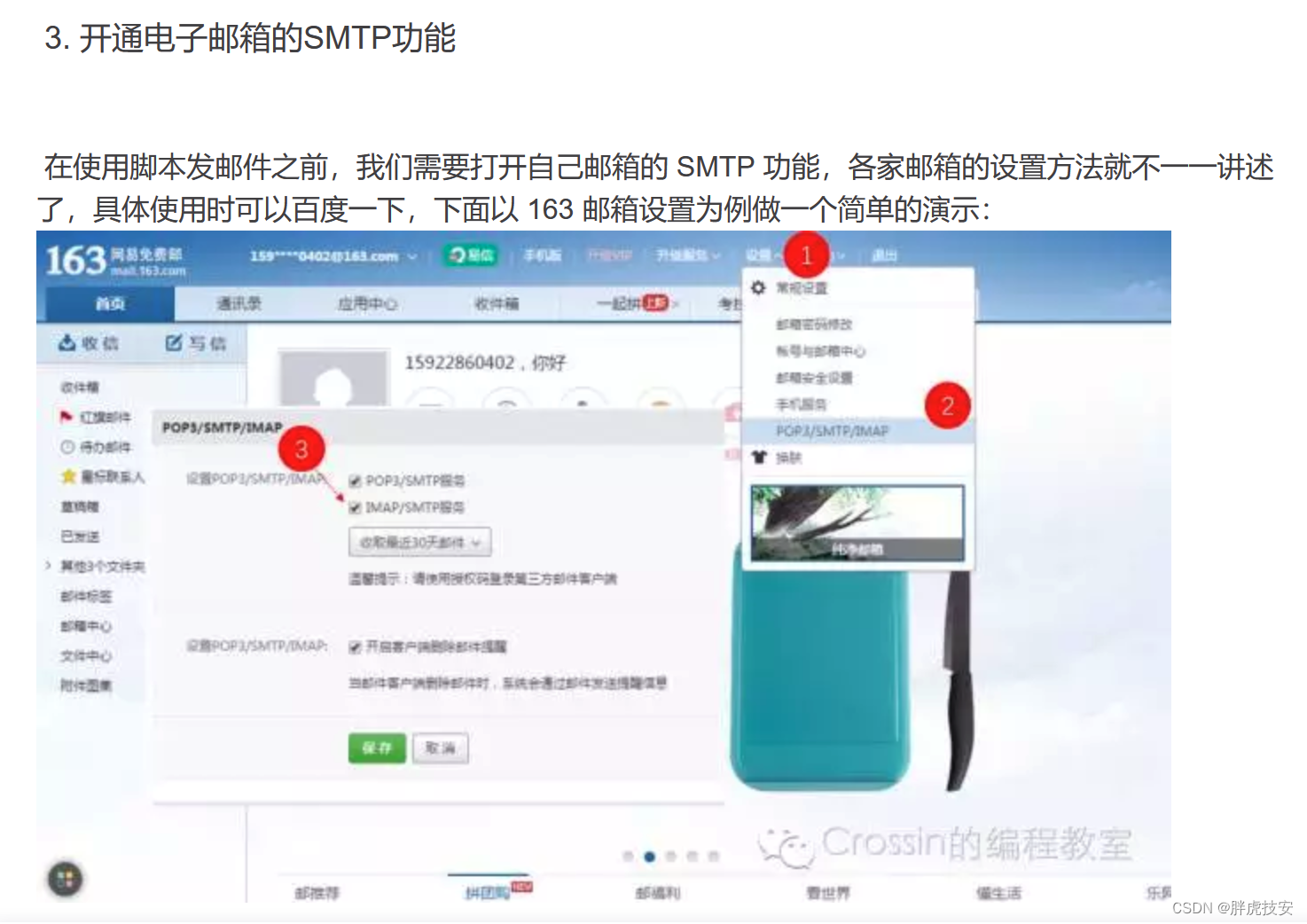 需要手动打开smtp功能,我开了IMAP/SMTP就可以了

一站式 AI 云服务平台
更多推荐



 1
1 0
0- 0


 已为社区贡献2条内容

所有评论(0)