
INSTALL_FAILED_NO_MATCHING_ABIS: Failed to extract native libraries, res=-113
目录报错分析原因解决方案报错Installation failed with message INSTALL_FAILED_NO_MATCHING_ABIS: Failed to extract native libraries, res=-113.It is possible that this issue is resolved by uninstalling an existing v...
·
报错
Installation failed with message INSTALL_FAILED_NO_MATCHING_ABIS: Failed to extract native libraries, res=-113.
It is possible that this issue is resolved by uninstalling an existing version of the apk if it is present, and then re-installing.

WARNING: Uninstalling will remove the application data!

Do you want to uninstall the existing application?
分析原因
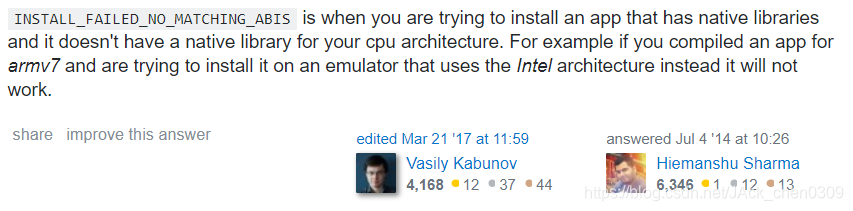
Andriod是支持ARM和x86,但两种的指令集不同。APK编译时使用了ARM架构的本地库,但创建ADV中模拟机时使用x86的CPU,所以报错。
解决方案
在build.gradle的android {}内增加下面代码:
splits {
        abi {
            enable true
            reset()
            include 'x86', 'armeabi-v7a','x86_64'
            universalApk true
        }
    }

参考链接:
https://blog.csdn.net/Leafage_M/article/details/86675699
https://blog.csdn.net/xiaoyi_tdcq/article/details/78626820

一站式 AI 云服务平台
更多推荐


 0
0 0
0- 0


 已为社区贡献2条内容

所有评论(0)