
GitHub:[亲测方法简单+有效] 成功解决 Failed to connect to github.com port 443: Timed out
▚ 01 遇到的问题使用以下命令,提交代码到远程仓库时,$ git push -u origin master遇到如下问题:fatal: unable to access 'https://github.com/xxx/': Failed to connect to github.com port 443: Timed out▚ 02 解决方法只需3步:设置代理、取消代理、再次提交。👉 2.1
·


▚ 01 遇到的问题
- 使用以下命令,提交代码到远程仓库时,
$ git push -u origin master
- 遇到如下问题:
fatal: unable to access 'https://github.com/xxx/': Failed to connect to github.com port 443: Timed out
▚ 02 解决方法
只需3步:设置代理、取消代理、再次提交。
👉 2.1 设置代理
$ git config --global https.proxy
👉 2.2 取消代理
$ git config --global --unset https.proxy
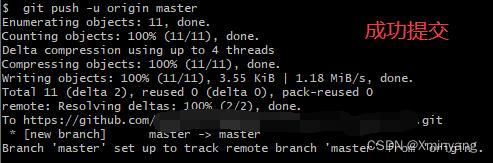
👉 2.3 再次提交
$ git push -u origin master


一站式 AI 云服务平台
更多推荐



 41
41 0
0- 0


 已为社区贡献2条内容

所有评论(0)