
FairyGUI-遮罩与滚动视图
组件GComponent关于溢出部分处理,选择“可见”模式,再指定遮罩层,就实现了遮罩功能;如果设定成滚动,则变成了滚动视图。导出资源代码实现using System.Collections;using System.Collections.Generic;using UnityEngine;using FairyGUI;/** Author:W* 滚动视图* GComponent组件有关于溢出处
·
组件GComponent关于溢出部分处理,选择“可见”模式,再指定遮罩层,就实现了遮罩功能;如果设定成滚动,则变成了滚动视图。
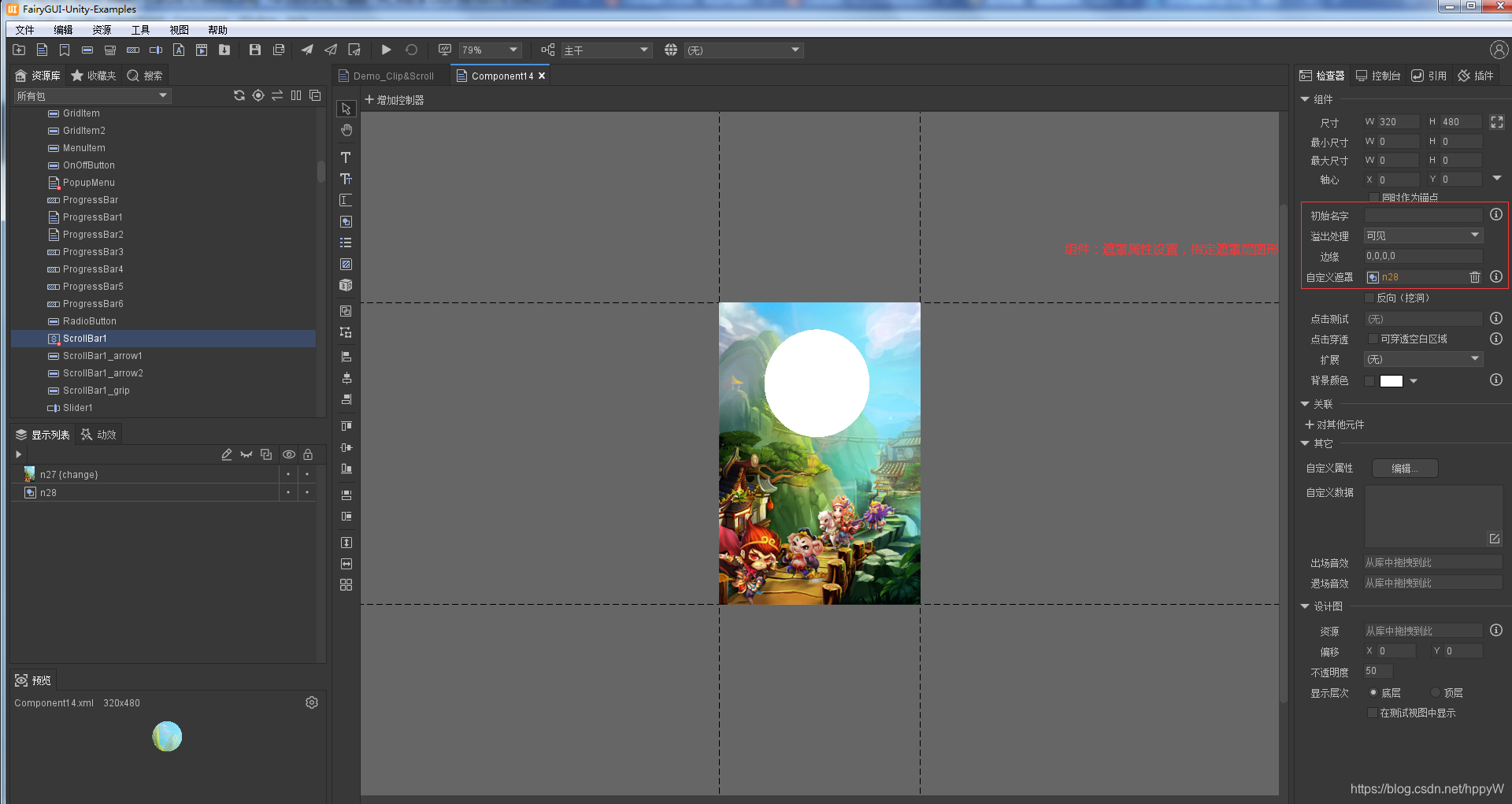
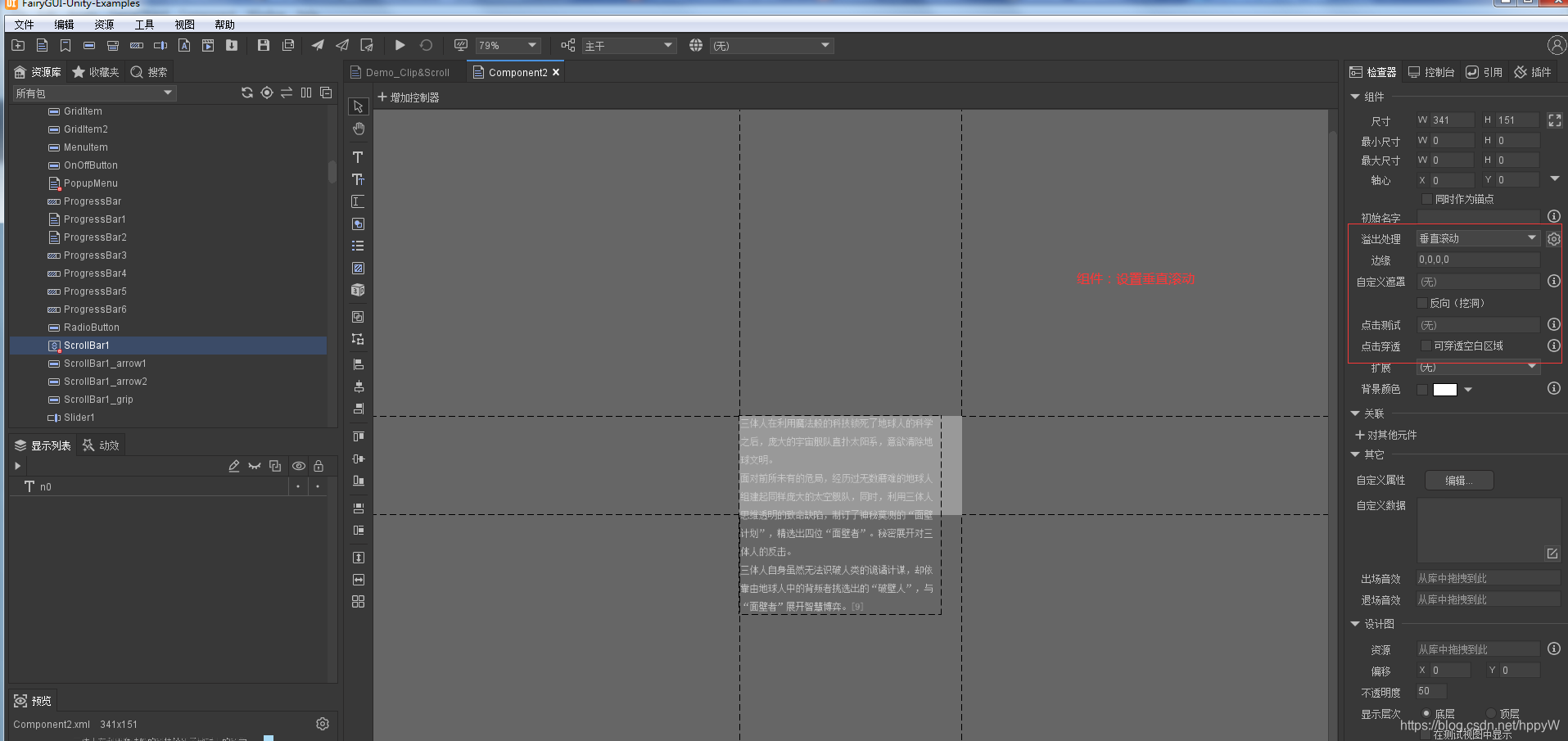
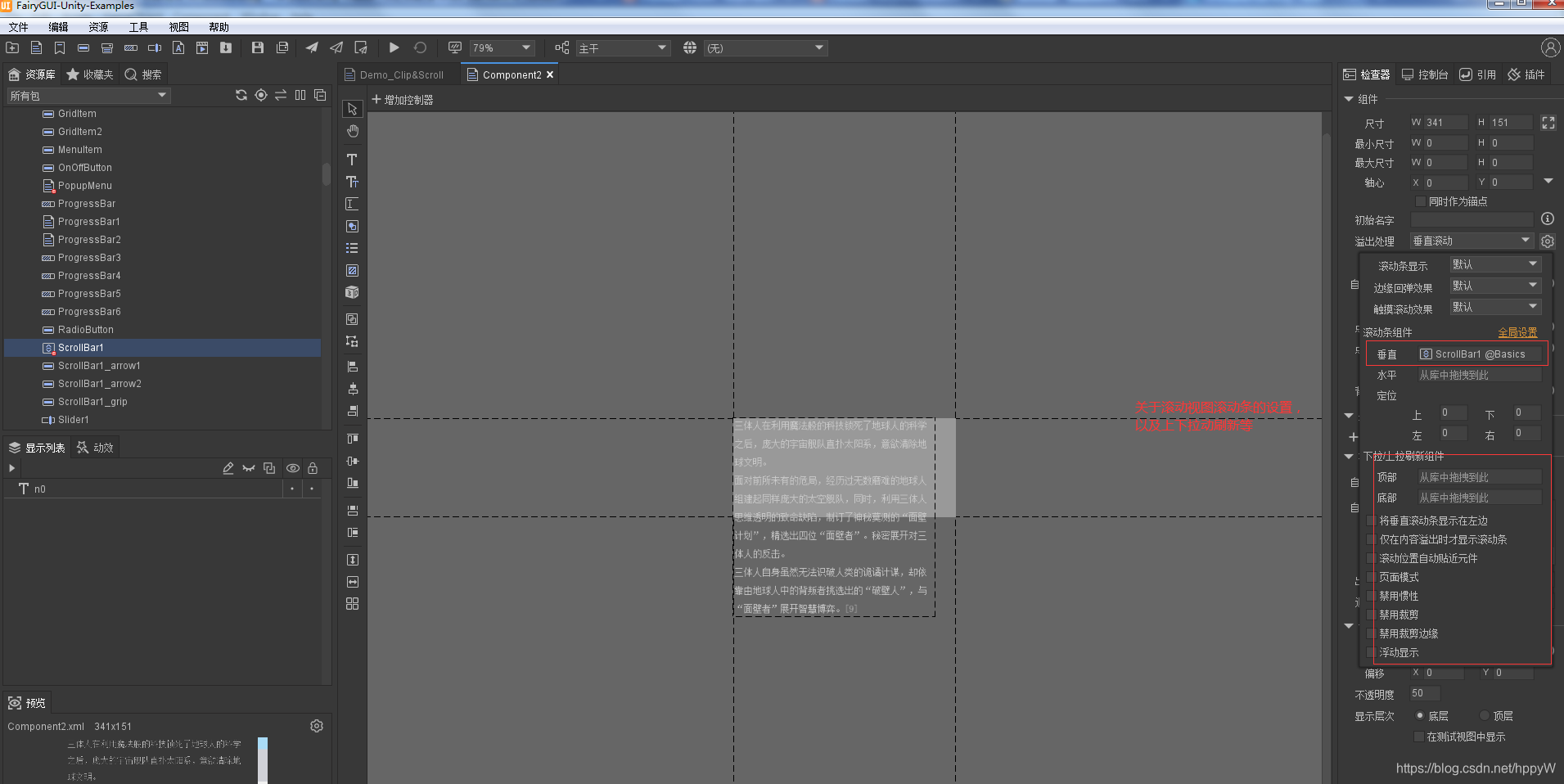
导出资源
代码实现
using System.Collections;
using System.Collections.Generic;
using UnityEngine;
using FairyGUI;
/*
 * Author:W
 * 滚动视图
 * GComponent组件有关于溢出处理
 * 作用1:设置遮罩
 * 作用2:设置滚动,滚动视图
 */
public class ScrollViewTest : MonoBehaviour {

	private GComponent root;

	private GComponent scrollView;
	//滚动相关控制属性
	private ScrollPane scrollPane;

	void Awake()
	{
		UIPackage.AddPackage("UI/Basics");
	}

	// Use this for initialization
	void Start () {
		root = this.GetComponent<UIPanel>().ui;

		scrollView = root.GetChild("n3").asCom;
		scrollPane = scrollView.scrollPane;

		//滚动到中间位置,带动画过程
		scrollPane.SetPercY(0.5f,true);

		Debug.Log("滚动视图的视口宽度和高度="+scrollPane.viewWidth+"/"+scrollPane.viewHeight);
		Debug.Log("滚动视图的内容宽度和高度="+scrollPane.contentWidth+"/"+scrollPane.contentHeight);
		Debug.Log("滚动的位置 百分比:"+scrollPane.percX+"/"+scrollPane.percY);
		Debug.Log("滚动的位置 像素值:"+scrollPane.posX+"/"+scrollPane.posY);

		//滚动位置改变都会触发这个事件
		scrollPane.onScroll.Add(()=> {

			Debug.Log("当前滚动到的位置====="+scrollPane.posY);
		});

		//惯性滚动结束后回调
		scrollPane.onScrollEnd.Add(()=> {

			Debug.Log("=====惯性滚动结束后回调=====");
		});

		scrollPane.onPullDownRelease.Add(()=> {
			Debug.Log("====下拉刷新回调====");
		});

		scrollPane.onPullUpRelease.Add(()=> {
			Debug.Log("====上拉刷新回调====");
		});
	}

	// Update is called once per frame
	void Update () {

	}
}
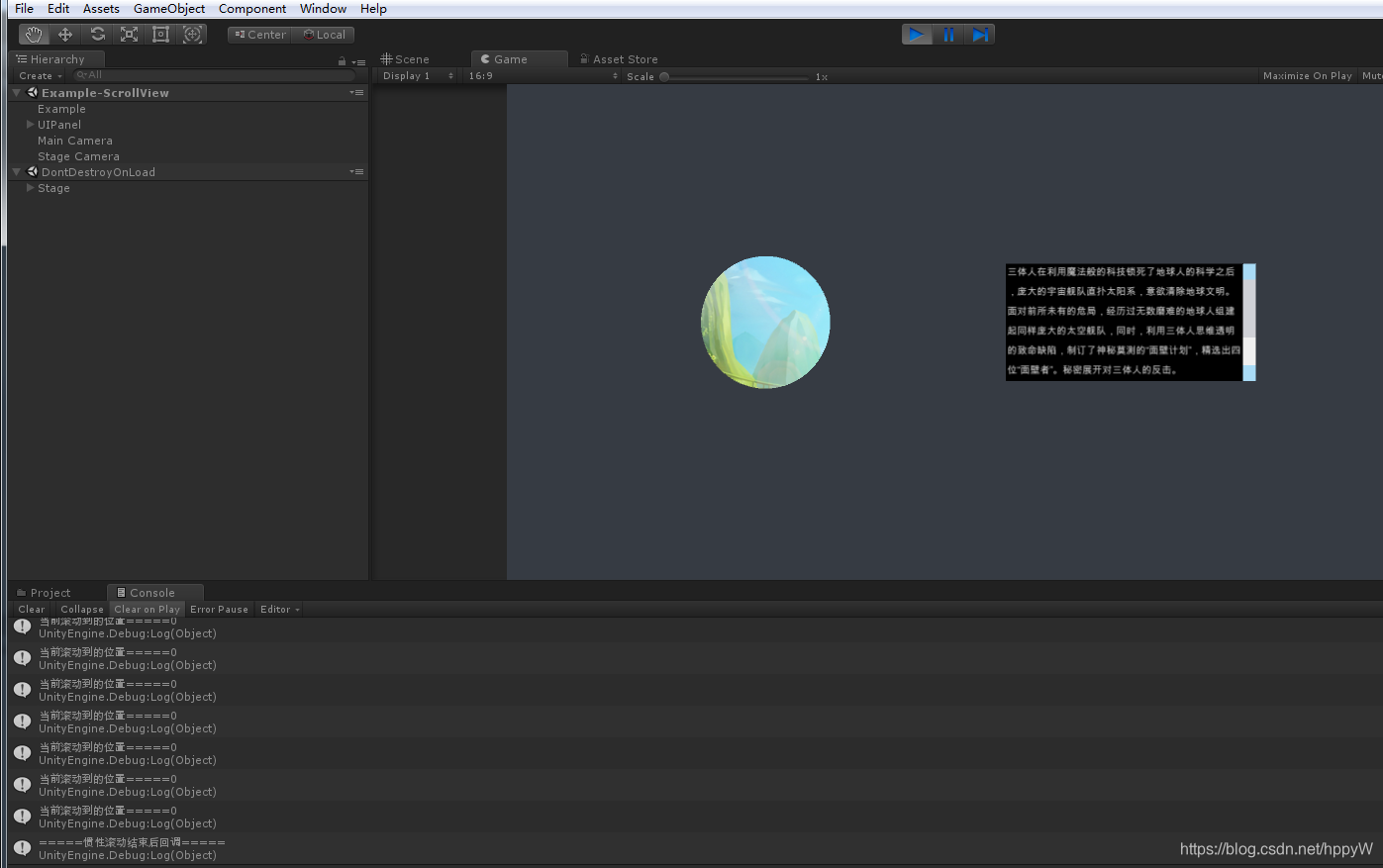
运行结果如下

一站式 AI 云服务平台
更多推荐



 1
1 0
0- 0


 已为社区贡献3条内容

所有评论(0)