
video 利用canvas截取帧数作为视频封面 视频小可以截取 视频过大产生跨域问题
video 利用canvas截取帧数作为视频封面 视频小可以截取 视频过大产生跨域问题获取到video标签后 属性没有被挂载上去 video.setAttribute('crossOrigin', 'anonymous')小一点的视频是可以截到的,视频超过50m就会报跨域的问题
·
video 利用canvas截取帧数作为视频封面 视频小可以截取 视频过大产生跨域问题
控制台报错如下:

代码如下
<div>
   <a-upload name="icon" :customRequest="customRequest" class="avatar-uploader" :show-upload-list="false" :before-upload="beforeUpload">
     <video controls style="height:80px" v-if="file && fileType === 'video'" :src="file" :poster="coverImg" />
     <img v-else-if="file && fileType === 'image'" :src="file" alt />
     <div v-else>
       <a-icon type="plus" />
     </div>
   </a-upload>
   <span v-show="percent == 0 || percent == 100" >{{uploadTip}}</span>
   <a-progress :percent="percent" v-show="percent !== 100 &&  percent !== 0" />
 </div>


  // 主要方法  视频上传成功后的回调
   getVideoBase64(url) {
     return new Promise(function (resolve, reject) {
       let video = document.createElement('video')
       video.setAttribute('crossOrigin', 'anonymous') //处理跨域
       video.setAttribute('src', url)
       video.setAttribute('style', 'object-fill:contains')
       video.setAttribute('preload', 'auto')
       video.addEventListener('loadeddata', function () {
         video.play()
         // 我这里是截取的视频的第5秒的帧数 所以给了一个延迟器
         let timer = setTimeout(() => {
           let canvas = document.createElement('canvas')
           const ctx = canvas.getContext('2d')
           let width = (canvas.width = 240)
           let height = (canvas.height = 400)
           const vWidth = video.videoWidth
           const vHeight = video.videoHeight

           let proportion = 240 / 400,
             x1,y1,x2,y2;

           if (vWidth > vHeight) {
             let scaleWidth = vHeight * proportion
             x1 = (video.videoWidth - scaleWidth) / 2
             y1 = 0
             x2 = scaleWidth
             y2 = vHeight
             ctx.drawImage(video, x1, 0, (width / height) * vHeight, vHeight, 0, 0, 240, 400) //绘制视频
           } else {
             ctx.drawImage(video, 0, 0, vWidth, vHeight, 0, 0, 240, 400) //绘制视频
           }
           // 绘制图片 打印base64
           console.log(canvas.toDataURL('image/jpeg'), 'this.coverUrl')
           canvas.toBlob((blob) => {
             resolve(new File([blob], 'thumb__img.png'))
           }, 'image/png')

           clearTimeout(timer)
         }, 5000)
       })
     })
   },
产生原因
获取到video标签后 属性没有被挂载上去 video.setAttribute(‘crossOrigin’, ‘anonymous’)
小一点的视频是可以截到的,视频超过50m就会报跨域的问题
参考: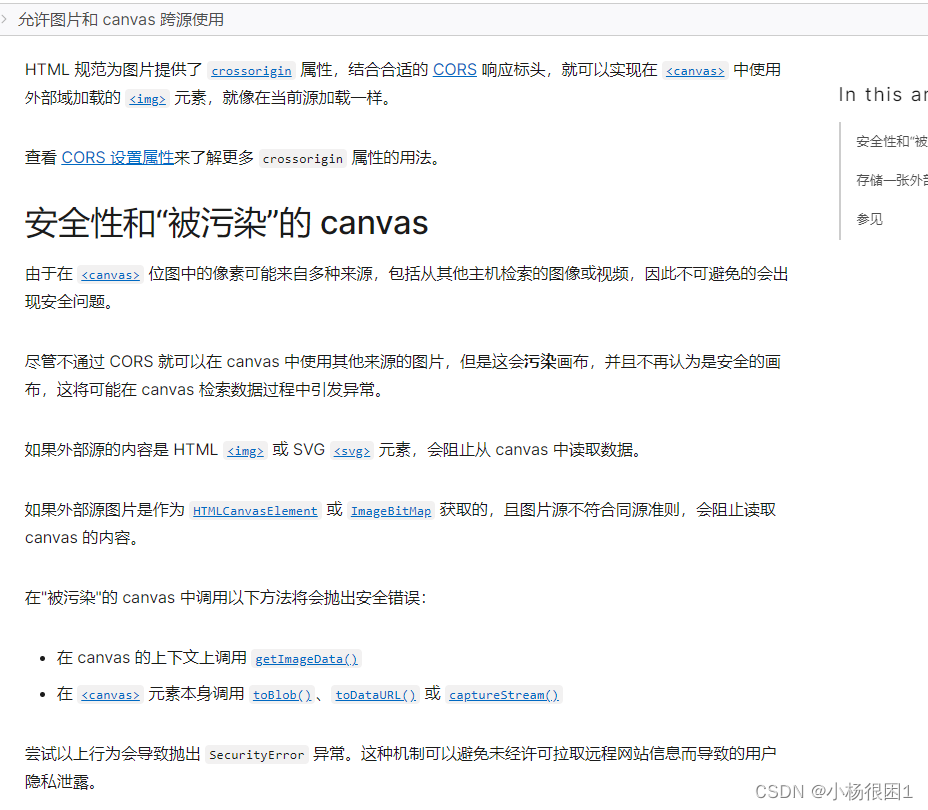
思考
当时特别奇怪,视频大小为什么会造成跨域问题,后来发现利用canvas会出现很多安全问题,从而污染画布
在 Chrome 13 的 WebGL 中使用跨源图片/视频
解决方案
可以把crossorigin="anonymous"属性直接加在video标签里面 这样大视频也可以上传了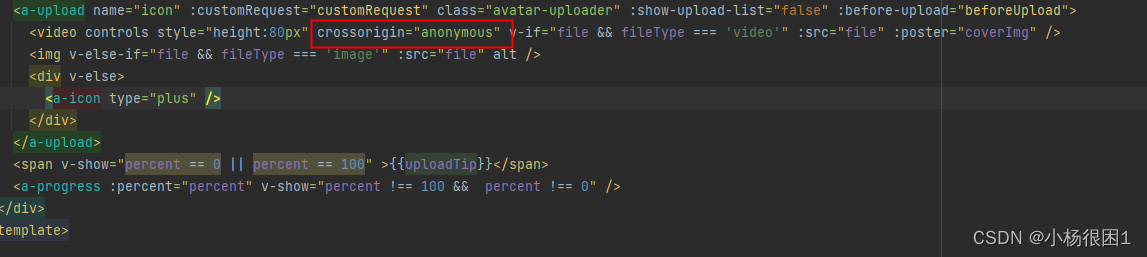

一站式 AI 云服务平台
更多推荐



 1
1 0
0- 0


 已为社区贡献1条内容

所有评论(0)