
[GitHub]SSH连接:ssh_exchange_identification: read: Connection reset by peer fatal: Could not read from
加个配置文件就好了,对于这个问题:[root@CentOS ABC]# git pushssh_exchange_identification: read: Connection reset by peerfatal: Could not read from remote repository.Please make sure you have the correct access rightsa
[root@CentOS ABC]# git push
ssh_exchange_identification: read: Connection reset by peer
fatal: Could not read from remote repository.
Please make sure you have the correct access rights
and the repository exists.
或者报错:
C:\Users\Administrator>ssh -T git@github.com
ssh: connect to host ssh.github.com port 443: Connection refused
文章目录
测试 SSH 连接:
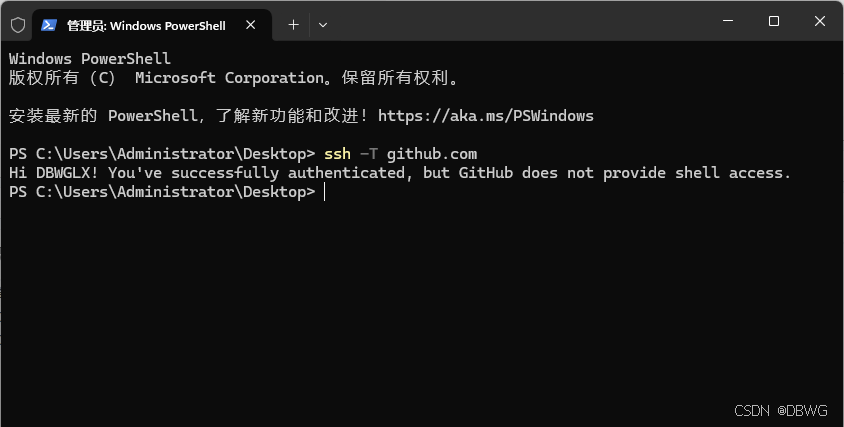
如果还是不可以,参考下文配置:
官方解释:
https://docs.github.com/zh/authentication/troubleshooting-ssh/using-ssh-over-the-https-port
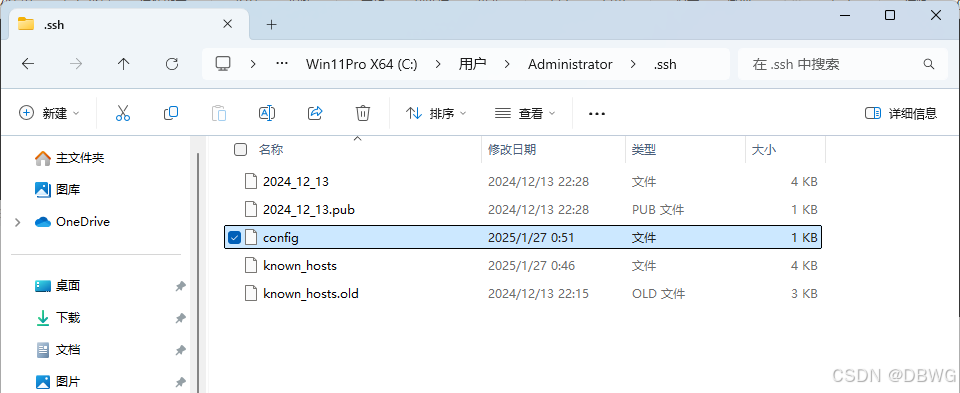
配置文件
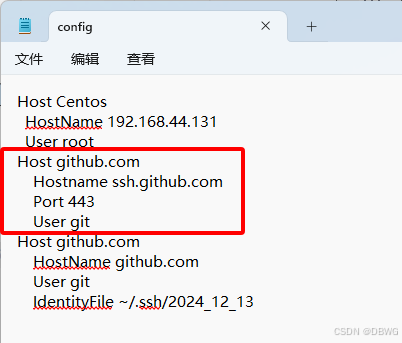
加入:
Host github.com
    Hostname ssh.github.com
    Port 443
    User git
windows:
Linux:
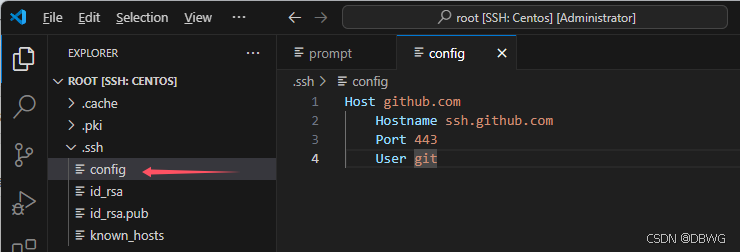
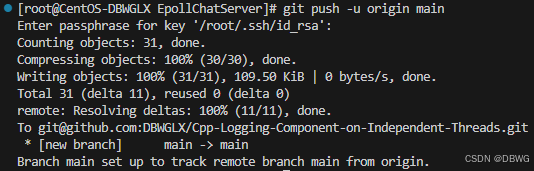
我这里是Centos虚拟机,加上就好了:
检查域名是否错误解析
PS C:\Users\Administrator> nslookup ssh.github.com
服务器:  cache.szu1.szputt.net.cn
Address:  114.114.114.114

非权威应答:
名称:    ssh.github.com
Addresses:  ::1
          127.0.0.1
这说明当前系统 通过某种方式(很可能是 DNS 污染、SwitchHosts、某些网络工具)把 ssh.github.com 解析成了本地地址 127.0.0.1(错误)!
获取正确域名:nslookup ssh.github.com 8.8.8.8
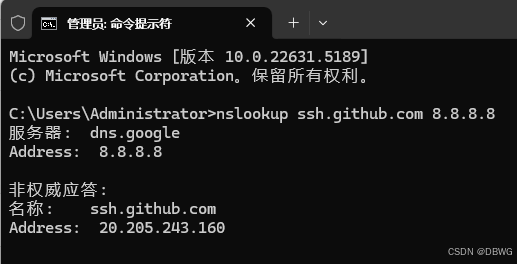
将其添加到 C:\Windows\System32\drivers\etc\hosts
(Linux在 /etc/hosts)
加一行:
20.205.243.160 ssh.github.com
即可

一站式 AI 云服务平台
更多推荐



 9
9 0
0- 0


 已为社区贡献2条内容

所有评论(0)