
AS项目导入报错 No toolchains found in the NDK toolchains folder for ABI with prefix: arm-linux-androideabi
android studio git clone之前的项目上传到gitee后运行报错。
·
android studio git clone之前的项目上传到gitee后运行报错
Execution failed for task ':app:stripDebugDebugSymbols'.
> No toolchains found in the NDK toolchains folder for ABI with prefix: arm-linux-androideabi
后经过分析发现是因为项目从git下载导入项目后没有选择ndk, 或者android studio没有下载ndk导致该问题出现。
报错详情如下:
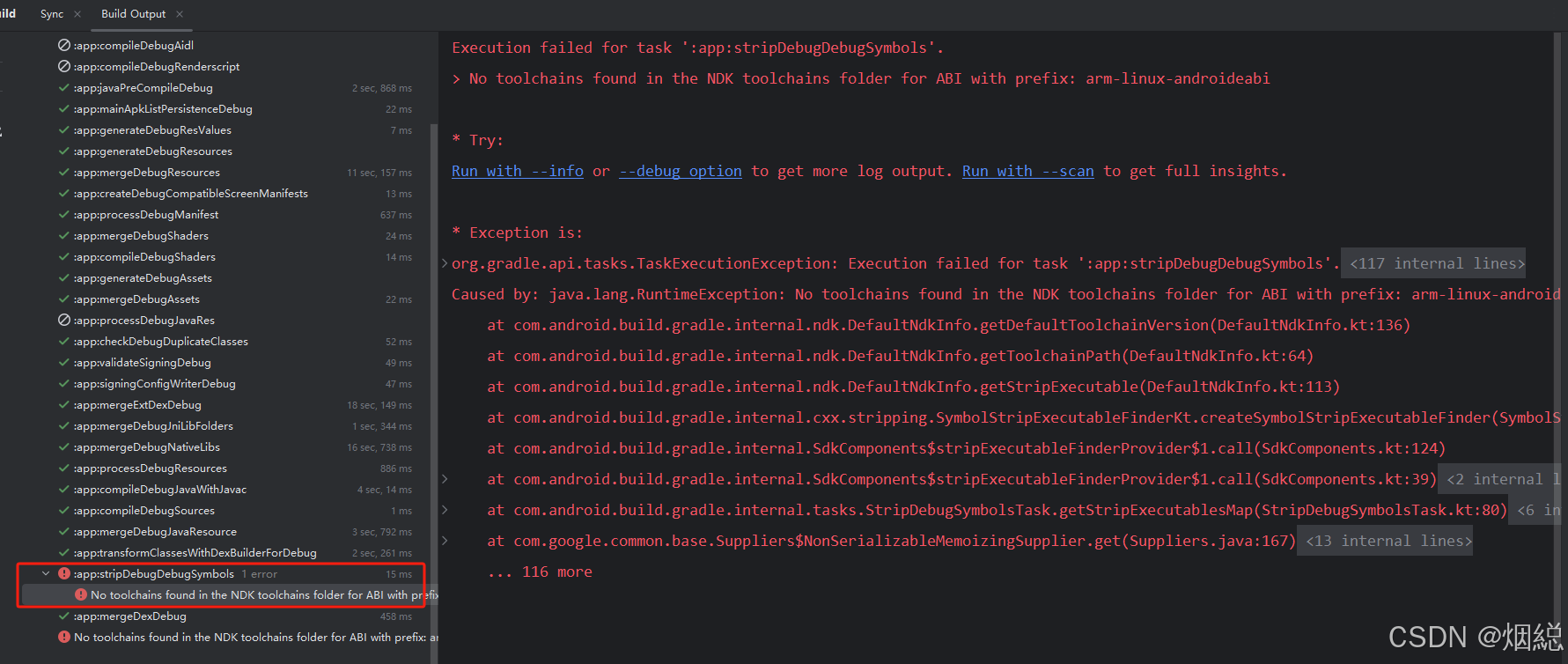

第一步检查ndk
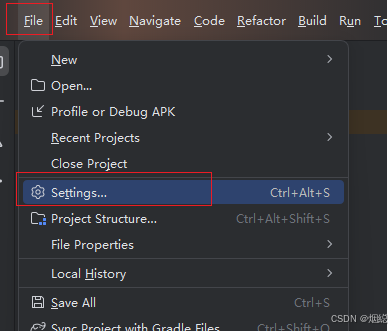
File — Settings
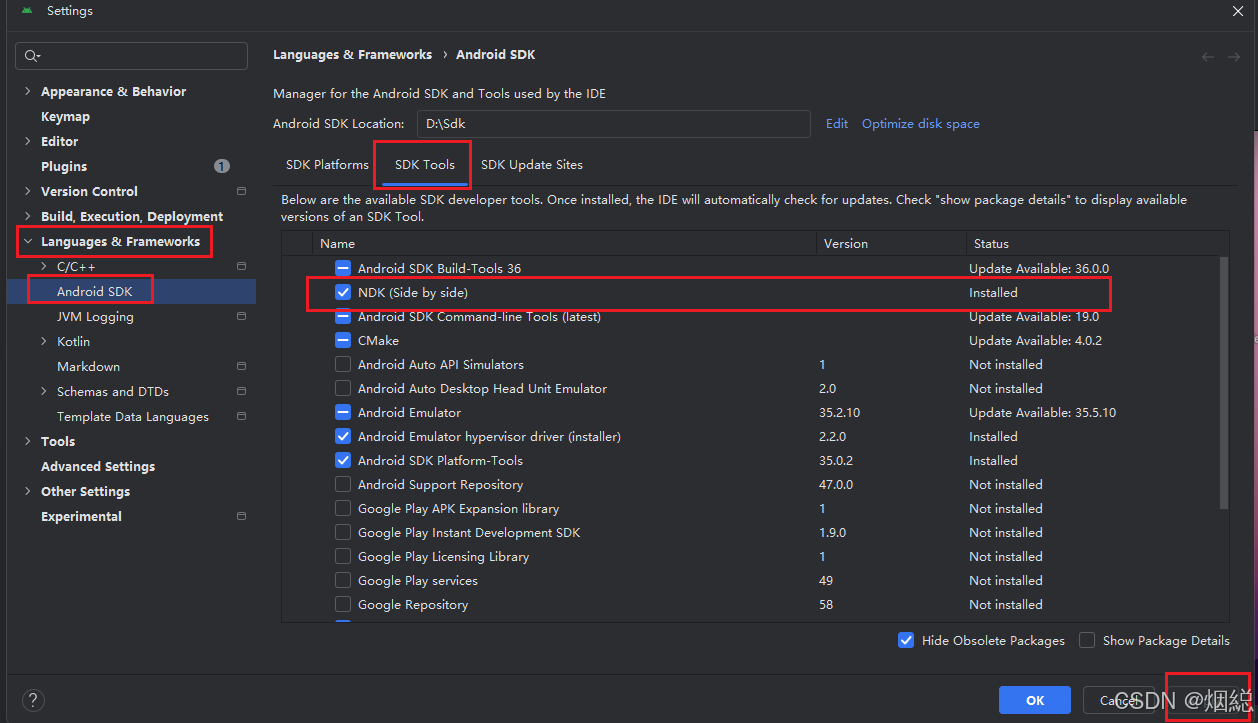
打开 languages & frameworks - android SDK - SDK Tools - NDK
检查是否有下载ndk 如果没有下载进行ndk下载。
第二步选择ndk
如果ndk已经下载了,那么继续打开
File - Project Structure
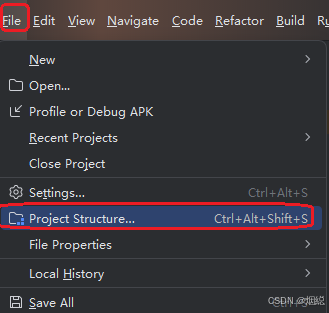
然后选择 Modules - app - properties - NDK Version - 选择对应的ndk版本点击ok
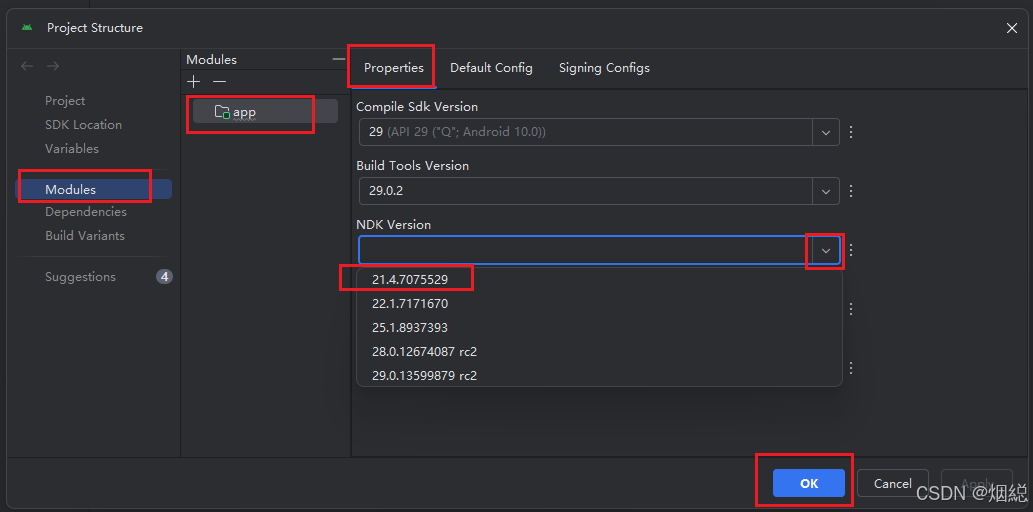
然后重新编译项目问题解决! 如果还没有解决也有可能是ndk版本于项目版本不对应需要找到对应ndk!

一站式 AI 云服务平台
更多推荐



 8
8 0
0- 0


 已为社区贡献1条内容

所有评论(0)