
【idea】IntelliJ IDEA的类注释和方法注释
**一、设置IDEA 中的类注释模板**File -> Settings -> Editor -> File and Code Templates -> Includes/*** @Description* @Author XXX* @Date 2021/11/1*/**二、定义方法注释模板**File -> Settings -> Editor -> L
·
**
一、设置IDEA 中的类注释模板
**
File -> Settings -> Editor -> File and Code Templates -> Includes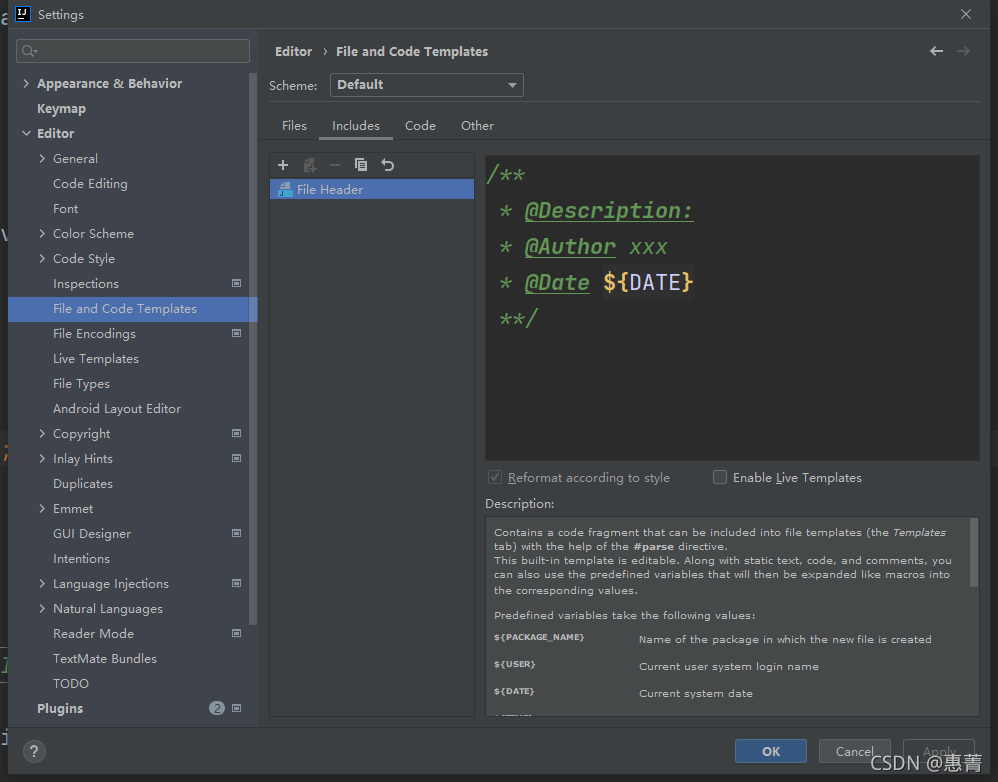
/**
 * @Description
 * @Author XXX
 * @Date 2021/11/1
 */
**
二、定义方法注释模板
**
File -> Settings -> Editor -> Live Templates
1.在Live Templates 右侧点击+号,添加一个Templates Group,命名为 userDefine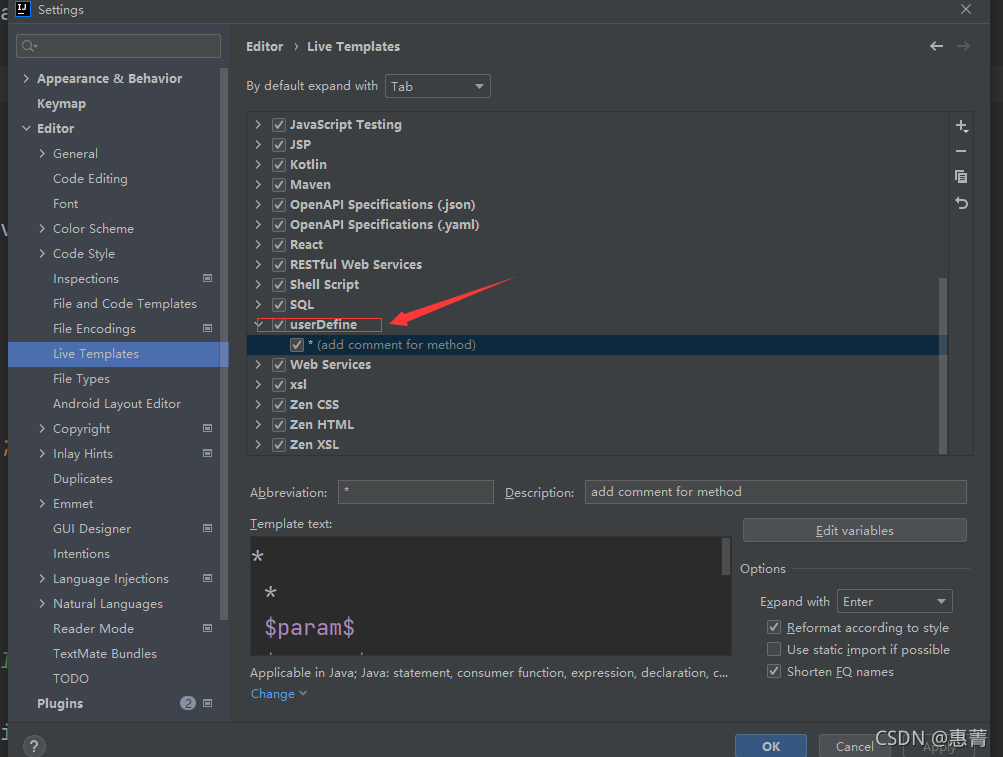
2.在刚刚创建的 methodTemplates 下创建一个 Live Templates ,如下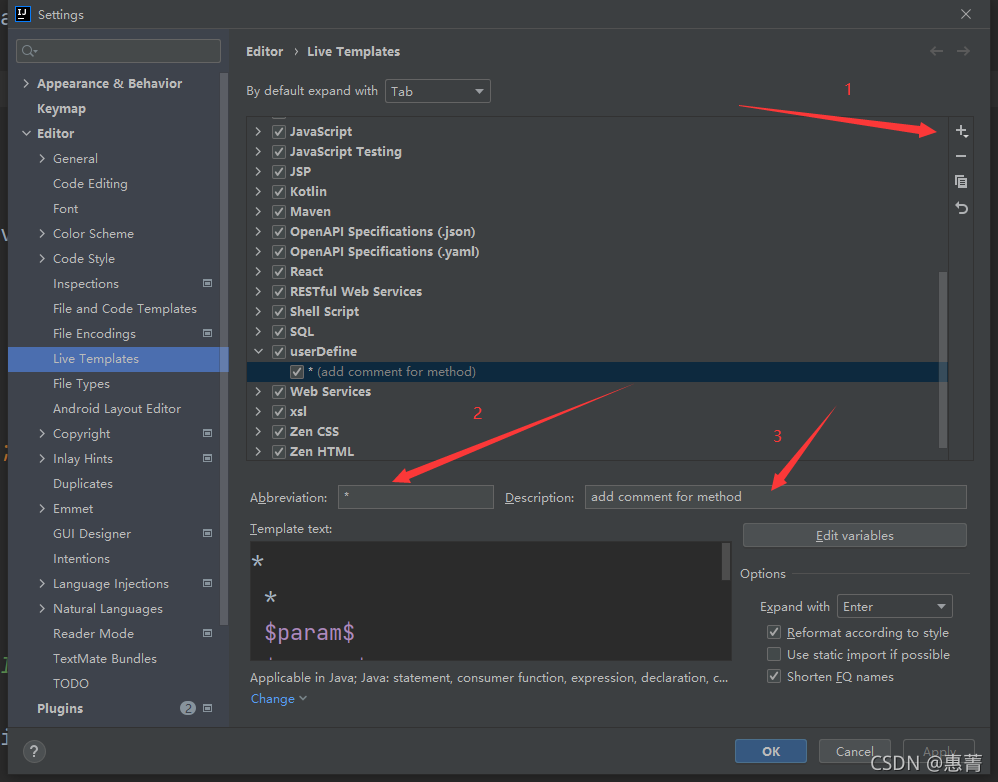
3.输入模板的简写码
*
 *
 $param$
 $return$
**/
4.可编辑定义的变量的值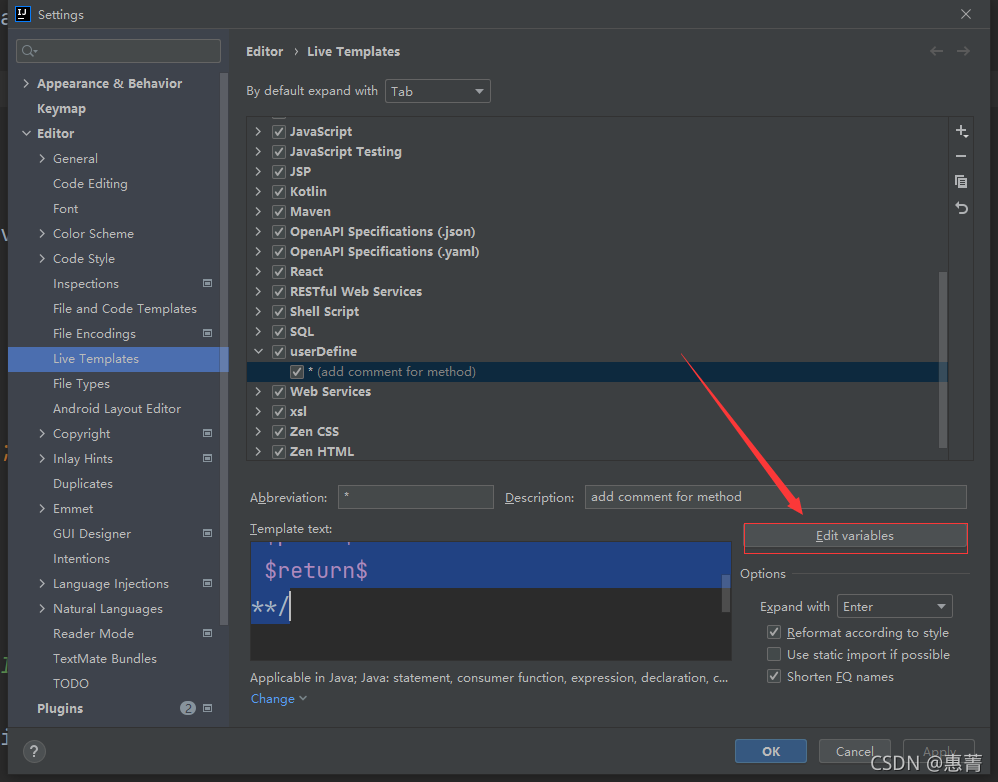
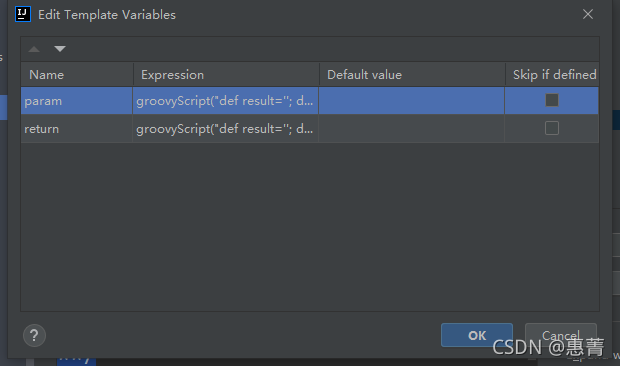
param
groovyScript("def result=''; def stop=false; def params=\"${_1}\".replaceAll('[\\\\[|\\\\]|\\\\s]', '').split(',').toList(); if (params.size()==1 && (params[0]==null || params[0]=='null' || params[0]=='')) { stop=true; }; if(!stop) { for(i=0; i < params.size(); i++) {result +=((i < params.size() - 1) ? ' * @param ' + params[i] + '\\r\\n' : ' * @param ' + params[i] + '')}; }; return result;", methodParameters())
return
groovyScript("def result=''; def data=\"${_1}\"; def stop=false; if(data==null || data=='null' || data=='') { stop=true; }; if(!stop) { result +=' * @return ' + data +'\\r\\n' ; }; return result;", methodReturnType())
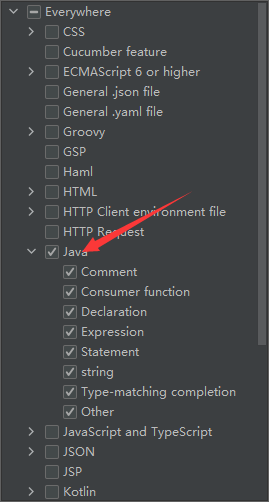
5.点击选择该模板应用的范围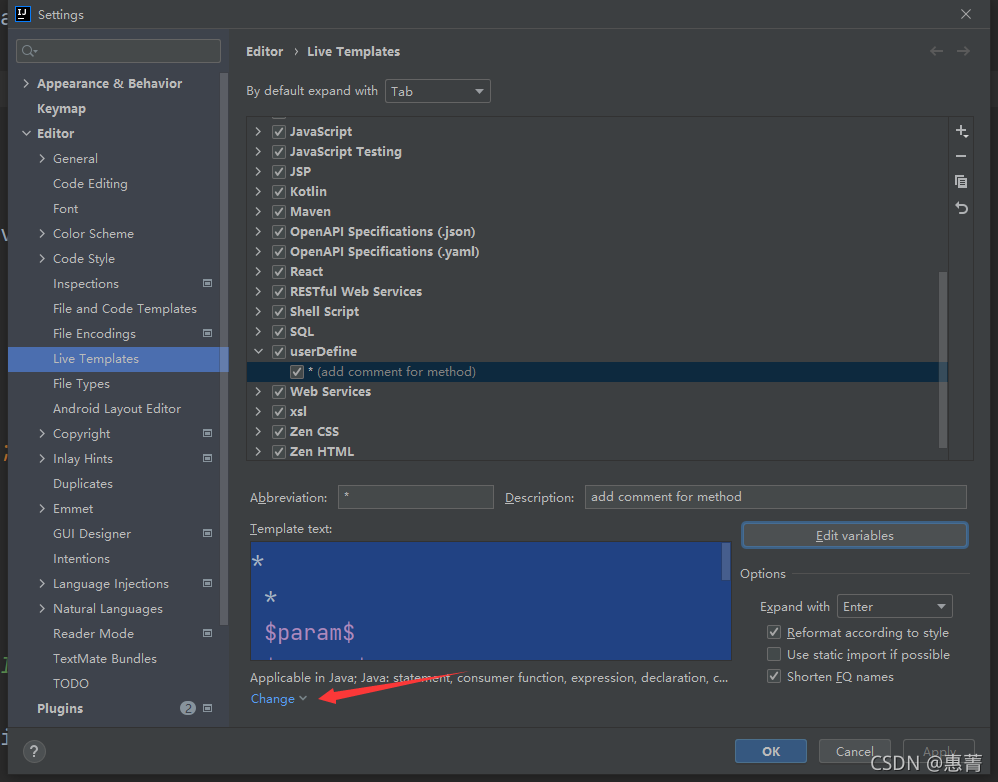
6.点击options 中的 Expand with 可选择该模板配合使用的快捷键,如 Tab键,Space 空格键 , Enter 回车键 等等;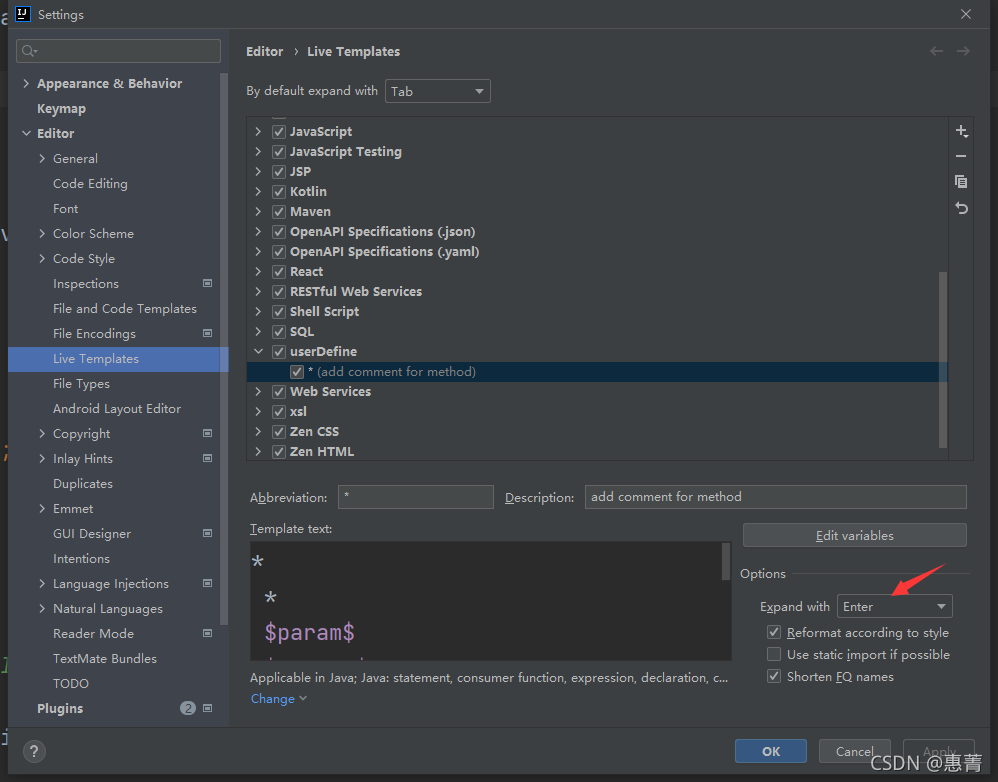
如在这里设置的模板关键词为 * ,配合使用快捷键为Enter键
则在方法中输入 /**,在按下Enter 键,即可按照模板生成注释。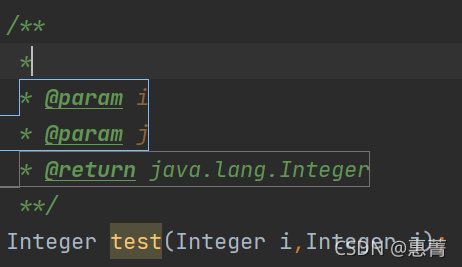

一站式 AI 云服务平台
更多推荐



 1
1 0
0- 0


 已为社区贡献1条内容

所有评论(0)