登录社区云,与社区用户共同成长
邀请您加入社区
文章目录idea 设置默认不折叠代码idea 设置默认不折叠代码idea 默认的代码是 折叠 的,看起来或许有些不习惯,可通过下列方式进行设置设置路径:File -> Setting -> Editor -> General -> Code Folding...
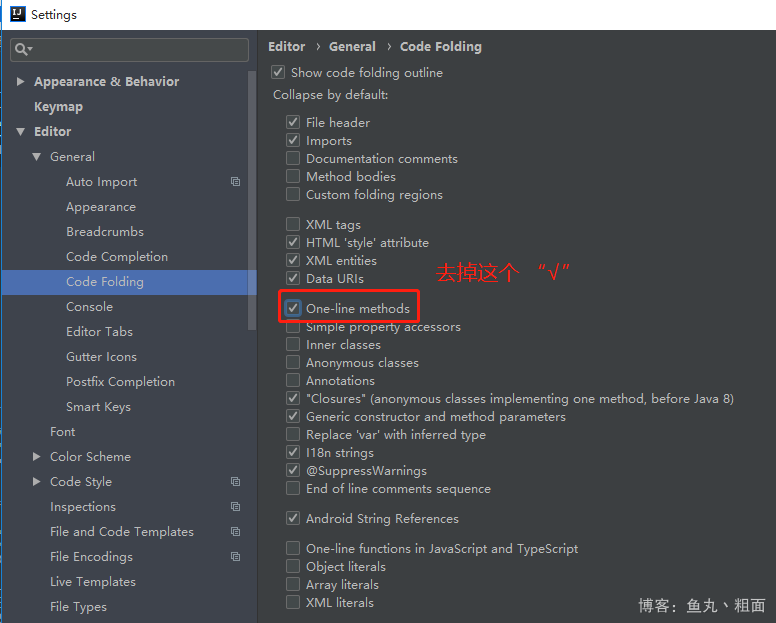
idea 默认的代码是 折叠 的,看起来或许有些不习惯,可通过下列方式进行设置
折叠
设置路径:File -> Setting -> Editor -> General -> Code Folding
File -> Setting -> Editor -> General -> Code Folding
一站式 AI 云服务平台
更多推荐
国内低代码平台:2025 年国内主流平台盘点
5分钟搞定!MySQL/PostgreSQL 到 Elasticsearch 的实时同步
从零开始搭建个人RAG知识库:RAGFlow+DeepSeek保姆级教程!
扫一扫分享内容







 已为社区贡献4条内容

所有评论(0)