
✨ 当【大模型】遇见本地知识库:【LlamaFactory+LangChain】打造你的“AI百事通” ✨
还在为员工翻遍500页PDF找参数头疼?或是客户咨询总得等程序员“人肉搜索”数据库?2025年了,是时候让**LlamaFactory+LangChain+deepseek**这对超强组合帮你搞定啦!
·
引言
还在为员工翻遍500页PDF找参数头疼?或是客户咨询总得等程序员“人肉搜索”数据库?2025年了,是时候让LlamaFactory+LangChain+deepseek这对超强组合帮你搞定啦!
一、LlamaFactory安装及模型部署
- LlamaFactory安装可以参考我的上一篇博客【本地部署DeepSeek(含可视化界面)】的两种方法。
- 因为本文是通过本地部署的大模型(api)方式+知识库构建问答,对 LlamaFactory调用api的方式进行补充(注:本文章的所有操作均在windows11下进行,默认你已经部署LlamaFactory且完成本地模型部署)。
1.1 激活llamafactory api
# 激活环境
# 进入LlaMa-Factory存储目录
cd LlaMa-Factory

# 激活LlamaFactory安装环境
activate llamafactory

# 设置调用的GPU卡
set CUDA_VISIBLE_DEVICES=0

# 为了避免端口冲突,设置api端口,也可以设置为其他的
set API_PORT=8000

# 调用本地模型并激活api
python src/api.py --model_name_or_path C:\Users\xx\.cache\huggingface\hub\models--deepseek-ai--DeepSeek-R1-Distill-Qwen-1.5B\snapshots\530ca3e1ad39d440e182c2e4317aa40f012512fa --template deepseek
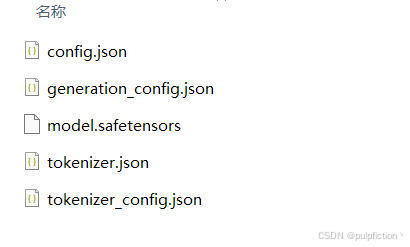
- –model_name_or_path :模型存放地址,模型存放地址要包含以下几个文件,不然可能会失败。
- –template:对话模板(deepseek,qwen等,根据模型自行设置)
- 显示以下画面代表已经成功激活api

http://localhost:8000/docs 为api帮助文档,可自行查看。
二、LangChain安装及知识库环境部署
这里我是创建了一个新的环境,为了避免包冲突来安装LangChain。
- 1、安装LangChain、基础分析包、向量数据库等,用来解析文档、分词、构建向量数据库等。
pip install openai transformers jieba unstructured pypdf pandas python-docx xlrd sentence-transformers langchain langchain-community
-
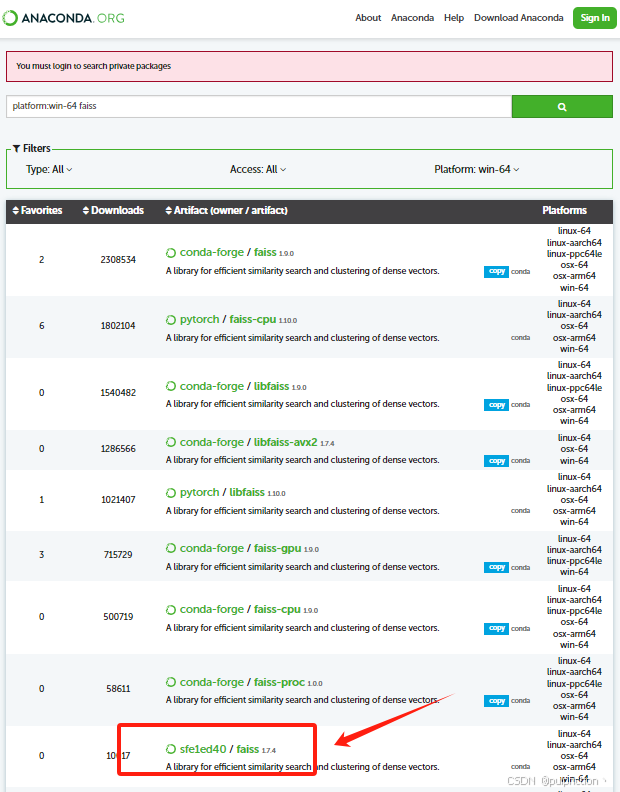
2、安装faiss向量数据库,可以去anaconda官网搜索faiss库,如图:

-
3、根据操作系统、python版本(我的3.9)选择对应的faiss(1.7.4)版本。
-
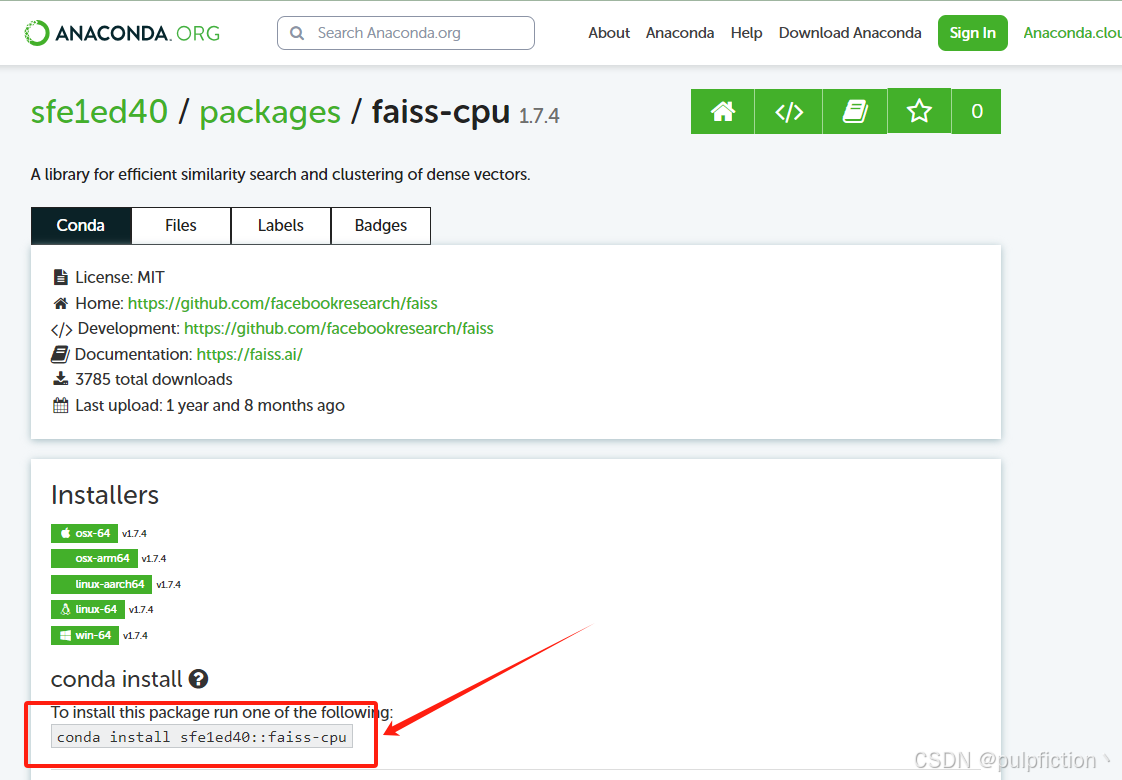
4、复制命令,安装即可:
# 安装faiss
conda install sfe1ed40::faiss-cpu
三、构建本地知识库+模型问答
import os
import json
import jieba
import requests
from langchain.vectorstores import FAISS
from langchain.embeddings import HuggingFaceEmbeddings
from langchain.text_splitter import RecursiveCharacterTextSplitter
from langchain.document_loaders import PyPDFLoader, UnstructuredWordDocumentLoader, UnstructuredExcelLoader

class KnowledgeAnswer():
    # 文档解析函数
    def load_documents(self, folder_path):
        docs = []
        for file in os.listdir(folder_path):
            file_path = os.path.join(folder_path, file)
            if file.endswith(".pdf"):
                loader = PyPDFLoader(file_path)
            elif file.endswith(".docx"):
                loader = UnstructuredWordDocumentLoader(file_path)
            elif file.endswith(".xlsx"):
                loader = UnstructuredExcelLoader(file_path)
            else:
                continue
            docs.extend(loader.load())
        return docs

    # 中文分词
    def segment_text(self, text):
        return " ".join(jieba.cut(text))

    # 移除空格
    def remove_spaces(self, text):
        return text.replace(" ", "")

    # 查询函数
    def query_knowledgebase(self, query):
        query_vec = self.segment_text(query)
        # k的长度可以自行设置调整
        retrieved_docs = vector_store.similarity_search(query_vec, k=3)
        return "\n".join([self.remove_spaces(doc.page_content) for doc in retrieved_docs])

    # 发送请求给 LlamaFactory API
    # 参数可以自行调节
    def ask_llama(self, query):
        context = self.query_knowledgebase(query)  # 先检索知识库
        prompt = f"根据以下内容回答问题:\n\n{context}\n\n问题:{query}\n\n答案:"

        payload = {
            "model": "your-model-name",
            "messages": [{"role": "user", "content": prompt}],
            "max_tokens": 1024,
            "temperature": 0.7
        }
        response = requests.post(LLAMA_API_URL, json=payload)

        # 是否调用成功,并返回结果
        if response.status_code == 200:
            result = response.json()
            return result['choices'][0]['message']['content']
        else:
            return f"请求失败: {response.text}"
if __name__ == "__main__":
    ka = KnowledgeAnswer()

    data_path = r"C:\Users\你要生成知识库的数据存储文件夹路径"
    # 加载所有文档,解析文档
    docs = ka.load_documents(data_path)

    # 文本切分
    # parameter: chunk_size 分割文本长度
    # parameter: chunk_overlap 与上一段文本重叠长度
    text_splitter = RecursiveCharacterTextSplitter(chunk_size=1024, chunk_overlap=50)
    documents = text_splitter.split_documents(docs)

    # 使用中文Embedding模型
    # 这里我加载的是本地的模型text2vec-large-chinese,也可以选择在线的或其他分词模型
    model_name = r"C:\Users\xx\.cache\huggingface\hub\models--GanymedeNil--text2vec-large-chinese\snapshots\add4e02ec45da97442798f25093d9ab96e40c5ad"
    # 在线的选择这里
    # embedding_model = HuggingFaceEmbeddings(model_name="shibing624/text2vec-large-chinese")
    embedding_model = HuggingFaceEmbeddings(model_name=model_name)

    # 存入FAISS
    vector_store = FAISS.from_documents(documents, embedding_model)
    vector_store.save_local("faiss_index3")

    # LlamaFactory API 地址
    LLAMA_API_URL = "http://localhost:8000/v1/chat/completions"

    # 加载 FAISS 索引
    vector_store = FAISS.load_local("faiss_index3", embedding_model, allow_dangerous_deserialization=True)

    # 示例查询
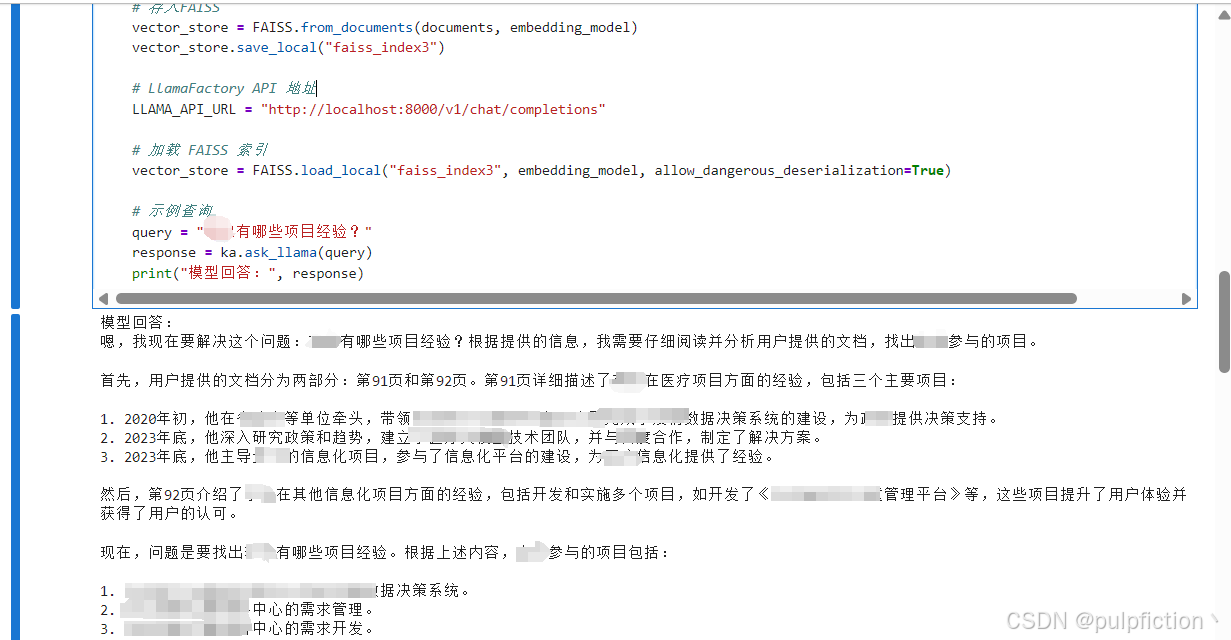
    query = "XX有哪些项目经验?"
    response = ka.ask_llama(query)
    print("模型回答:", response)

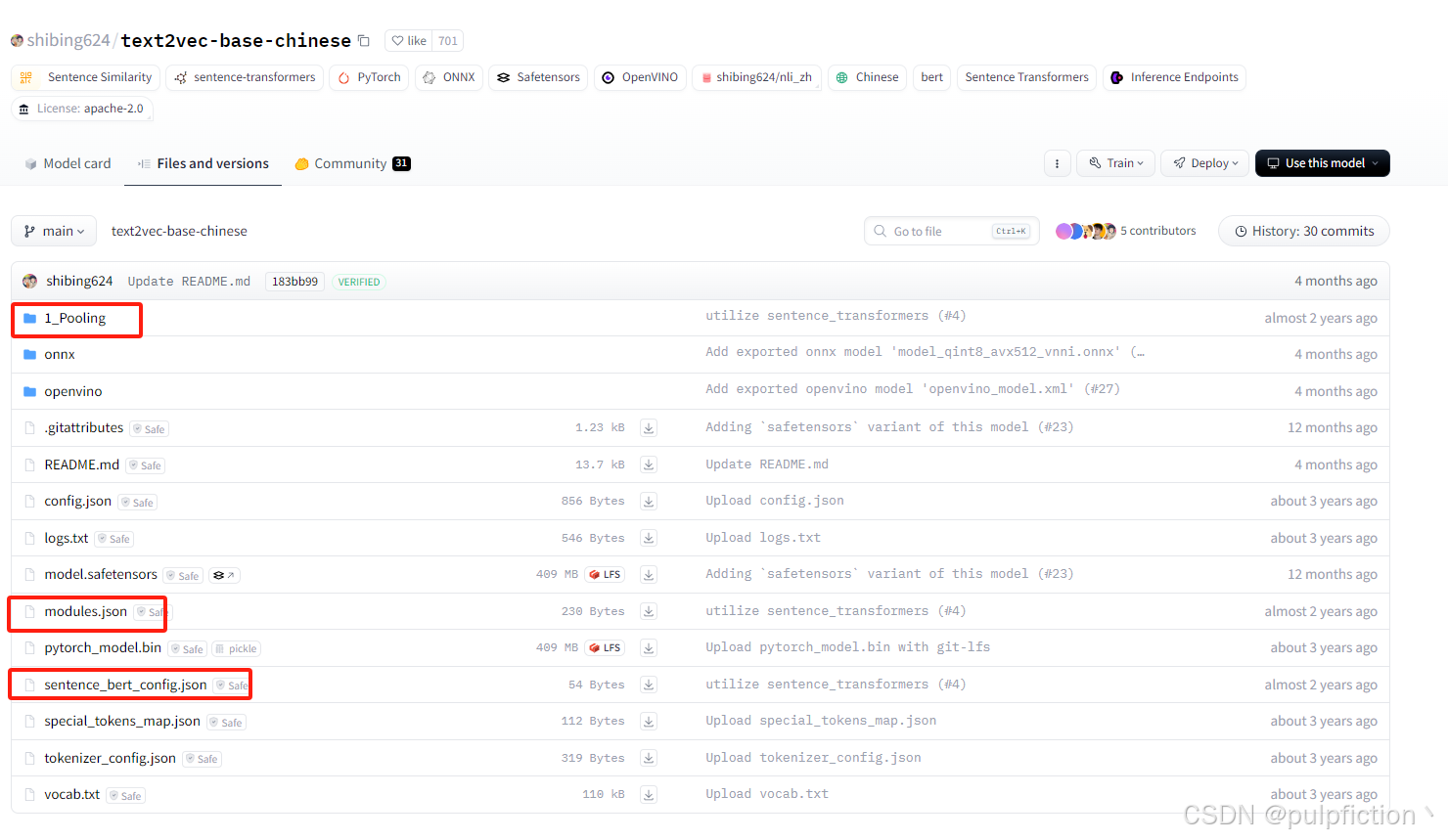
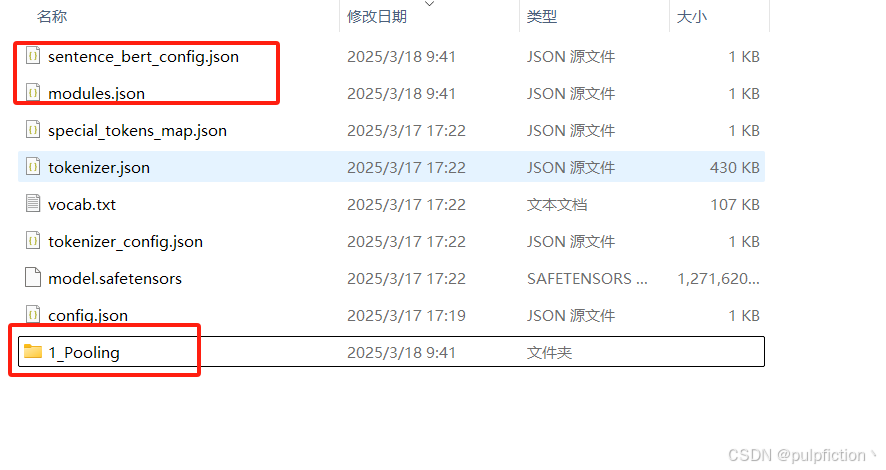
- 注:本地调用text2vec-large-chinese分词模型的时候,需要去Hugging Face官网找到shibing624/text2vec-base-chinese模型,将以下几个文件下载并存储到本地路径,不然可能报错。

一站式 AI 云服务平台
更多推荐



 8
8 0
0- 0


 已为社区贡献1条内容

所有评论(0)