
基于Lumen + AMIS 搭建一款优雅低代码后台管理系统
一款优化的低代码后台管理系统。简单的json配置即可搭建高可用的后台系统。
设计理念
Lumen 是基于 Laravel 的超轻量框架,专为高性能 API 开发而生,简洁优雅;AMIS 是一款低代码前端框架,基于 JSON 配置快速构建后台管理系统和数据展示页面。 两者结合0代码打造自己的后台管理系统。
整个后台系统以节点为骨架,将组件和页面串起来。将节点分配给用户实现权限到点的控制。
基础框架
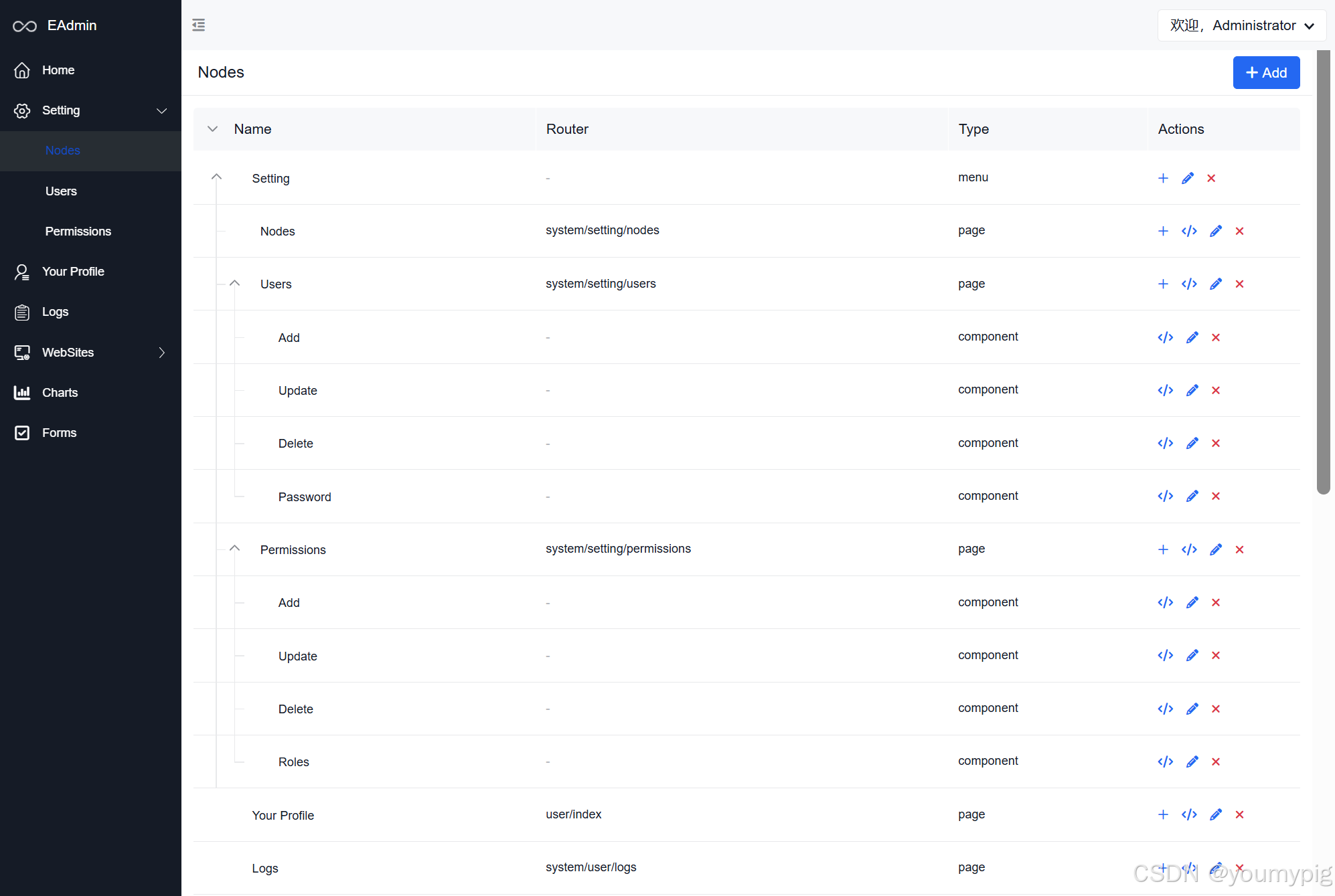
节点
节点类型分:菜单,页面,重定向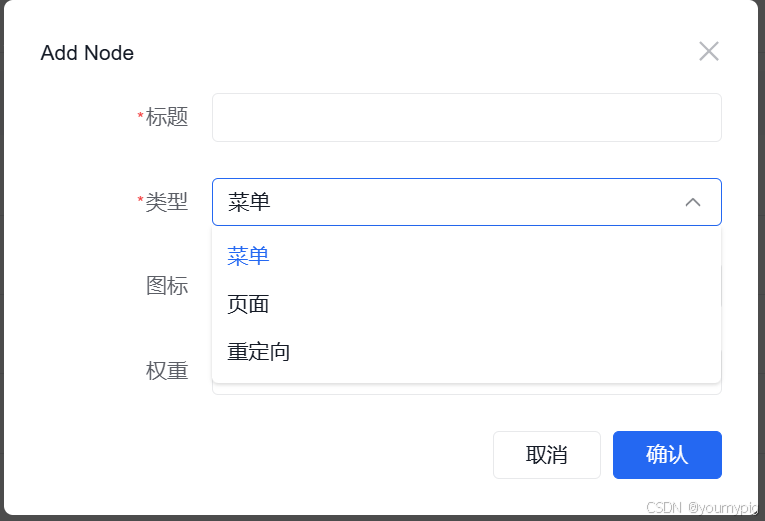
- 菜单
如果设置为菜单,则会以菜单的形式在页面左侧栏展示。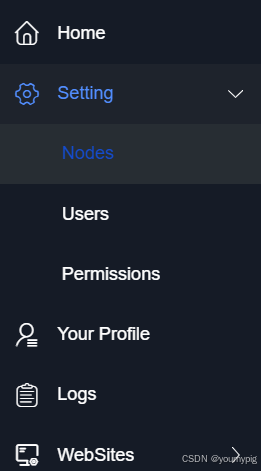
- 页面
选择页面后,意味着你需要自定义一个页面。填写相关页面配置,保存后,会有一个页面json配置。直接进行页面配置。可以自定义你需要的单页面,数据列表,数据表单采集也等。
因为amis本身支持api,只要你的后台接口提供一个共用的或者单独的api接口,就可以直接绑定数据展示 - 重定向
重定向填写一个url,从菜单处点击,直接跳转到目标url
页面配置,请参考具体的AMIS文档:
https://baidu.github.io/amis/zh-CN/components/page
API接口自定义,请参文档:
https://learnku.com/docs/lumen/5.1/about/1832
用户
通过左侧Settings/Users 可以进行用户管理。包括用户的增删改查,重置密码
权限
权限以节点的形式分配,可以精确到某个操作按钮。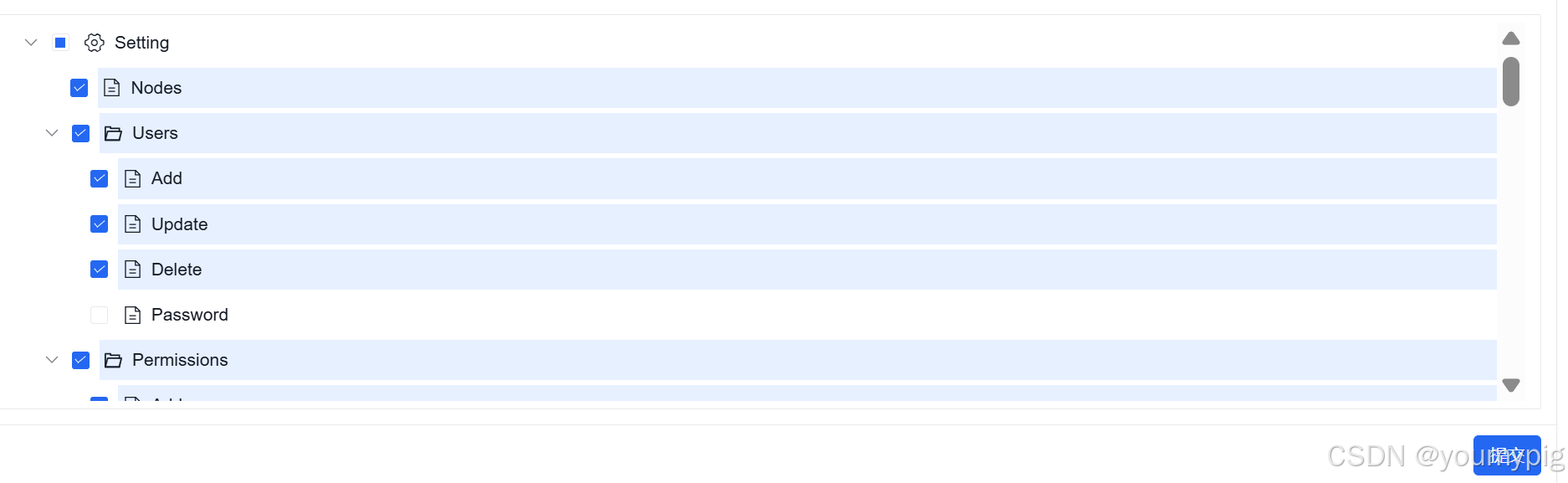
日志
创建的每个模块,都无需自动添加日志。内容的新建,删除,修改自动添加到日志操作中。当然自定义接口可以直接通过lumen的中间件引入。
实战:文章管理
创建数据表
这里选择手动创建。(也可以直接使用系统创建)
CREATE TABLE `article` (
  `id` int(11) NOT NULL AUTO_INCREMENT,
  `title` varchar(125) DEFAULT NULL,
  `summary` varchar(500) DEFAULT NULL,
  `author` int(11) DEFAULT NULL,
  `category` int(11) DEFAULT NULL,
  `type` varchar(20) DEFAULT NULL,
  `image` varchar(225) DEFAULT NULL,
  `content` text,
  `created_at` datetime DEFAULT NULL,
  `updated_at` datetime DEFAULT NULL,
  `publish_at` datetime DEFAULT NULL,
  `tag` varchar(255) DEFAULT NULL,
  `sort` int(11) DEFAULT '0',
  `status` varchar(20) DEFAULT 'actived' COMMENT 'actived,disabled,deleted',
  `lang` varchar(2) DEFAULT 'en',
  `site_id` int(11) DEFAULT '1',
  `url` varchar(50) DEFAULT NULL,
  PRIMARY KEY (`id`)
) ENGINE=InnoDB AUTO_INCREMENT=17 DEFAULT CHARSET=utf8mb4
创建菜单节点
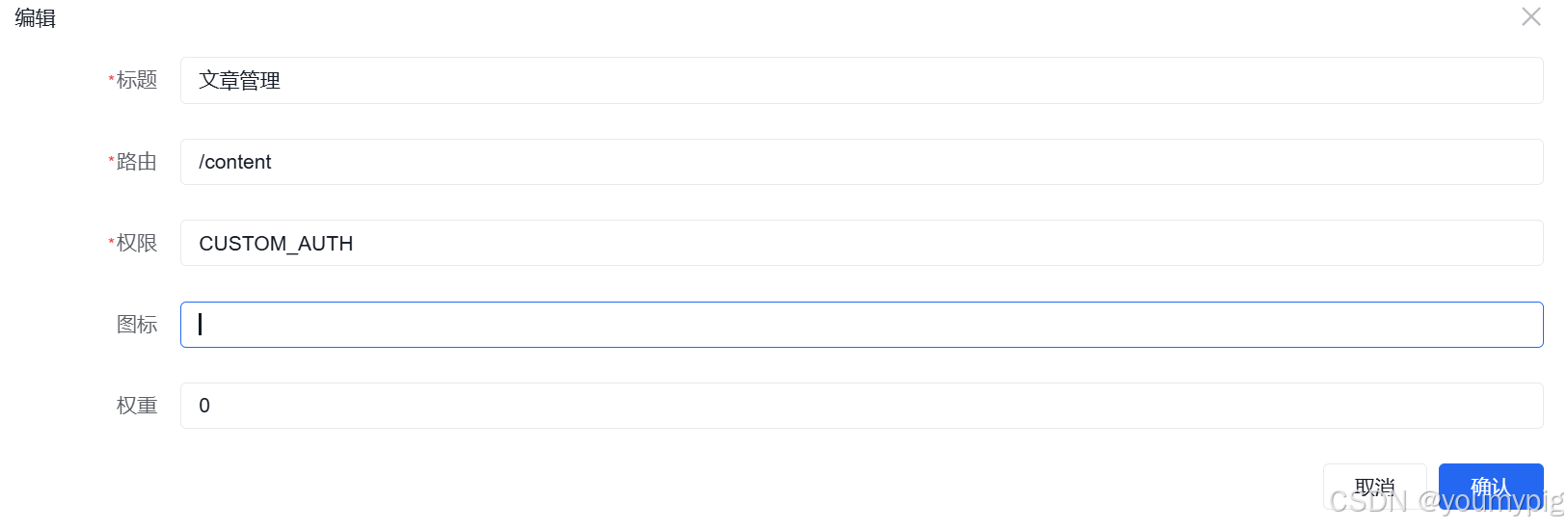
-
权限:custom_auth 指的是常规权限验证。即节点验证即可(用户只需要分配了该节点就拥有该几点的操作权限)。
-
路由:请求的时候,地址栏会限制该url
-
图标:icon 还可以使用 URL 地址,可以从 iconfont 等网站下载图表的 svg 文件上传到服务器,然后使用对应的地址。https://www.iconfont.cn/
也可以直接使用AMIS 默认图标库:https://fontawesome.com/v4/icons/
配置页面: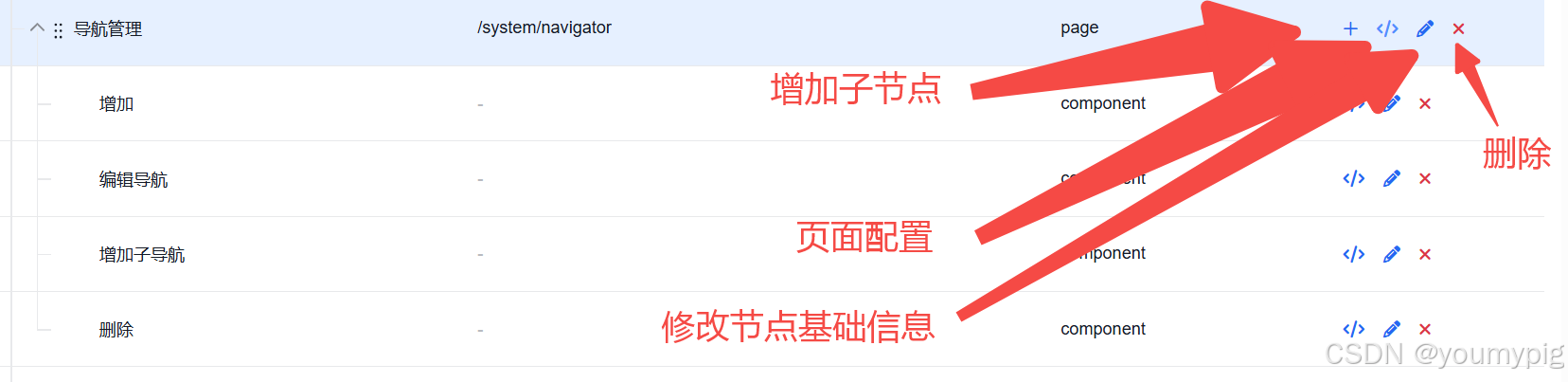
从上面提示的页面配置中进入,进行页面配置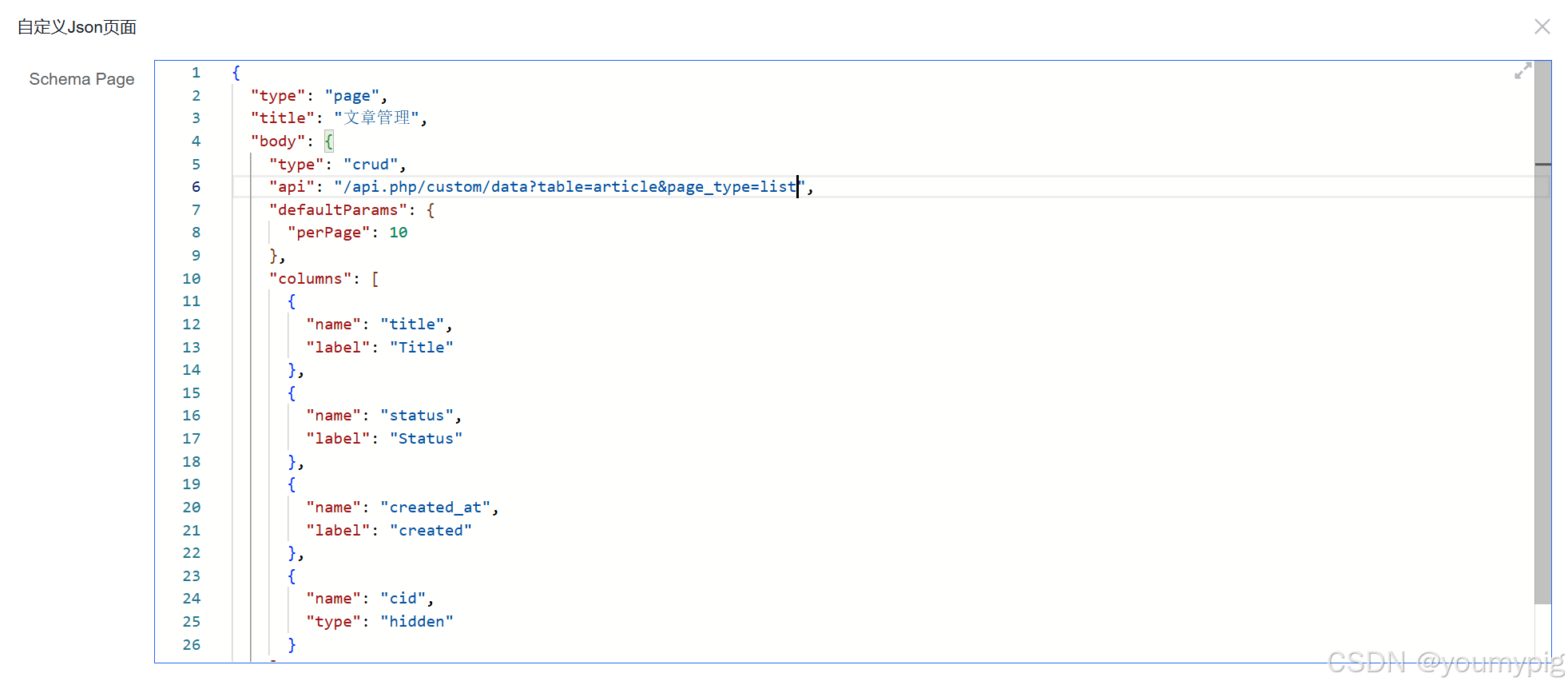
{
  "type": "page",
  "title": "文章管理",
  "body": {
    "type": "crud",
    "api": "/api.php/custom/data?table=article&page_type=list",
    "defaultParams": {
      "perPage": 10
    },
    "columns": [
      {
        "name": "title",
        "label": "Title"
      },
      {
        "name": "status",
        "label": "Status"
      },
      {
        "name": "created_at",
        "label": "created"
      },
      {
        "name": "cid",
        "type": "hidden"
      }
    ]
  }
}
注: AMIS中所有页面配置,字段类型,搜索,排序,以及涉及到的相关的crud可以参考文档:https://baidu.github.io/amis/zh-CN/components/crud
创建新增表单
在文章管理下,点击 + 增加新增节点。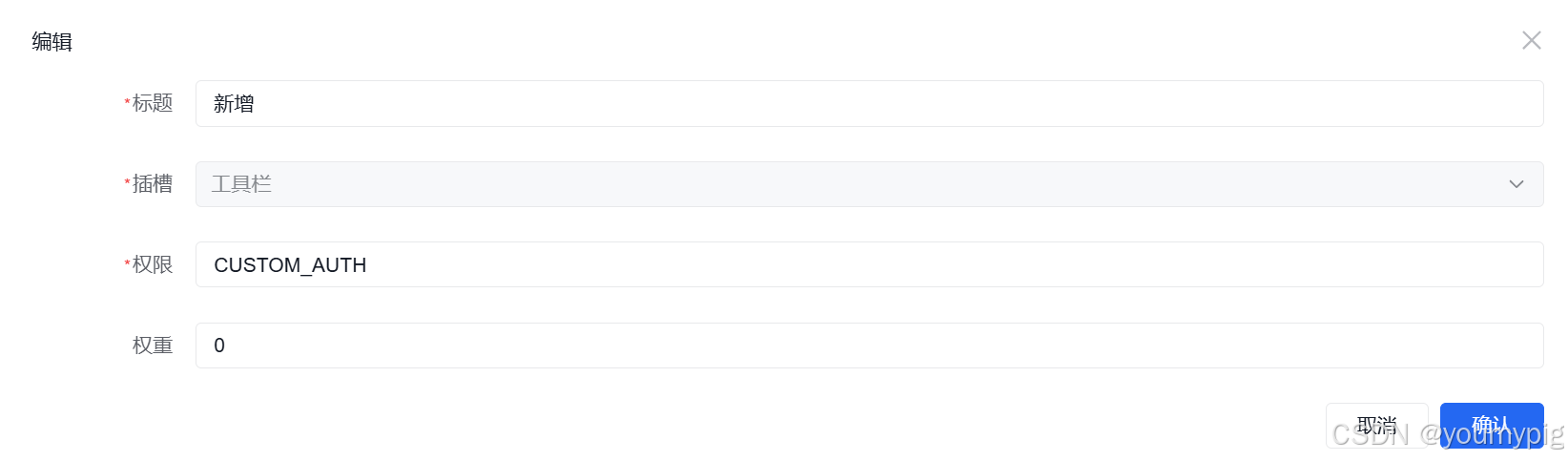
插槽选择工具栏
页面json配置
{
  "type": "button",
  "actionType": "dialog",
  "label": "新增",
  "icon": "fa fa-plus pull-left",
  "primary": true,
  "dialog": {
    "title": "新增",
    "size": "full",
    "body": {
      "type": "form",
      "size": "full",
      "name": "add-search-spider-pool",
      "api": "/api.php/custom/data?table=article&page_type=add",
      "body": {
        "type": "grid",
        "columns": [
          {
            "type": "tabs",
            "tabs": [
              {
                "title": "基本信息",
                "body": {
                  "type": "grid",
                  "columns": [
                    {
                      "md": 8,
                      "body": [
                        {
                          "type": "hidden",
                          "name": "cid"
                        },
                        {
                          "type": "input-text",
                          "name": "title",
                          "required": true,
                          "label": "标题"
                        },
                        {
                          "type": "input-text",
                          "name": "url",
                          "required": true,
                          "label": "URL"
                        },
                        {
                          "type": "textarea",
                          "name": "summary",
                          "required": true,
                          "label": "摘要"
                        },
                        {
                          "type": "input-rich-text",
                          "name": "content",
                          "required": true,
                          "id": "to_content",
                          "label": "内容",
                          "value": "default content",
                          "accept": ".jpeg,.jpg,.png,.gif,.bmp,.svg,.webp",
                          "receiver": "post:/api.php/system/upload/image?node_id=article"
                        }
                      ]
                    },
                    {
                      "md": 4,
                      "body": [
                        {
                          "type": "input-text",
                          "name": "author",
                          "required": true,
                          "label": "作者"
                        },
                        {
                          "type": "input-image",
                          "name": "images",
                          "required": true,
                          "label": "封面图",
                          "crop": true,
                          "clearable": true,
                          "accept": ".jpeg,.jpg,.png,.gif,.bmp,.svg,.webp",
                          "receiver": "post:/api.php/system/upload/image?node_id=article"
                        },
                        {
                          "type": "input-tag",
                          "name": "tag_url",
                          "label": "标签",
                          "placeholder": "请选择标签",
                          "id": "reload_type",
                          "source": "get:/api.php/content/label/all"
                        },
                        {
                          "type": "input-number",
                          "name": "recommend_level",
                          "label": "权重",
                          "min": 0,
                          "resetValue": 0,
                          "value": 0,
                          "description": "值越大越靠前"
                        },
                        {
                          "type": "input-datetime",
                          "name": "publish_at",
                          "label": "发布时间"
                        },
                        {
                          "type": "select",
                          "name": "status",
                          "label": "状态",
                          "options": [
                            "actived",
                            "disabled"
                          ],
                          "value": "actived"
                        }
                      ]
                    }
                  ]
                }
              },
              {
                "title": "Meta信息",
                "body": [
                  {
                    "type": "input-text",
                    "name": "meta_title",
                    "label": "Title"
                  },
                  {
                    "type": "input-text",
                    "name": "meta_keywords",
                    "label": "Keywords"
                  },
                  {
                    "type": "textarea",
                    "name": "meta_description",
                    "label": "Description"
                  }
                ]
              }
            ]
          }
        ]
      }
    }
  }
}
修改表单
同新增一样,先创建节点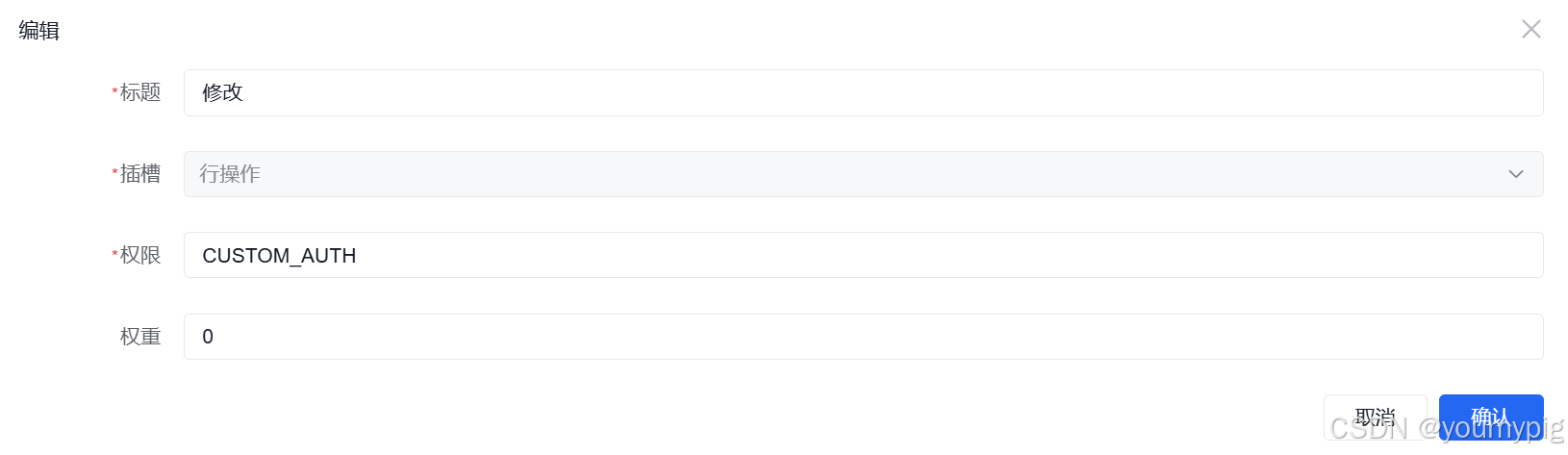
插槽选择行操作
页面配置
{
  "type": "button",
  "actionType": "dialog",
  "label": "修改",
  "icon": "fa fa-pencil",
  "primary": true,
  "dialog": {
    "title": "修改",
    "size": "full",
    "body": {
      "type": "form",
      "size": "full",
      "name": "add-search-spider-pool",
      "api": "post:/api.php/custom/data?table=article&page_type=update&id=$id",
      "body": {
        "type": "grid",
        "columns": [
          {
            "type": "tabs",
            "tabs": [
              {
                "title": "基本信息",
                "body": {
                  "type": "grid",
                  "columns": [
                    {
                      "md": 8,
                      "body": [
                        {
                          "type": "hidden",
                          "name": "cid"
                        },
                        {
                          "type": "input-text",
                          "name": "title",
                          "required": true,
                          "label": "标题"
                        },
                        {
                          "type": "input-text",
                          "name": "url",
                          "required": true,
                          "label": "URL"
                        },
                        {
                          "type": "textarea",
                          "name": "summary",
                          "required": true,
                          "label": "摘要"
                        },
                        {
                          "type": "input-rich-text",
                          "name": "content",
                          "required": true,
                          "id": "to_content",
                          "label": "内容",
                          "value": "default content",
                          "accept": ".jpeg,.jpg,.png,.gif,.bmp,.svg,.webp",
                          "receiver": "post:/api.php/system/upload/image?node_id=article"
                        }
                      ]
                    },
                    {
                      "md": 4,
                      "body": [
                        {
                          "type": "input-text",
                          "name": "author",
                          "required": true,
                          "label": "作者"
                        },
                        {
                          "type": "input-image",
                          "name": "images",
                          "required": true,
                          "label": "封面图",
                          "crop": true,
                          "clearable": true,
                          "accept": ".jpeg,.jpg,.png,.gif,.bmp,.svg,.webp",
                          "receiver": "post:/api.php/system/upload/image?node_id=article"
                        },
                        {
                          "type": "input-tag",
                          "name": "tag_url",
                          "label": "标签",
                          "placeholder": "请选择标签",
                          "id": "reload_type",
                          "source": "get:/api.php/content/label/all"
                        },
                        {
                          "type": "input-number",
                          "name": "recommend_level",
                          "label": "推荐等级",
                          "min": 0,
                          "resetValue": 0,
                          "description": "值越大越靠前"
                        },
                        {
                          "type": "input-datetime",
                          "name": "publish_at",
                          "label": "发布时间"
                        },
                        {
                          "type": "select",
                          "name": "status",
                          "label": "状态",
                          "options": [
                            "actived",
                            "disabled"
                          ],
                          "value": "actived"
                        }
                      ]
                    }
                  ]
                }
              },
              {
                "title": "Meta信息",
                "body": [
                  {
                    "type": "input-text",
                    "name": "meta_title",
                    "label": "Title"
                  },
                  {
                    "type": "input-text",
                    "name": "meta_keywords",
                    "label": "Keywords"
                  },
                  {
                    "type": "textarea",
                    "name": "meta_description",
                    "label": "Description"
                  }
                ]
              }
            ]
          }
        ]
      }
    }
  }
}
创建删除
创建子节点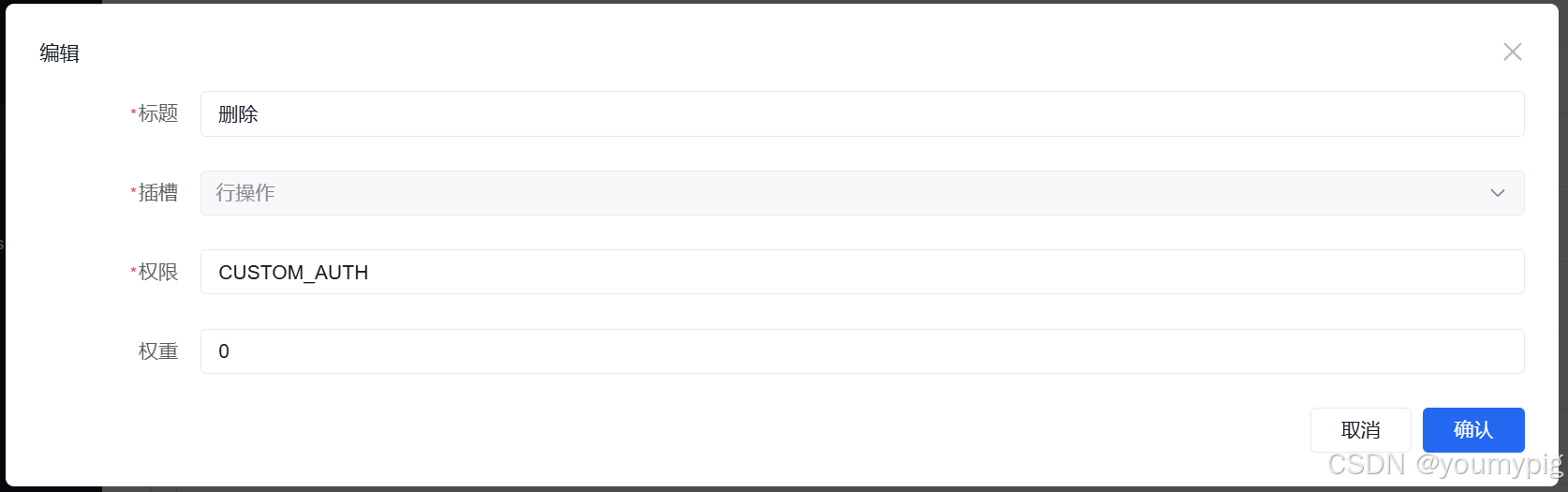
页面配置
{
  "type": "button",
  "icon": "fa fa-times text-danger",
  "actionType": "ajax",
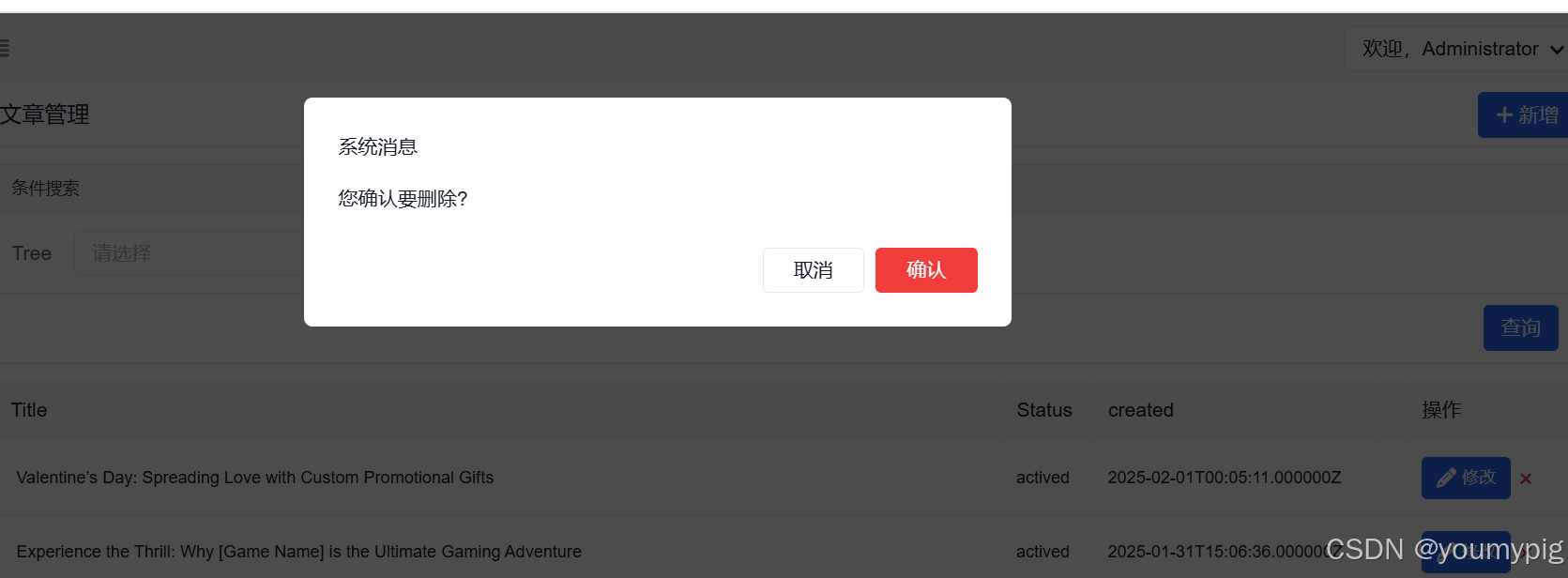
  "confirmText": "您确认要删除?",
  "api": "delete:/api.php/content/article/delete?id=$cid"
}
创建搜索
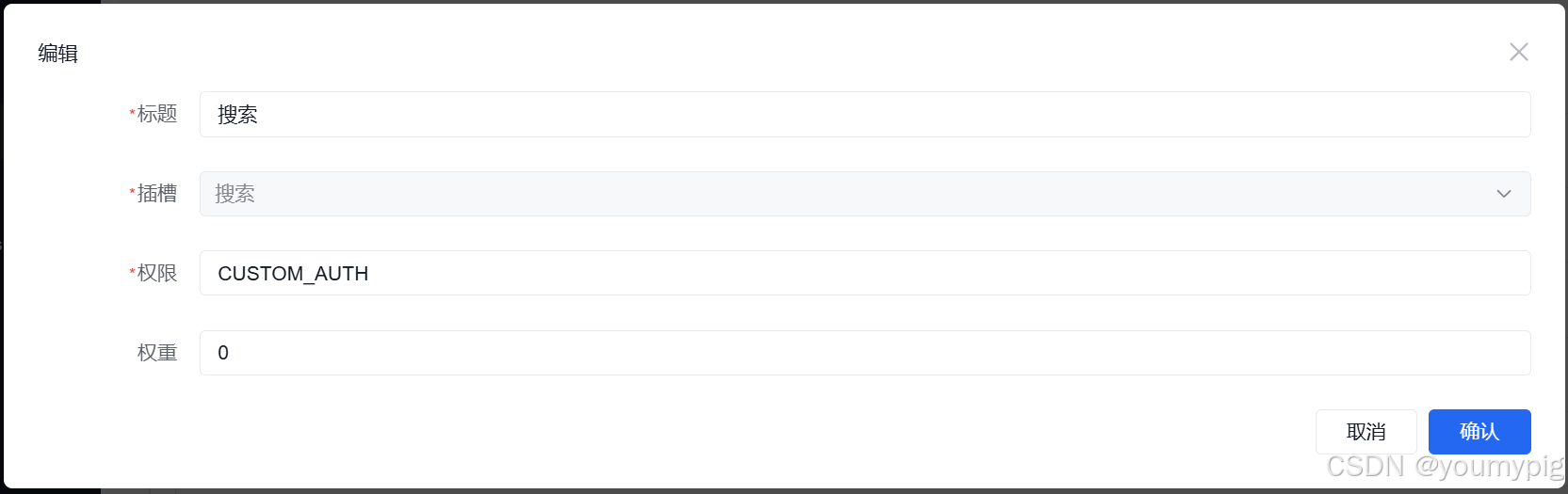
{
  "title": "条件搜索",
  "body": [
    {
      "type": "group",
      "body": [
        {
          "type": "input-text",
          "name": "keywords",
          "clearable": true,
          "placeholder": "请输入关键字"
        }
      ]
    }
  ],
  "actions": [
    {
      "type": "submit",
      "level": "primary",
      "label": "查询"
    }
  ]
}
分配权限
管理员创建编辑以及编辑组,登录进后台就可以查看自己的特有文章功能。
创建editor 分组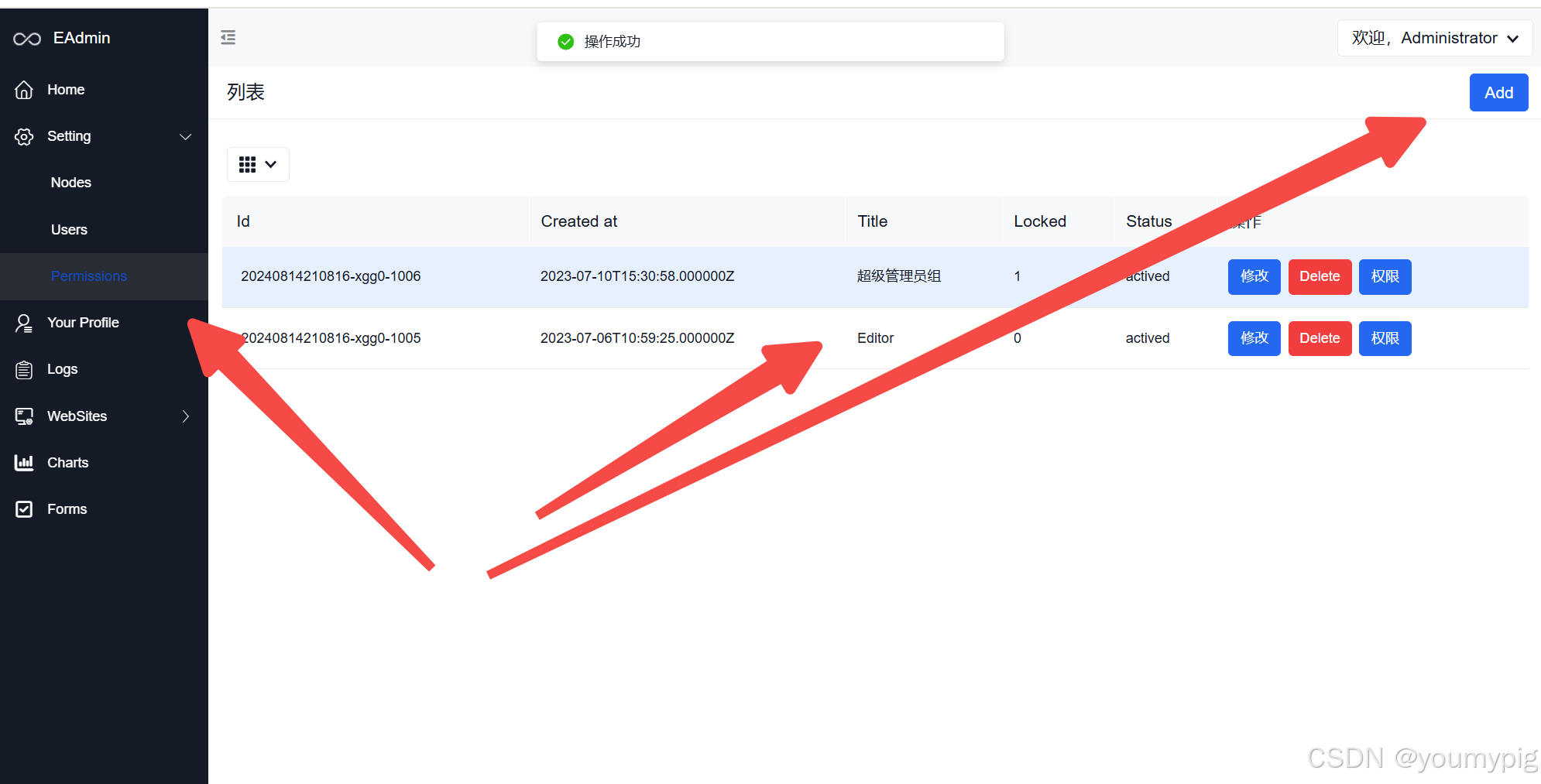
在权限选项,分配编辑组文章权限

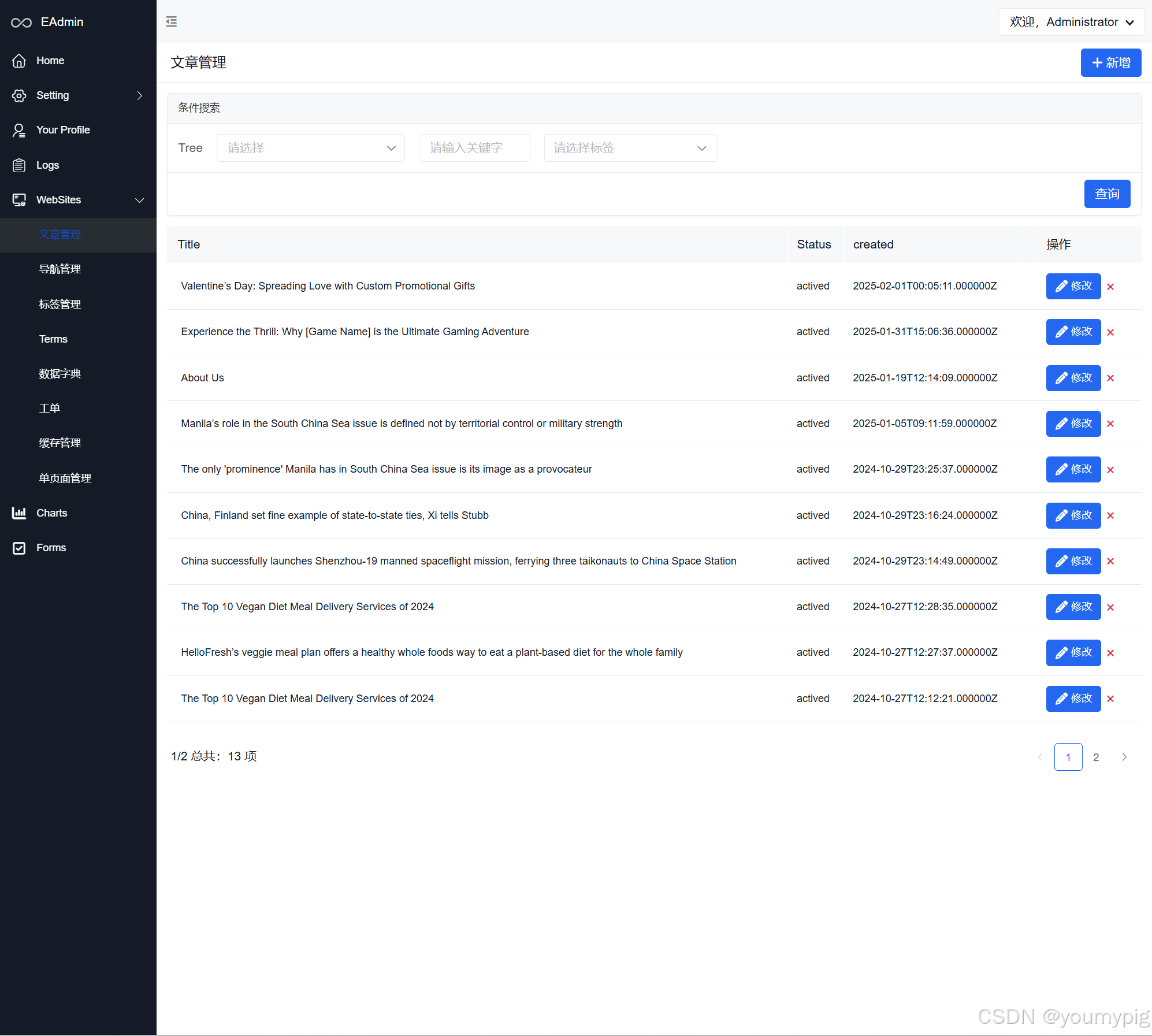
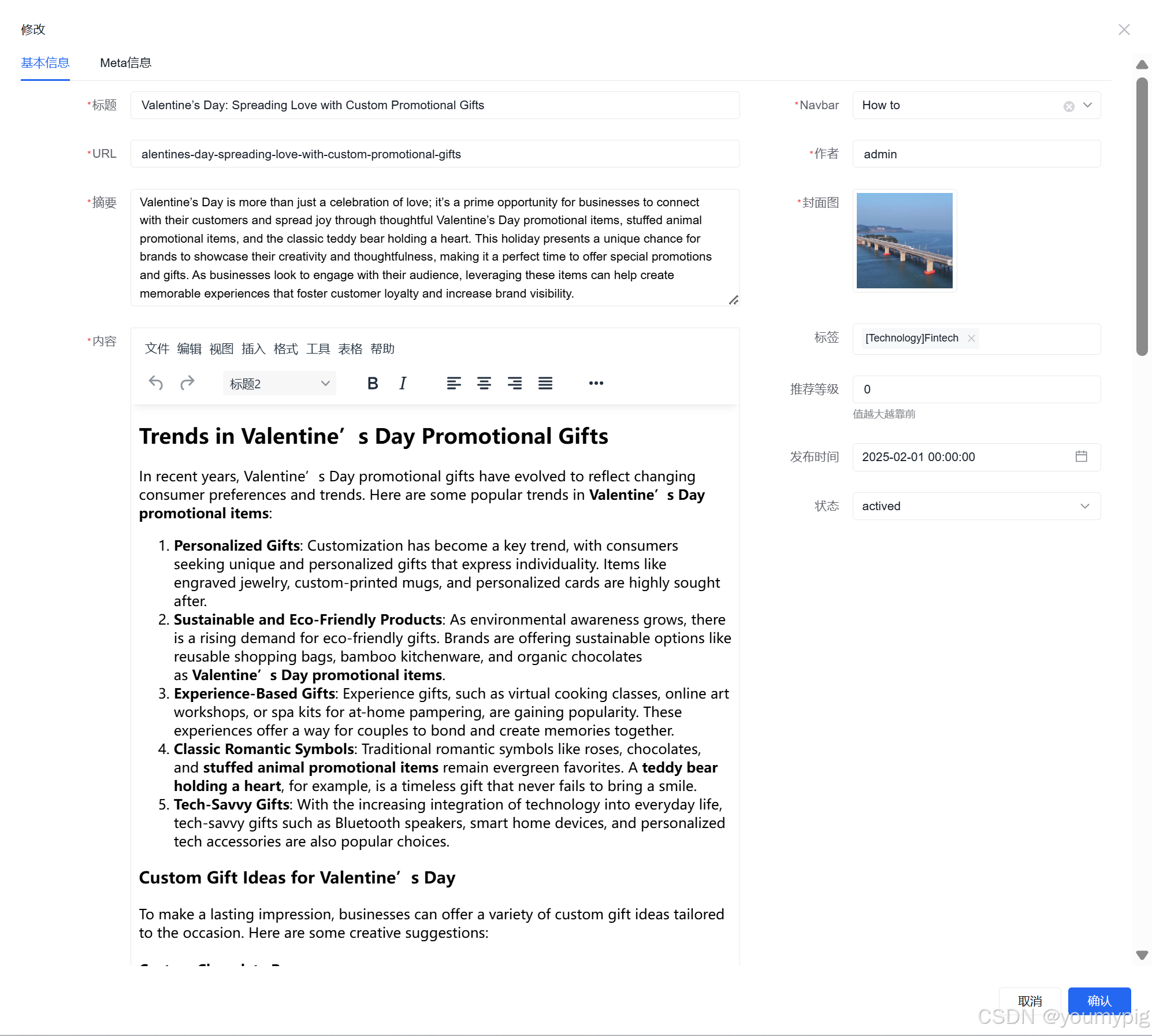
文章功能预览
总结
该后台管理系统基于php + Amis,数据库可以对接mysql, sqlite, mongodb。在便捷开发中,根据已有的数据库可以快速的搭建出后台管理框架。
需要学习源码的私信!

一站式 AI 云服务平台
更多推荐



 8
8 0
0- 0


 已为社区贡献1条内容

所有评论(0)