
linq 连接mysql_使用LINQ访问数据库
1. LINQ to SQL 概览• 把.NET 类和 SQL 数据通过关系进行映射• 把 LINQ 查询转化为 SQL 语言进行执行• 支持对插入,更新,删除操作进行跟踪.支持实体级别的验证规则• 构建于 ADO.NET之上并且集成连接池和事务处理1.1. LINQ to SQL 功能1.2. LINQ to SQL架构1.3. 创建对象映射• 为了给一个特定数据库创建一个对象模型,我们必须将.
1. LINQ to SQL 概览
• 把.NET 类和 SQL 数据通过关系进行映射
• 把 LINQ 查询转化为 SQL 语言进行执行
• 支持对插入,更新,删除操作进行跟踪.
支持实体级别的验证规则
• 构建于 ADO.NET之上并且集成连接池和事务处理
1.1. LINQ to SQL 功能

1.2. LINQ to SQL 架构

1.3. 创建对象映射
• 为了给一个特定数据库创建一个对象模型,我们必须将类映射到数据库实体当中。
• 有三种方式可以创建对象映射:
–手动创建对象映射:为现有的对象添加属性
– 使用提供的设计器来自动生成对象映射
– 使用命令行的SQLMetal 工具生成映射
2. 手动创建映射关系
• 添加 Using 指令
– using System.Data.Linq;
– using System.Data.Linq.Mapping;
• 使用属性声明
– Table 属性
– Column 属性
2.1. 添加属性声明
• [Table(Name = "Customers")]
• public class Customer
• {
• [Column]
• public string CustomerID { get; set; }
• [Column]
• public string City { get; set; }
• public override string ToString()
• {
• return CustomerID + "\t" + City;
• }
• }
3. 使用LINQ to SQL 类
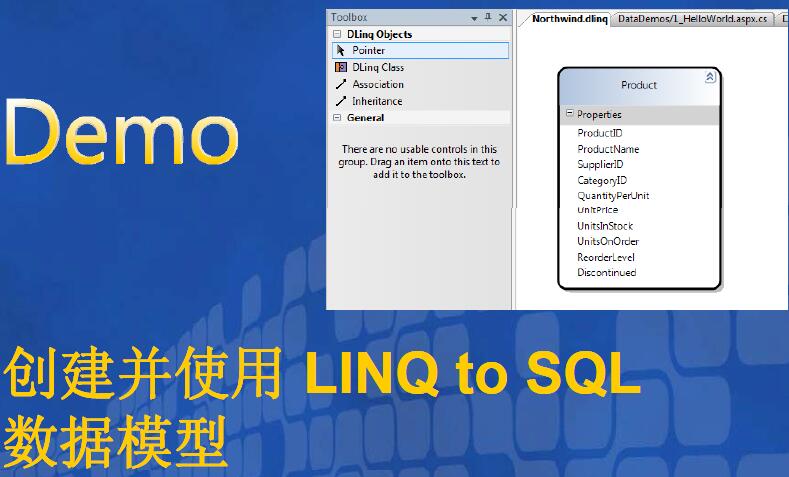
3.1. 数据表映射
• 映射数据表和实体类之间的关系
• 使用数据库中典型的主/外键进行表示
• 支持灵活的关系查询并且不用写任务的SQL 代码就可以执行处理过程
4. 使用主/外键关系
4.1. 主/外键关系
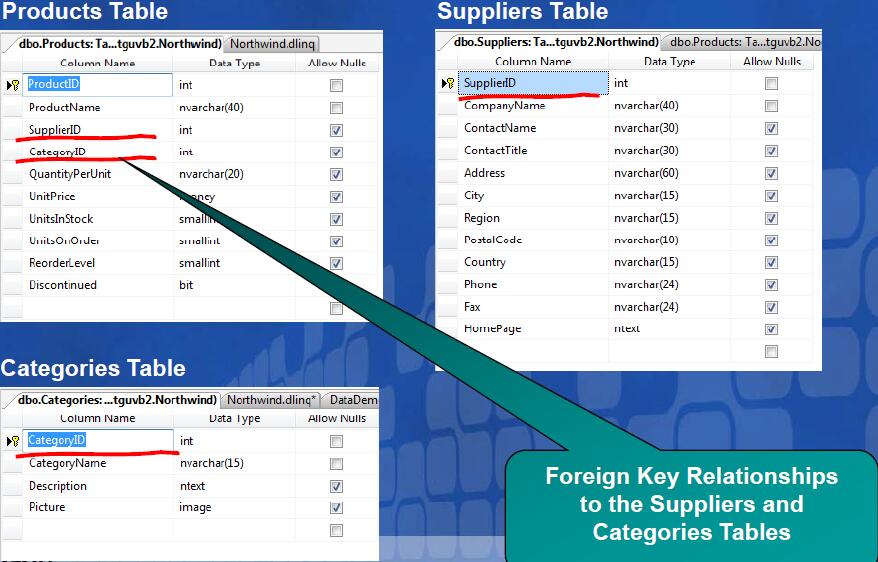
4.2. LINQ设计器中的关系映射
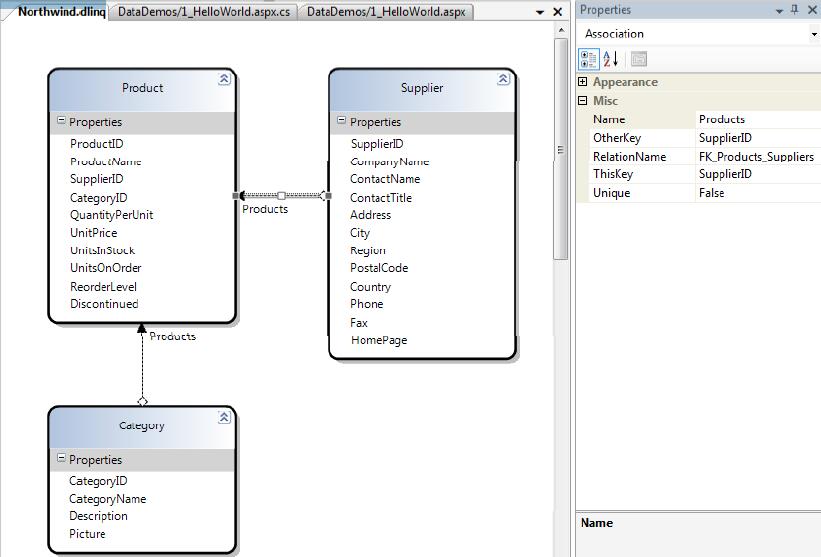
4.3. 模型中的代码关联
public partial classProduct {public intProductID;public stringProductName;public NullableSupplierID;public NullableCategoryID;publicSupplier Supplier;publicCategory Category;
}public partial classSupplier {public intSupplierID;public stringCompanyName;public EntitySetProducts;
}public partial classCategory {public intCategoryID;public EntitySetProducts;
}
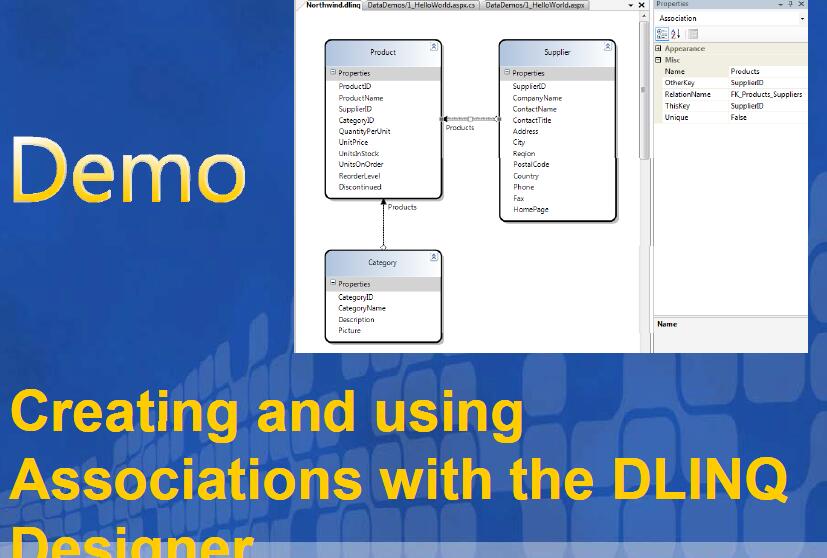
4.4. 使用主/外键关系
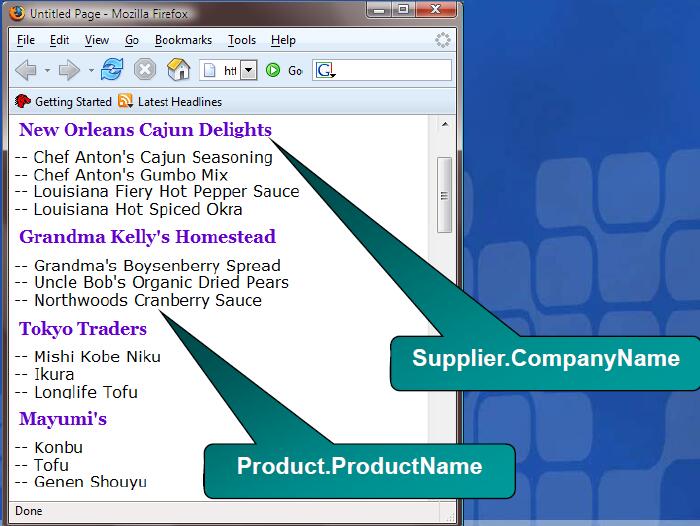
4.5. 代码
NorthwindDataContext db = newNorthwindDataContext();
();var suppliers = from s indb.Supplierswhere s.Products.Count > 2
selects;foreach (Supplier supplier insuppliers) {
Response.Write("
" + supplier.CompanyName + "
");foreach (Pro duct produc t insupplier.Products) {Response.Write("--");
Response.Write(product.ProductName);
Response.Write("
");
}
}
4.6. 使用 Suppliers 和 Products 表
NorthwindDataContext db = newNorthwindDataContext();
SupplierList.DataSource= from s indb.Supplierswhere s.Products.Count > 2
selects;
SupplierList.DataBind();
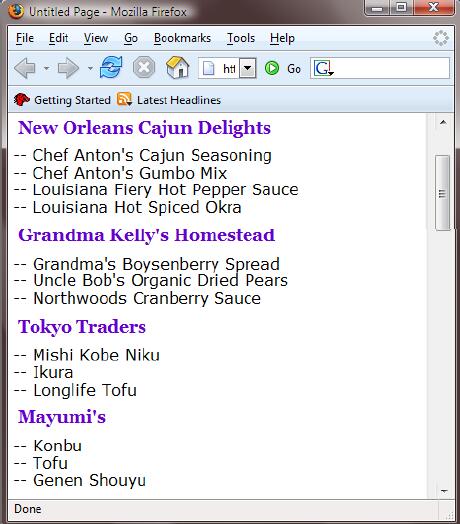
4.7. 使用数据关系进行绑定
ID= SupplierList runat= server >
--
4.8. 查看结果
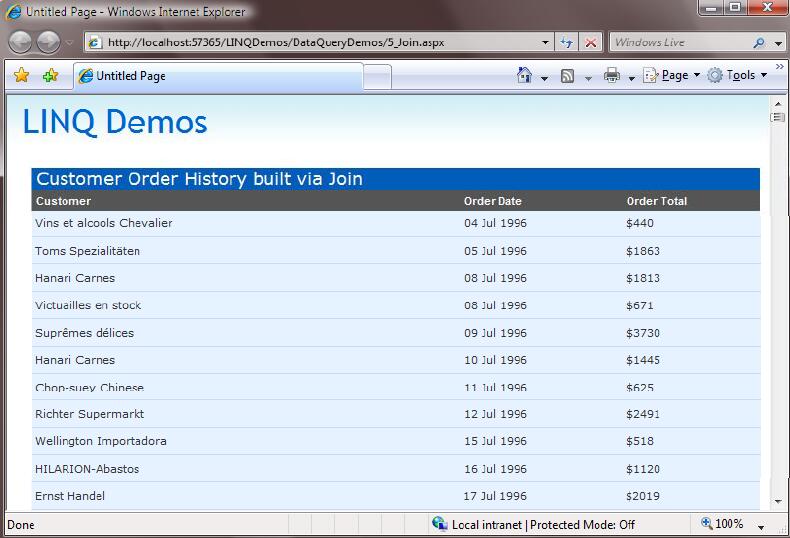
4.9. 使用 join 连结数据表
NorthwindDataContext db = newNorthwindDataContext();var results = from c in db.Customers join o indb.Orders
on c.CustomerID equals o.CustomerID into custOrdersfrom o incustOrdersselect new{
Customer=c.CompanyName,
OrderDate=o.OrderDate,
OrderTotal= o.OrderDetails.Sum(d=>d.UnitPrice)
};
GridView1.DataSource=results;
GridView1.DataBind();
4.10. 查看结果
5. 数据分页
5.1. 使用 Skip() 和 Take() 进行数据分页

5.2. Skip() 和 Take() 方法
int startRow = Convert.ToInt32(Request.QueryString["startRow"]);
NorthwindDataContext db= newNorthwindDataContext();var results = from c in db.Customers join o indb.Orders
on c.CustomerID equals o.CustomerID into custOrdersfrom o incustOrdersselect new{
Customer=c.CompanyName,
OrderDate=o.OrderDate,
OrderTotal= o.OrderDetails.Sum(d=>d.UnitPrice)
};
GridView1.DataSource= results.Skip(startRow).Take(10);
GridView1.DataBind();
6. 修改数据
6.1. 更新数据
NorthwindDataContext db = newNorthwindDataContext();
Product product= db.Products.Single(p => p.ProductName== "Chai");
product.UnitsInStock= 11;
product.ReorderLevel= 10;
product.UnitsOnOrder= 2;
db.SubmitChanges();
6.2. 插入数据
NorthwindDataContext db = newNorthwindDataContext();
Supplier supplier= newSupplier();
supplier.CompanyName= "Scott Guthrie";
supplier.HomePage= "http://weblogs.asp.net/scottgu";
Product product1= newProduct();
product1.ProductName= "LINQ Talk";
product1.UnitPrice= new Decimal(99.9);
Product product2= newProduct();
product2.ProductName= "ASP.NET Tips/Tricks Talk";
product2.UnitPrice= new Decimal(101.99);
supplier.Products.Add(product1);
supplier.Products.Add(product2);
db.Suppliers.InsertOnSubmit(supplier);
db.SubmitChanges();
6.3. 删除数据
NorthwindDataContext db = newNorthwindDataContext();var supplier = db.Suppliers.FirstOrDefault(s=>s.CompanyName == “ABC");
if ((supplier != null) && (supplier.Products.Count == 0))
{
db.Suppliers.DeleteOnSubmit(supplier);
db.SubmitChanges();
}

一站式 AI 云服务平台
更多推荐


 0
0 0
0- 0


 已为社区贡献2条内容

所有评论(0)