
vscode配置python开发环境
插件安装Chinese:MS-CEINTL.vscode-language-pack-zh-hansPylance:ms-python.vscode-pylancePython Debugger:ms-python.debugpyPython:ms-python.python解释器配置Ctrl+Shift+P====》输入Python: Select Interpreter选择创建的虚拟环境随便执
·
插件安装
Chinese:MS-CEINTL.vscode-language-pack-zh-hans
Pylance:ms-python.vscode-pylance
Python Debugger:ms-python.debugpy
Python:ms-python.python
解释器配置
Ctrl+Shift+P====》输入Python: Select Interpreter
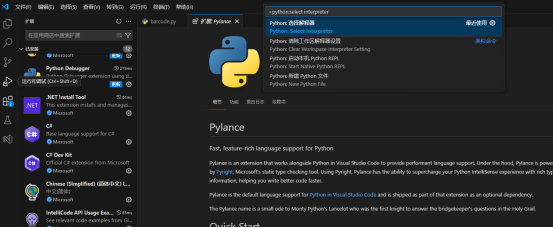
选择创建的虚拟环境

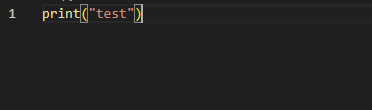
随便执行一个代码能运行则说明环境配置成功

一站式 AI 云服务平台
更多推荐


 1
1 0
0- 0


 已为社区贡献1条内容

所有评论(0)