
IDEA+Maven+tomcat7-maven-plugin配置开发环境
Mac环境IDE:IDEA CE如果使用eclipse的,配置方法可能和这个不一样一、项目结构先看下maven项目结构,不然配置完了还是404二、配置文件配置Maven的pom.xml配置完了之后等待好一会才下载成功,可能是网速太慢<build><plugins><!-- tomcat7插件 maven 命令 tomcat7...
·
Mac环境IDE:IDEA CE
如果使用eclipse的,配置方法可能和这个不一样
一、项目结构
先看下maven项目结构,不然配置完了还是404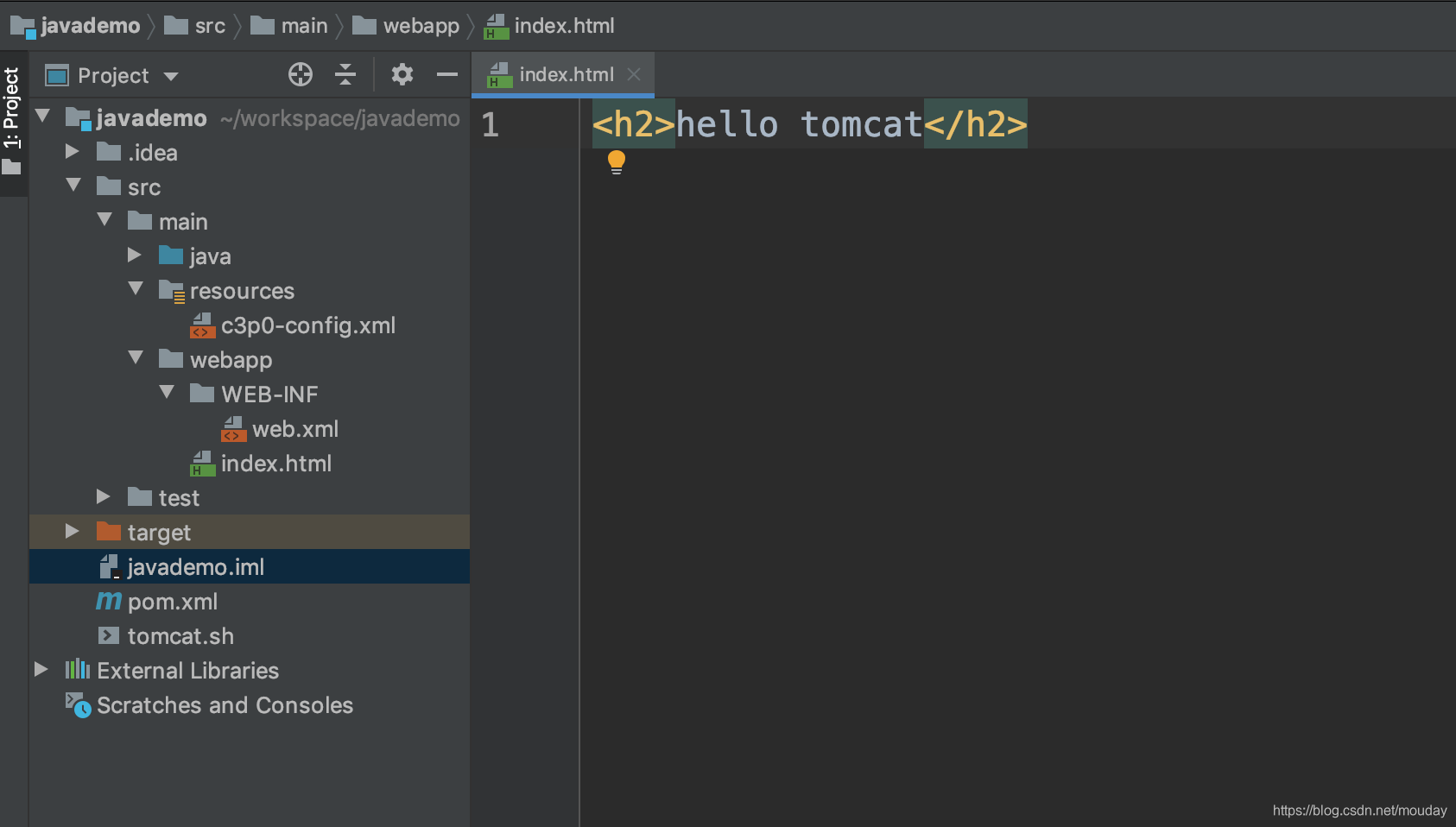
二、配置文件
配置Maven的pom.xml
配置完了之后等待好一会才下载成功,可能是网速太慢
<build>
    <plugins>
        <!-- tomcat7插件 maven 命令 tomcat7:run 启动项目-->
        <plugin>
                <groupId>org.apache.tomcat.maven</groupId>
                <artifactId>tomcat7-maven-plugin</artifactId>
                <version>2.2</version>
                <configuration>
                    <port>8080</port>
                    <path>/demo</path>
                    <uriEncoding>UTF-8</uriEncoding>
                    <!--添加忽略war包检查标签,则可以让tomcat7:run指令正常启动tomcat-->
                    <ignorePackaging>true</ignorePackaging>
                    <contextFile>src/main/webapp/WEB-INF/context.xml</contextFile>
                    <contextReloadable>true</contextReloadable>
                </configuration>
            </plugin>

    </plugins>
</build>
三、启动项目
IDEA的右边点击Maven 找到 Run 右键运行 Run[tamcat7:run]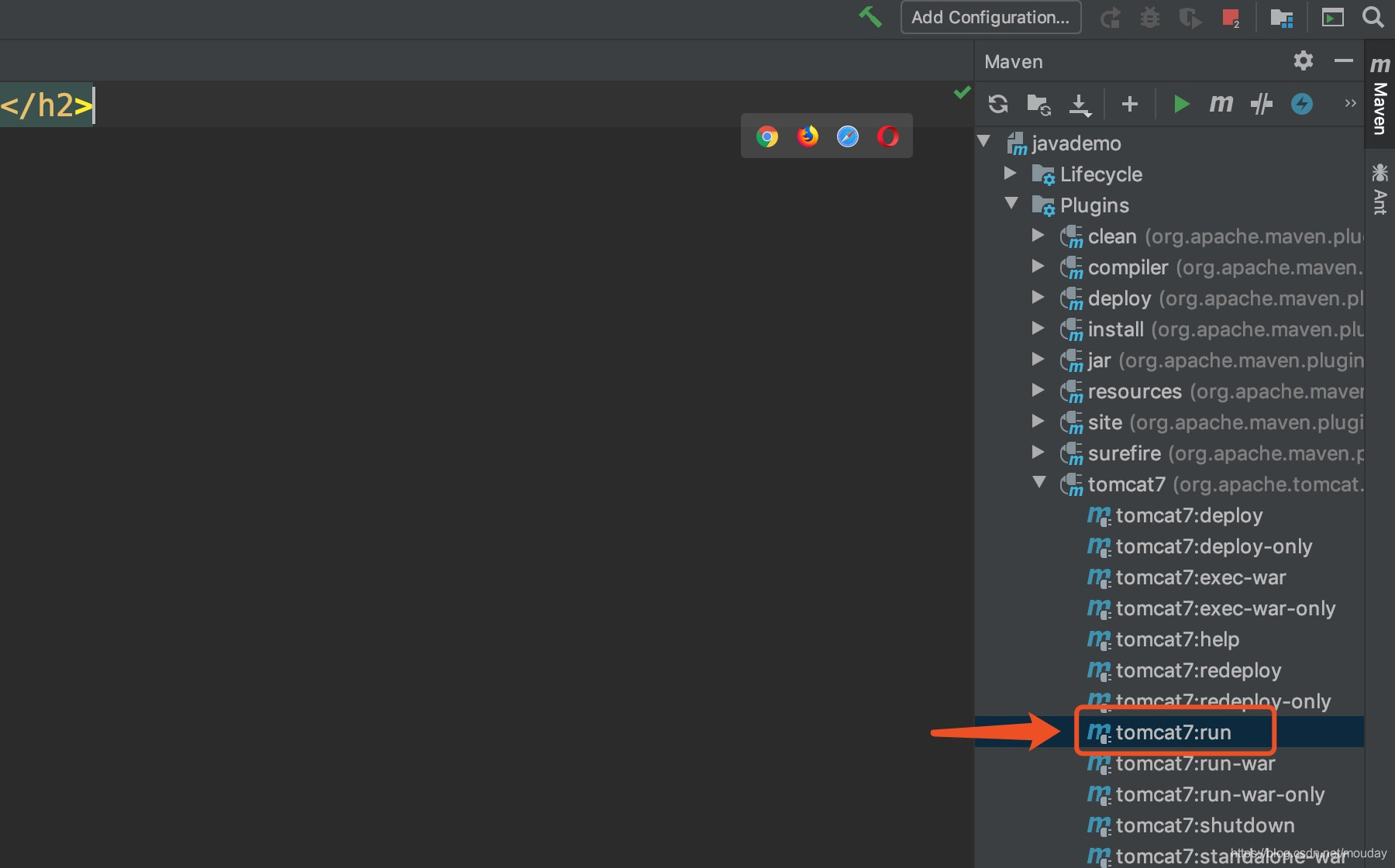
四、访问测试
项目启动后,访问 http://localhost:8080/demo
相当于访问index.html文件
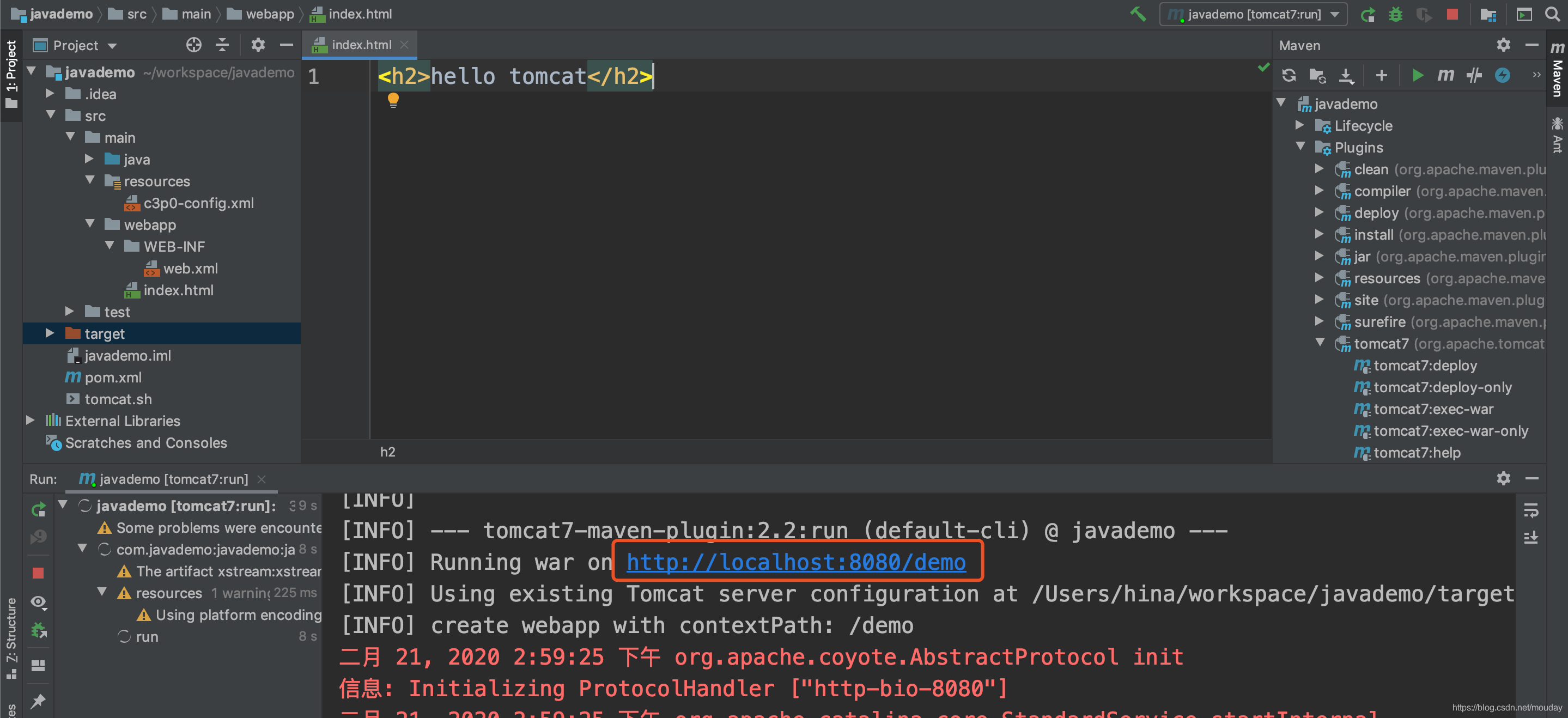
响应结果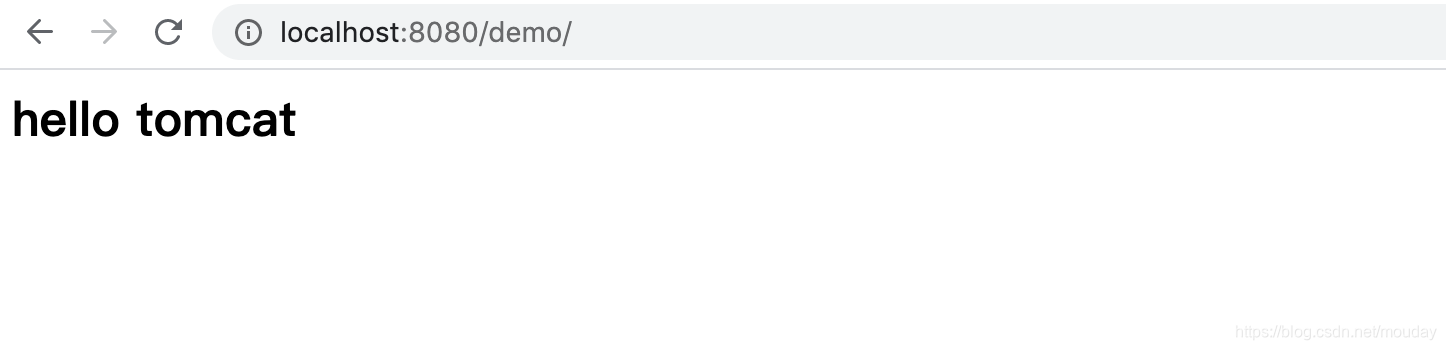
自动重载
暂时没找到配置参数

一站式 AI 云服务平台
更多推荐



 2
2 0
0- 0


 已为社区贡献12条内容

所有评论(0)