
IntelliJ IDEA配置Java爬虫开发环境
IntelliJ IDEA配置Java爬虫开发环境1.下载IntelliJ IDEA下载网址为:IntelliJ IDEA2.配置Java爬虫环境新建module,File->New->Module打开自己新建的项目里面的pom.xml文件在pom.xml文件里面新建dependencies标签来到这个网址下面:https://mvnrepository.com/在搜索栏上输入http
IntelliJ IDEA配置Java爬虫开发环境
1.下载IntelliJ IDEA
下载网址为:IntelliJ IDEA
2.配置Java爬虫环境
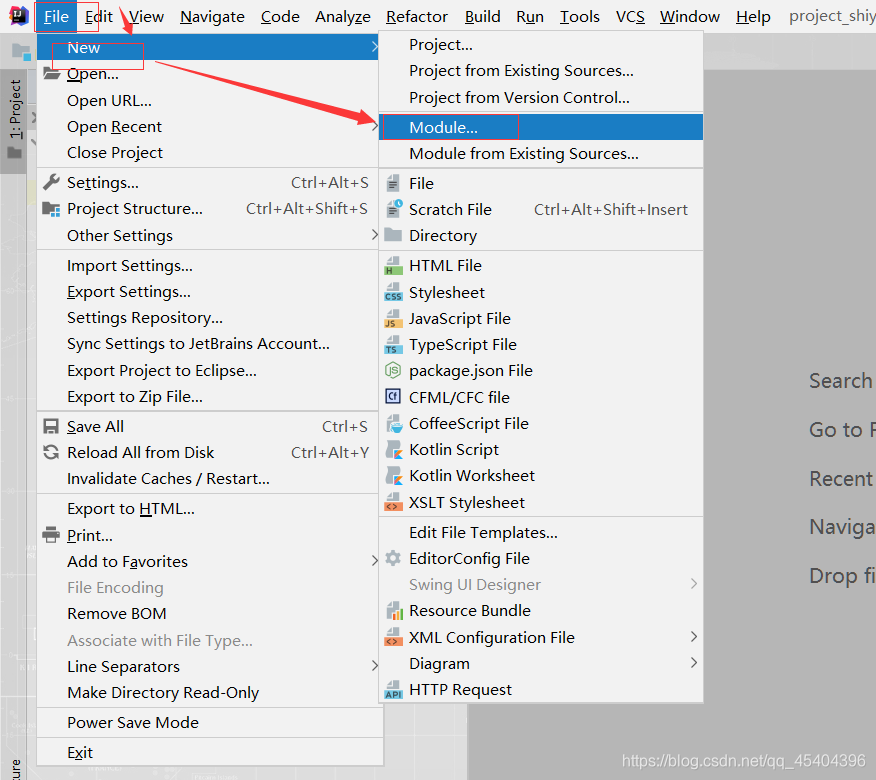
新建module,File->New->Module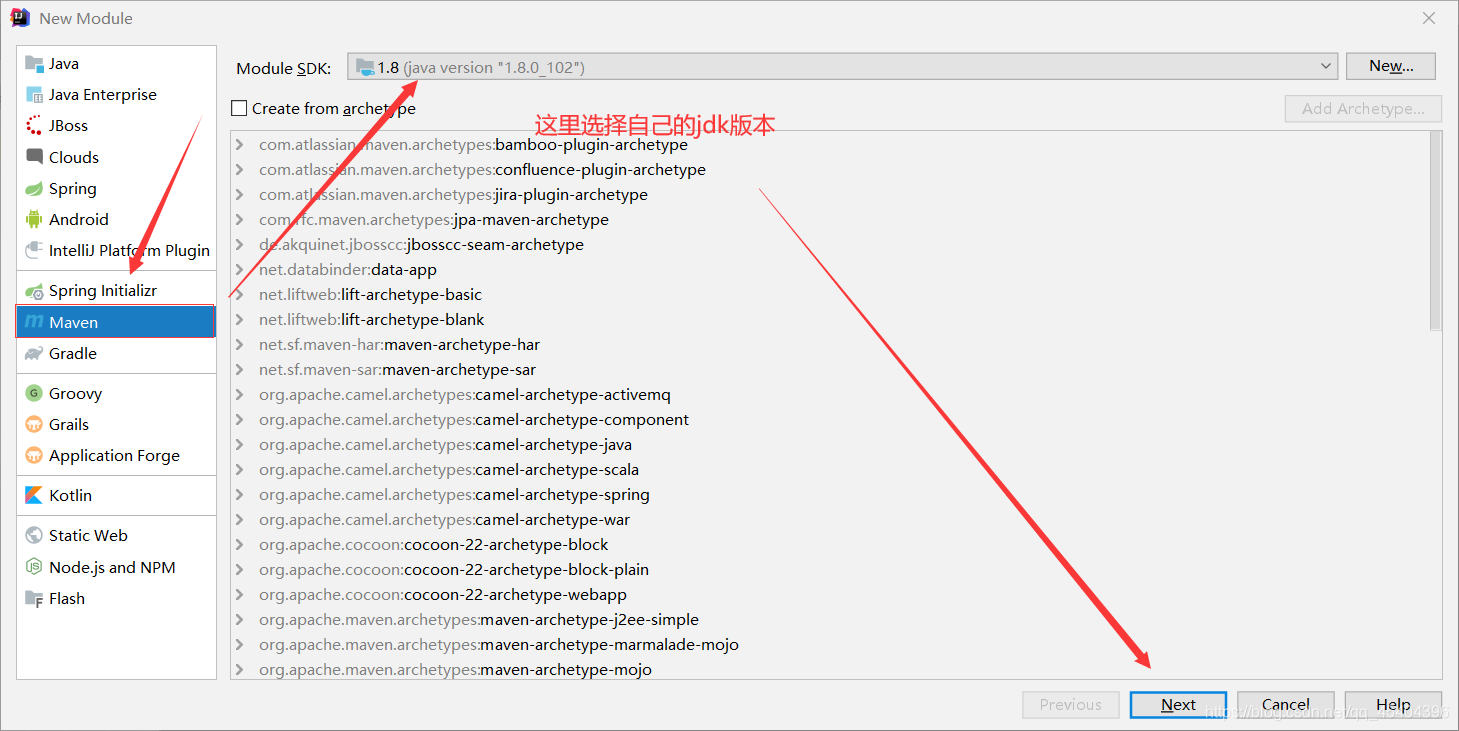
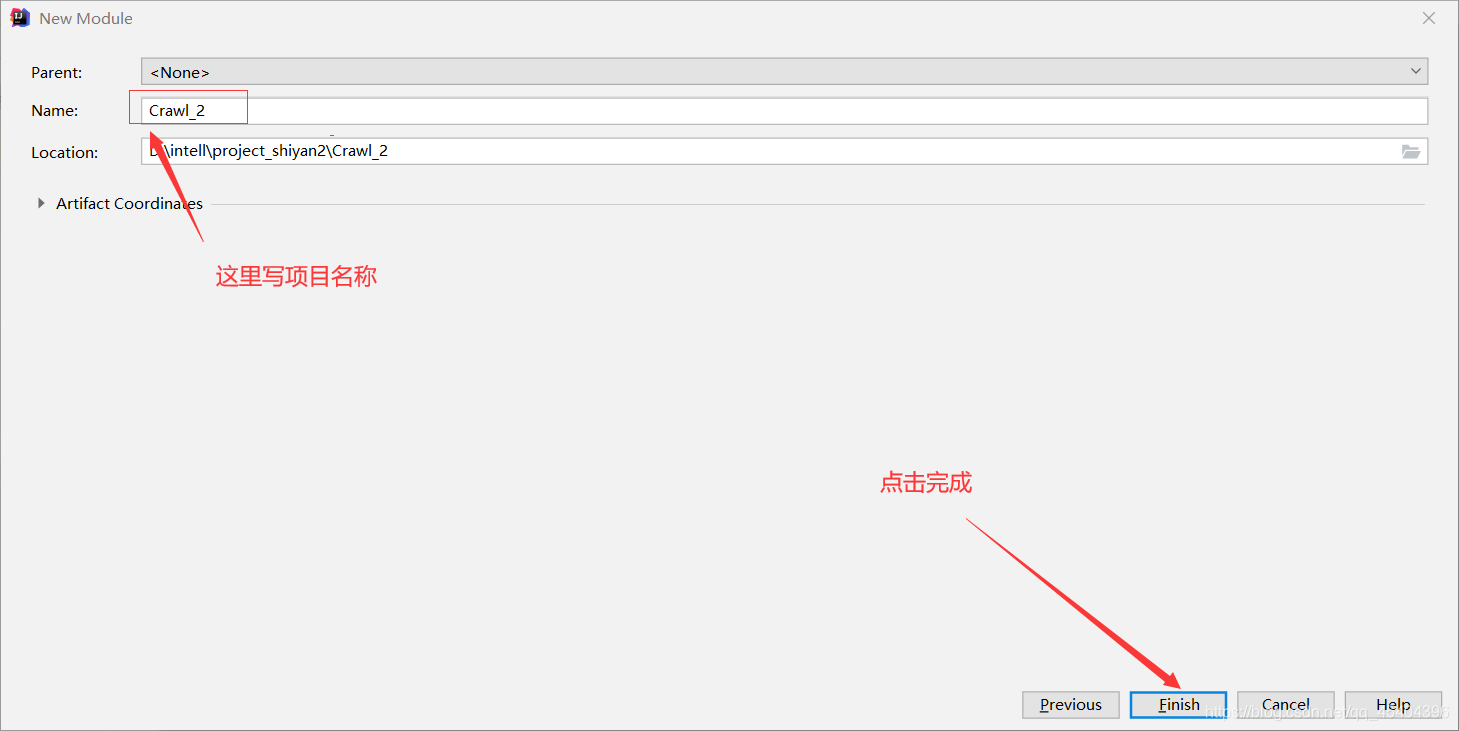
打开自己新建的项目里面的pom.xml文件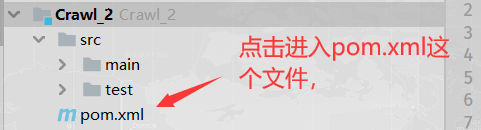
在pom.xml文件里面新建dependencies标签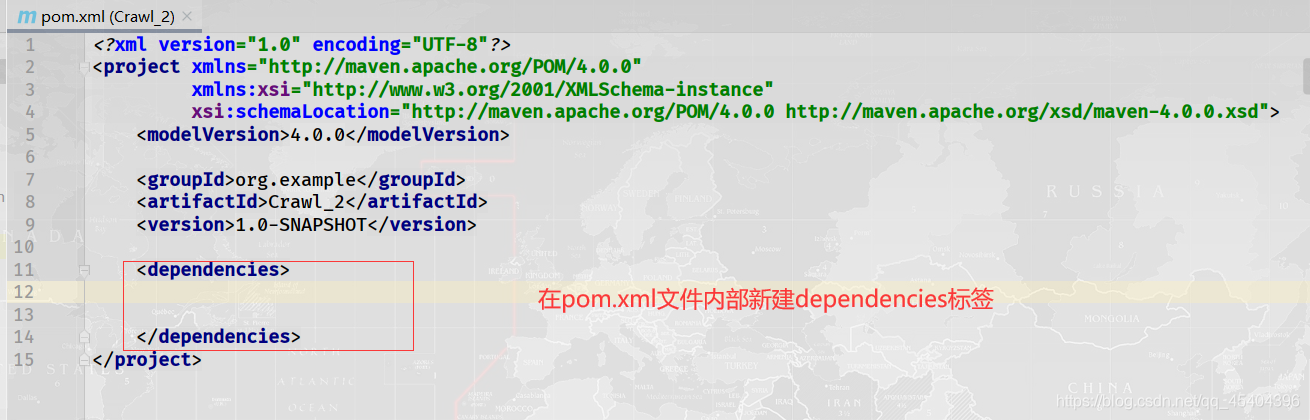
来到这个网址下面:https://mvnrepository.com/
在搜索栏上输入httpclient,点击搜索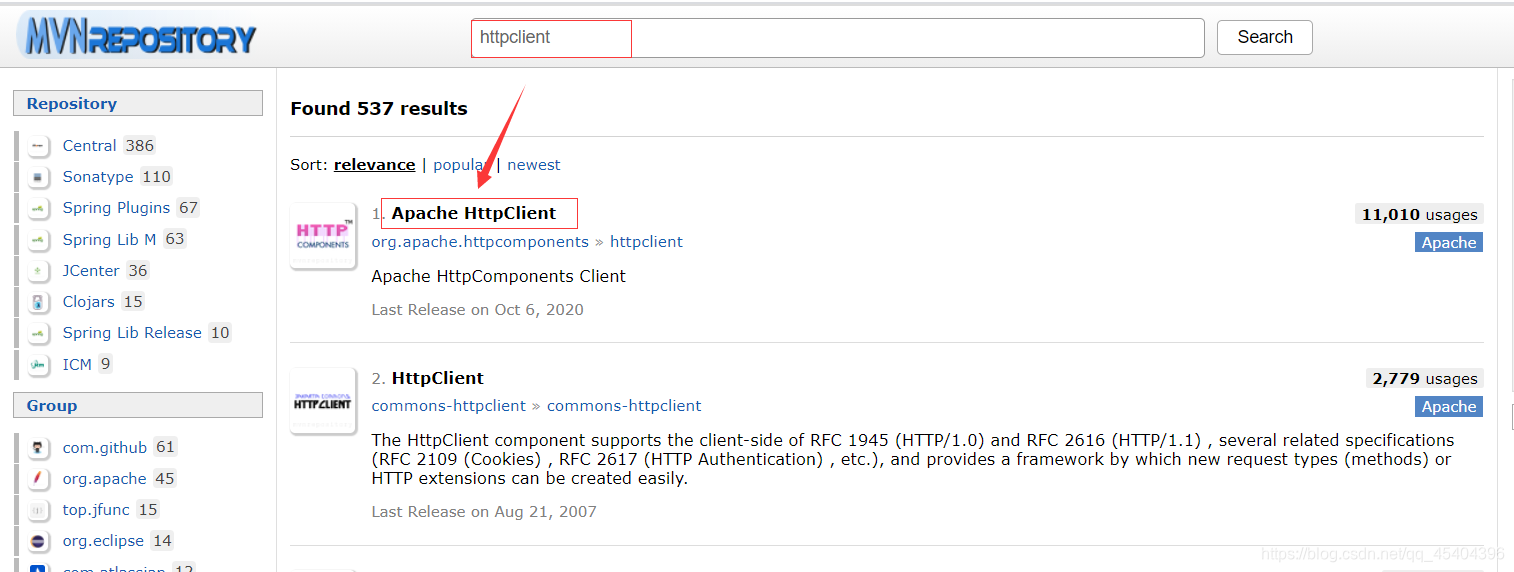
选择Apache HttpClient进入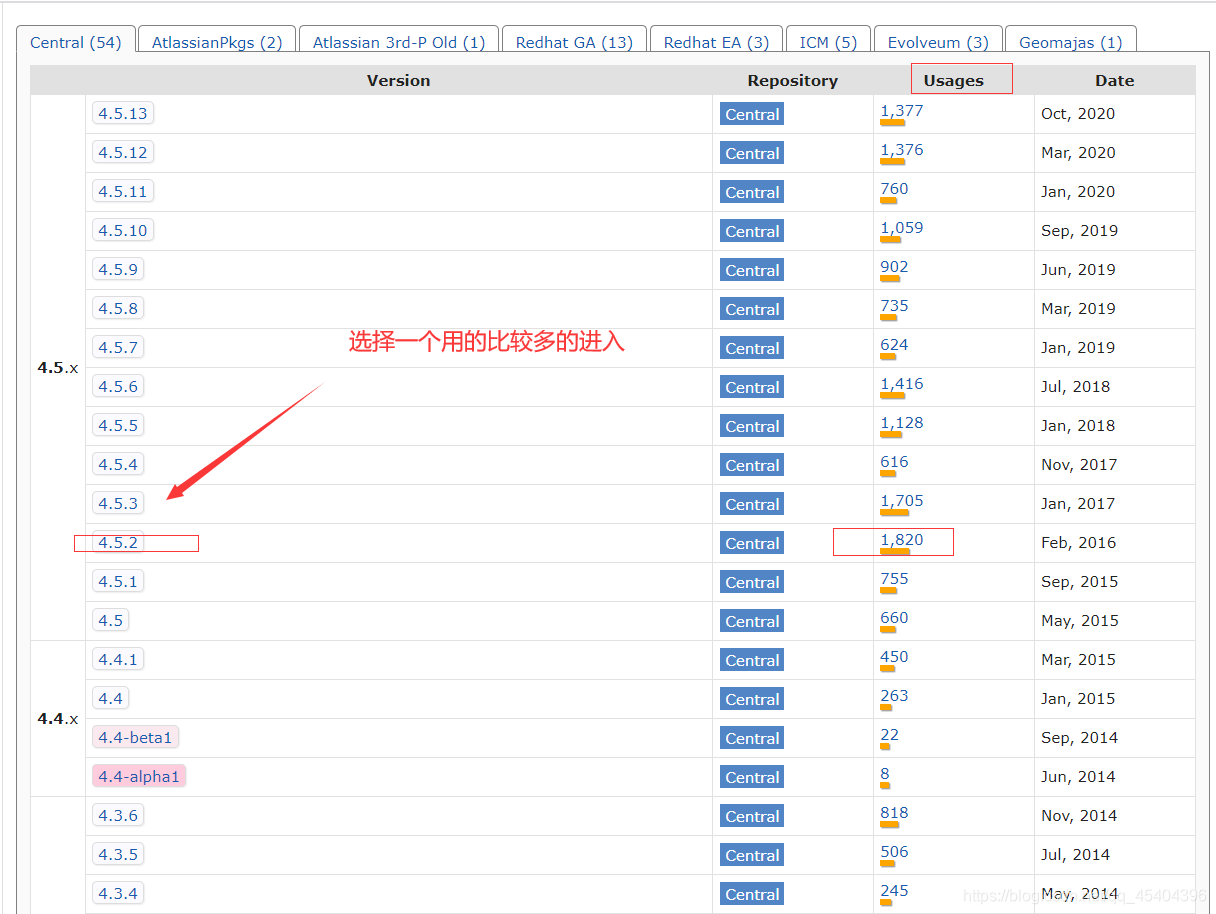
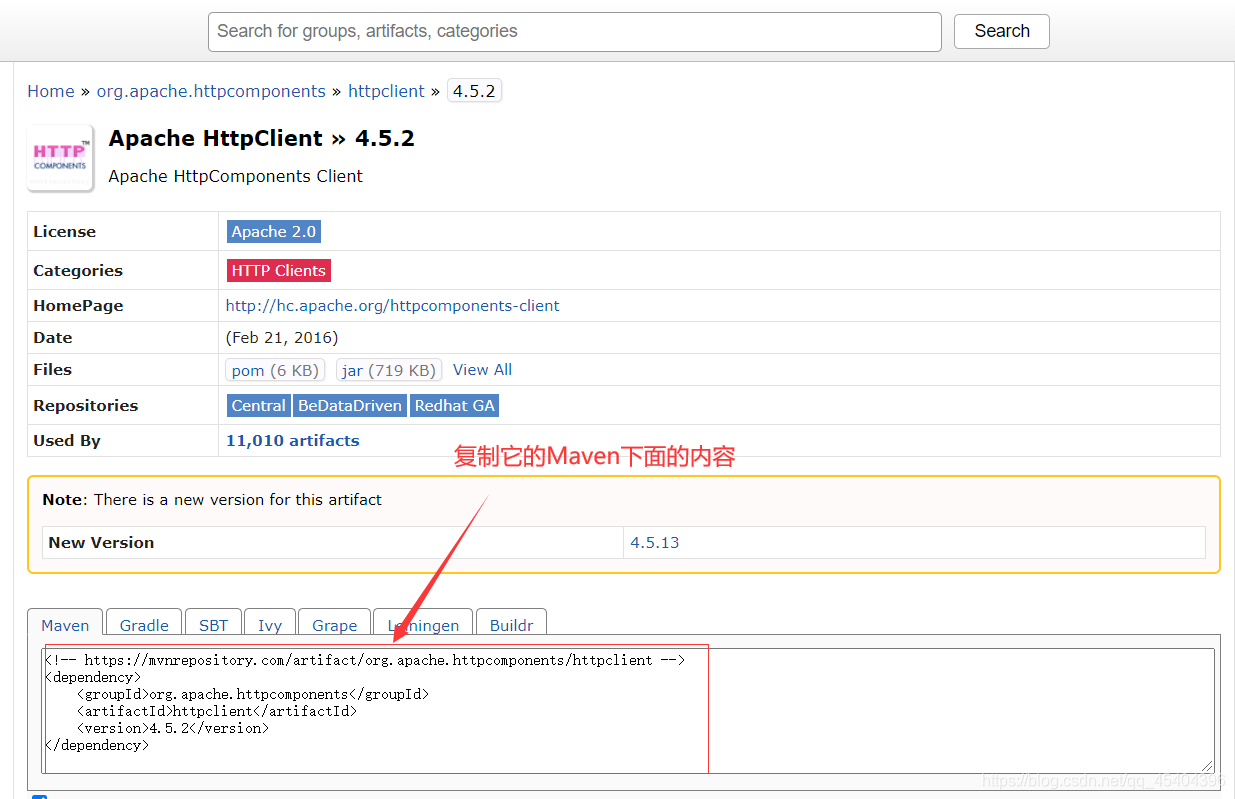
将刚才copy的内容添加到dependencies标签内部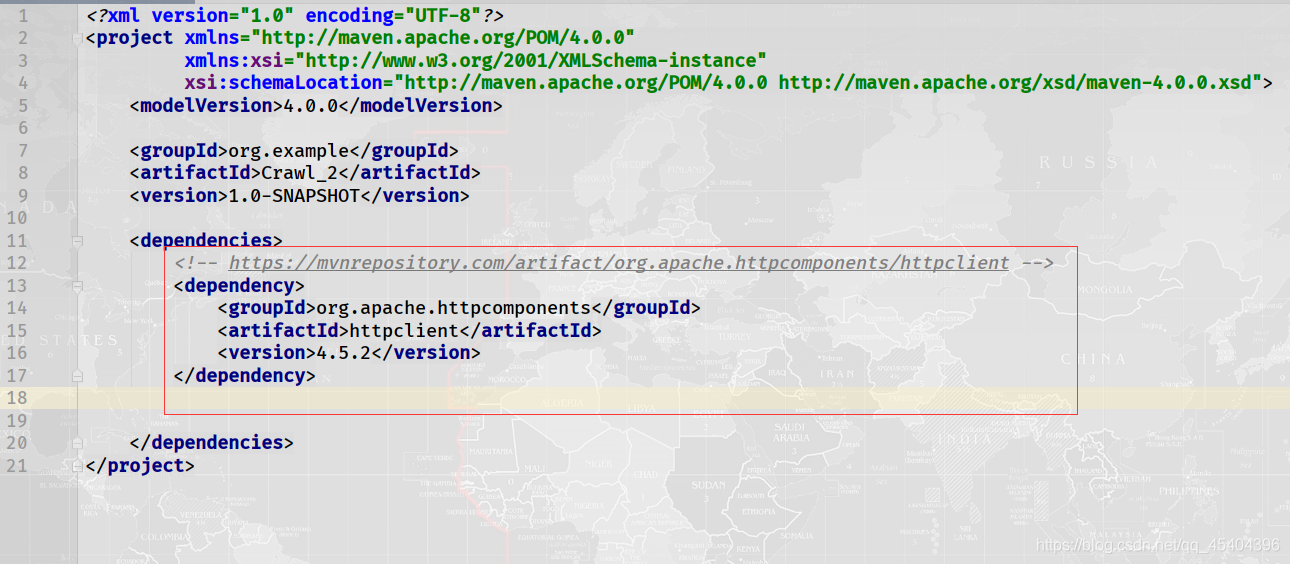
然后再在刚才的 那个网址搜索:slf4j,在搜索的结果中选择 SLF4J LOG4]12 Binding
进入之后依旧选择一个用的比较的,小编选择的是1.7.25,copy它下面Maven里面的内容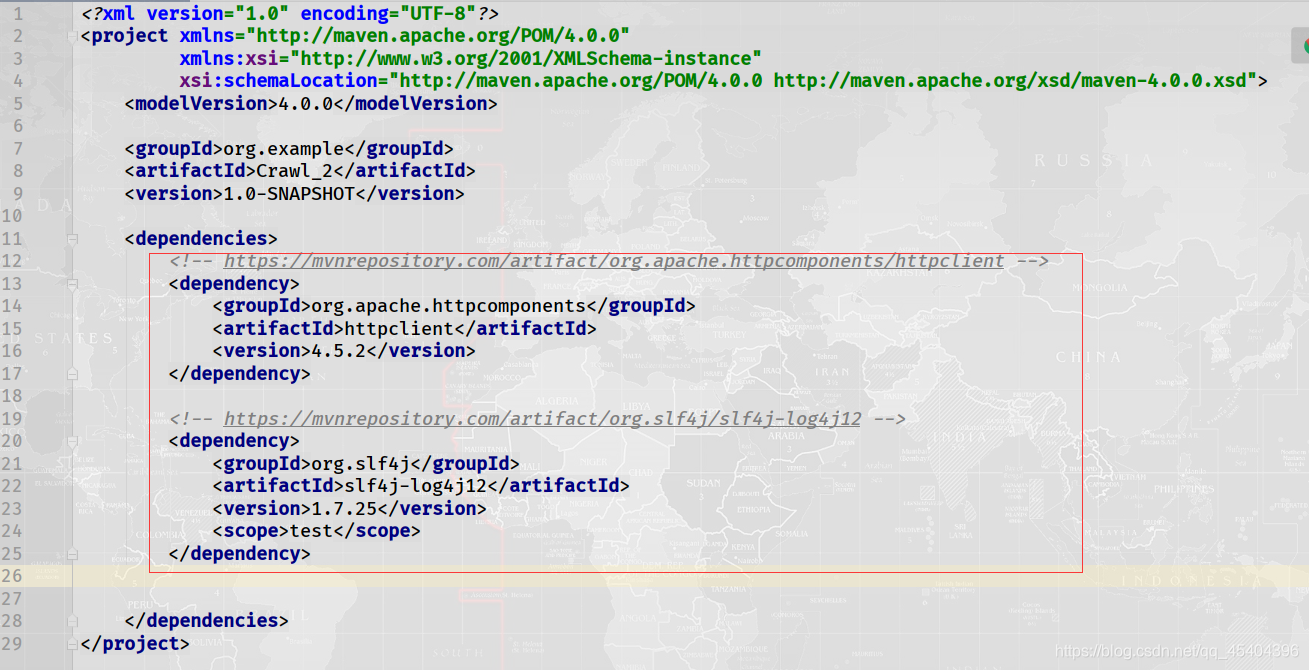
把它放到dependencies标签内部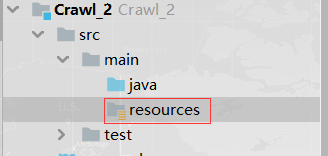
在main->resources目录下新建文件 log4j.properties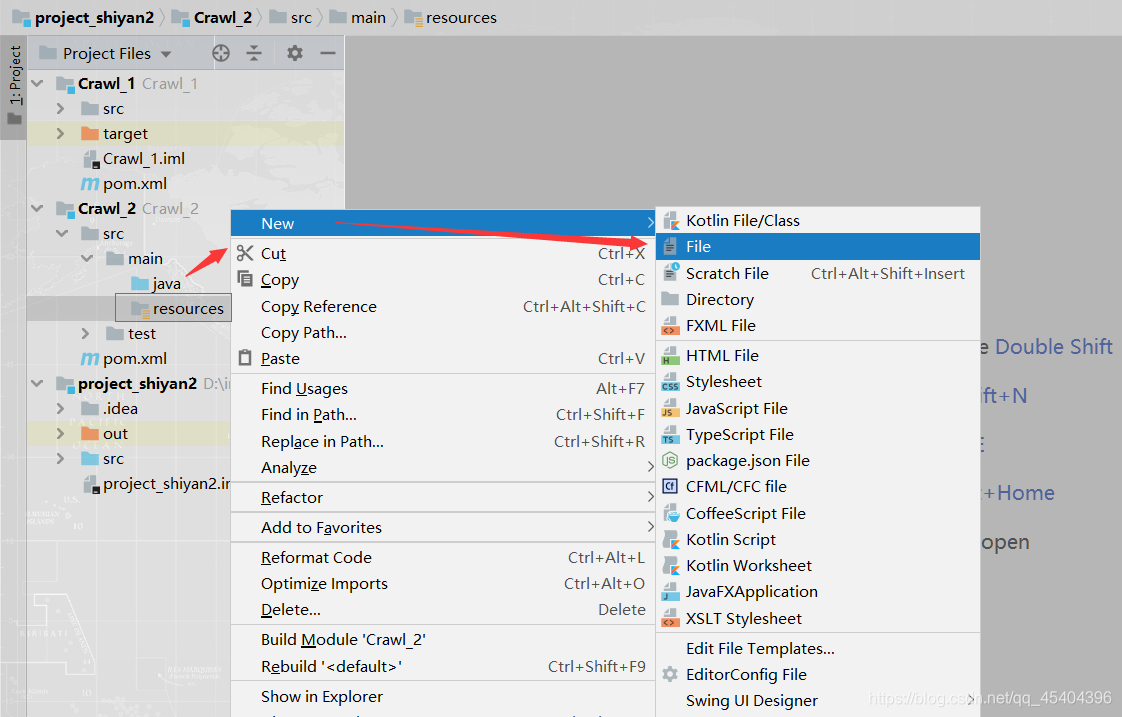
在这个文件里面添加如下内容
log4j.rootLogger=DEBUG,A1
log4j.logger.cn.itcast=DEBUG
log4j.appender.A1=org.apache.log4j.ConsoleAppender
log4j.appender.A1.layout=org.apache.log4j.PatternLayout
log4j.appender.A1.layout.ConversionPattern=%-d{yyyy-MM-dd HH:mm:ss,SSS} [%t] [%c]-[%p] %m%n
3.测试我的第一个Java爬虫项目
在java目录下新建Java class即可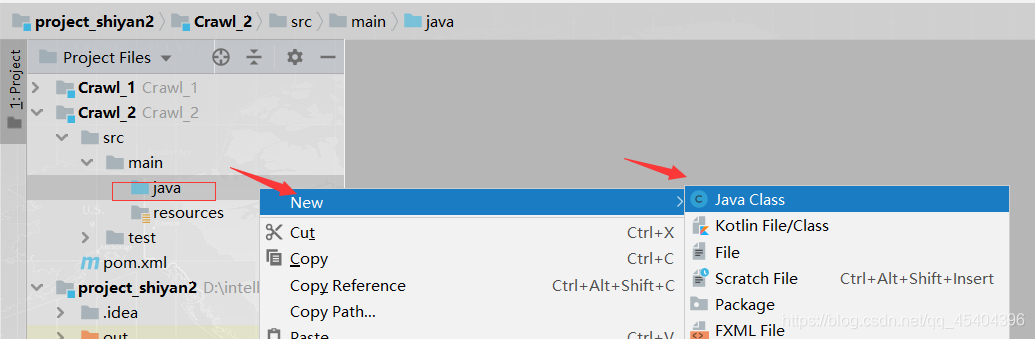
输入如下代码:
import org.apache.http.client.methods.CloseableHttpResponse;
import org.apache.http.client.methods.HttpGet;
import org.apache.http.impl.client.CloseableHttpClient;
import org.apache.http.impl.client.HttpClients;
import org.apache.http.util.EntityUtils;

public class Test {
    public static void main(String[] args) throws Exception{
        CloseableHttpClient httpClient=HttpClients.createDefault();
        String url="https://www.baidu.com/";
        HttpGet httpget=new HttpGet(url);
        CloseableHttpResponse response=httpClient.execute(httpget);
        String content= EntityUtils.toString(response.getEntity(),"utf-8");
        int statuscode=response.getStatusLine().getStatusCode();
        System.out.println(statuscode);
        System.out.println(content);
    }
}
这里测试的是百度网址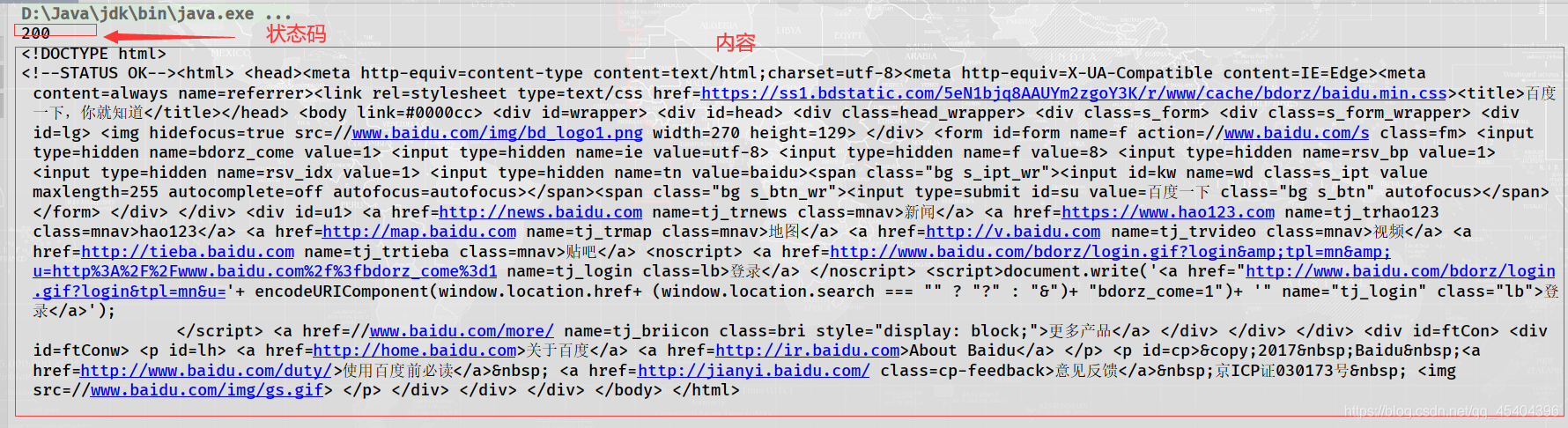
4.在pom.xml文件里面添加内容时运行栏有警告处理方法
读者可以参考这位大佬的这篇博文,小编就是按照他的,然后就没有警告了。
博文链接为:IntellIJ IDEA 配置 Maven 以及 修改 默认 Repository

一站式 AI 云服务平台
更多推荐



 4
4 0
0- 0


 已为社区贡献7条内容

所有评论(0)