
ti linux 开发环境,Ti AM5728 SDK开发环境建立,Setup Linux build environment for Ti AM57xx
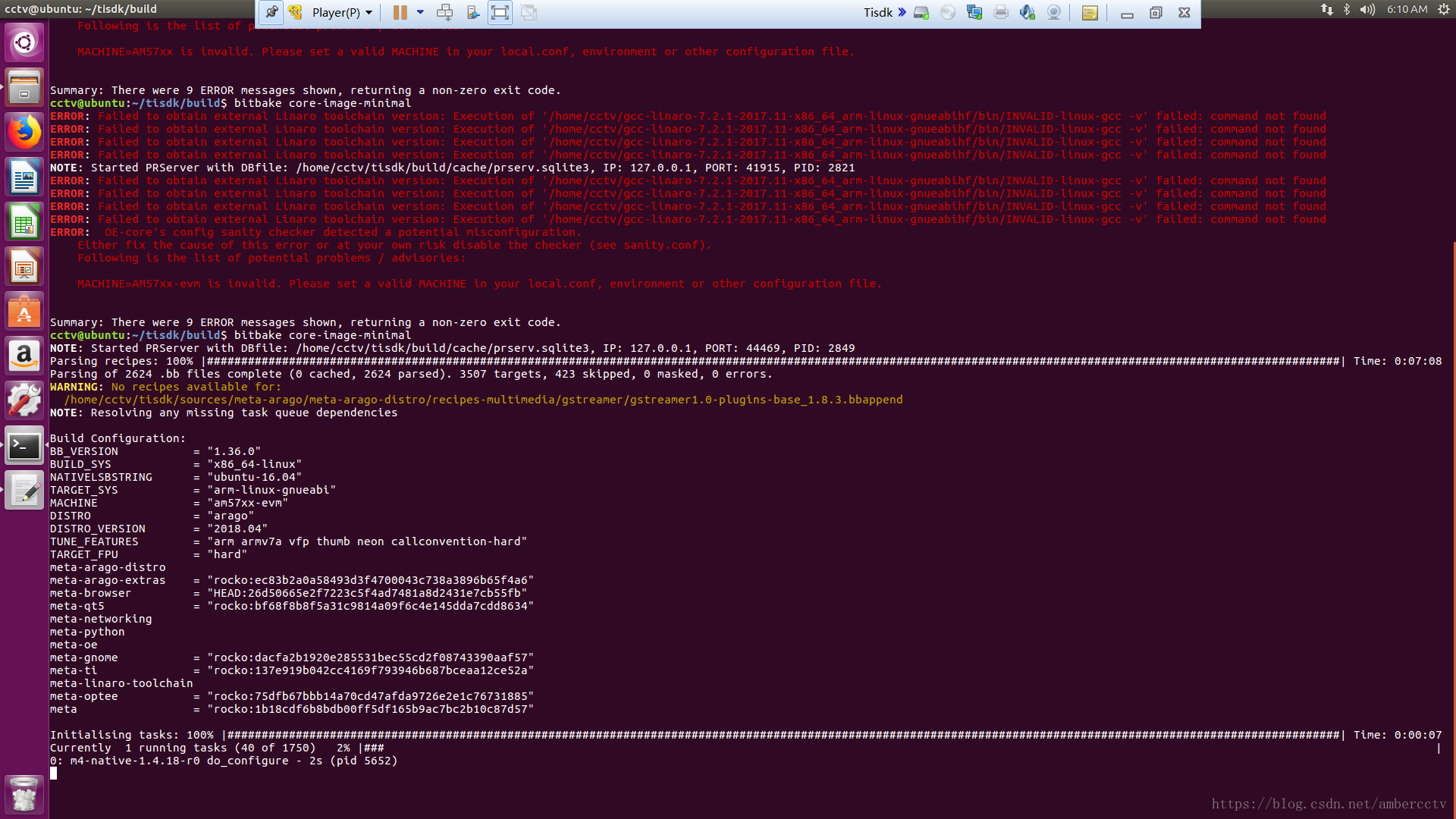
参考:http://arago-project.org/wiki/index.php/Setting_Up_Build_Environment#Point_to_the_toolchain_to_use1)下载,安装Linaro toolchain2)设置BBLAYERS3)设置bitbake 环境变量,修改MACHINE?=”am57xx-evm”TOOLCHAIN_PATH?=”/home/j
参考:http://arago-project.org/wiki/index.php/Setting_Up_Build_Environment#Point_to_the_toolchain_to_use
1)下载,安装Linaro toolchain
2)设置BBLAYERS
3)设置bitbake 环境变量,修改
MACHINE?=”am57xx-evm”
TOOLCHAIN_PATH?=”/home/john/gcc-linaro-7.2.1-2017.11-x86_64_arm-linux-gnueabihf”
bblayes.conf文件的内容
This template file was created by taking the oe-core/meta/conf/bblayers.conf
file and removing the BBLAYERS section at the end.
LAYER_CONF_VERSION is increased each time build/conf/bblayers.conf
changes incompatibly
LCONF_VERSION = “7”
BBPATH = “${TOPDIR}”
BBFILES ?= “”
Layers configured by oe-core-setup script
BBLAYERS += ”
/home/john/tisdk/sources/meta-arago/meta-arago-distro
/home/john/tisdk/sources/meta-arago/meta-arago-extras
/home/john/tisdk/sources/meta-browser
/home/john/tisdk/sources/meta-qt5
/home/john/tisdk/sources/meta-openembedded/meta-networking
/home/john/tisdk/sources/meta-openembedded/meta-python
/home/john/tisdk/sources/meta-openembedded/meta-oe
/home/john/tisdk/sources/meta-openembedded/meta-gnome
/home/john/tisdk/sources/meta-ti
/home/john/tisdk/sources/meta-linaro/meta-linaro-toolchain
/home/john/tisdk/sources/meta-linaro/meta-optee
/home/john/tisdk/sources/oe-core/meta
“

一站式 AI 云服务平台
更多推荐



 0
0 0
0- 0


 已为社区贡献2条内容

所有评论(0)