
python办公自动化实例(二):批量跨表汇总统计多表信息
场景:有一批站点,我们从系统导出这批站点的每一个月的信息表,如下图所示,我们想分析这批站点本年度的运行情况,但是表格太多且信息分散,如何汇总?可以人工一个一个操作表格,这个过程是重复、枯燥的过程,且有可能有遗漏,这时候就可以使用程序来代替人工处理了。实现效果:每个原始表格信息如下所示:例如:我们对所有原始多个表提取站点告警以及停电信息,统计汇总输出到一个表内,汇总表如下所示代码如下:#!user/
·
场景:有一批站点,我们从系统导出这批站点的每一个月的信息表,如下图所示,我们想分析这批站点本年度的运行情况,但是表格太多且信息分散,如何汇总?可以人工一个一个操作表格,这个过程是重复、枯燥的过程,且有可能有遗漏,这时候就可以使用程序来代替人工处理了。
实现效果:
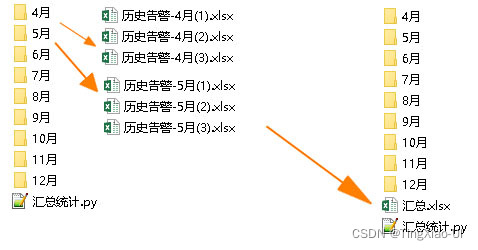
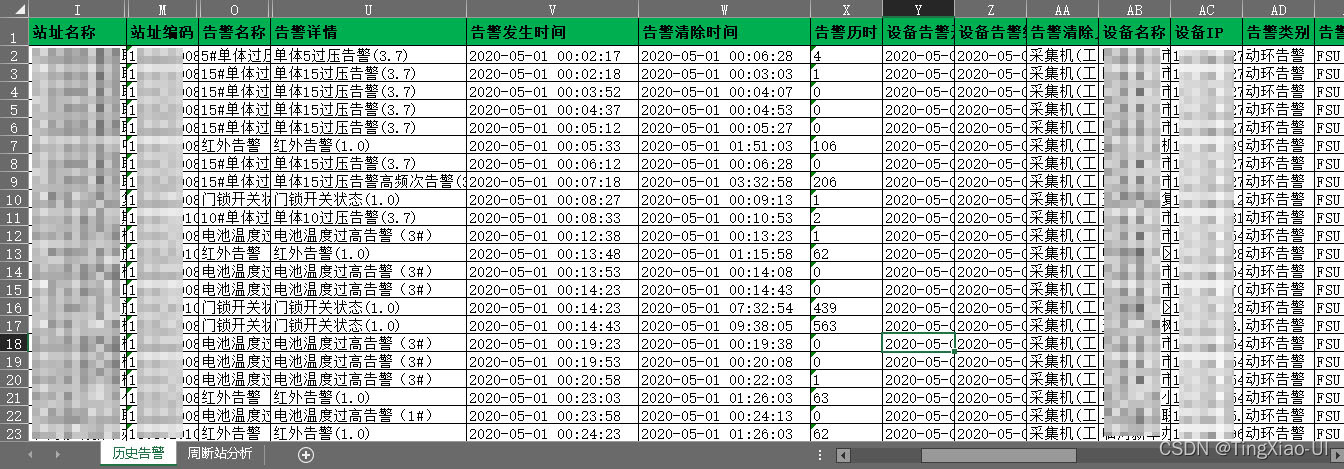
每个原始表格信息如下所示:
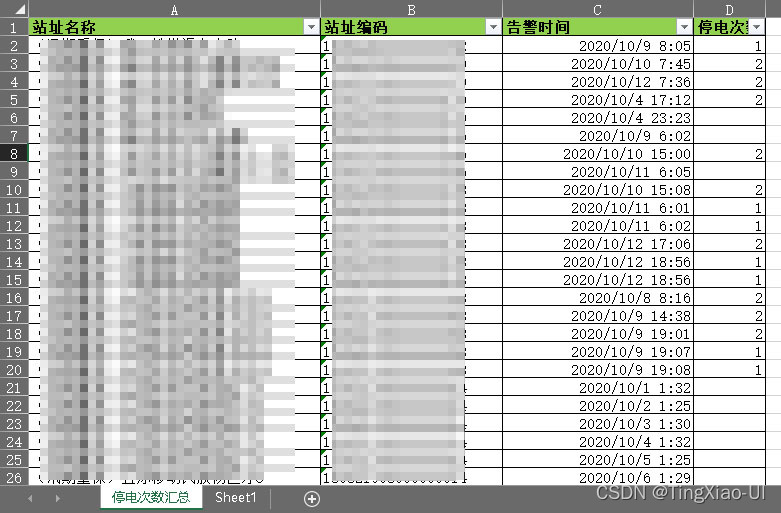
例如:我们对所有原始多个表提取站点告警以及停电信息,统计汇总输出到一个表内,汇总表如下所示
代码如下:
#!user/bin/python3
# _*_ coding:utf-8 _*_
# author TingXiao-UI
import os
import time
import xlwt #写入excel的库
# xlwt 写库的局限性: 只能写入新建的 excel。
# xlutils 库的 copy 功能可能帮助我们打破这个局限性。
import xlsxwriter   #导入模块
import xlrd#只读excel
#创建汇总表格文件
def createExcel(excleName):
	ex = xlsxwriter.Workbook(excleName+'.xlsx')
	sheet1 = ex.add_worksheet('停电次数汇总')
	row_1 = ['站址名称','站址编码','告警时间','停电次数']
	sheet1.write_row('A1',row_1)
	ex.close()
	return sheet1
#格式化表格内容
def dataCleaning(rp):
	# 遍历文档
	n = 0
	for root,dirs,files in os.walk(rp):
		m = 0
		for file in files:
			m = m+1
			curPdf = os.path.join(file)
			curPdfPath = os.path.join(root,file)
			if curPdf.find('.xls')>=0 and curPdfPath.find('月')>=0:
				# print(curPdfPath)
				index1 = root.rfind('\\')+1
				index2 = curPdfPath.find('月\\')+3
				prjCode = root[index1:index2]
				# print(prjCode)
				# 重命名
				reName = '历史告警-'+prjCode+'('+str(m)+')'+'.xlsx'
				reNamePath = root+'\\'+reName
				# print(reNamePath)
				oldFileName = curPdfPath
				os.rename(oldFileName,reNamePath)
#写入数据到表格
def writeData(excleName,rp):
	ex = xlsxwriter.Workbook(excleName+'.xlsx')
	worksheet = ex.add_worksheet('停电次数汇总')
	row_1 = ['站址名称','站址编码','告警时间','停电次数']
	# print(type(row_1))
	worksheet.write_row('A1',row_1)
	# 遍历文档
	n = 0
	hangshu = 0
	for root,dirs,files in os.walk(rp):
		m = 0
		for file in files:
			m = m+1
			curPdf = os.path.join(file)
			curPdfPath = os.path.join(root,file)
			# print(curPdfPath)
			if curPdf.find('.xls')>0 and curPdfPath.find('月')>0:
				# 打开文档
				file = xlrd.open_workbook(curPdfPath)#xlrd模块
				fileSheet = file.sheet_by_index(1)
				rows = fileSheet.nrows
				print(curPdfPath)
				print(rows)

				worksheet.write_column(hangshu+1,0,fileSheet.col_values(0,1,rows))#xlsxwriter模块
				worksheet.write_column(hangshu+1,1,fileSheet.col_values(1,1,rows))
				worksheet.write_column(hangshu+1,2,fileSheet.col_values(2,1,rows))
				worksheet.write_column(hangshu+1,3,fileSheet.col_values(6,1,rows))
				hangshu = hangshu +rows-1
				print(hangshu)
	ex.close()


if __name__=='__main__':
	rootPath = os.getcwd()#获取当前文件路径
	dataCleaning(rootPath)#格式化表格内容
	excleName = '汇总'#汇总表格名称
	writeData(excleName, rootPath)#汇总数据

一站式 AI 云服务平台
更多推荐



 1
1 0
0- 0


 已为社区贡献3条内容

所有评论(0)