
接口自动化测试实战之pytest框架+allure讲解
本文章主要会讲解Python中pytest框架的讲解,介绍什么是pytest、为何要测试、为何使用以及参考和扩展等等,话不多说,咱们直接进入主题哟。pytest是一款单元测试框架,在编程过程中,单元主要指的是代码中最小的组成部分,例如函数或类,在面向对象中,最小的单元就是类下面的方法。当我们编写好一段程序后,会对这些函数和方法进行检测,是否出现程序错误,这种对程序的函数和方法进行测试的过程,就叫做
一、前言
本文章主要会讲解Python中pytest框架的讲解,介绍什么是pytest、为何要测试、为何使用以及参考和扩展等等,话不多说,咱们直接进入主题哟。
二、pytest讲解
2.1 什么是pytest?
pytest是一款单元测试框架,在编程过程中,单元主要指的是代码中最小的组成部分,例如函数或类,在面向对象中,最小的单元就是类下面的方法。
当我们编写好一段程序后,会对这些函数和方法进行检测,是否出现程序错误,这种对程序的函数和方法进行测试的过程,就叫做单元测试。
pytest的测试框架类似于unittest框架相似,但pytest的测试框架比unittest更加简洁、高效。
2.2 为什么使用pytest?
pytest与unittest类似,但pytest还是有很多的优势:
-
""" -
pytest优势 -
1、pytest能够兼容unittest,如果之前用例是unittest编写的,可以使用pytest直接进行使用 -
2、pytest的断言直接使用assert断言,并非使用self.asert等语法语句以及其他各式各样的断言方式 -
3、pytest对于失败的测试用例会提供非常详细的错误信息 -
4、pytest可以自动发现并收集测试用例 -
5、pytest有非常灵活的fixture管理 -
6、pytest有mark标记机制,可以标记某些用例为冒烟测试用例 -
7、pytest提供了非常丰富的插件系统 -
8、pytest不需要写类,unittest是需要写类并继承的,这里pytest更加简洁 -
"""
2.3 使用pytest
安装pytest库后设置默认的运行器为pytest:
-
def test_add(): -
assert True
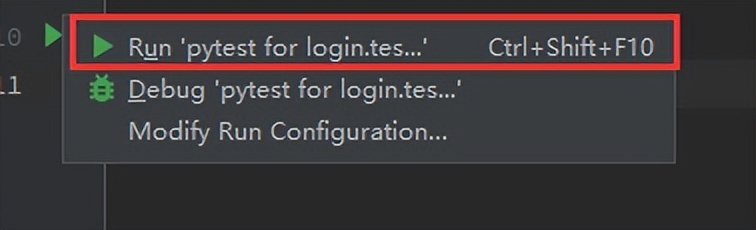
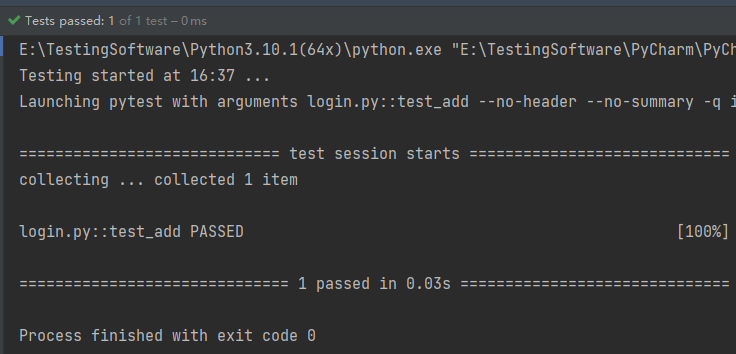
框架意味着规则,pytest用例规则如下:
-
""" -
pytest用例规则: -
1、模块名称 test开头.py结尾,或者*_test.py -
2、测试用例函数的名称 def test_XXX() -
3、可以不定义测试类 -
""" -
""" -
pytest的运行方式: -
1、pycharm当中的运行图标,pytest开头开头运行,如不是pytest可以在setting中查找pytest并设置成pytest运行器 -
2、pytest命令行:要进入项目的根目录运行pytest命令,pytest命令会自动收集运行指令时候,所有子目录下符合要求的测试用例,例如test_login.py,模块且以test开头,函数test开头,类也是如此 -
3、通过python包或者python模块运行 -
"""
2.4 pytest的运行方式
pytest有三种运行方式:
-
""" -
方式一:直接通过代码左侧的三角进行运行(pycharm) -
""" -
""" -
方式二:通过命令行运行 -- pytest -- html=output.html -
""" -
""" -
方式三:通过python运行 -
""" -
from datetime import datetime -
import pytest -
date_str = datetime.now().strftime("%Y-%m-%d-%H-%M-%S") -
# 测试报告的名称 -
report_name = date_str + ".html" -
pytest.main([f"--html={report}"])
2.5 pytest高级特性
2.5.1 pytest用例筛选
我们都做过冒烟测试,也知道冒烟测试用例,pytest支持用例筛选,你可以在想要的用例上进行标记,以此来表示这是一个冒烟测试用例:
-
import pytest -
# 格式为:@pytest.mark.自定义标记名 -
@pytest.mark.smoke -
def test_True() -
assert True -
@pytest.mark.smoke -
def test_False() -
assert False
我们可以给一个用例或多个用例附上单独的标记,但这样是无法运行的,我们需要先注册标记,新建一个pytest.ini的配置文件并进行配置:
-
[pytest] -
markers = -
smoke
注册完成后我们需要运行,在命令行输入pytest - m "smoke",这样就可以运行刚刚标记过的测试用例了,值得一提的是,如果这个标记是在函数上,那么就代表着函数属于标记的筛选用例,如果标记在类上,那么整个类下的所有函数都属于筛选用例,如例子所示,即全部为冒烟测试用例
-
""" -
用例筛选流程: -
1、需要在pytest.ini中注册标记的名称 -
2、在测试用例函数或者测试用例类上面加上@pytest.mark.标记名 -
3、运行指定标签 pytest -m "标记名" -
"""
如果运行多个标记那么可以继续在函数或类上再次进行新的标记,例如login标记,意味着我只想要执行登录模块的冒烟测试用例里,那么再次进行注册并运行即可,运行使用pytest -m "smoke and login",如果是冒烟测试用例和登录模块用例满足一个即可,那么就可以使用or即可,两者选其一,满足即可运行。
2.5.2 pytest实现数据驱动
pytest实现数据驱动可以使用unittest进行实现,也可以使用自己的ddt:
注意:pytest参数化与unittest的参数化只能有一个,不能够共同使用
-
""" -
pytest使用unittest进行数据驱动的实现 -
""" -
import unittest -
imoort pytest -
from unittesetreport import ddt, list_data -
@pytest.mark.smoke -
@unittestreport.ddt -
class TestAddwithUnittest(unittest.TestCase): -
@unittestreport.list_data(["hello", "world", "mengxiaotian"]) -
def test_add_three(self, case_info): -
aseert "" in "" -
def test_add_four(self): -
assert "" in "" -
""" -
使用自己的pytest实现 -
""" -
@pytest.mark.smoke -
@pytest.mark.login -
@pytest.mark.parametrize("case_info", ["hello", "world"]) -
def test_add(case_info): -
assert True
2.5.3 pytest夹具
pytest夹具会与unittest有一些不同,详见代码:
-
def setup_function(): -
"""前置条件,每个测试用例之前""" -
print("hello, world!") -
def teardown_function(): -
"""后置条件,每个测试用例之后""" -
def test_hello(): -
assert 520 == 1314 -
def test_world(): -
assert "" in ""
-
import pytest -
# 声明这是一个测试夹具 -
@pytest.fixture() -
def connet_to_db(): -
print("前置条件:正在连接数据库...") -
yield # 在yield前的都是前置 -
# 清理动作 -
print("后置清理,断开数据库连接...") -
@pytest.mark.usefixtures("connect_to_db") -
def test_mengxiaotian_love(): -
assert 1314 == 1314
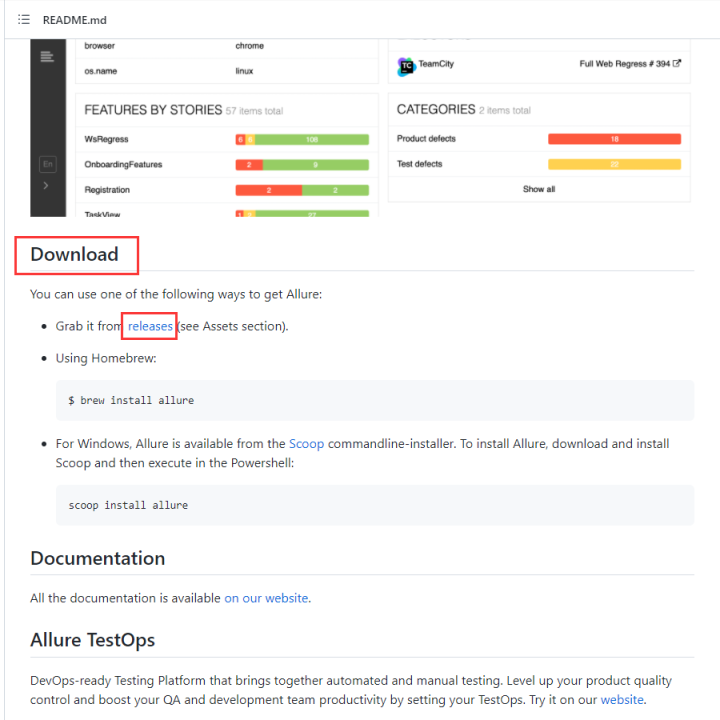
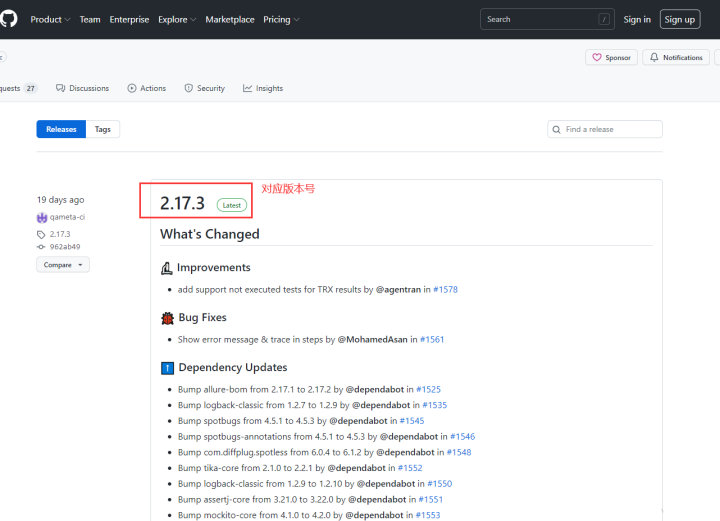
2.6 allure下载
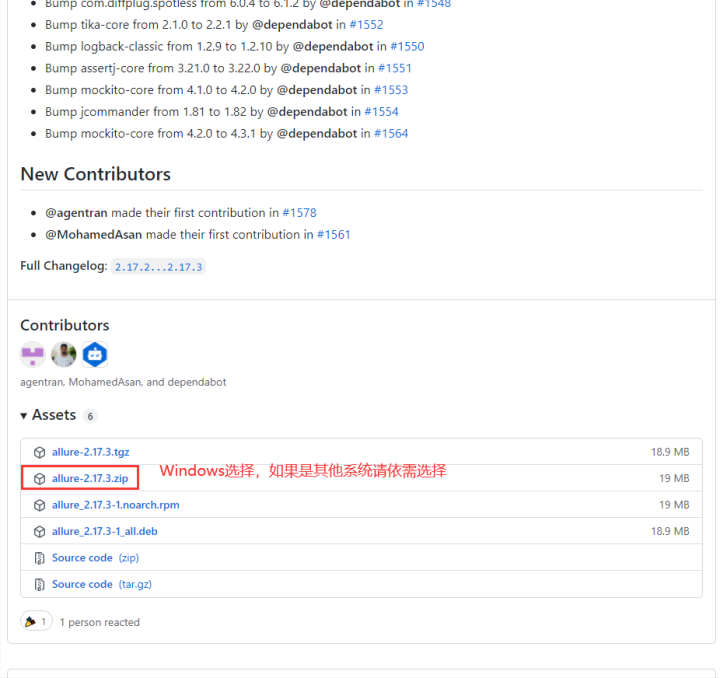
万能百度搜索allure进入到GitHub下载。 找到Download的字眼,并在其中点击releases
2.7 pytest插件:allure-pytest安装与目录生成
通过pip install allure-pytest进行安装
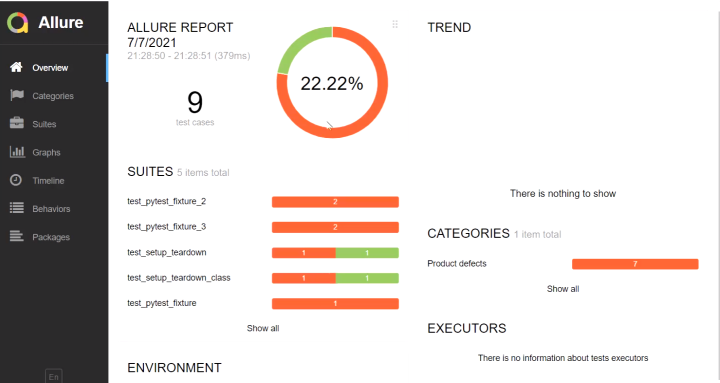
生成报告在命令行中输入:pytest --alluredir=目录
查看报告使用:allure serve 目录
allure可以翻译成中文,具体这里不过多阐述如何查看报告数据,有兴趣的同学可以自行了解
2.8 unittest转pytest形式
如果以代码形式呈现会比较复杂,笔者直接使用备注进行说明,大家如果之前的项目是unittest的项目那么可以根据本次说明转换成pytest:
-
""" -
unittest转pytest: -
1、数据驱动的ddt换成pytest的标记形式 -
2、unittest的testcase继承需要移除 -
3、self.asserEqual 需要重新封装 -
4、setUpclass 改成 pytest setup_class (参考上面的代码) -
"""
总结:
感谢每一个认真阅读我文章的人!!!
作为一位过来人也是希望大家少走一些弯路,如果你不想再体验一次学习时找不到资料,没人解答问题,坚持几天便放弃的感受的话,在这里我给大家分享一些自动化测试的学习资源,希望能给你前进的路上带来帮助。

软件测试面试文档
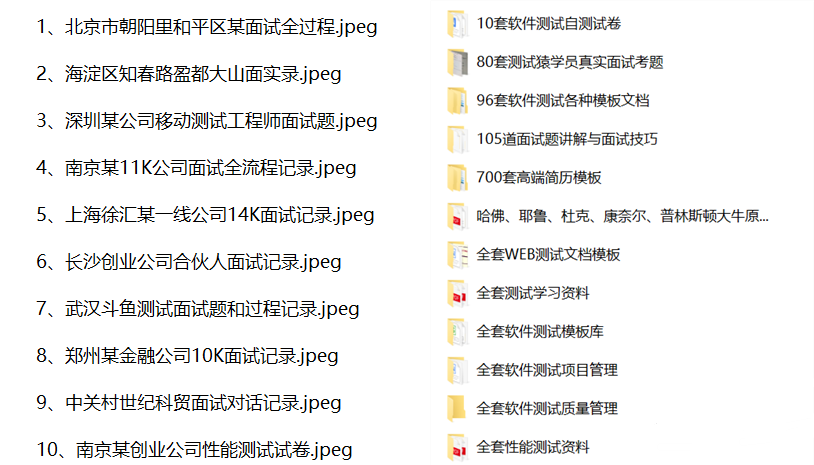
我们学习必然是为了找到高薪的工作,下面这些面试题是来自阿里、腾讯、字节等一线互联网大厂最新的面试资料,并且有字节大佬给出了权威的解答,刷完这一套面试资料相信大家都能找到满意的工作。
视频文档获取方式:
这份文档和视频资料,对于想从事【软件测试】的朋友来说应该是最全面最完整的备战仓库,这个仓库也陪伴我走过了最艰难的路程,希望也能帮助到你!以上均可以分享,点下方进群即可自行领取。

一站式 AI 云服务平台
更多推荐



 18
18 0
0- 0


 已为社区贡献18条内容

所有评论(0)