
简单实用的接口自动化测试平台simpleauto
1.近30天用例执行情况只统计测试集合执行的用例1.定时任务支持两种格式,一种为执行一次,即固定时间执行;一种为定期执行,即crontab格式2.定时任务执行时,也不判断集合是否跳过,全执行1.显示定时任务执行过的所有集合数据,即使已删除该集合的关联。
·
地址:SimpleAuto: 简单实用的接口自动化测试平台simpleauto
启动流程
1.安装环境
1.安装requirements.txt中库
2.安装redis
3.安装数据库mysql
2.配置修改
DATABASES = {
    "default": {
        "ENGINE": "django.db.backends.mysql",
        "NAME": "simpleauto",
        "USER": "root",
        "PASSWORD": "sharkblue",
        "HOST": "127.0.0.1",
        "PORT": "3306",
    }
}
# Celery配置
CELERY_BROKER_URL = 'redis://127.0.0.1:6379/0'
CELERY_RESULT_BACKEND = 'redis://127.0.0.1:6379/0'
修改上述数据库与redis地址
3.启动命令
1.python manage.py makemigrations
2.python manage.py migrate(迁移数据库)
3.python manage.py createsuperuser(创建超级用户)
4.python manage.py runserver 8000(启动服务)
5.127.0.0.1:8000/login/(登录地址)
6.127.0.0.1:8000/admin/(后端地址)
7.启动redis之后,才可启动定时任务
8.celery -A SimpleAuto worker --loglevel=info -P eventlet(定时任务)
9.Celery -A SimpleAuto worker --loglevel=info -P eventlet --logfile=/SimpleAuto/logs/worker.log(将定时任务日志写入worker.log)
10.celery -A SimpleAuto beat --loglevel=info(定时任务)
11.celery -A SimpleAuto flower(定时任务监控,地址http://localhost:5555)
模块介绍
首页
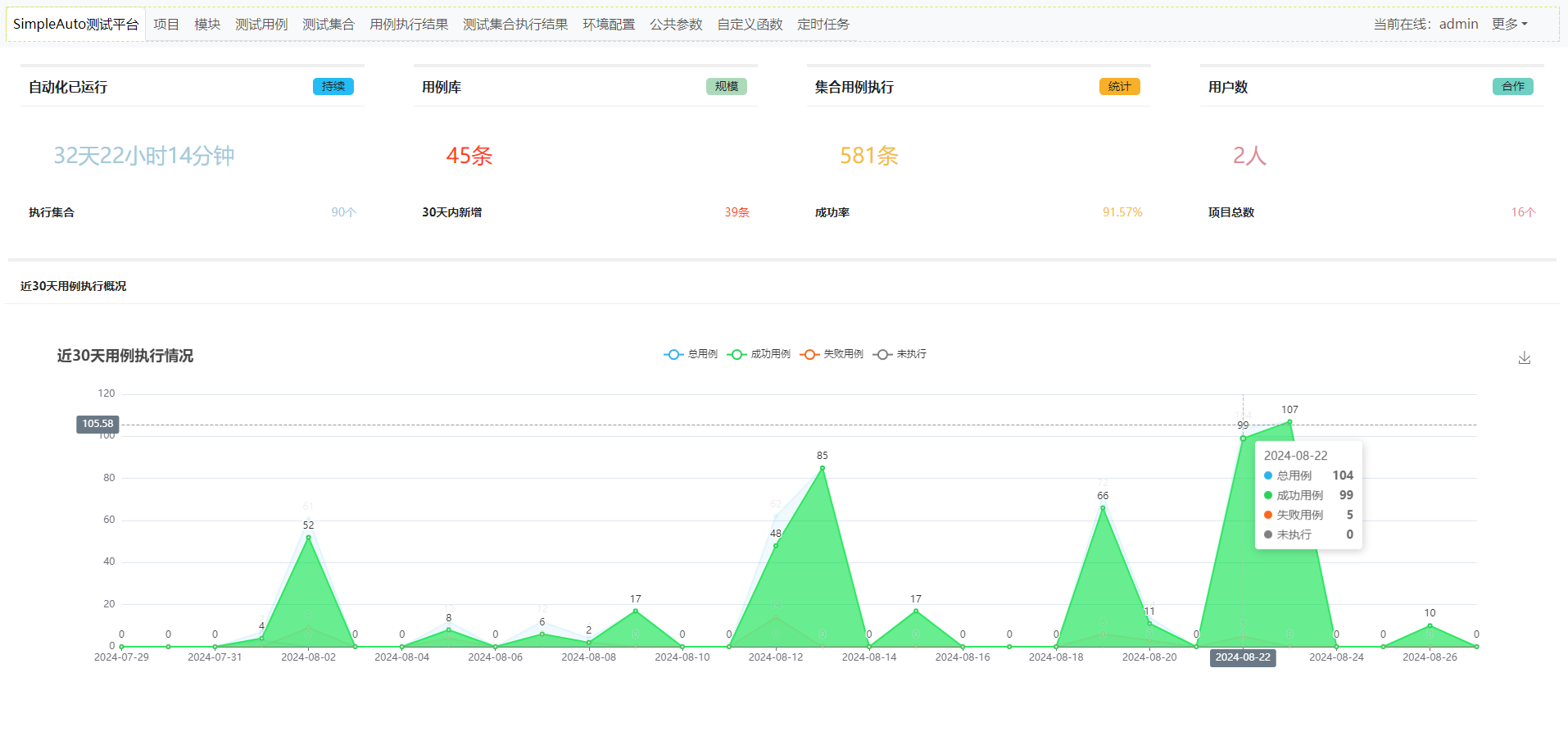
1.近30天用例执行情况只统计测试集合执行的用例
项目
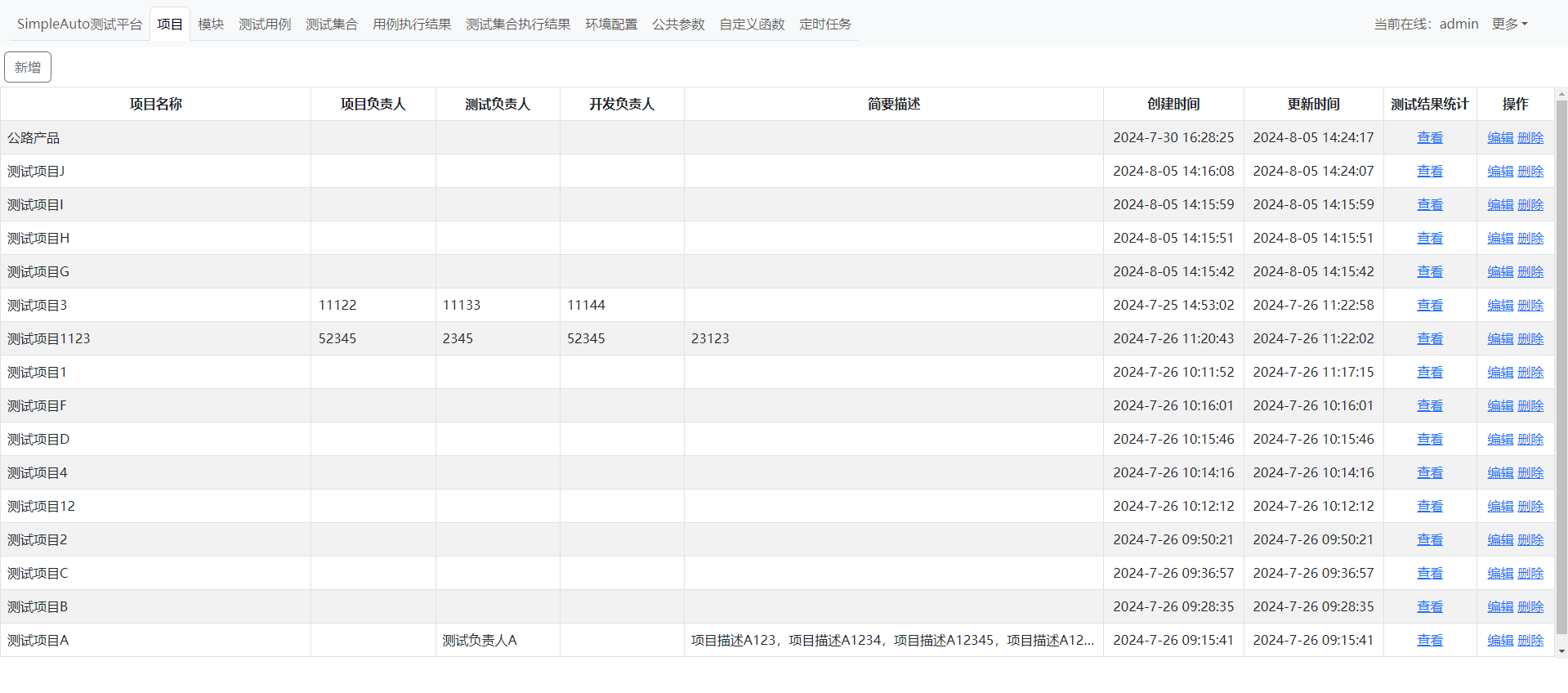
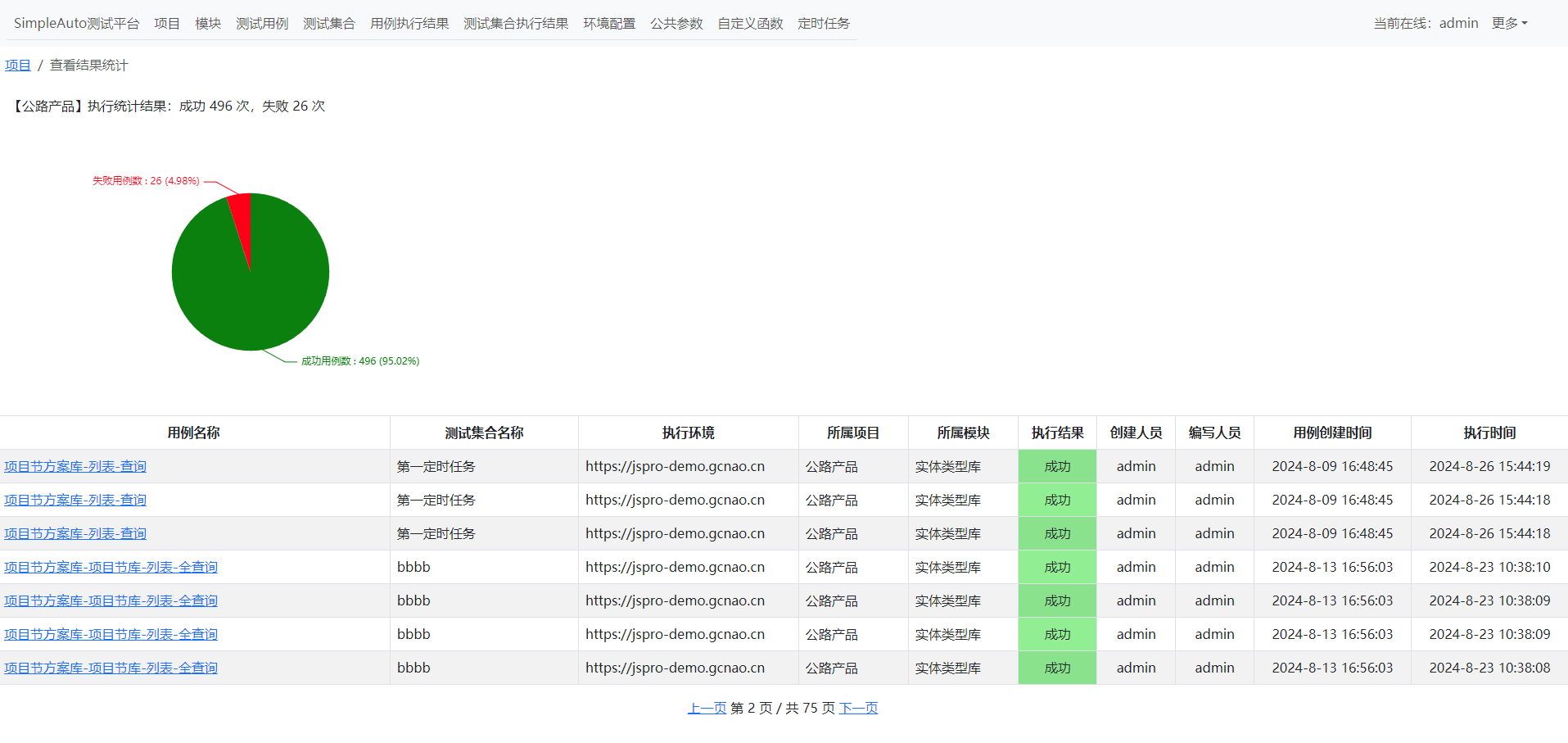
模块

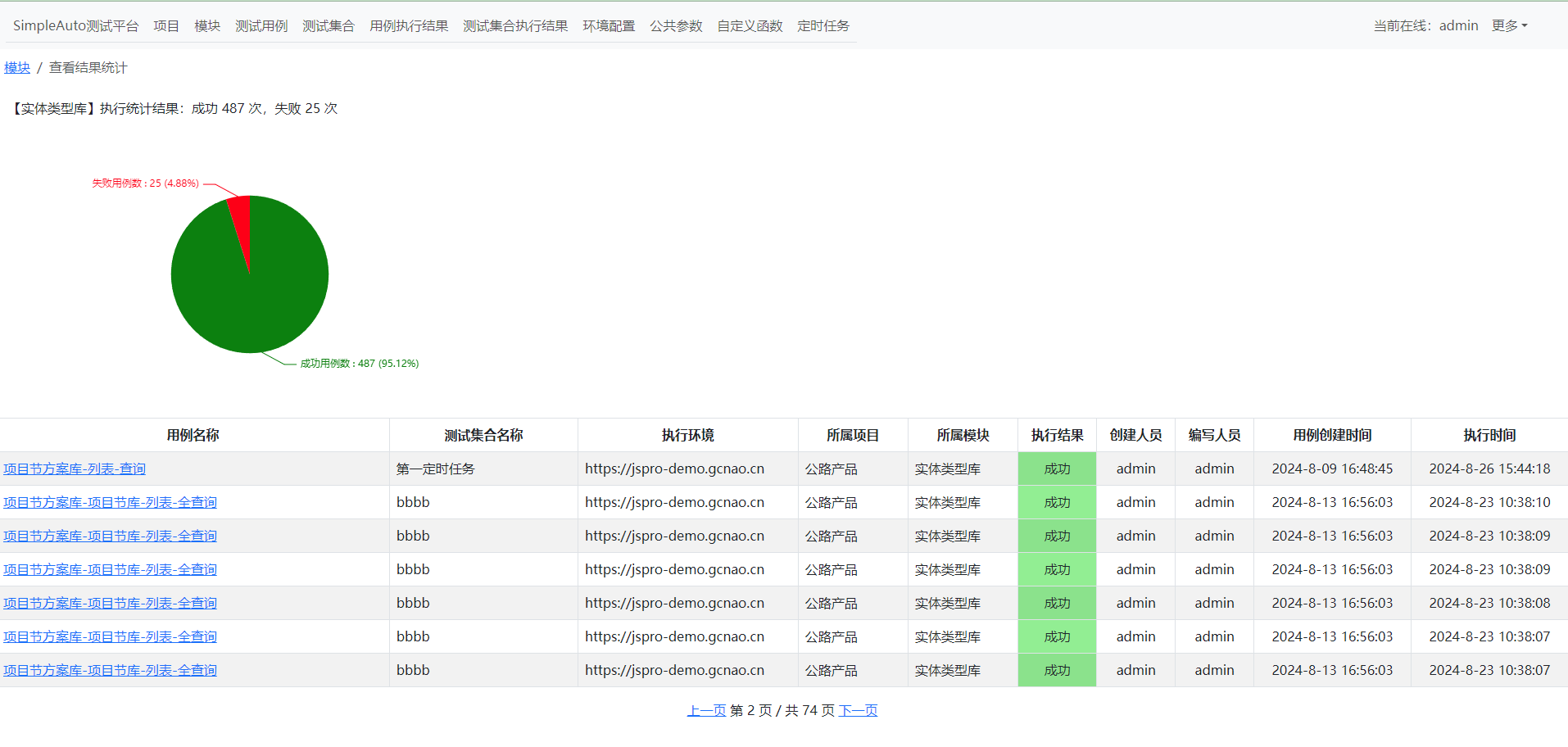
测试用例

1.是否跳过勾选,则执行测试用例时不运行
2.点击执行测试用例,根据运行环境自动组合接口地址运行,结果保存在用例执行结果中
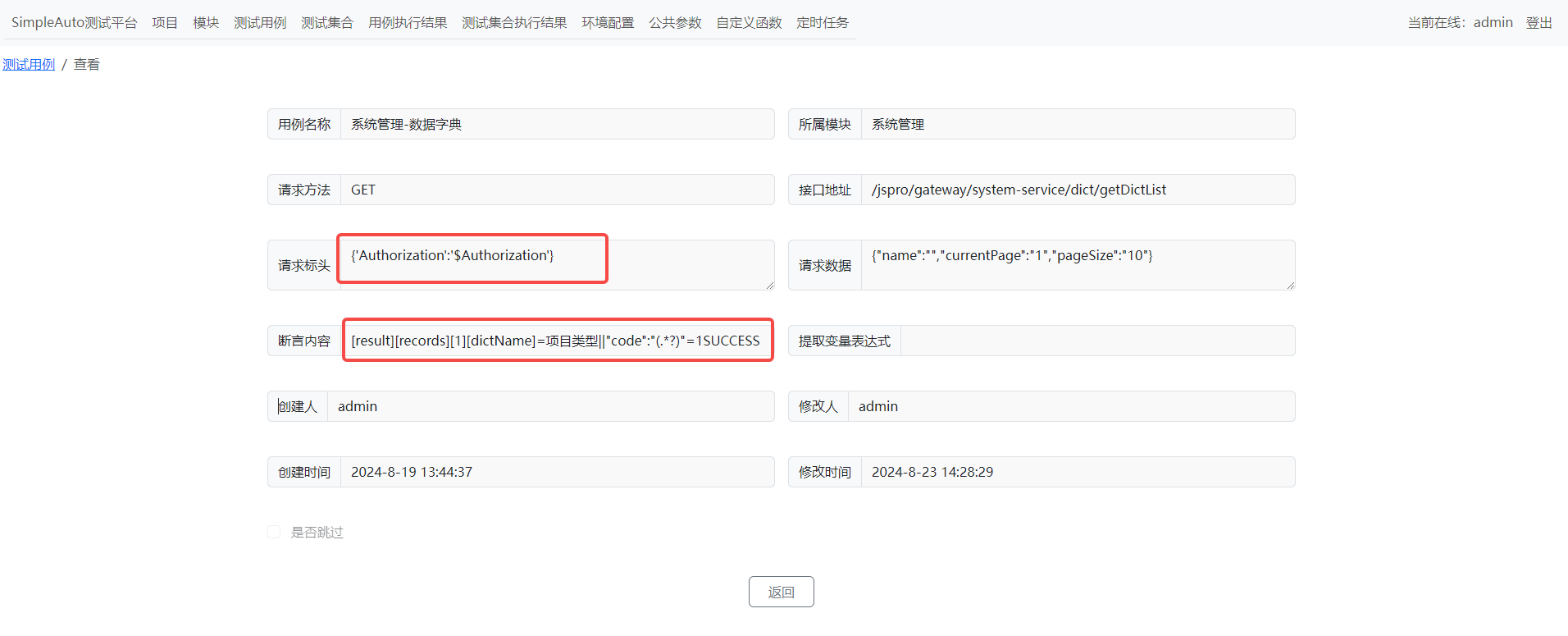
1.请求头中支持 $参数名 引用参数,可引用公共参数中对应的参数或提取的参数,如有多个,默认取第一个
2.断言内容支持json格式断言、re断言,||为或多条件匹配,有一个成功则判定为成功
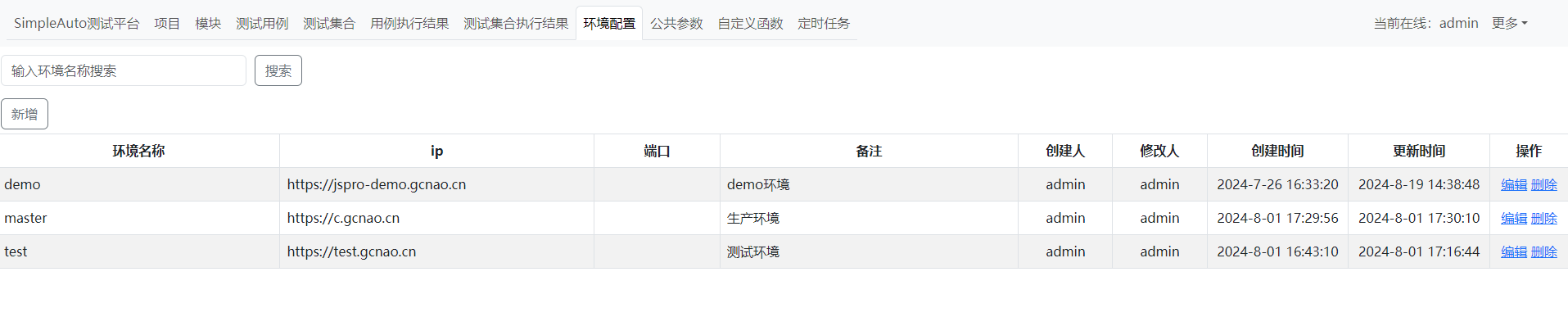
3.接口地址会自动获取运行环境配置的地址,并与接口地址组成完整地址
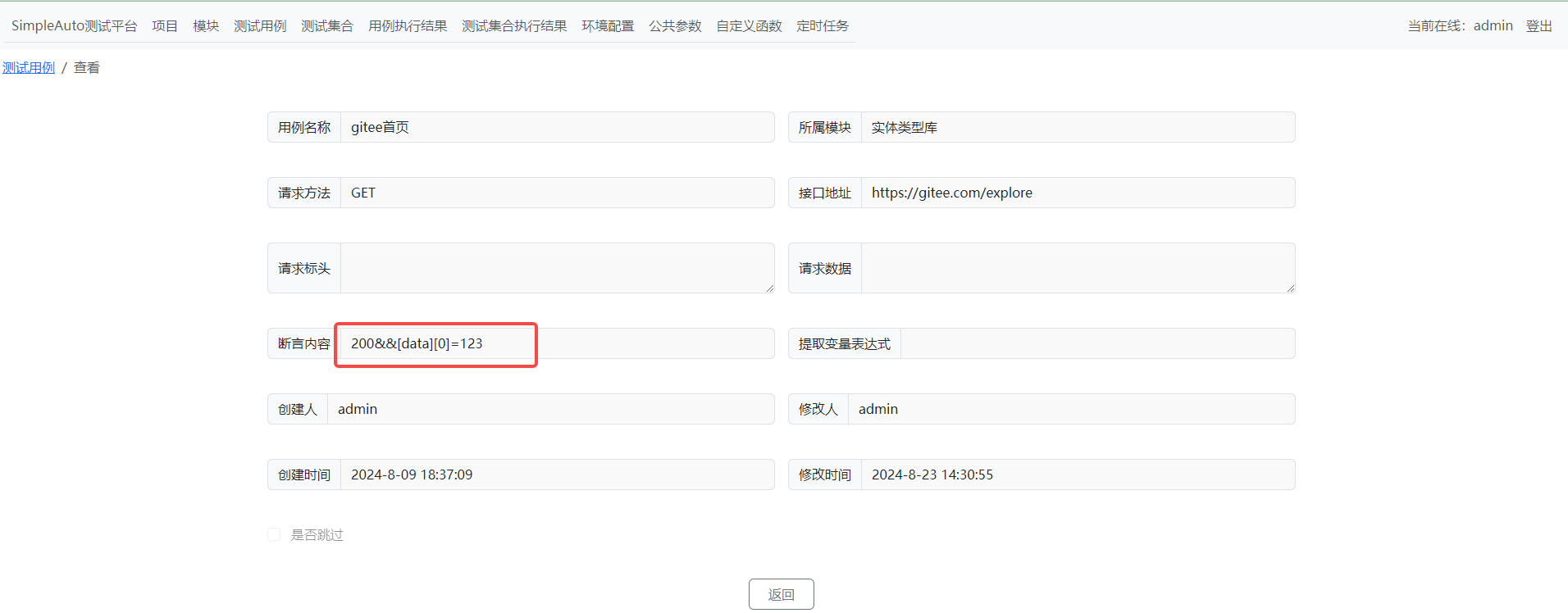
1.&&为与断言,需全为真才判定成功,json或re提取后的值如果存在于响应中,则判定成功
2.如接口地址为http开头,则不与环境地址组合
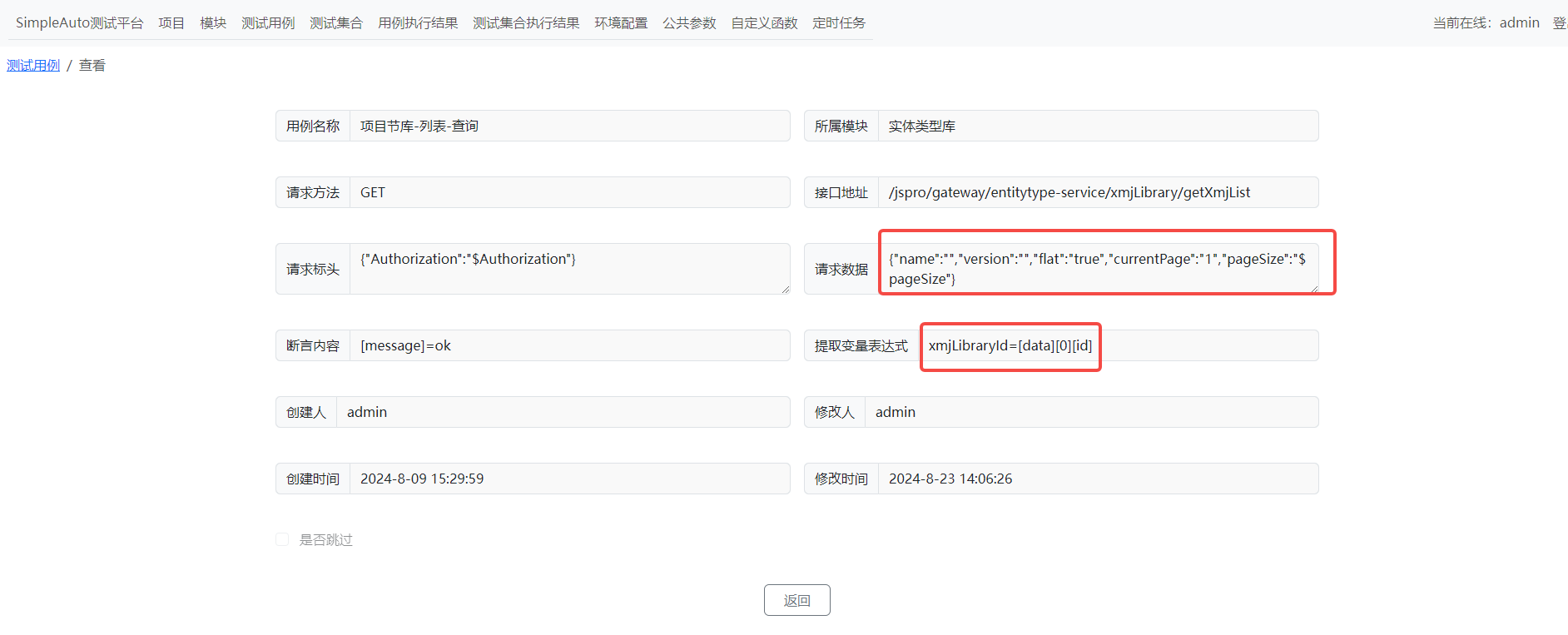
1.请求数据同样支持 $参数名 引用参数
2.提取变量支持json、re提取,供后续请求引用
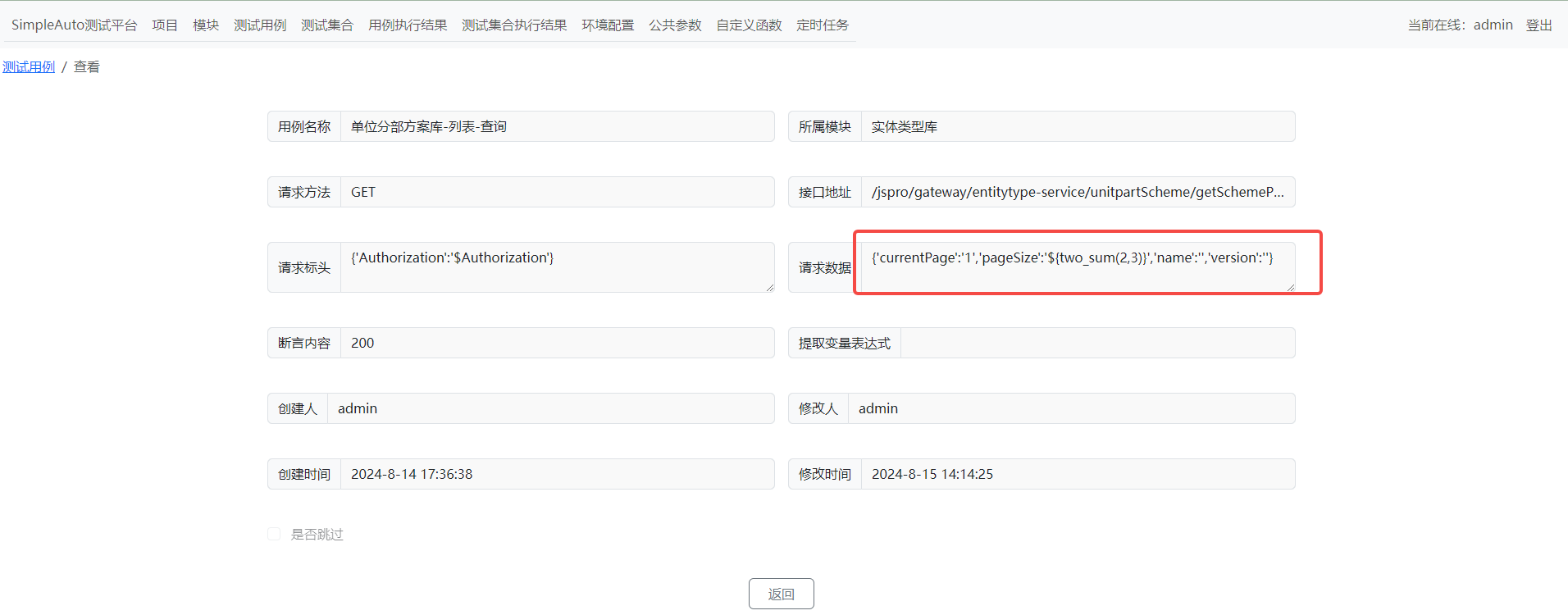
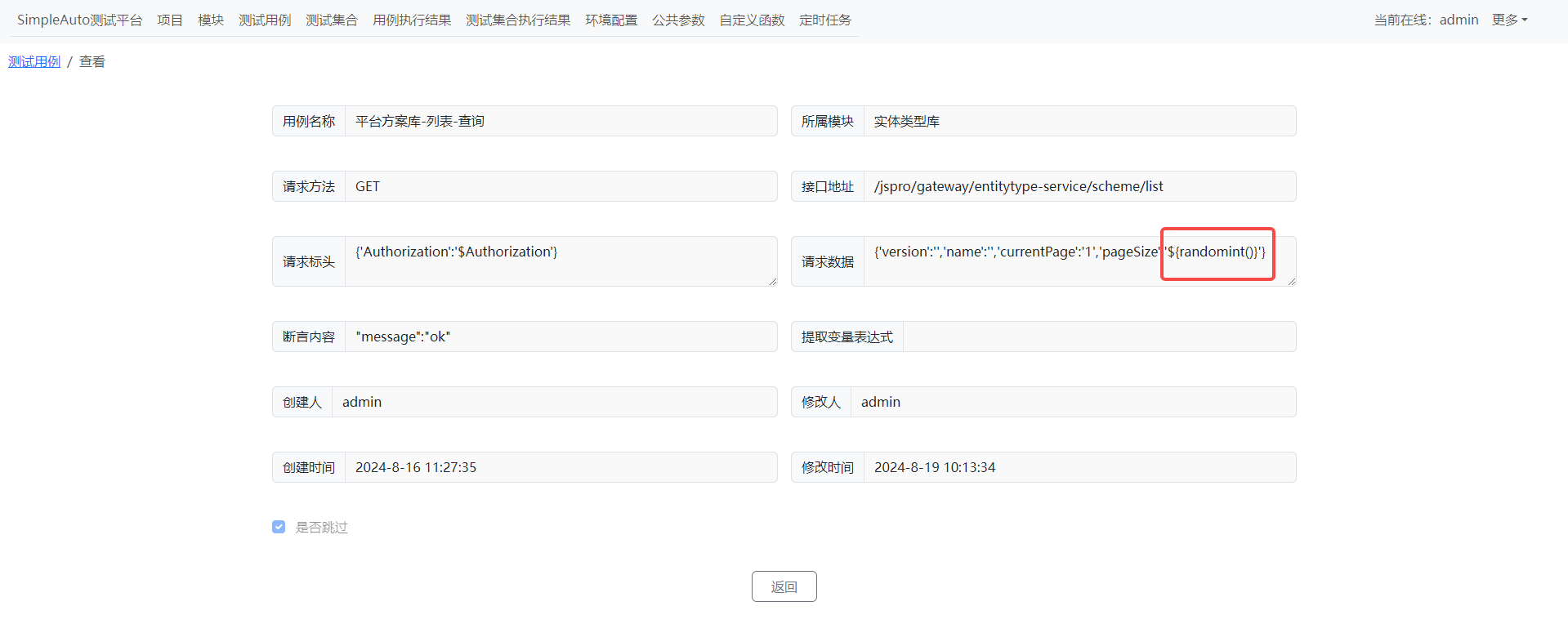
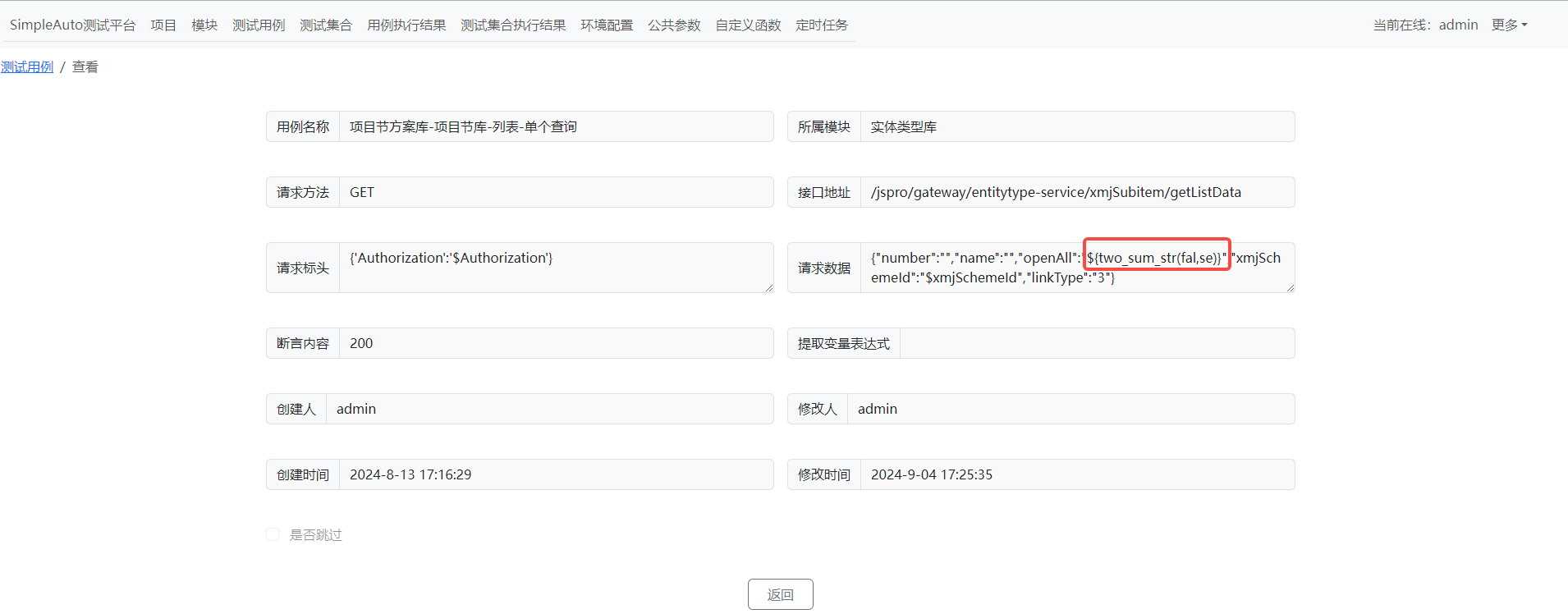
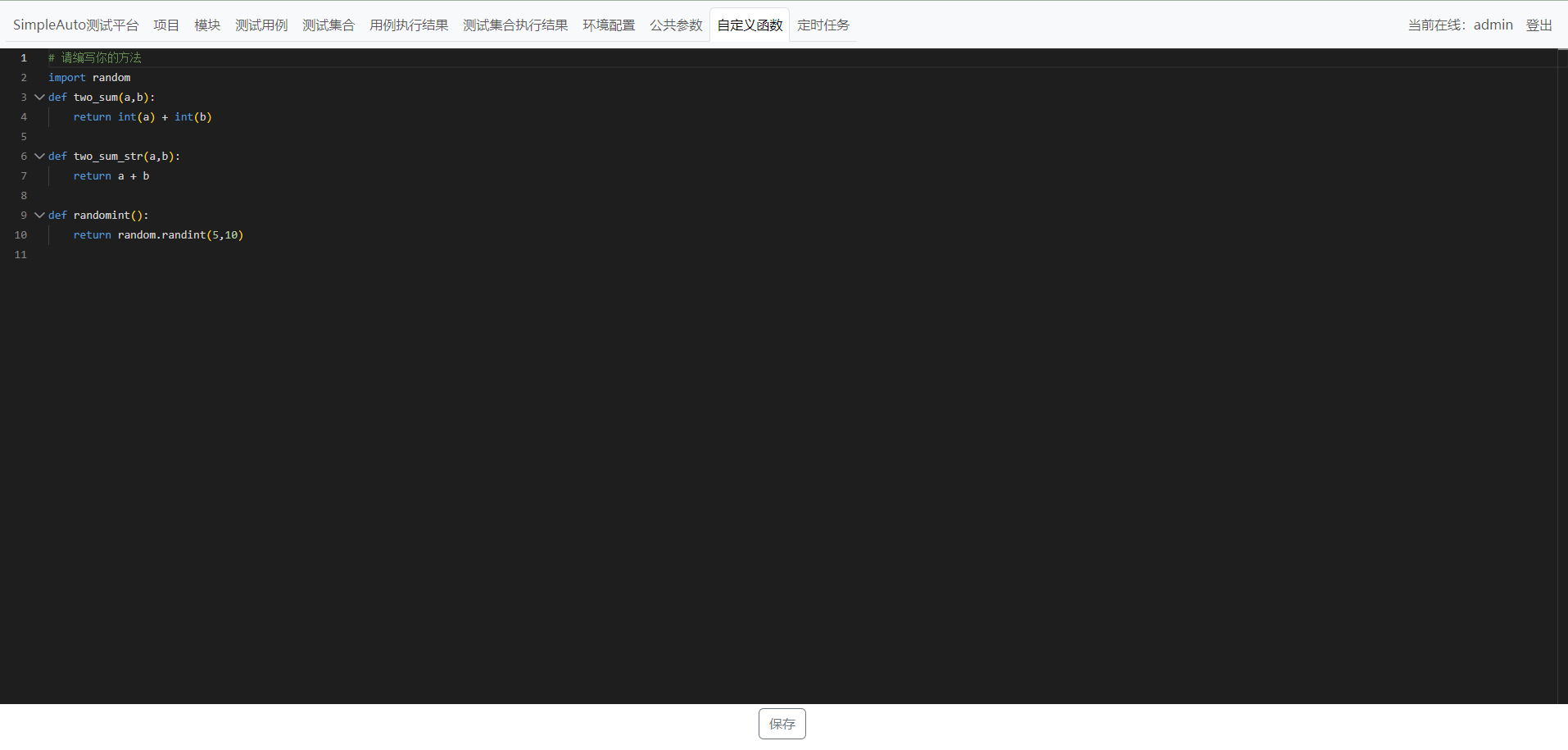
1.${函数}可引用自定义函数中的函数,接收返回值,传参全为字符,如函数需要特定格式,需在函数中处理
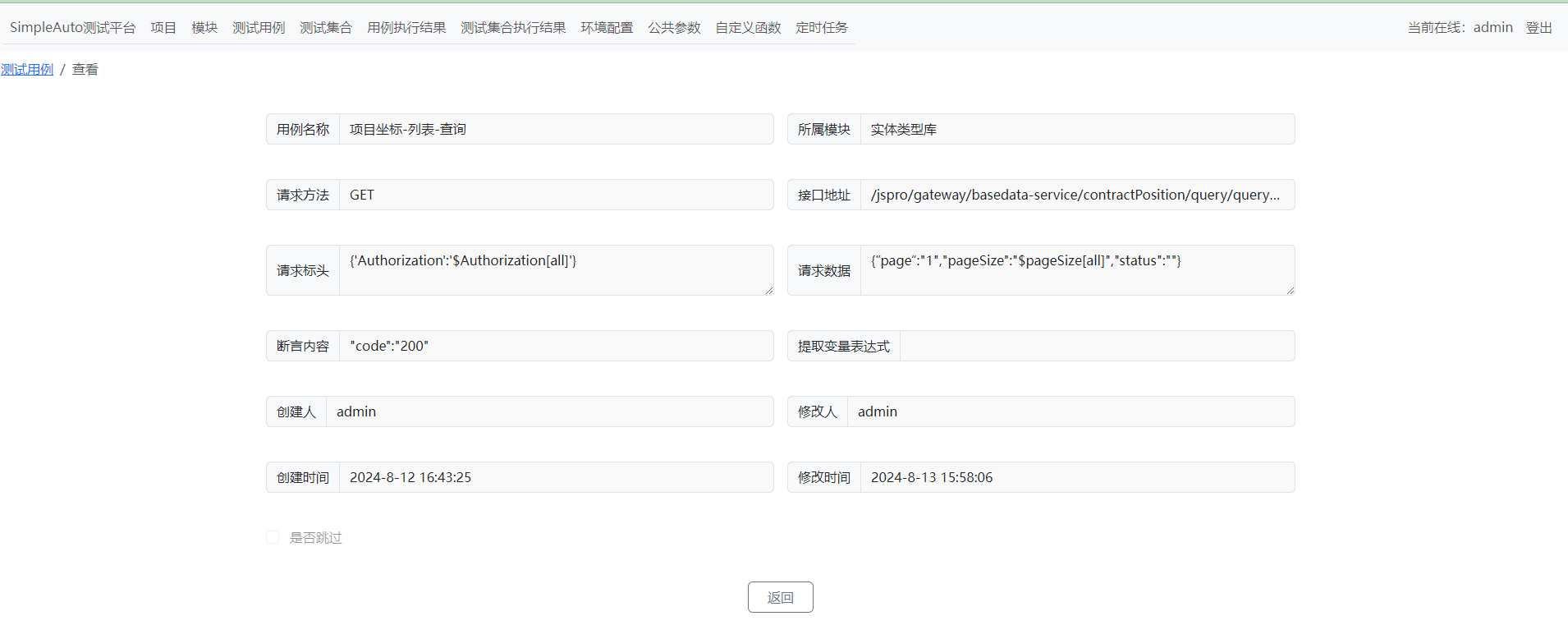
1.如引入的参数为 $参数名[all],则会获取参数的每一个值都执行一条用例
2.如为 $参数名[2],则取参数中的第3个值(列表下标)
3.如请求头与请求数据都为 $参数名[all],则会执行n*m用例
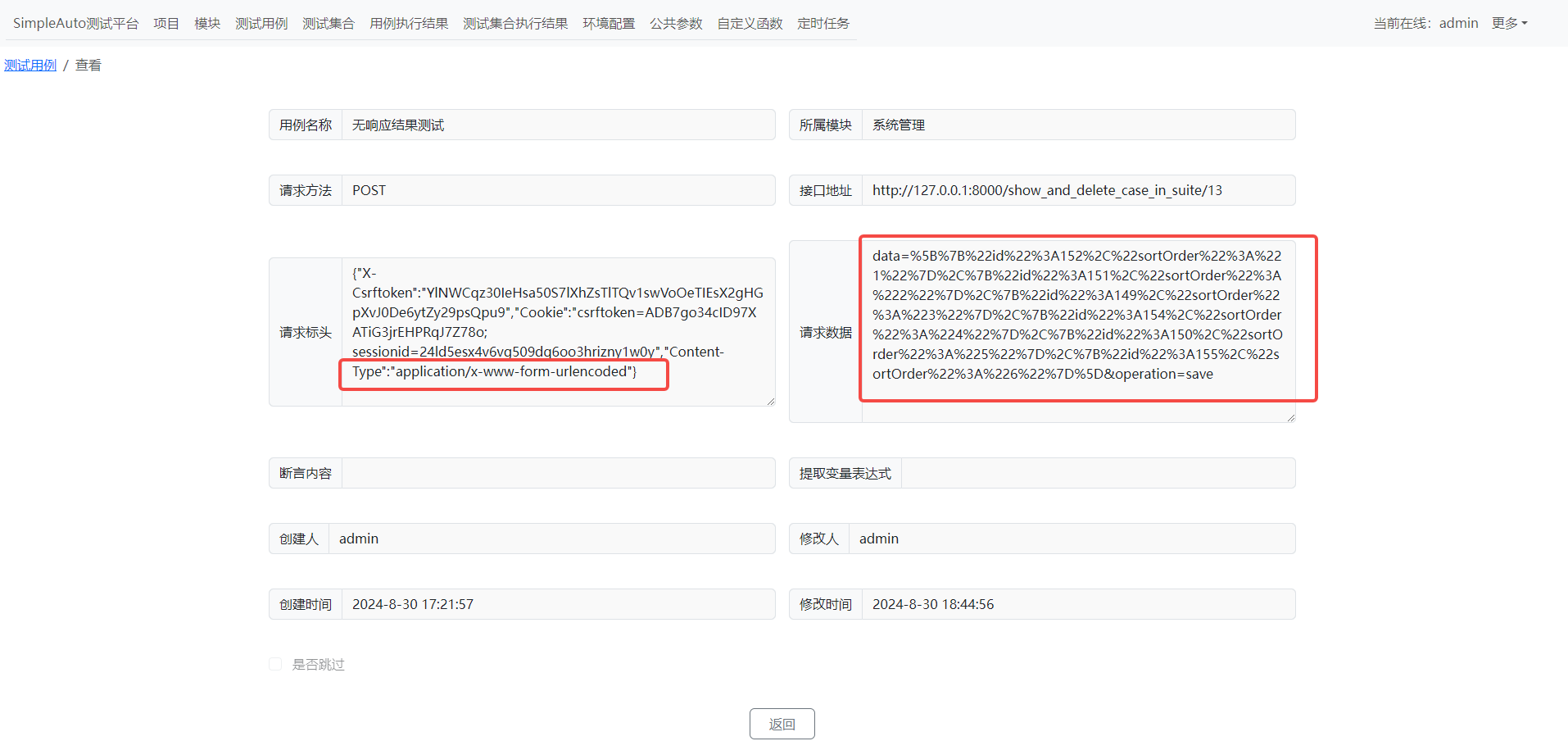

1.如果请求格式为"Content-Type":"application/x-www-form-urlencoded",
请求数据可以按URL编码格式填写,也可以按json格式填写
测试集合
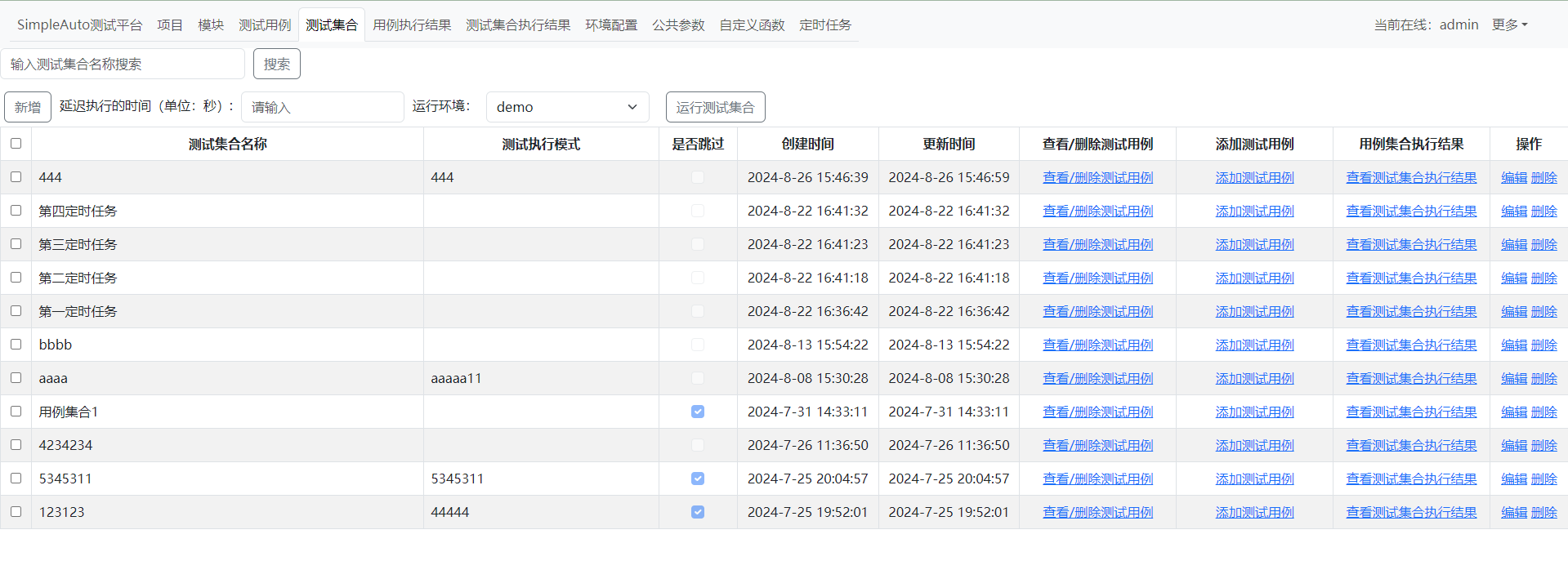
1.是否跳过勾选则在运行测试集合时不运行,测试集合执行时,不会在判断里面关联的用例是否跳过,全执行

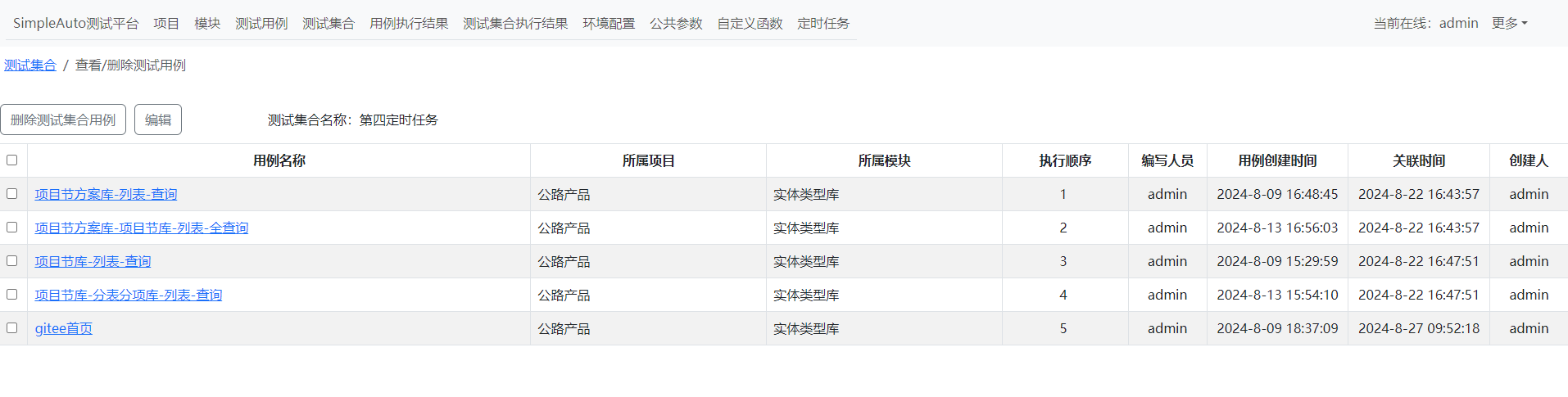
1.编辑可编辑执行顺序,测试集合运行时以该顺序运行(建议尽量都填写,会影响参数的引用)
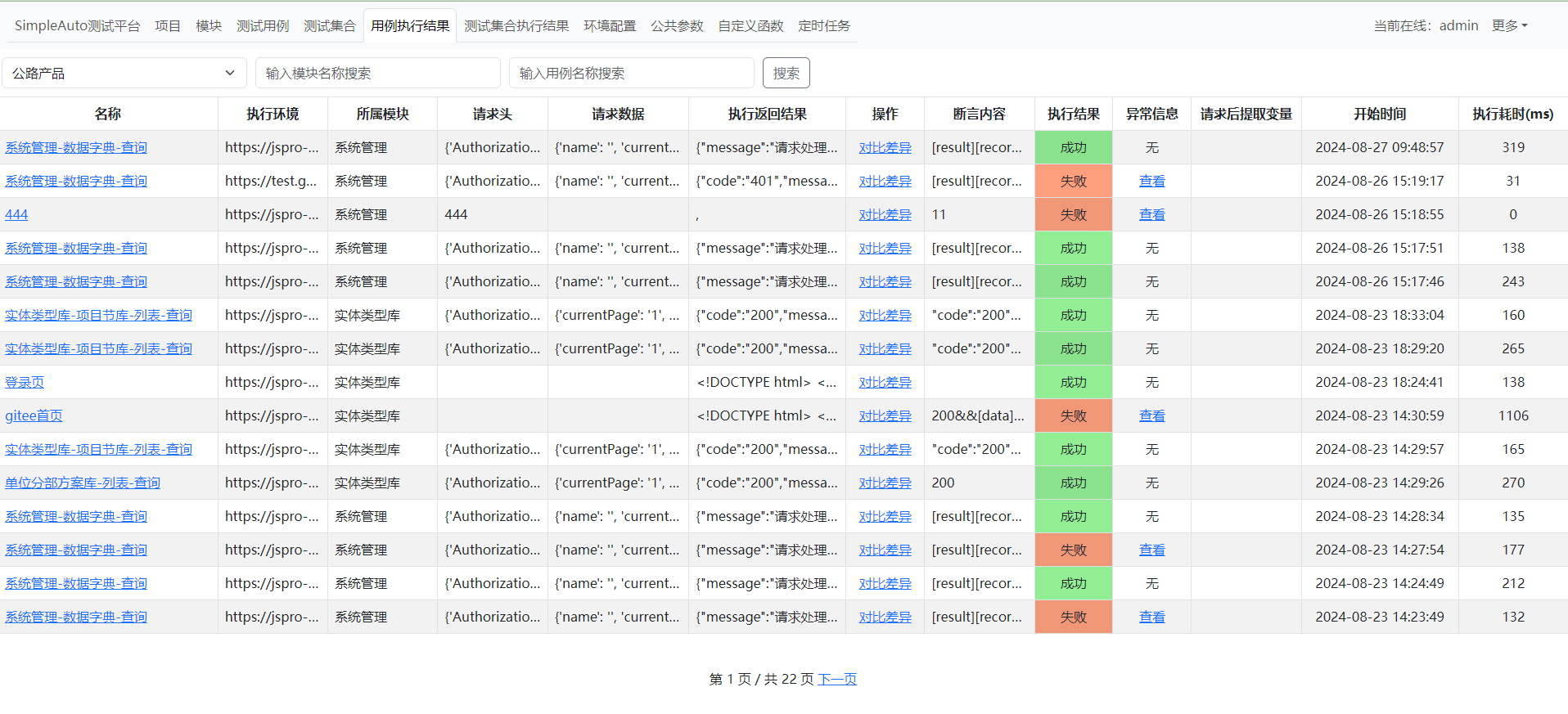
用例执行结果


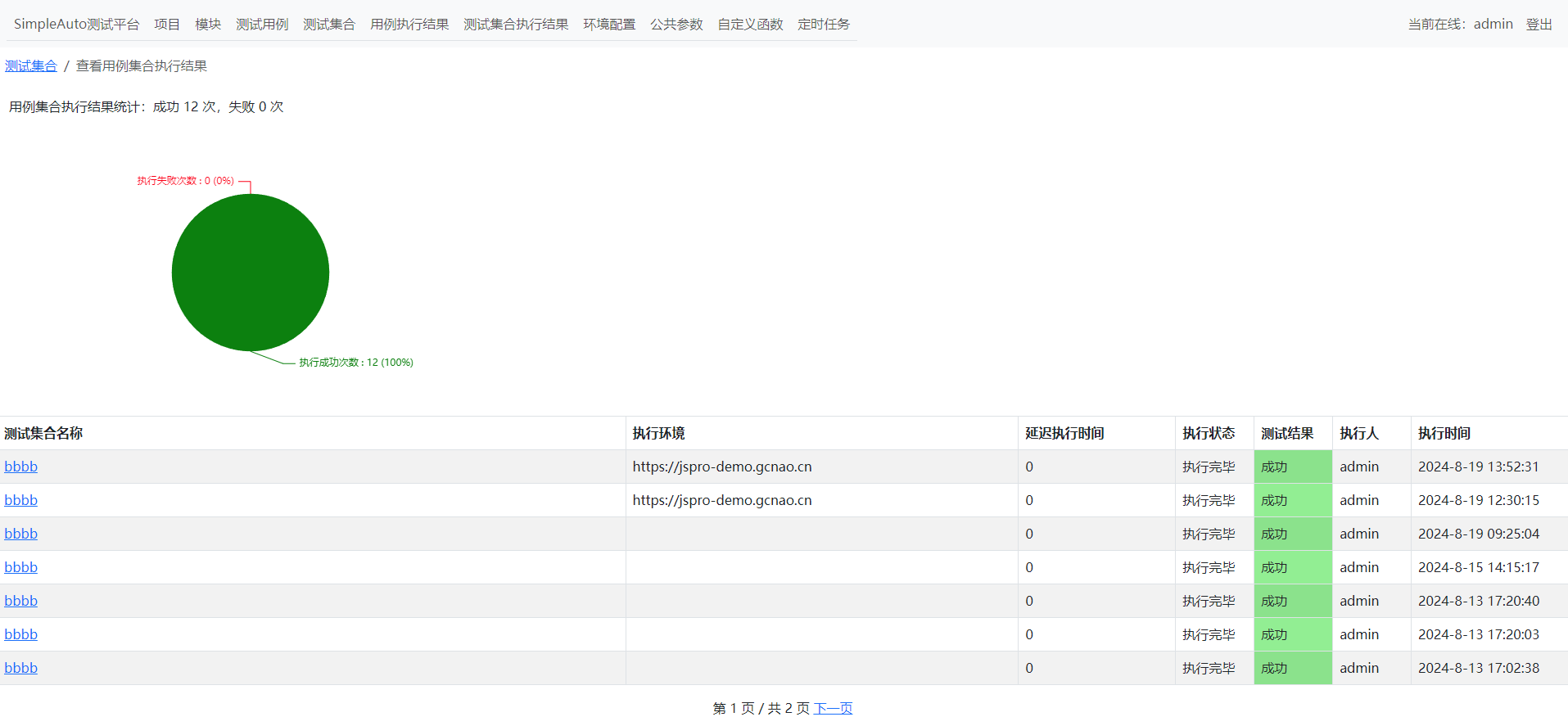
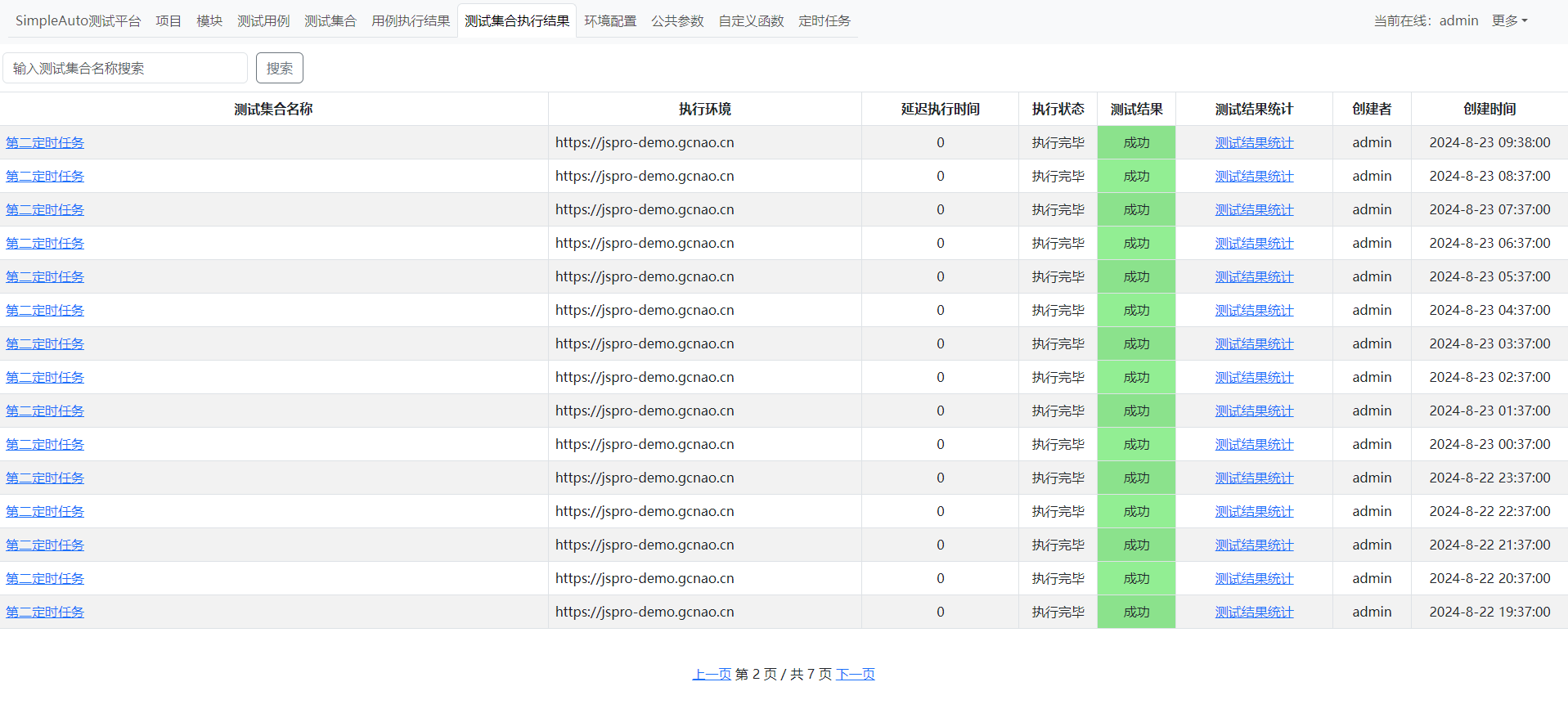
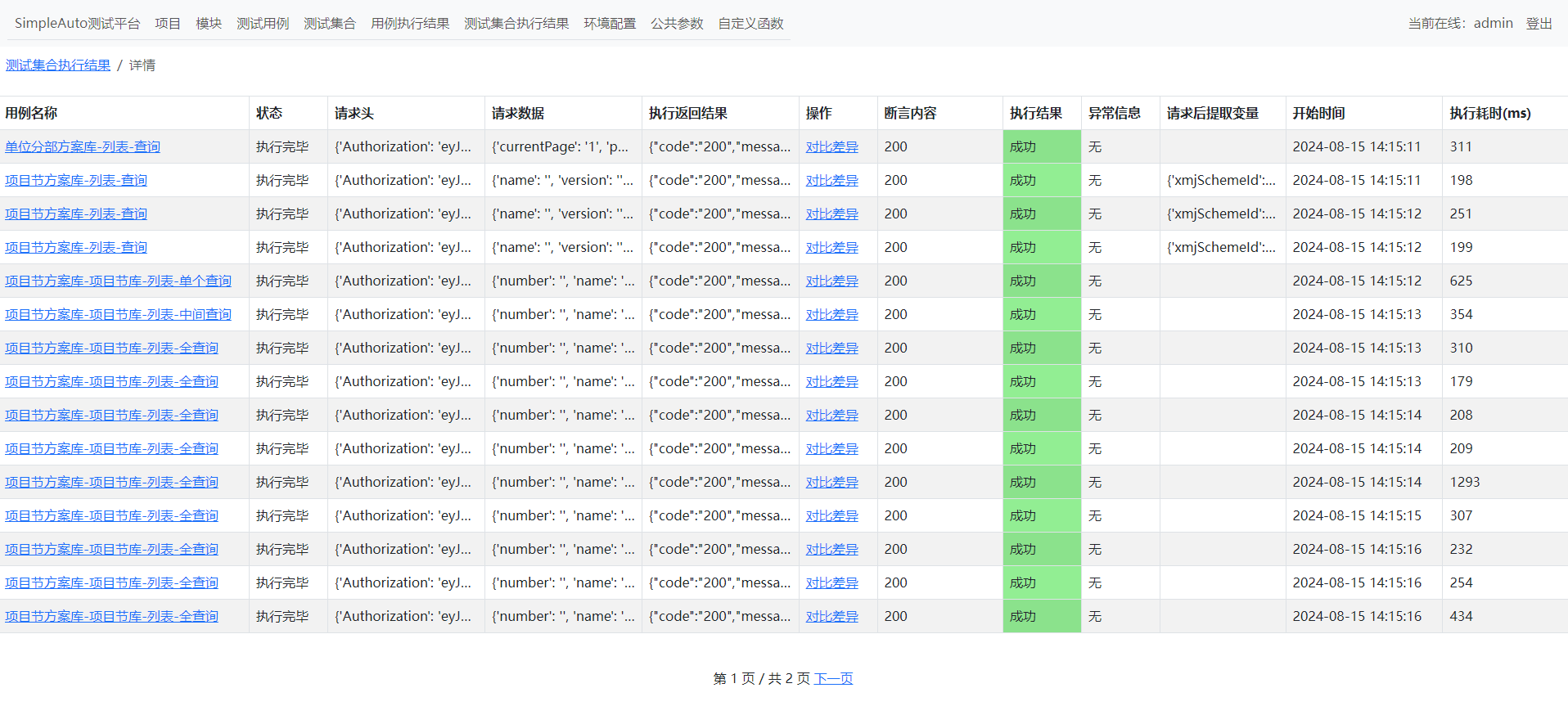
测试集合执行结果

环境配置
公共参数
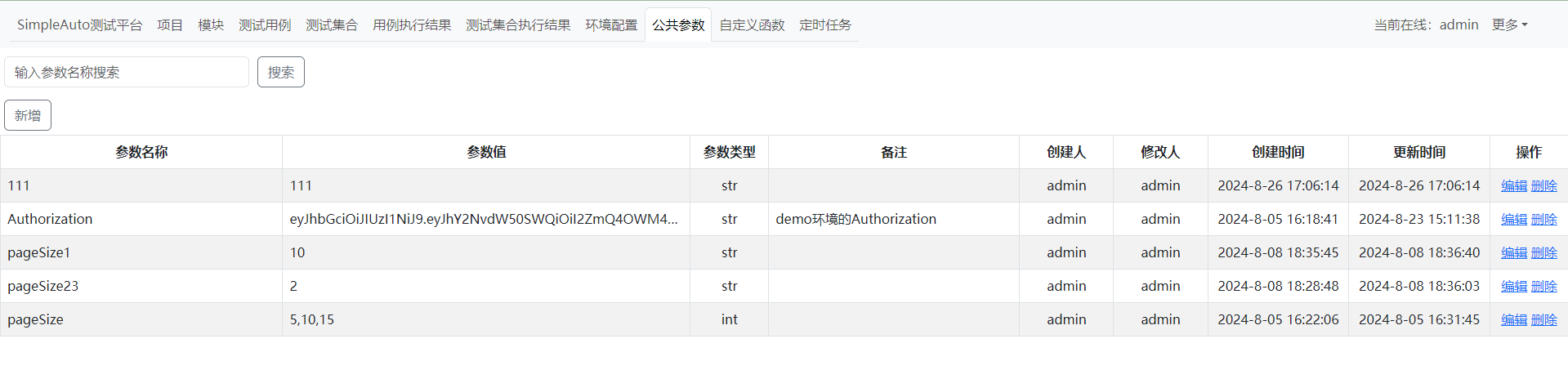
1.如需填写多个参数,以逗号隔开
自定义函数
定时任务
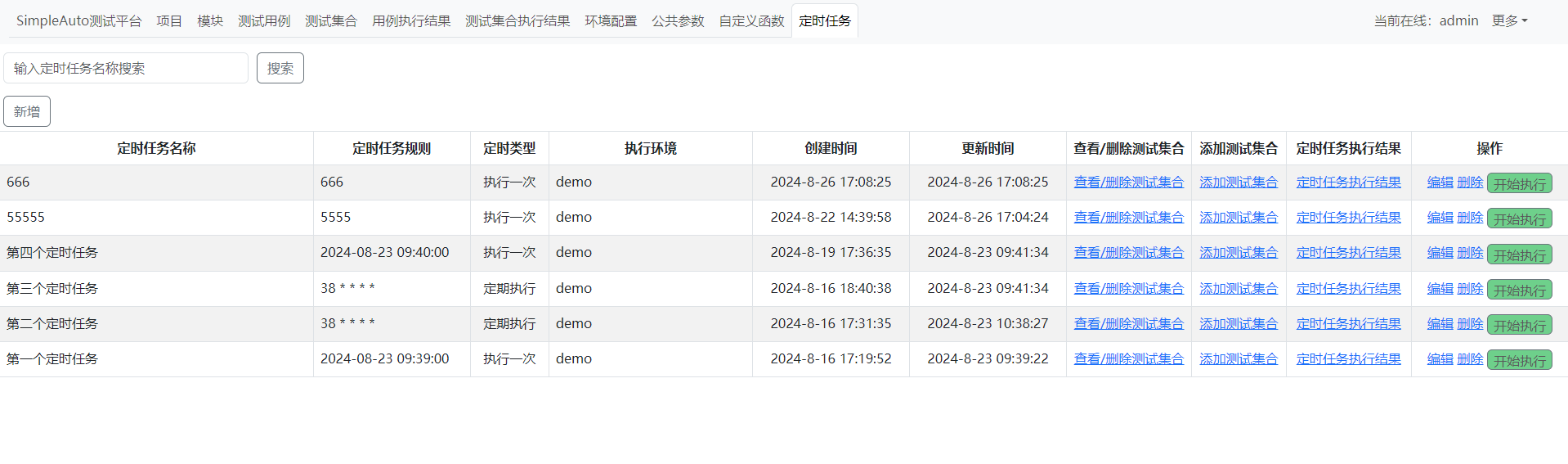
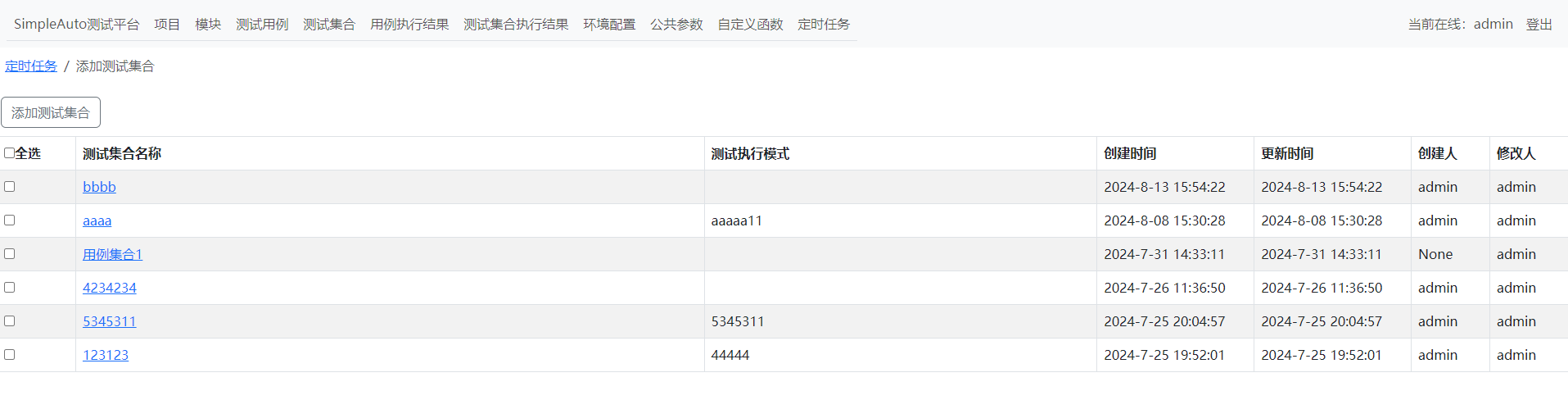
1.定时任务支持两种格式,一种为执行一次,即固定时间执行;一种为定期执行,即crontab格式
2.定时任务执行时,也不判断集合是否跳过,全执行

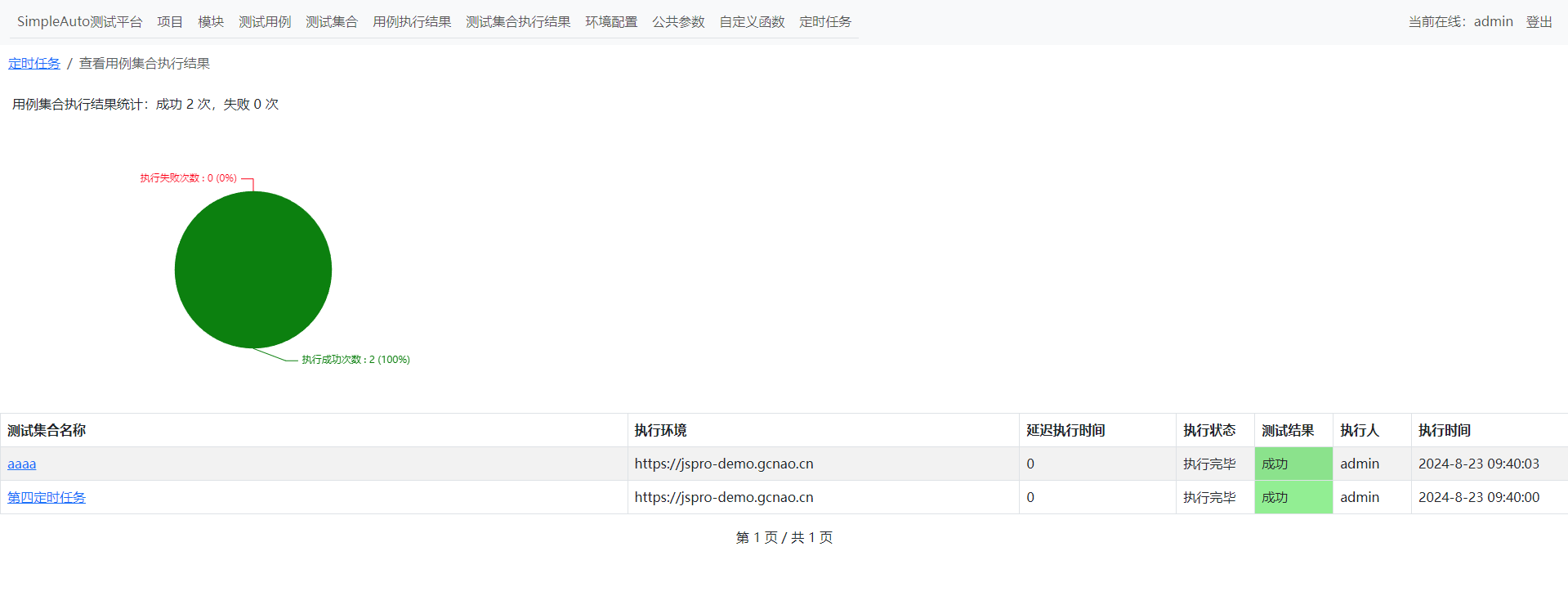
1.显示定时任务执行过的所有集合数据,即使已删除该集合的关联
一站式 AI 云服务平台
更多推荐



 2
2 0
0- 0


 已为社区贡献2条内容

所有评论(0)