
# docker 构建centos 镜像出现错误ERROR: failed to solve: process “/bin/sh -c yum install -y vim“ did not comp
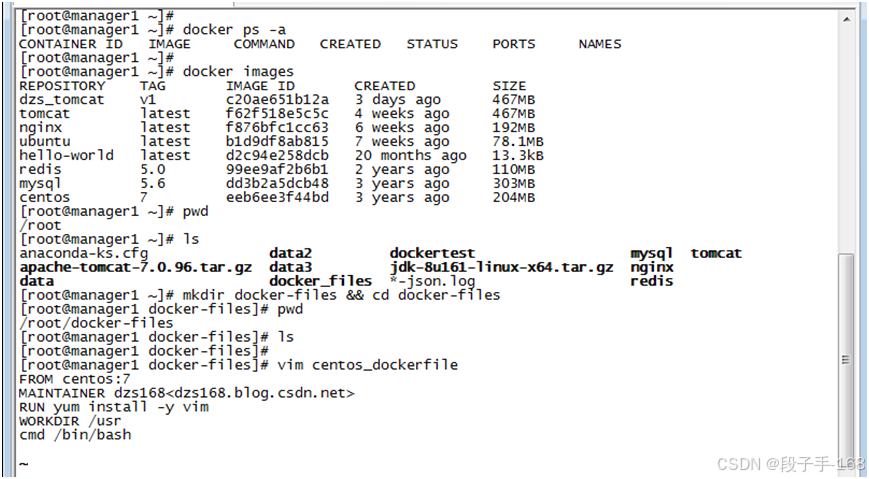
一、在使用docker 构建centos 镜像,如果 执行 ` docker build -f ./centos_dockerfile -t centos_usr:v1 .` 时 `RUN yum install -y vim` 报错错误信息如下 :Could not retrieve mirrorlist http://mirrorlist.centos.org/?release=7&arch=
·
docker 构建centos 镜像出现错误ERROR: failed to solve: process “/bin/sh -c yum install -y vim” did not complete successfully: 解决方法
一、在使用docker 构建centos 镜像,如果 执行 docker build -f ./centos_dockerfile -t centos_usr:v1 . 时 RUN yum install -y vim 报错
错误信息如下 :
Could not retrieve mirrorlist http://mirrorlist.centos.org/?release=7&arch=x86_64&repo=os&infra=container error was
curl#6 - “Could not resolve host: mirrorlist.centos.org; Unknown error”
…
yum-config-manager --save --setopt=.skip_if_unavailable=true
Cannot find a valid baseurl for repo: base/7/x86_64
…
ERROR: failed to solve: process “/bin/sh -c yum install -y vim” did not complete successfully: exit code: 1
如下图:

二、解决方法:
可以尝试以下方法,进行逐一排除(任何一项执行后,如果构建正常,就无须进行下一项)。
1、修改编辑 centos_dockerfile 文件:vim centos_dockerfile
FROM centos:7
MAINTAINER dzs168

RUN cd /etc/yum.repos.d/ \
&& sed -i 's/mirrorlist/#mirrorlist/g' /etc/yum.repos.d/CentOS-* \
&& sed -i 's|#baseurl=http://mirror.centos.org|baseurl=http://vault.centos.org|g' /etc/yum.repos.d/CentOS-*  \
&& yum install -y vim

CMD /bin/bash

WORKDIR /usr
2、配置 yum 源 vim /etc/yum.repos.d/CentOS-Base.repo
# 更改 yum 源

# CentOS-Base.repo
#
# The mirror system uses the connecting IP address of the client and the
# update status of each mirror to pick mirrors that are updated to and
# geographically close to the client.  You should use this for CentOS updates
# unless you are manually picking other mirrors.
#
# If the mirrorlist= does not work for you, as a fall back you can try the
# remarked out baseurl= line instead.

[base]
name=CentOS-$releasever - Base - mirrors.aliyun.com
failovermethod=priority
baseurl=http://mirrors.aliyun.com/centos/$releasever/os/$basearch/
        http://mirrors.aliyuncs.com/centos/$releasever/os/$basearch/
        http://mirrors.cloud.aliyuncs.com/centos/$releasever/os/$basearch/
gpgcheck=1
gpgkey=http://mirrors.aliyun.com/centos/RPM-GPG-KEY-CentOS-7

#released updates
[updates]
name=CentOS-$releasever - Updates - mirrors.aliyun.com
failovermethod=priority
baseurl=http://mirrors.aliyun.com/centos/$releasever/updates/$basearch/
        http://mirrors.aliyuncs.com/centos/$releasever/updates/$basearch/
        http://mirrors.cloud.aliyuncs.com/centos/$releasever/updates/$basearch/
gpgcheck=1
gpgkey=http://mirrors.aliyun.com/centos/RPM-GPG-KEY-CentOS-7

#additional packages that may be useful
[extras]
name=CentOS-$releasever - Extras - mirrors.aliyun.com
failovermethod=priority
baseurl=http://mirrors.aliyun.com/centos/$releasever/extras/$basearch/
        http://mirrors.aliyuncs.com/centos/$releasever/extras/$basearch/
        http://mirrors.cloud.aliyuncs.com/centos/$releasever/extras/$basearch/
gpgcheck=1
gpgkey=http://mirrors.aliyun.com/centos/RPM-GPG-KEY-CentOS-7

#additional packages that extend functionality of existing packages
[centosplus]
name=CentOS-$releasever - Plus - mirrors.aliyun.com
failovermethod=priority
baseurl=http://mirrors.aliyun.com/centos/$releasever/centosplus/$basearch/
        http://mirrors.aliyuncs.com/centos/$releasever/centosplus/$basearch/
        http://mirrors.cloud.aliyuncs.com/centos/$releasever/centosplus/$basearch/
gpgcheck=1
enabled=0
gpgkey=http://mirrors.aliyun.com/centos/RPM-GPG-KEY-CentOS-7

#contrib - packages by Centos Users
[contrib]
name=CentOS-$releasever - Contrib - mirrors.aliyun.com
failovermethod=priority
baseurl=http://mirrors.aliyun.com/centos/$releasever/contrib/$basearch/
        http://mirrors.aliyuncs.com/centos/$releasever/contrib/$basearch/
        http://mirrors.cloud.aliyuncs.com/centos/$releasever/contrib/$basearch/
gpgcheck=1
enabled=0
gpgkey=http://mirrors.aliyun.com/centos/RPM-GPG-KEY-CentOS-7
3、启用仓库配置
yum-config-manager --enable base
4、清理缓存,重建缓存
yum clean all
yum makecache
5、配置网卡,添加 DNS 服务器:vim /etc/sysconfig/network-scripts/ifcfg-enp0s3
TYPE=Ethernet
PROXY_METHOD=none
BROWSER_ONLY=no
# BOOTPROTO=dhcp
BOOTPROTO=static
IPADDR=192.168.43.216
NETMASK=255.255.255.0
GATEWAY=192.168.43.1
DNS1=8.8.8.8
DNS2=114.114.114.114
DEFROUTE=yes
IPV4_FAILURE_FATAL=no
IPV6INIT=yes
IPV6_AUTOCONF=yes
IPV6_DEFROUTE=yes
IPV6_FAILURE_FATAL=no
IPV6_ADDR_GEN_MODE=stable-privacy
NAME=enp0s3
UUID=43f2469a-7ff2-418f-ac9a-3bc5a3f14d46
DEVICE=enp0s3
ONBOOT=yes
6、重启网卡
systemctl restart network

# 或者
service network restart
7、配置 docker 镜像加速器 vim /etc/docker/daemon.json
# 配置内容如下:

{
        "registry-mirrors": ["https://5y3wa0zw.mirror.aliyuncs.com",
                        "http://hub-mirror.c.163.com",
                        "https://docker.m.daocloud.io/",
                        "https://huecker.io/",
                        "https://dockerhub.timeweb.cloud",
                        "https://noohub.ru/",
                        "https://dockerproxy.com",
                        "https://docker.mirrors.ustc.edu.cn",
                        "https://docker.nju.edu.cn",
                        "https://xx4bwyg2.mirror.aliyuncs.com",
                        "http://f1361db2.m.daocloud.io",
                        "https://registry.docker-cn.com",
                        "https://docker.mirrors.ustc.edu.cn"
                ]
}

# 重新加载配置文件
systemctl daemon-reload

# 重启docker
systemctl restart docker
8、在当前目录(注意命令后面的 .),重新通过dockerfile构建镜像
docker build -f ./centos_dockerfile -t centos_usr:v1 .


一站式 AI 云服务平台
更多推荐



 5
5 0
0- 0


 已为社区贡献8条内容

所有评论(0)