
JavaMail 连接 Office 365使用 OAUTH2身份认证
private static final String GRAPH_API_URL = "https://graph.microsoft.com/v1.0/users/用户的ID/sendMail";System.err.println("### 响应内容: " + response.toString());在订阅激活时不能使用ID治理许可证,选择一个必须带有 office 356 E5条件的许可
吐槽一下,微软API文档 引导极差。。。。
由于微软在2024/09将基本身份认证弃用,改为OAuth2方式身份认证。
目前国内主要难点在于订阅问题,因为基本上都是“白嫖”的,所以需要订阅许可证。
新式身份验证方法现在需要继续在非Microsoft电子邮件应用中同步 Outlook 电子邮件 - Microsoft 支持
需要在Azure创建一个组织用户,创建后按照下面的连接进行配置。
文章中没有订阅office365的产品导致无法搜索到office 365 exchange online相关权限。
在订阅激活时不能使用ID治理许可证,选择一个必须带有 office 356 E5条件的许可证,这样才能通过认证。
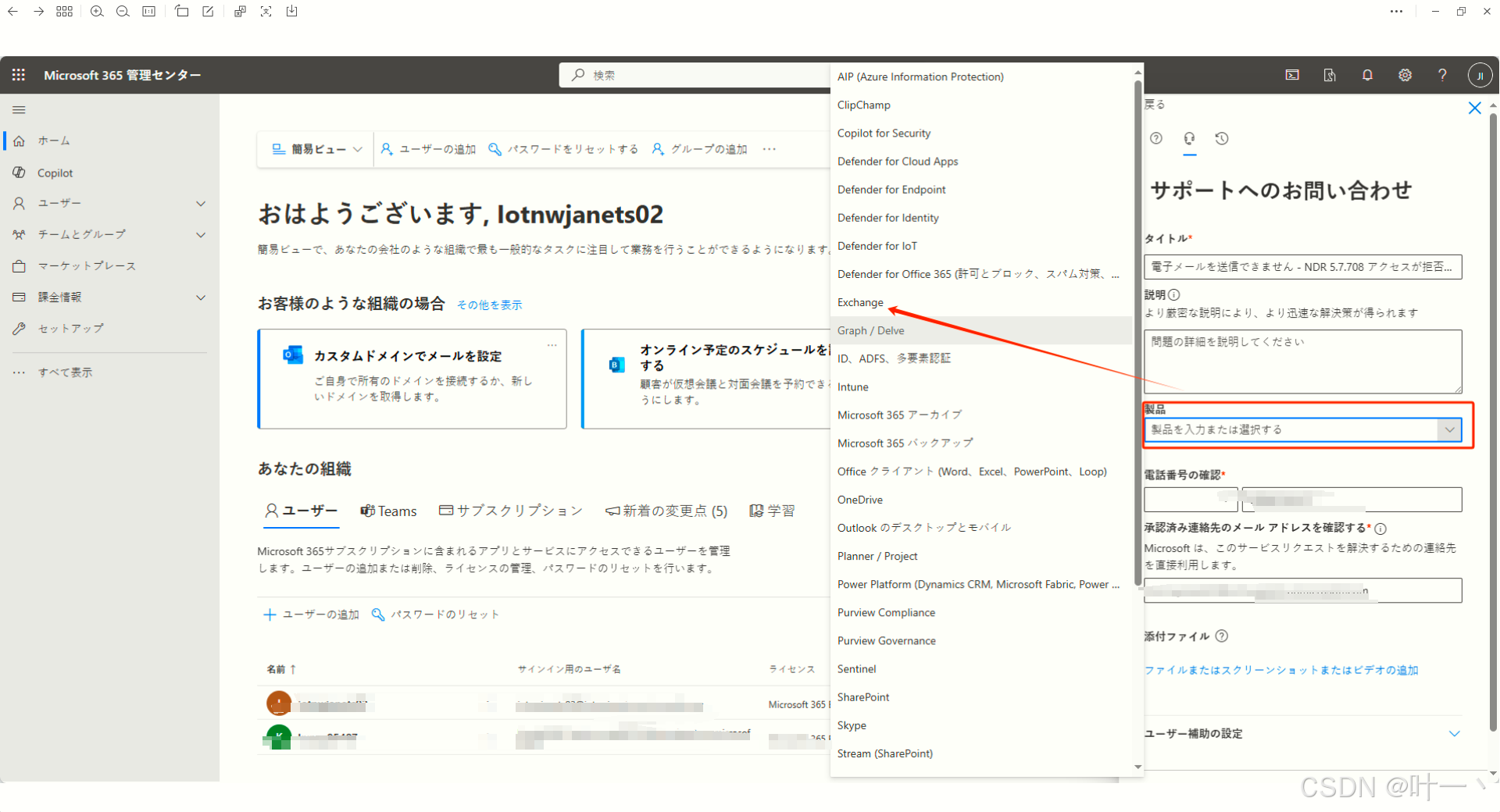
问题描述填 请求 IP 地址例外,直到分配Exchange Online许可证。
Outlook升级OAuth2.0认证方式 - Microsoft Q&A
如果是使用试用的许可证会出现一个发送成功,但是接收失败的错误。
检查你的组织邮箱,会有错误提示,一般都是550 5.7.708
https://support.microsoft.com/zh-cn/topic/ndr-error-codes-550-5-7-703-550-5-7-705-550-5-7-708-and-550-5-7-750-f5675801-1846-4d1c-9599-5b4e26a9175d
点击下方连接去找官方人员
https://admin.microsoft.com/#/homepage
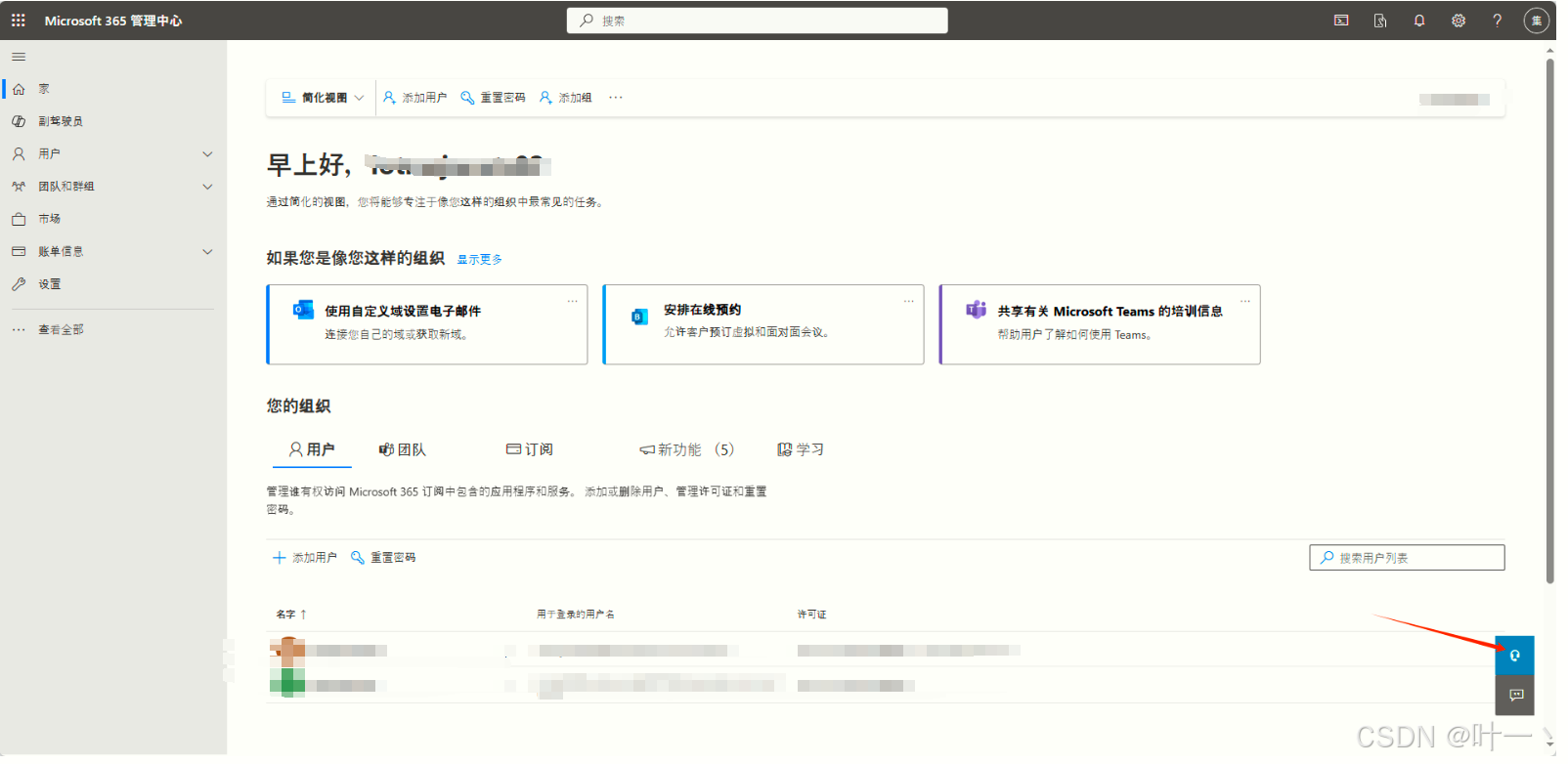
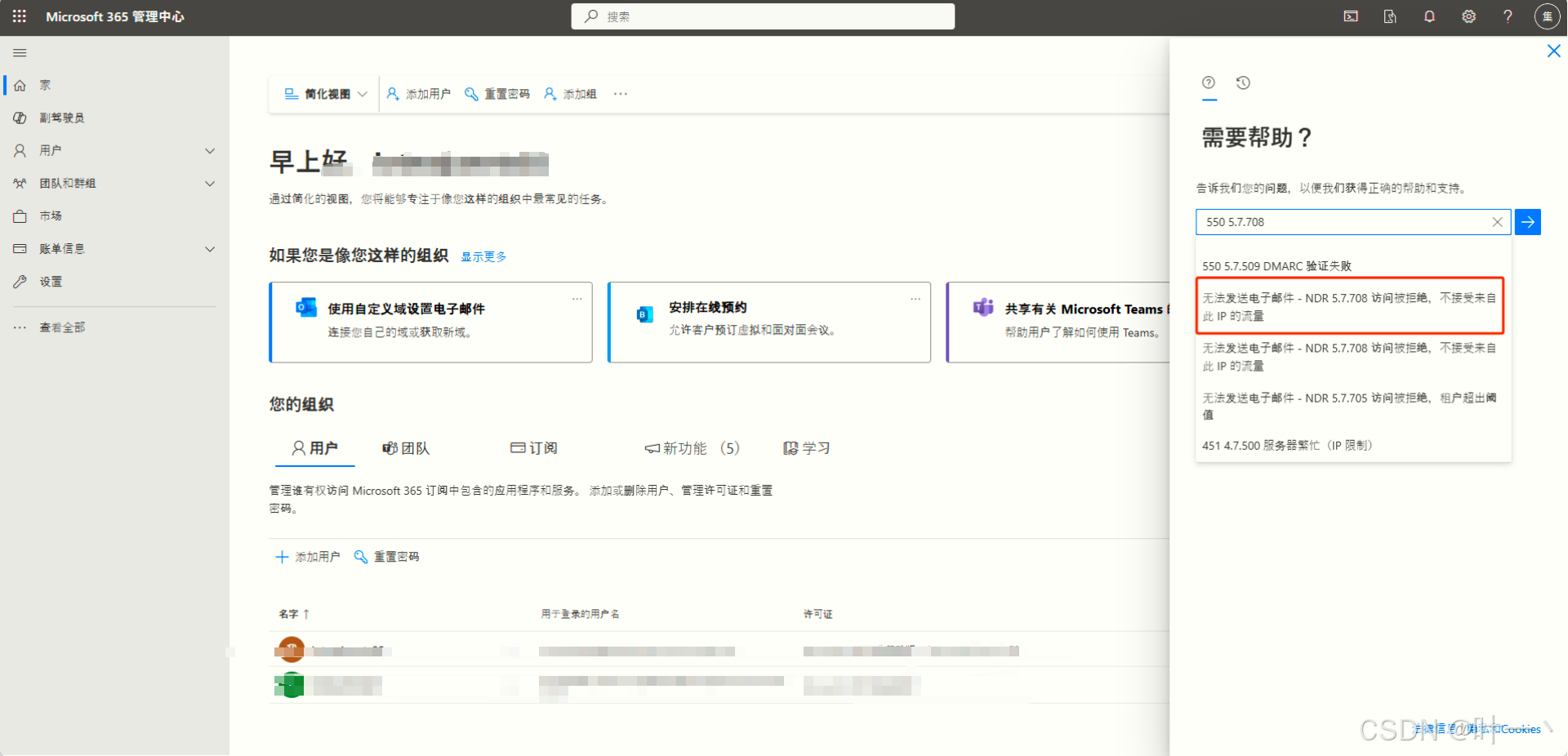
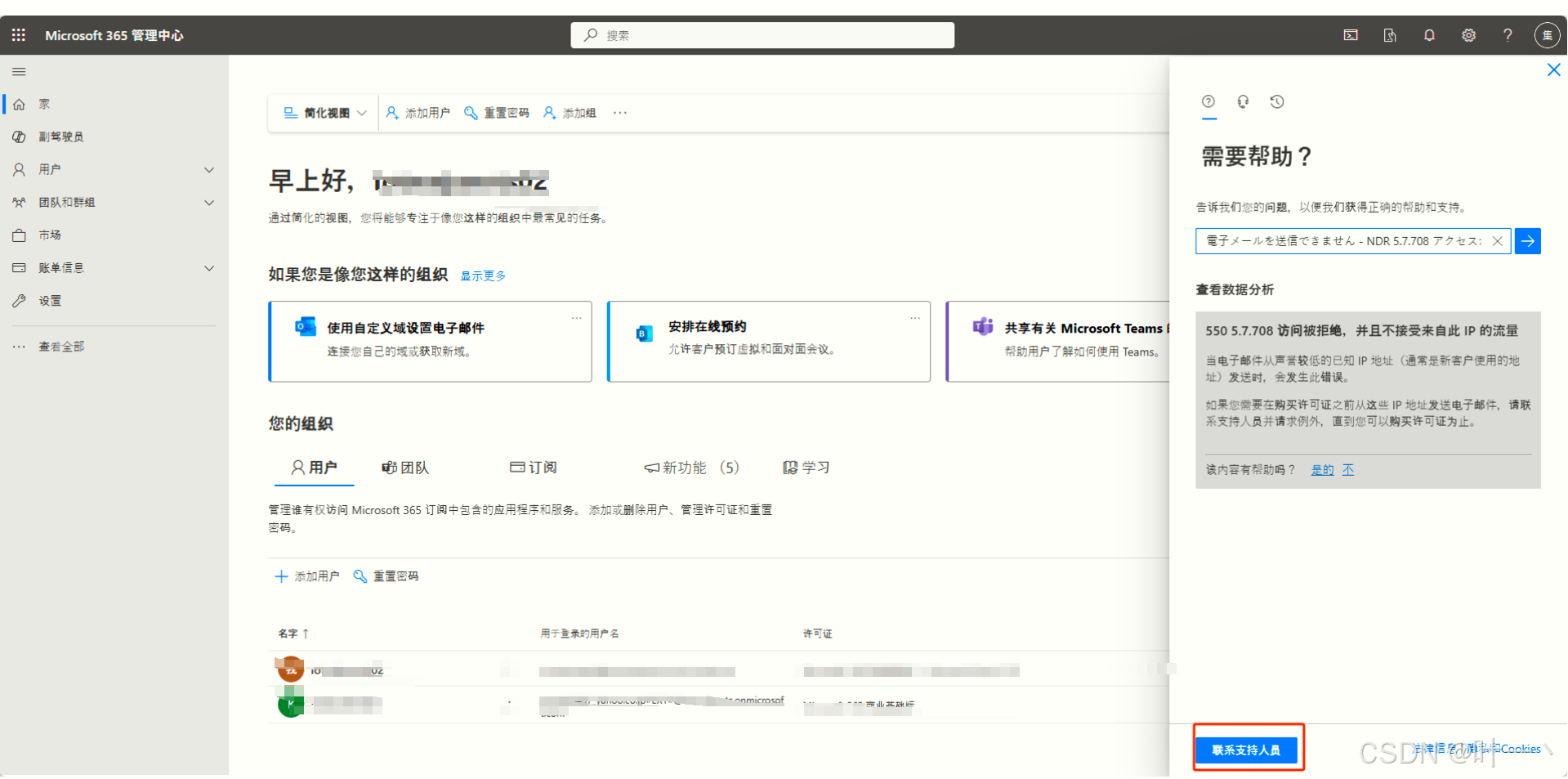
点击邮箱形式,打开下面的页面
<dependency>
   <groupId>com.azure</groupId>
   <artifactId>azure-identity</artifactId>
   <version>1.14.0</version>
   <scope>compile</scope>
</dependency>

<dependency>
   <groupId>com.microsoft.graph</groupId>
   <artifactId>microsoft-graph</artifactId>
   <version>6.19.0</version>
</dependency>

<dependency>
   <groupId>org.json</groupId>
   <artifactId>json</artifactId>
   <version>20210307</version>
</dependency>
package com.tianrun.common.email;

import com.alibaba.fastjson.JSON;
import com.microsoft.aad.msal4j.ClientCredentialFactory;
import com.microsoft.aad.msal4j.ClientCredentialParameters;
import com.microsoft.aad.msal4j.ConfidentialClientApplication;
import com.microsoft.aad.msal4j.IAuthenticationResult;
import org.json.JSONArray;
import org.json.JSONObject;

import javax.net.ssl.HttpsURLConnection;
import java.io.BufferedReader;
import java.io.InputStreamReader;
import java.io.OutputStream;
import java.net.URL;
import java.util.*;
import java.util.concurrent.CompletableFuture;

public class SendEmail {

    private static final String CLIENT_ID = "应用程序(客户端) ID";
    private static final String CLIENT_SECRET = "客户端密码值";
    private static final String TENANT_ID = "目录(租户) ID";
    private static final String AUTHORITY = "https://login.microsoftonline.com/" + TENANT_ID;
    private static final String GRAPH_API_URL = "https://graph.microsoft.com/v1.0/users/用户的ID/sendMail";

    public static void main(String[] args) {
        try {
            ConfidentialClientApplication app = ConfidentialClientApplication.builder(
                            CLIENT_ID,
                            ClientCredentialFactory.createFromSecret(CLIENT_SECRET))
                    .authority(AUTHORITY)
                    .build();

            Set<String> scopes = new HashSet<>(Collections.singletonList("https://graph.microsoft.com/.default"));
            ClientCredentialParameters clientCredentialParam = ClientCredentialParameters.builder(scopes)
                    .build();

            CompletableFuture<IAuthenticationResult> future = app.acquireToken(clientCredentialParam);
            IAuthenticationResult result = future.join();

            if (result != null) {
                sendEmail(result.accessToken());
            } else {
                System.out.println("Failed to acquire access token.");
            }
        } catch (Exception e) {
            e.printStackTrace();
        }
    }

    private static void sendEmail(String accessToken) throws Exception {
        String toEmail = "接收方邮箱";
        String subject = "测试";
        JSONObject bodyContent = new JSONObject().put("content", "Hello, this is a test email sent from Java using Microsoft Graph API.")
                .put("contentType", "Text");
        JSONObject messageBody = new JSONObject().put("body", bodyContent);
        JSONObject toRecipient = new JSONObject().put("emailAddress", new JSONObject().put("address", toEmail));
        JSONObject message = new JSONObject().put("message", new JSONObject()
                .put("subject", subject)
                .put("body", bodyContent)
                .put("toRecipients", new JSONArray().put(toRecipient)));

        URL url = new URL(GRAPH_API_URL);
        HttpsURLConnection con = (HttpsURLConnection) url.openConnection();
        con.setRequestMethod("POST");
        con.setRequestProperty("Authorization", "Bearer " + accessToken);
        con.setRequestProperty("Content-Type", "application/json");
        con.setDoOutput(true);

        try (OutputStream os = con.getOutputStream()) {
            byte[] input = message.toString().getBytes("utf-8");
            os.write(input, 0, input.length);
        }

        int responseCode = con.getResponseCode();
        System.err.println("### O365Email 请求结果 code:" + responseCode);
        BufferedReader in;
        if (responseCode == 200) {
            in = new BufferedReader(new InputStreamReader(con.getInputStream()));
        } else {
            in = new BufferedReader(new InputStreamReader(con.getErrorStream()));
            System.err.println("### O365Email 请求结果 code:" + responseCode);
        }

        String inputLine;
        StringBuilder response = new StringBuilder();

        while ((inputLine = in.readLine()) != null) {
            response.append(inputLine);
        }
        in.close();

        if (responseCode == 200) {
            Map<String, String> map = JSON.parseObject(response.toString(), HashMap.class);
        }
        System.err.println("### 响应内容: " + response.toString());

    }
}
后面是新增内容,补充上面可能会发送的事,还有就是更改代码发送。
在新增一个账户发现报错了,找到M365管理中心发现电子邮件打开是没有权限的
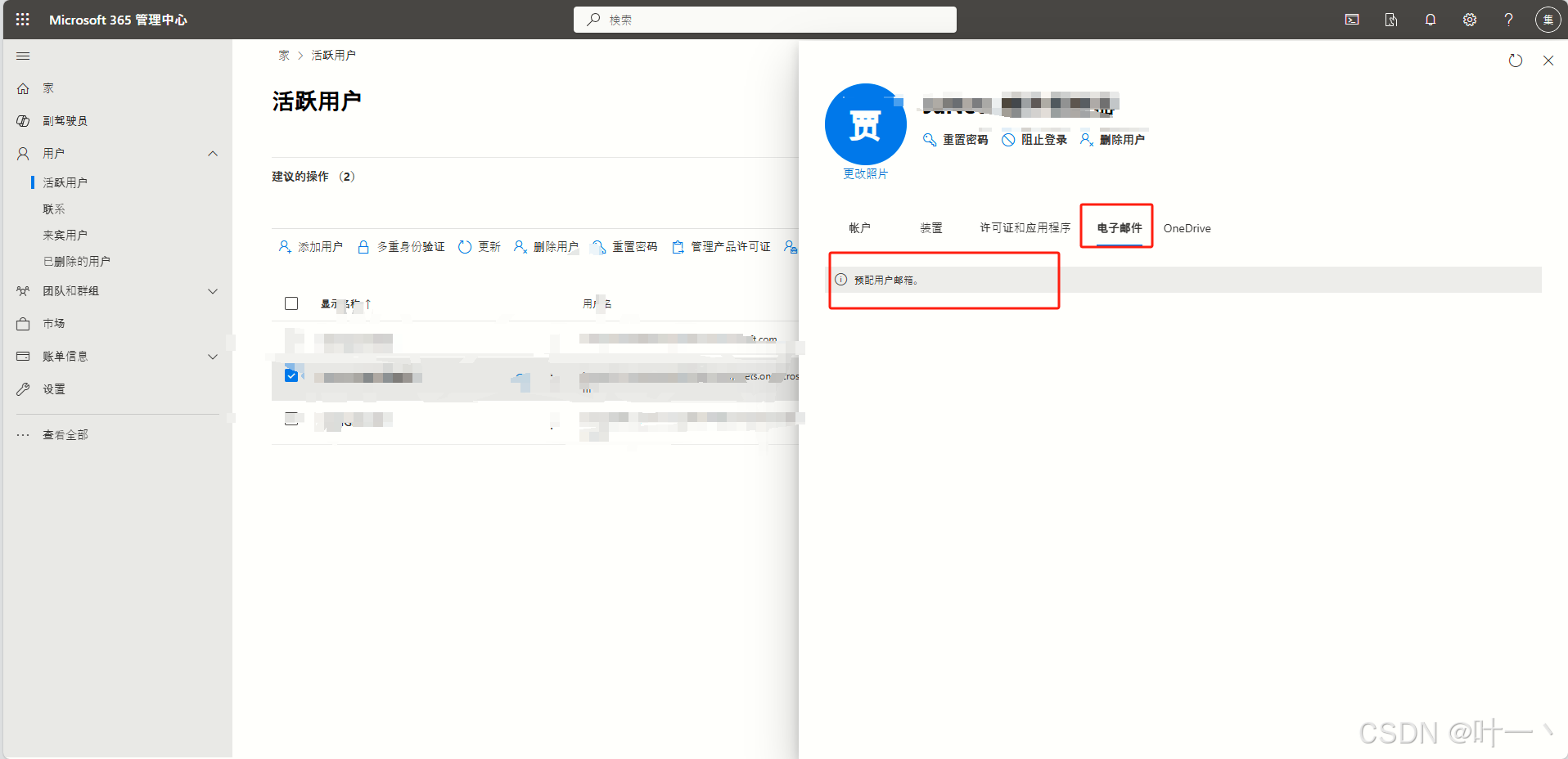
下面这张图是需要添加的权限,但是好像是需要一点时间才会分配给你邮箱的权限。
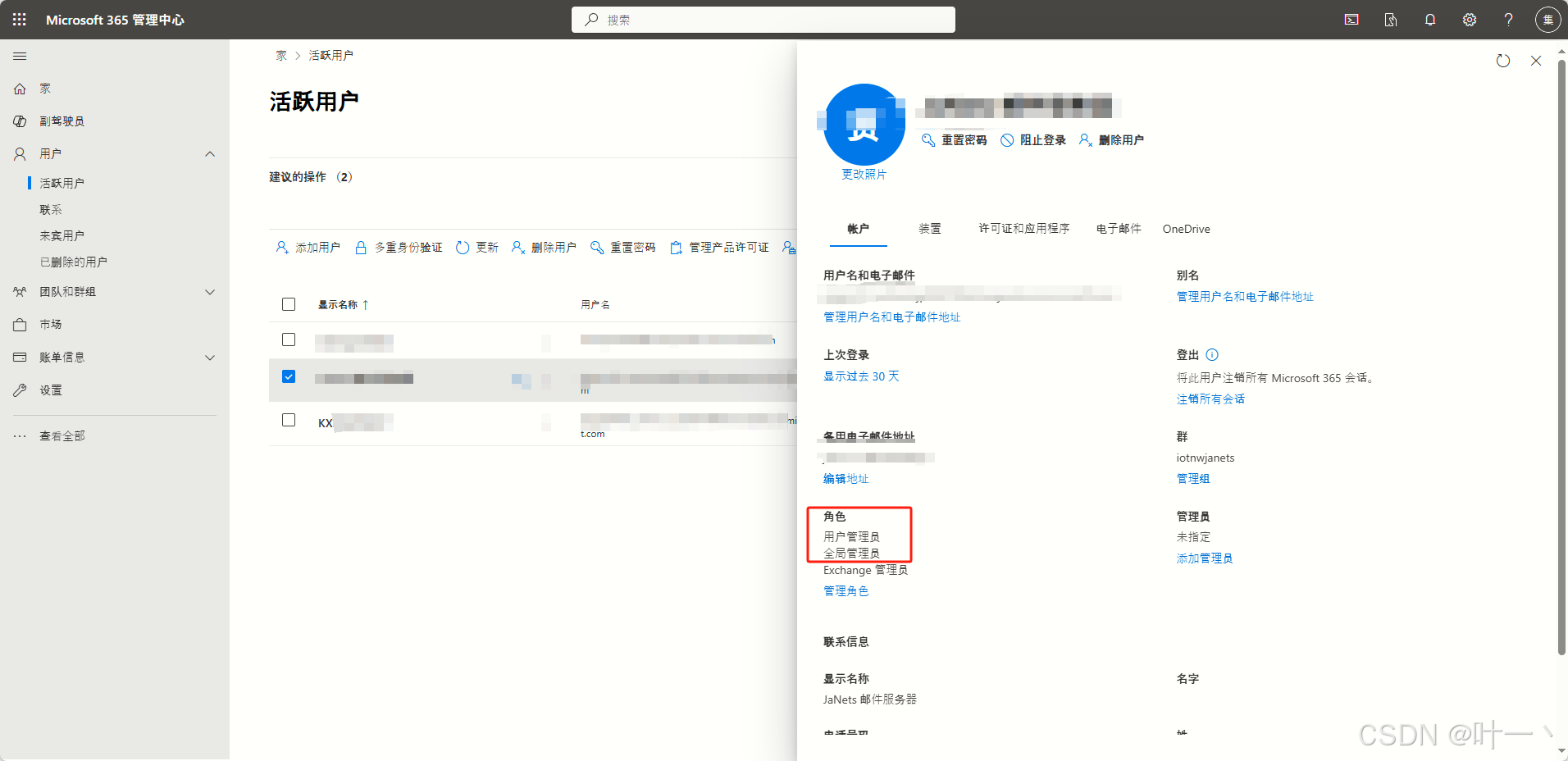
打开后如果是正确的就是下面这样的情况。
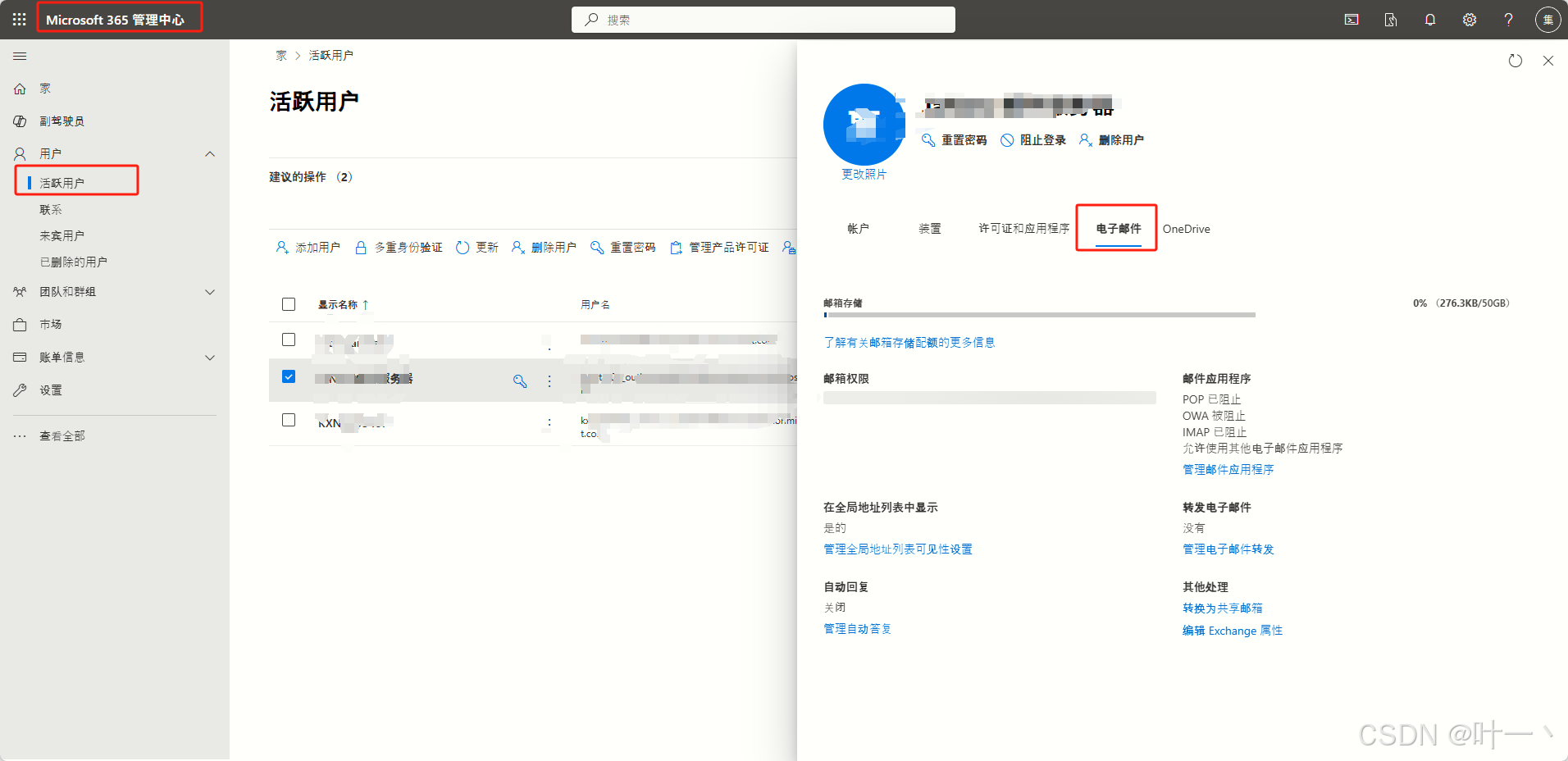
第二段是使用微软API给的代码,可以发送附件的。
try {
   final String clientId = "应用程序(客户端) ID";
   final String tenantId = "目录(租户) ID";
   final String clientSecret = "客户端密码值";
   final String[] scopes = new String[]{"https://graph.microsoft.com/.default"};

   final ClientSecretCredential credential = new ClientSecretCredentialBuilder()
         .clientId(clientId).tenantId(tenantId).clientSecret(clientSecret).build();

   // Code snippets are only available for the latest version. Current version is 6.x

   GraphServiceClient graphClient = new GraphServiceClient(credential);
   com.microsoft.graph.users.item.sendmail.SendMailPostRequestBody sendMailPostRequestBody = new com.microsoft.graph.users.item.sendmail.SendMailPostRequestBody();
   Message message = new Message();
   message.setSubject("标题");
   ItemBody body = new ItemBody();
   body.setContentType(BodyType.Text);
   body.setContent("内容");
   message.setBody(body);
   LinkedList<Recipient> toRecipients = new LinkedList<Recipient>();
   Recipient recipient = new Recipient();
   EmailAddress emailAddress = new EmailAddress();
   emailAddress.setAddress("收件方邮箱");//用户
   recipient.setEmailAddress(emailAddress);
   toRecipients.add(recipient);
   message.setToRecipients(toRecipients);
   LinkedList<Attachment> attachments = new LinkedList<Attachment>();

   // 假设你有一个绝对路径指向你的XLS文件
   File xlsFile = new File("文件地址");

   // 读取文件内容为字节数组
   byte[] fileBytes = Files.readAllBytes(xlsFile.toPath());

   // 创建附件对象
   FileAttachment attachment = new FileAttachment();
   attachment.setOdataType("#microsoft.graph.fileAttachment");
   attachment.setName("文件名称带后缀");
   attachment.setContentBytes(fileBytes);
   attachments.add(attachment);
   message.setAttachments(attachments);
   sendMailPostRequestBody.setMessage(message);
   graphClient.users().byUserId("用户ID").sendMail().post(sendMailPostRequestBody);
} catch (ApiException e) {
   System.out.println(e.getResponseStatusCode());
   e.printStackTrace();
} catch (Exception e) {
   throw new RuntimeException(e);
}

一站式 AI 云服务平台
更多推荐



 25
25 0
0- 0


 已为社区贡献1条内容

所有评论(0)