
deepseek 搭建本地私有化知识库(windows 基于LangChain-Chatchat + ollama + bge-m3)
之前写过一篇LangChain-Chatchat搭建本地知识库的,现在再次讲解下 LangChain-Chatchat + deepseek + bge-m3 来实现本地私有化知识库。
前言
之前写过一篇LangChain-Chatchat搭建本地知识库的,现在再次讲解下 LangChain-Chatchat + deepseek + bge-m3 来实现本地私有化知识库。
传送门:
基于LangChain-Chatchat + Ollama + Qwen2-7b搭建本地私有中文知识库和 chatGPT(Ubuntu24 纯CPU)
保姆级教程 本地部署 deepseek + ollama + open-webui + cuda + cudnn
一、安装LangChain-Chatchat
LangChain,是一个用于开发大语言模型(LLM)驱动应用的开源框架,旨在简化 LLM 与外部数据、工具和复杂任务流程的集成。其核心目标是突破大模型的“静态知识限制”,使其能够动态调用外部资源(如文档、API、数据库)并实现多步骤推理,LangChain官网。
LangChain-Chatchat,是一种利用 langchain 思想实现的基于本地知识库的问答应用,目标期望建立一套对中文场景与开源模型支持友好、可离线运行的知识库问答解决方案,LangChain-Chatchat官网。
| 维度 | LangChain | LangChain-Chatchat |
|---|---|---|
| 性质 | 开发框架(用于构建各类LLM应用) | 具体应用(基于LangChain实现的垂直场景解决方案) |
| 目标 | 提供模块化组件和接口,支持灵活组合 | 专注于本地知识库问答与对话场景 |
| 使用门槛 | 需编程能力(Python) | 提供开箱即用的Web界面和API |
用 Anconda 创建一个虚拟环境
conda create -n langchain-chatchat python=3.9
使用 langchain-chatchat 虚拟环境
conda activate langchain-chatchat
切换pip镜像源
pip config set global.index-url https://mirrors.aliyun.com/pypi/simple
安装 langchain-chatchat
pip install langchain-chatchat -U
新建一个目录,并执行初始化
chatchat init
初始化完成后,会生成以下文件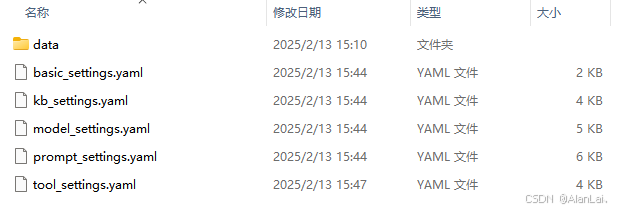
修改 model_settings.yaml 文件,LLM模型设置 deepseek-r1:14b,Embedding 设置 bge-m3,大家也可以根据自己情况设置,记得ollama去拉模型,可以在 ollama官网搜索,地址:https://ollama.com/search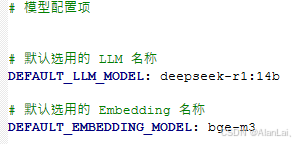
在修改模型加载平台设置,我这里只设置了ollama,其他都去掉,页面会清爽些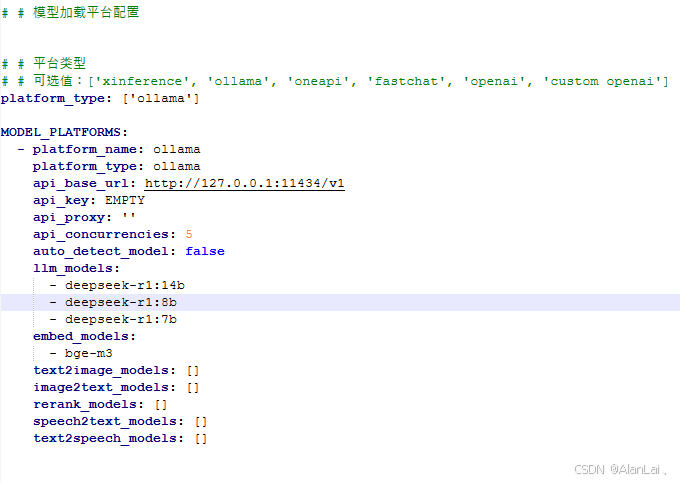
初始化知识库
chatchat kb -r
启动服务
chatchat start -a
记得看控制台,假如出现以下错误:
2025-02-13 15:41:01.666 | ERROR    | chatchat.webui_pages.utils:get:64 - TypeError: error when get /tools: __init__() got an unexpected keyword argument 'proxies'
2025-02-13 15:41:01.676 | ERROR    | chatchat.webui_pages.utils:get:64 - TypeError: error when get /tools: __init__() got an unexpected keyword argument 'proxies'
2025-02-13 15:41:01.677 | ERROR    | chatchat.webui_pages.utils:get:64 - TypeError: error when get /tools: __init__() got an unexpected keyword argument 'proxies'
2025-02-13 15:41:01.677 | ERROR    | chatchat.webui_pages.utils:to_json:233 - AttributeError: API未能返回正确的JSON。'NoneType' object has no attribute 'json'
查看httpx版本
pip list
如果 httpx==0.28.0 是不行的,需要0.27.2版本才可以,重新安装后就不会报错了
pip install --force-reinstall httpx==0.27.2
二、配置知识库
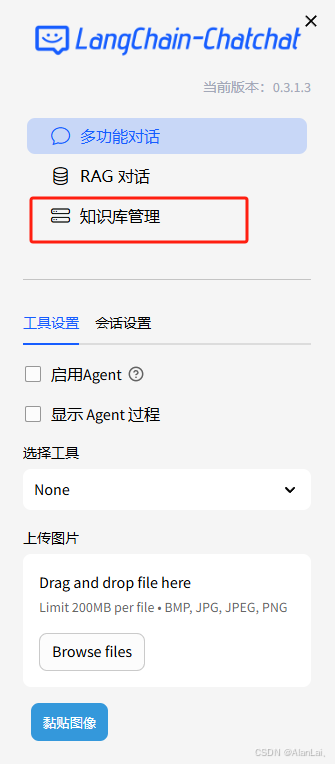
我本地把测试的知识库删了,直接点击下拉选择新建知识库即可,向量库和 Embedding 按默认即可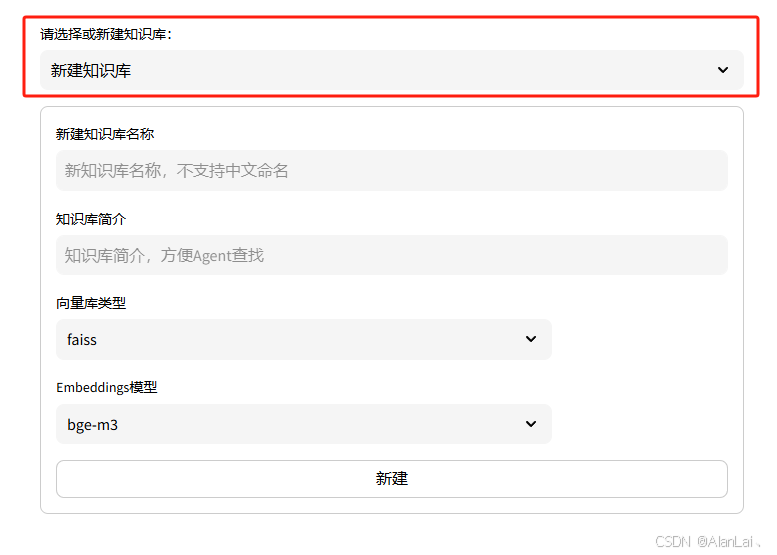
然后上次文件,并添加到知识库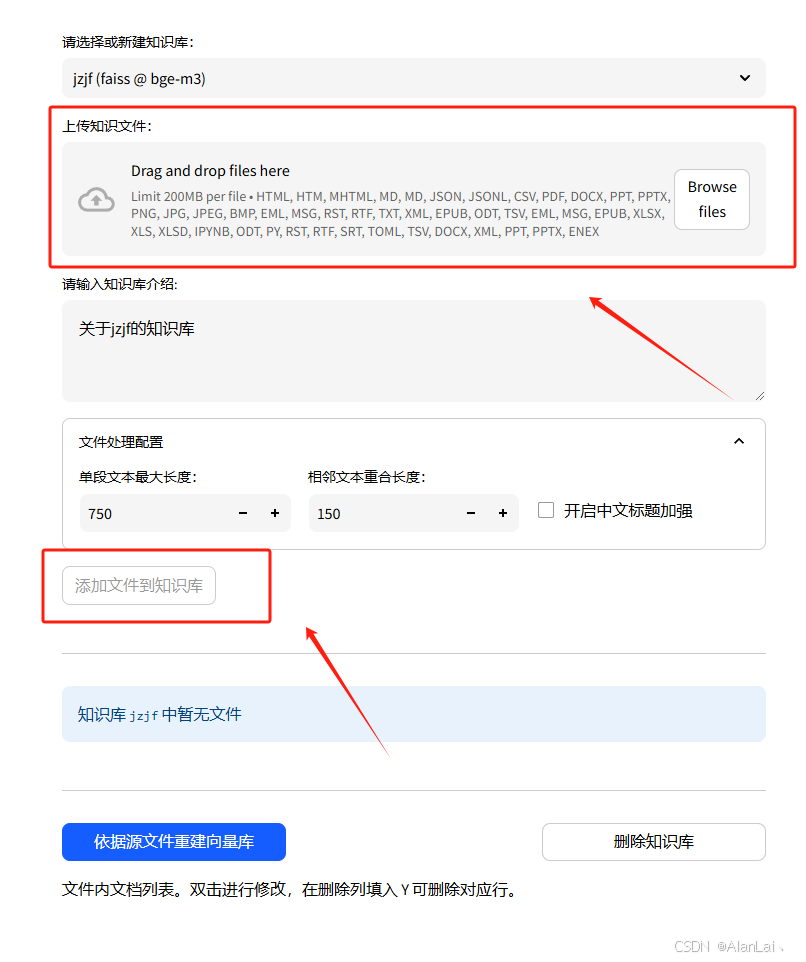
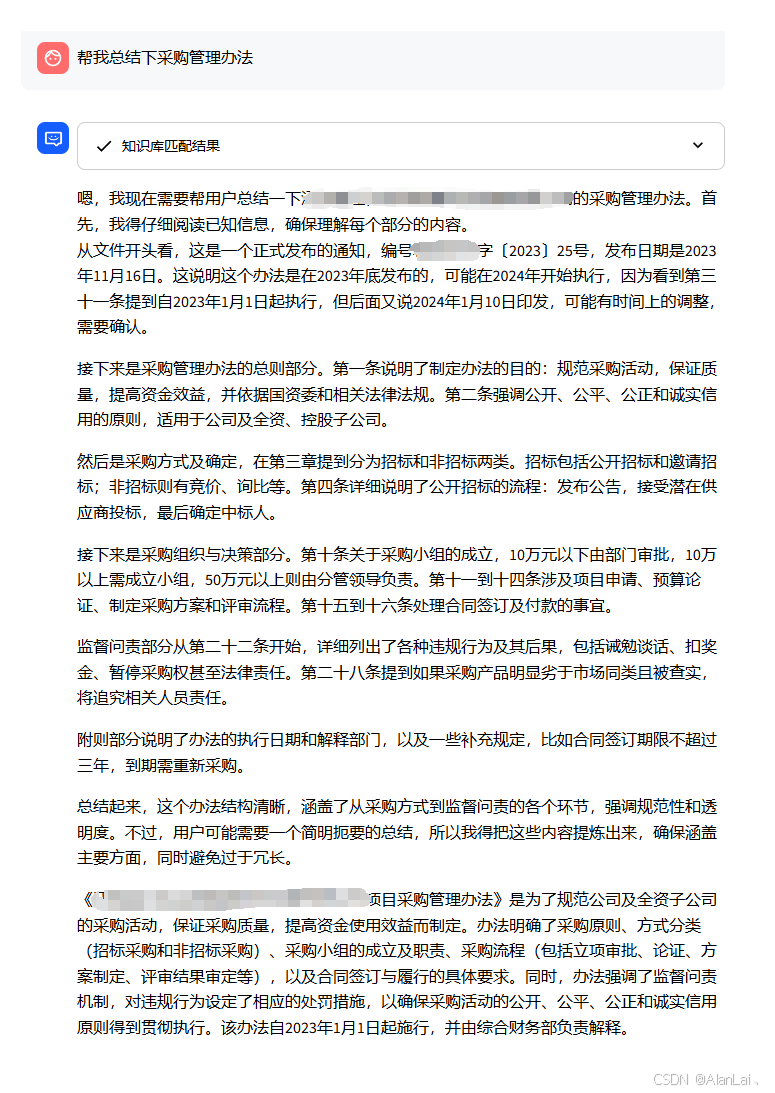
再点 RAG 对话就可以使用了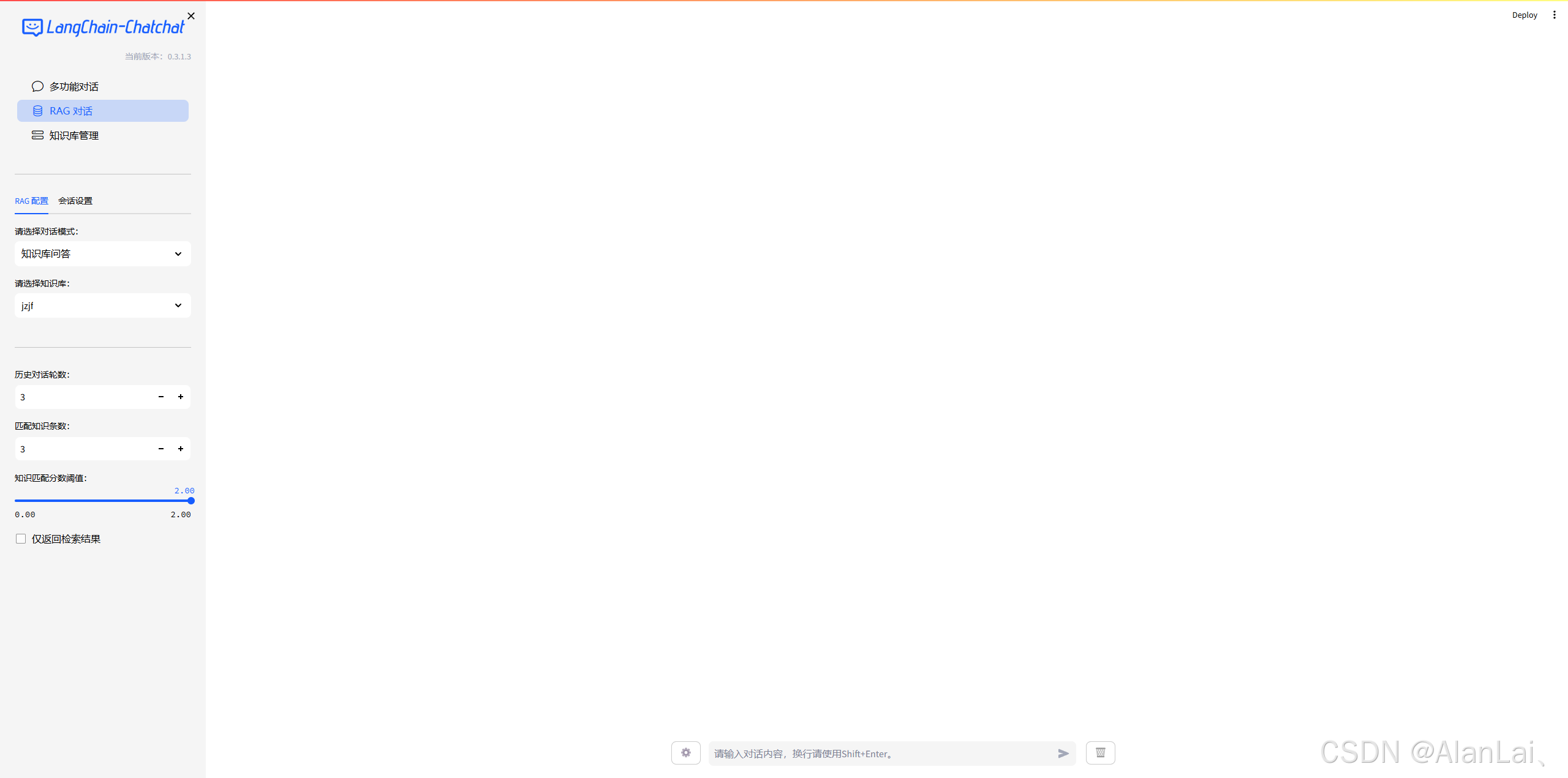

一站式 AI 云服务平台
更多推荐



 11
11 0
0- 0


 已为社区贡献1条内容

所有评论(0)