
Java中遇到Error.A JNI error has occurred,please check your installation and try again.
Error.A JNI error has occurred,please check your installation and try again.JRE not compatible with project.class file compatibility:16
·
在Eclipse写Java程序时,程序无错误,却始终运行不了,并跳出错误提示Error.A JNI error has occurred,please check your installation and try again.
之前查了很多资料,也试了很多方法,很多大佬说JDK版本不同,就以为要重装JDK。打开cmd输入命令显示版本一致,当时就不知道咋办。后来发现了一个简单的设置方法,亲测有效:
一、 错误运行结果:
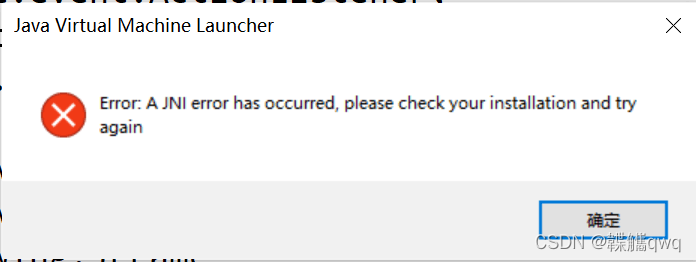
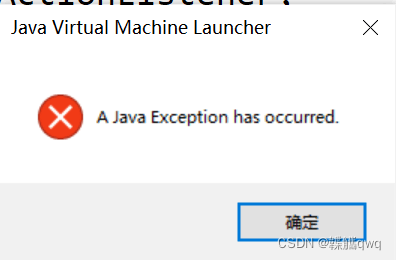
二、 操作方法:
1、 右击出现错误提示类所在的包名,再将鼠标放在Run As上,单击进入Run Configurations
如下图:
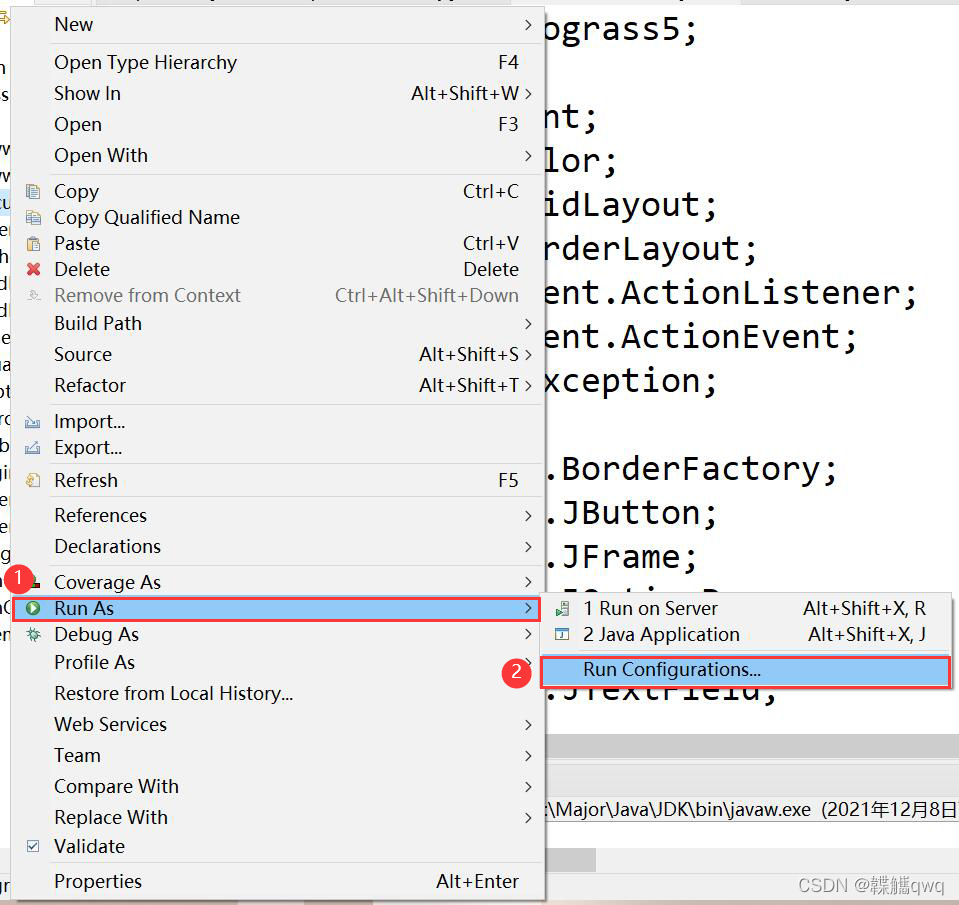
此时,框内会显示错误提示:JRE not compatible with project.class file compatibility:16
大概原因可能是因为Runtime JRE选择了Project JRE(JDK),不太清楚具体是啥原因,知道的大佬可以在评论区留言

2、在JRE中设置Runtime JRE,选择Alternate JRE中的jre
如下图:

3、 设置完成,无错误,点击Run运行
如下图:

三、 正确运行结果:


一站式 AI 云服务平台
更多推荐



 1
1 0
0- 0


 已为社区贡献1条内容

所有评论(0)