
fdisk分区硬盘并shell脚本自动化
最近工作需要用到对硬盘进行shell脚本自动化分区和mount的操作,搜索下,根据以下文章来配置https://www.cnblogs.com/lienhua34/p/5958559.html我的实际环境是对vdb进行分区,我们平时都是照上面的方法来配置添加新分区:# fdisk /dev/vdbWelcome to fdisk (util-linux 2.23.2).Chan...
·
最近工作需要用到对硬盘进行shell脚本自动化分区和mount的操作,搜索下,根据以下文章来配置
https://www.cnblogs.com/lienhua34/p/5958559.html
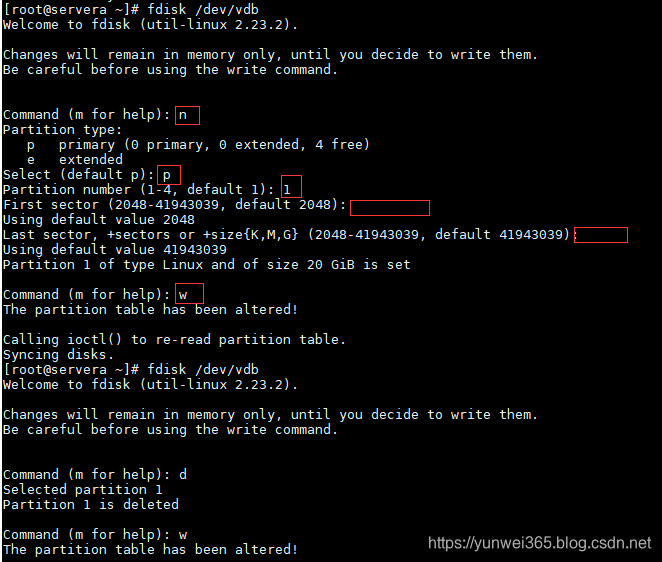
我的实际环境是对vdb进行分区,我们平时都是照上面的方法来配置添加新分区:
# fdisk /dev/vdb
Welcome to fdisk (util-linux 2.23.2).

Changes will remain in memory only, until you decide to write them.
Be careful before using the write command.


Command (m for help): n
Partition type:
   p   primary (0 primary, 0 extended, 4 free)
   e   extended
Select (default p): p
Partition number (1-4, default 1): 1
First sector (2048-41943039, default 2048):
Using default value 2048
Last sector, +sectors or +size{K,M,G} (2048-41943039, default 41943039):
Using default value 41943039
Partition 1 of type Linux and of size 20 GiB is set

Command (m for help): w
The partition table has been altered!

Calling ioctl() to re-read partition table.
Syncing disks.
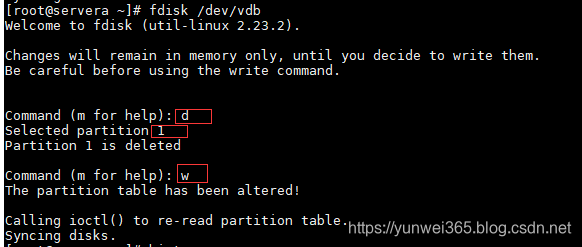
删除分区是这样操作:
#fdisk /dev/vdb
Welcome to fdisk (util-linux 2.23.2).

Changes will remain in memory only, until you decide to write them.
Be careful before using the write command.


Command (m for help): d
Selected partition 1
Partition 1 is deleted

Command (m for help): w
The partition table has been altered!

Calling ioctl() to re-read partition table.
Syncing disks.
根据上面的步骤,制作一键操作脚本:
一键创建新分区:
#-f 参数是强制格式化,非必要参数
#\n 是换行或回车标志
echo -e "n\np\n1\n\n\nw" |fdisk /dev/vdb && mkfs.xfs -f /dev/vdb1 && fdisk /dev/vdb -l
一键删除分区:
echo -e "d\n1\nw" |fdisk /dev/vdb && fdisk -l /dev/vdb

一站式 AI 云服务平台
更多推荐



 1
1 0
0- 0


 已为社区贡献3条内容

所有评论(0)