
appium+tidevice实现iOS自动化测试(Mac)
一、准备环境Mac上已安装配置好tidevice,如果没有安装可以参考文章:https://blog.csdn.net/dou_being/article/details/120401626二、运行XCTest1、确保在设备上已经安装WebDriverAgent应用2、打开终端,输入命令:tidevice xctest -B com.xxx.xxx.WebDriverAgentRunner.xct
·
一、环境准备
Mac上已安装配置好tidevice,如果没有安装可以参考文章:https://blog.csdn.net/dou_being/article/details/120401626
二、运行XCTest
1、确保在设备上已经安装WebDriverAgent应用
2、打开终端,输入命令:
tidevice xctest -B com.xxx.xxx.WebDriverAgentRunner.xctrunner
如图

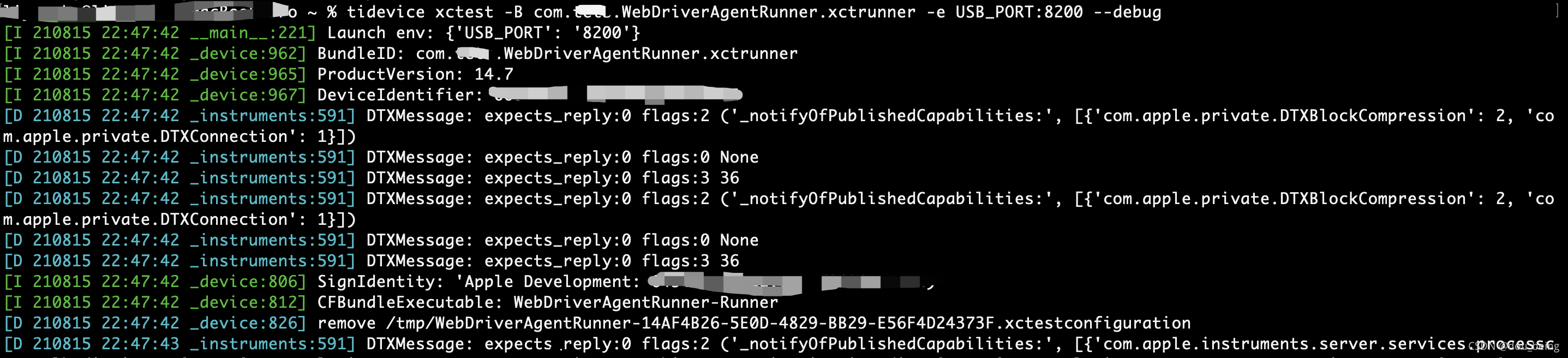
3、修改监听端口为8200,并显示调试日志,输入命令:
tidevice xctest -B com.xxx.xxx.WebDriverAgentRunner.xctrunner -e USB_PORT:8200 —debug如图
三、运行WebDriverAgent
注意:目前tidevice不支持运行企业证书签名的WDA
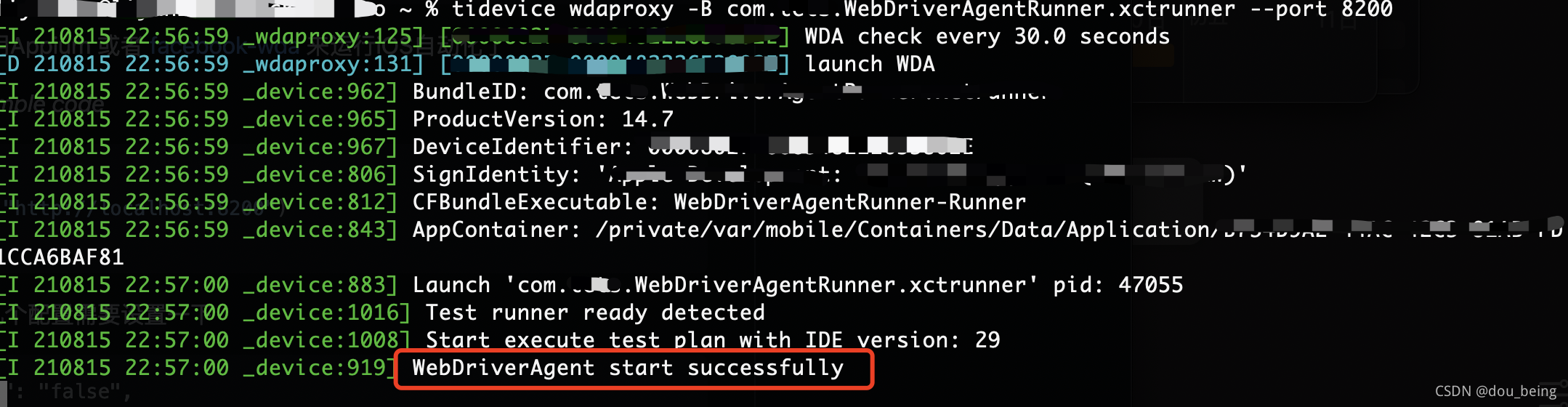
1、运行XCTest并在PC上监听8200端口转发到手机8100服务,命令如下
tidevice wdaproxy -B com.xxx.xxx.WebDriverAgentRunner.xctrunner --port 8200WDA启动成功如图所示
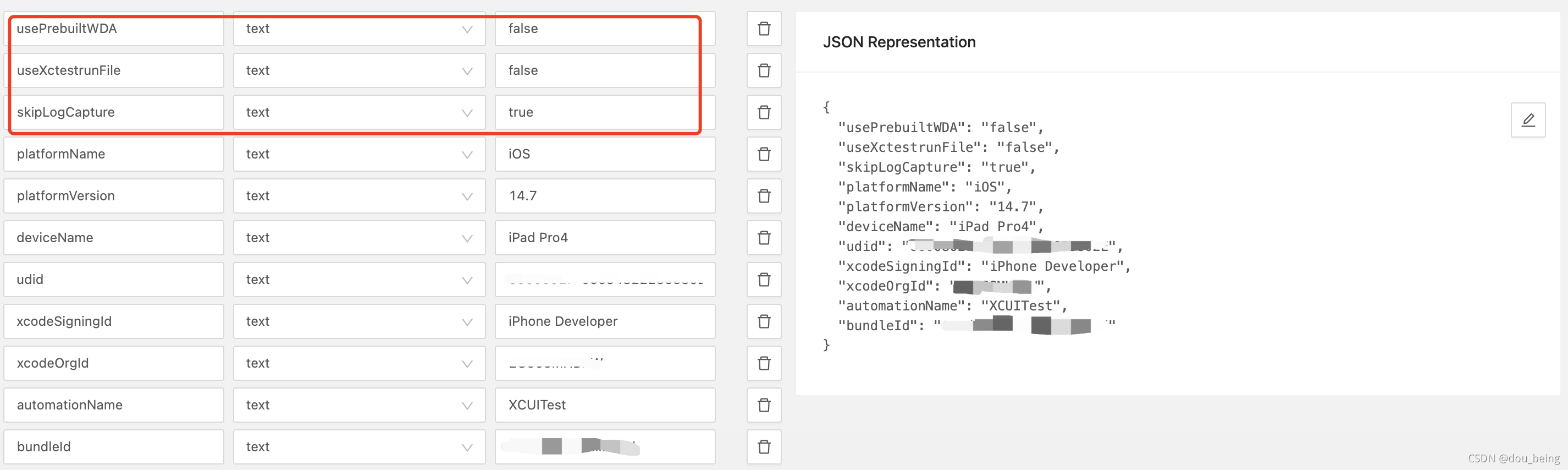
2、启动WDA后,可以使用appium来运行iOS自动化,使用appium需要在配置中设置以下参数:
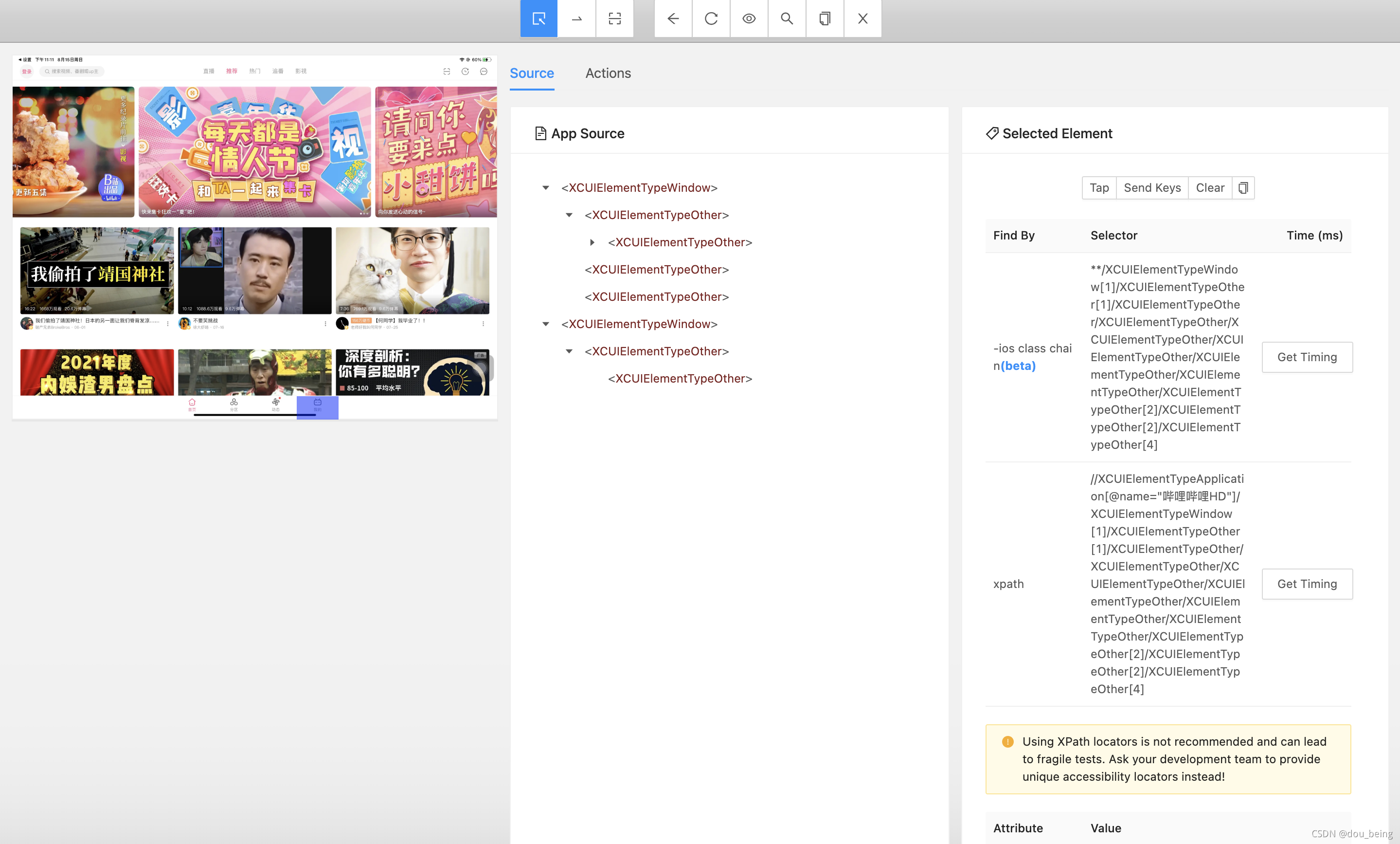
Appium运行成功,如图:
欢迎关注公众号:


一站式 AI 云服务平台
更多推荐



 0
0 0
0- 0


 已为社区贡献4条内容

所有评论(0)