
Docker启动安装nacos(踩过坑版)_docker nacos启动,2024年最新Linux运维面试题集2024版
16、mysql的innodb如何定位锁问题,mysql如何减少主从复制延迟?2、在工作中,运维人员经常需要跟运营人员打交道,请问运营人员是做什么工作的?6、Squid、Varinsh和Nginx有什么区别,工作中你怎么选择?5、LVS、Nginx、HAproxy有什么区别?9、讲述一下Tomcat8005、8009、8080三个端口的含义?7、Tomcat和Resin有什么区别,工作中你怎么选择
先自我介绍一下,小编浙江大学毕业,去过华为、字节跳动等大厂,目前阿里P7
深知大多数程序员,想要提升技能,往往是自己摸索成长,但自己不成体系的自学效果低效又漫长,而且极易碰到天花板技术停滞不前!
因此收集整理了一份《2024年最新Linux运维全套学习资料》,初衷也很简单,就是希望能够帮助到想自学提升又不知道该从何学起的朋友。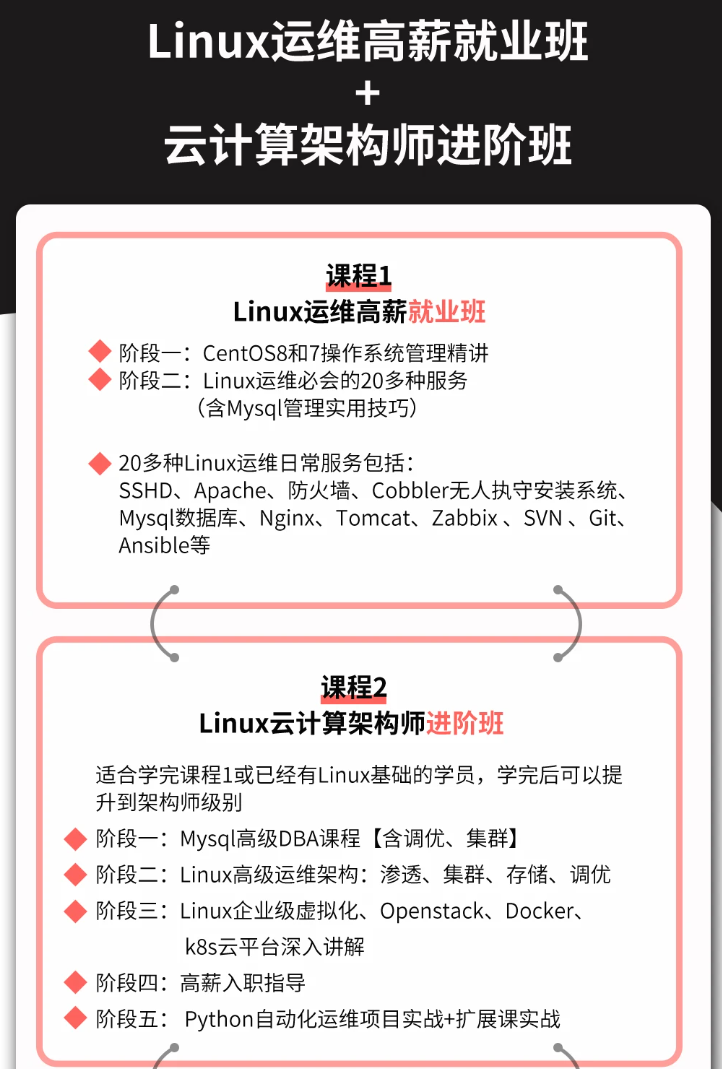
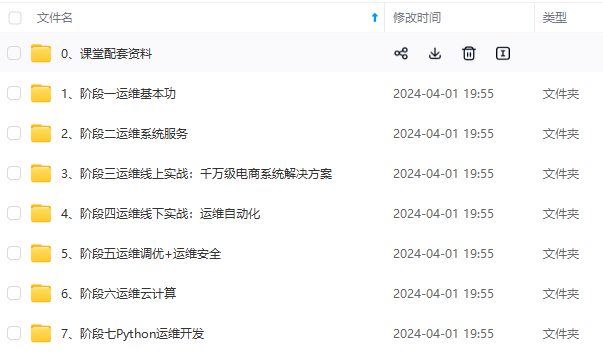
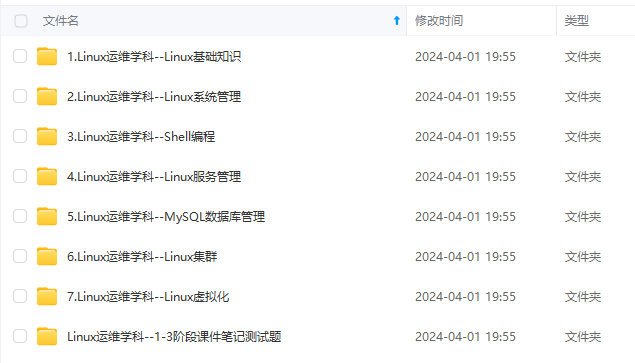


既有适合小白学习的零基础资料,也有适合3年以上经验的小伙伴深入学习提升的进阶课程,涵盖了95%以上运维知识点,真正体系化!
由于文件比较多,这里只是将部分目录截图出来,全套包含大厂面经、学习笔记、源码讲义、实战项目、大纲路线、讲解视频,并且后续会持续更新
如果你需要这些资料,可以添加V获取:vip1024b (备注运维)
正文
docker cp nacos:/home/nacos/logs/ /mydata/nacos/
docker cp nacos:/home/nacos/conf/ /mydata/nacos/
关闭容器(容器id也可以)
docker rm -f nacos
4、mysql中创建nacos所需的表
 mysql中新建一个库,名字可自定义,这里就用nacos,从github中找到创建表的文件,在nacos-config库中执行,创建所需的表[https://myblogoss2.oss-cn-beijing.aliyuncs.com/dump-nacos-202403131030.sql]( )
 5、再次启动nacos
docker run -d --name nacos -p 8848:8848 -p 9848:9848 -p 9849:9849 --privileged=true -e JVM_XMS=256m -e JVM_XMX=256m -e MODE=standalone -v /mydata/nacos/logs/:/home/nacos/logs -v /mydata/nacos/conf/:/home/nacos/conf/ --restart=always nacos/nacos-server
注意事项
虚拟机需要在防火墙开放相关端口,或者关了防火墙,如果你是云服务器,开放安全组
 6、修改配置文件
 主要修改的是application.properties文件
vim /mydata/nacos/conf/application.properties
文件修改的地方(修改为你对应的mysql),我的配置文件直接贴上改一下数据库密码和读取的数据库名称就行了。
Copyright 1999-2021 Alibaba Group Holding Ltd.
Licensed under the Apache License, Version 2.0 (the “License”);
you may not use this file except in compliance with the License.
You may obtain a copy of the License at
http://www.apache.org/licenses/LICENSE-2.0
Unless required by applicable law or agreed to in writing, software
distributed under the License is distributed on an “AS IS” BASIS,
WITHOUT WARRANTIES OR CONDITIONS OF ANY KIND, either express or implied.
See the License for the specific language governing permissions and
limitations under the License.
#*************** Spring Boot Related Configurations ***************#
Default web context path:
server.servlet.contextPath=/nacos
Default web server port:
server.port=8848
#*************** Network Related Configurations ***************#
If prefer hostname over ip for Nacos server addresses in cluster.conf:
nacos.inetutils.prefer-hostname-over-ip=false
Specify local server’s IP:
nacos.inetutils.ip-address=
#*************** Config Module Related Configurations ***************#
If use MySQL as datasource:
spring.datasource.platform=mysql
Count of DB:
db.num=1
Connect URL of DB:
db.url.0=jdbc:mysql://123.57.1.39:3306/nacos?characterEncoding=utf8&connectTimeout=1000&socketTimeout=3000&autoReconnect=true&useUnicode=true&useSSL=false&serverTimezone=UTC
db.user.0=
db.password.0=
Connection pool configuration: hikariCP
db.pool.config.connectionTimeout=30000
db.pool.config.validationTimeout=10000
db.pool.config.maximumPoolSize=20
db.pool.config.minimumIdle=2
#*************** Naming Module Related Configurations ***************#
Data dispatch task execution period in milliseconds: Will removed on v2.1.X, replace with nacos.core.protocol.distro.data.sync.delayMs
nacos.naming.distro.taskDispatchPeriod=200
Data count of batch sync task: Will removed on v2.1.X. Deprecated
nacos.naming.distro.batchSyncKeyCount=1000
Retry delay in milliseconds if sync task failed: Will removed on v2.1.X, replace with nacos.core.protocol.distro.data.sync.retryDelayMs
nacos.naming.distro.syncRetryDelay=5000
If enable data warmup. If set to false, the server would accept request without local data preparation:
nacos.naming.data.warmup=true
If enable the instance auto expiration, kind like of health check of instance:
nacos.naming.expireInstance=true
will be removed and replaced by nacos.naming.clean properties
nacos.naming.empty-service.auto-clean=true
nacos.naming.empty-service.clean.initial-delay-ms=50000
nacos.naming.empty-service.clean.period-time-ms=30000
Add in 2.0.0
The interval to clean empty service, unit: milliseconds.
nacos.naming.clean.empty-service.interval=60000
The expired time to clean empty service, unit: milliseconds.
nacos.naming.clean.empty-service.expired-time=60000
The interval to clean expired metadata, unit: milliseconds.
nacos.naming.clean.expired-metadata.interval=5000
The expired time to clean metadata, unit: milliseconds.
nacos.naming.clean.expired-metadata.expired-time=60000
The delay time before push task to execute from service changed, unit: milliseconds.
nacos.naming.push.pushTaskDelay=500
The timeout for push task execute, unit: milliseconds.
nacos.naming.push.pushTaskTimeout=5000
The delay time for retrying failed push task, unit: milliseconds.
nacos.naming.push.pushTaskRetryDelay=1000
Since 2.0.3
The expired time for inactive client, unit: milliseconds.
nacos.naming.client.expired.time=180000
#*************** CMDB Module Related Configurations ***************#
The interval to dump external CMDB in seconds:
nacos.cmdb.dumpTaskInterval=3600
The interval of polling data change event in seconds:
nacos.cmdb.eventTaskInterval=10
The interval of loading labels in seconds:
nacos.cmdb.labelTaskInterval=300
If turn on data loading task:
nacos.cmdb.loadDataAtStart=false
#*************** Metrics Related Configurations ***************#
Metrics for prometheus
#management.endpoints.web.exposure.include=*
Metrics for elastic search
management.metrics.export.elastic.enabled=false
#management.metrics.export.elastic.host=http://localhost:9200
Metrics for influx
management.metrics.export.influx.enabled=false
#management.metrics.export.influx.db=springboot
#management.metrics.export.influx.uri=http://localhost:8086
#management.metrics.export.influx.auto-create-db=true
#management.metrics.export.influx.consistency=one
#management.metrics.export.influx.compressed=true
#*************** Access Log Related Configurations ***************#
If turn on the access log:
server.tomcat.accesslog.enabled=true
The access log pattern:
server.tomcat.accesslog.pattern=%h %l %u %t “%r” %s %b %D %{User-Agent}i %{Request-Source}i
The directory of access log:
server.tomcat.basedir=
#*************** Access Control Related Configurations ***************#
If enable spring security, this option is deprecated in 1.2.0:
#spring.security.enabled=false
The ignore urls of auth, is deprecated in 1.2.0:
nacos.security.ignore.urls=/,/error,//*.css,//.js,/**/.html,//*.map,//.svg,/**/.png,//*.ico,/console-ui/public/,/v1/auth/,/v1/console/health/,/actuator/,/v1/console/server/
The auth system to use, currently only ‘nacos’ and ‘ldap’ is supported:
nacos.core.auth.system.type=nacos
If turn on auth system:
nacos.core.auth.enabled=false
Turn on/off caching of auth information. By turning on this switch, the update of auth information would have a 15 seconds delay.
nacos.core.auth.caching.enabled=true
Since 1.4.1, Turn on/off white auth for user-agent: nacos-server, only for upgrade from old version.
nacos.core.auth.enable.userAgentAuthWhite=false
Since 1.4.1, worked when nacos.core.auth.enabled=true and nacos.core.auth.enable.userAgentAuthWhite=false.
The two properties is the white list for auth and used by identity the request from other server.
nacos.core.auth.server.identity.key=serverIdentity
nacos.core.auth.server.identity.value=security
为了做好运维面试路上的助攻手,特整理了上百道 【运维技术栈面试题集锦】 ,让你面试不慌心不跳,高薪offer怀里抱!
这次整理的面试题,小到shell、MySQL,大到K8s等云原生技术栈,不仅适合运维新人入行面试需要,还适用于想提升进阶跳槽加薪的运维朋友。
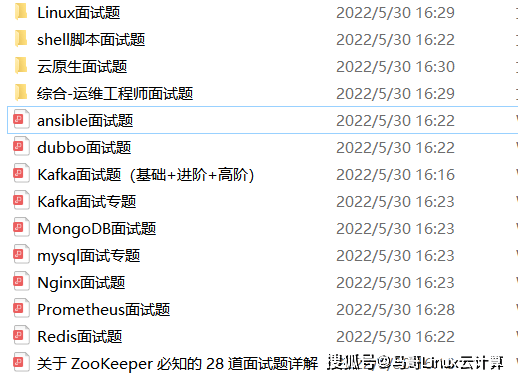
本份面试集锦涵盖了
- 174 道运维工程师面试题
- 128道k8s面试题
- 108道shell脚本面试题
- 200道Linux面试题
- 51道docker面试题
- 35道Jenkis面试题
- 78道MongoDB面试题
- 17道ansible面试题
- 60道dubbo面试题
- 53道kafka面试
- 18道mysql面试题
- 40道nginx面试题
- 77道redis面试题
- 28道zookeeper
总计 1000+ 道面试题, 内容 又全含金量又高
- 174道运维工程师面试题
1、什么是运维?
2、在工作中,运维人员经常需要跟运营人员打交道,请问运营人员是做什么工作的?
3、现在给你三百台服务器,你怎么对他们进行管理?
4、简述raid0 raid1raid5二种工作模式的工作原理及特点
5、LVS、Nginx、HAproxy有什么区别?工作中你怎么选择?
6、Squid、Varinsh和Nginx有什么区别,工作中你怎么选择?
7、Tomcat和Resin有什么区别,工作中你怎么选择?
8、什么是中间件?什么是jdk?
9、讲述一下Tomcat8005、8009、8080三个端口的含义?
10、什么叫CDN?
11、什么叫网站灰度发布?
12、简述DNS进行域名解析的过程?
13、RabbitMQ是什么东西?
14、讲一下Keepalived的工作原理?
15、讲述一下LVS三种模式的工作过程?
16、mysql的innodb如何定位锁问题,mysql如何减少主从复制延迟?
17、如何重置mysql root密码?
网上学习资料一大堆,但如果学到的知识不成体系,遇到问题时只是浅尝辄止,不再深入研究,那么很难做到真正的技术提升。
需要这份系统化的资料的朋友,可以添加V获取:vip1024b (备注运维)
一个人可以走的很快,但一群人才能走的更远!不论你是正从事IT行业的老鸟或是对IT行业感兴趣的新人,都欢迎加入我们的的圈子(技术交流、学习资源、职场吐槽、大厂内推、面试辅导),让我们一起学习成长!
制延迟?
17、如何重置mysql root密码?
网上学习资料一大堆,但如果学到的知识不成体系,遇到问题时只是浅尝辄止,不再深入研究,那么很难做到真正的技术提升。
需要这份系统化的资料的朋友,可以添加V获取:vip1024b (备注运维)
[外链图片转存中…(img-y6y7lu4s-1713318565361)]
一个人可以走的很快,但一群人才能走的更远!不论你是正从事IT行业的老鸟或是对IT行业感兴趣的新人,都欢迎加入我们的的圈子(技术交流、学习资源、职场吐槽、大厂内推、面试辅导),让我们一起学习成长!

一站式 AI 云服务平台
更多推荐



 9
9 0
0- 0


 已为社区贡献16条内容

所有评论(0)