
Linux运维之(十七)ansible安装及使用
Ansible安装及使用安装步骤[root@localhost ~]# vi /etc/hosts[root@localhost ~]# ssh-keygen -t rsa#一直回车下去[root@localhost ~]# ssh-copy-id host1[root@localhost ~]# ssh-copy-id host2[root@localhost ~]# ssh-copy-id h
·
Ansible安装及使用
前期准备
三台centos7 主机(IP:192.168.91.134、192.168.91.135、192.168.91.136)
小编在192.168.91.134主机上安装ansible
安装步骤
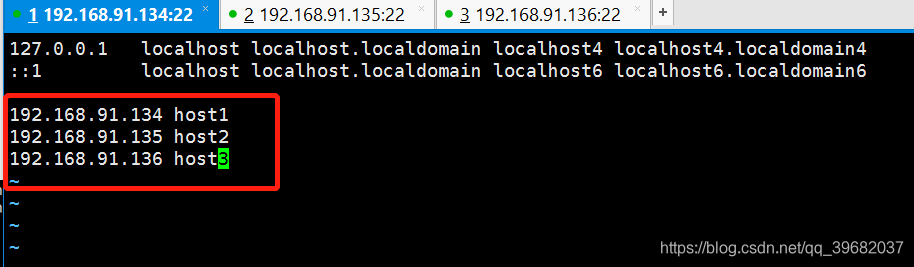
[root@localhost ~]# vi /etc/hosts
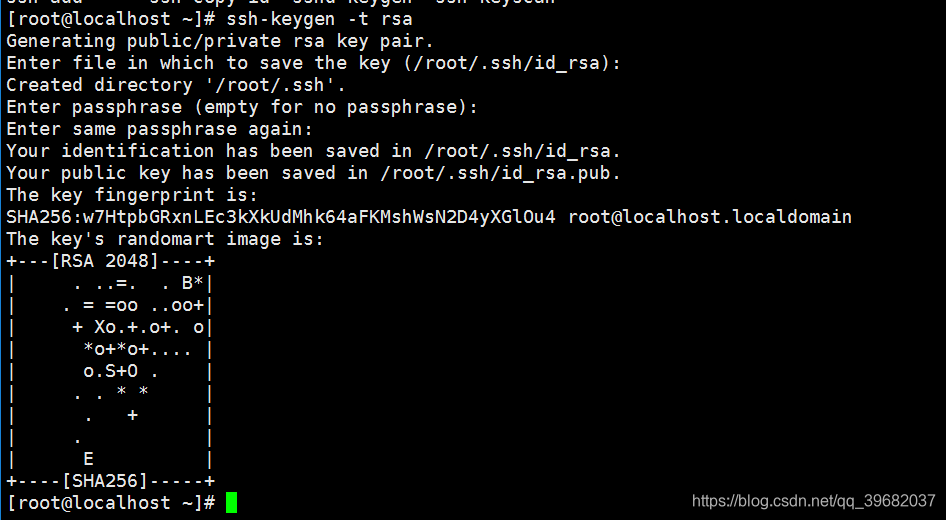
[root@localhost ~]# ssh-keygen -t rsa
#一直回车下去
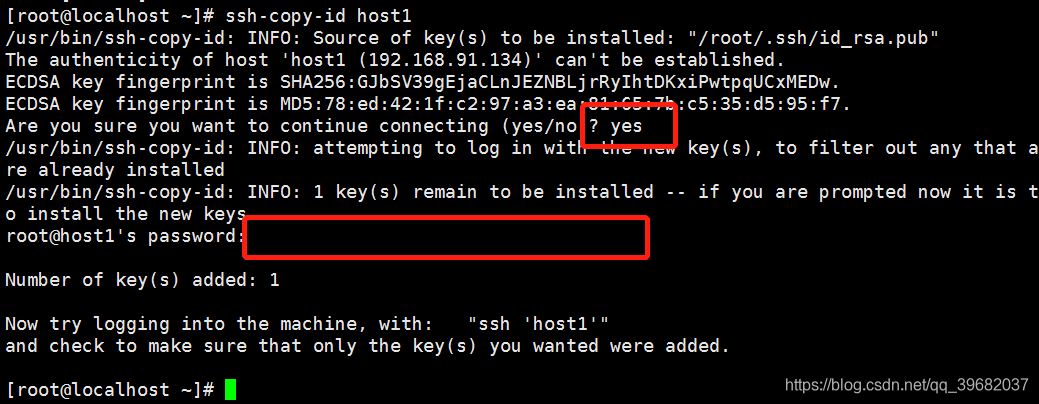
[root@localhost ~]# ssh-copy-id host1
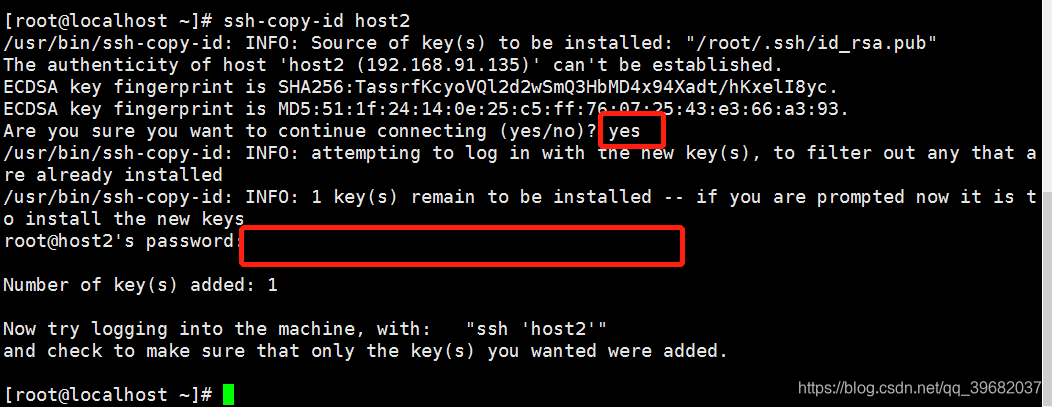
[root@localhost ~]# ssh-copy-id host2
[root@localhost ~]# ssh-copy-id host3
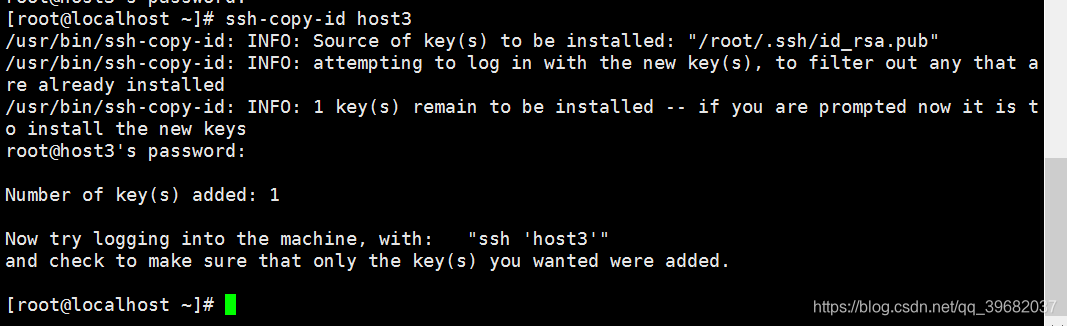
#Ansible是属于Extra Packages for Enterprise Linux (EPEL)库的一部分,因此要先安装EPEL
[root@localhost ~]# yum -y install epel-release
[root@localhost ~]# yum repolist
[root@localhost ~]# yum -y install ansible
[root@host1 ~]# vi /etc/ansible/hosts
#在末尾添加如下内容

使用教程
#-m是module模块
# gohbTeam是/etc/ansible/hosts中添加的组名
[root@host1 ~]# ansible gohbTeam -m ping
#列出列表
[root@host1 ~]# ansible gohbTeam --list

command模块
#批量添加用户
[root@host1 ~]# ansible gohbTeam -m command -a 'useradd gohb01'

注:command模块,不支持$ ,"<",">", “|”’,";" and `"&"’;有这些符号需用shell模块
copy模块
#src:源文件所在路径;
#owner文件的属主;group文件的属组,属主属组必须存在
#dest:目的地路径;mode文件的权限,backup是否备份
[root@host1 ~]# ansible gohbTeam -m copy -a 'src=/root/chk.sh dest=/tmp backup=yes mode=744 owner=root group=root'
此处chk.sh是小编安全基线的内容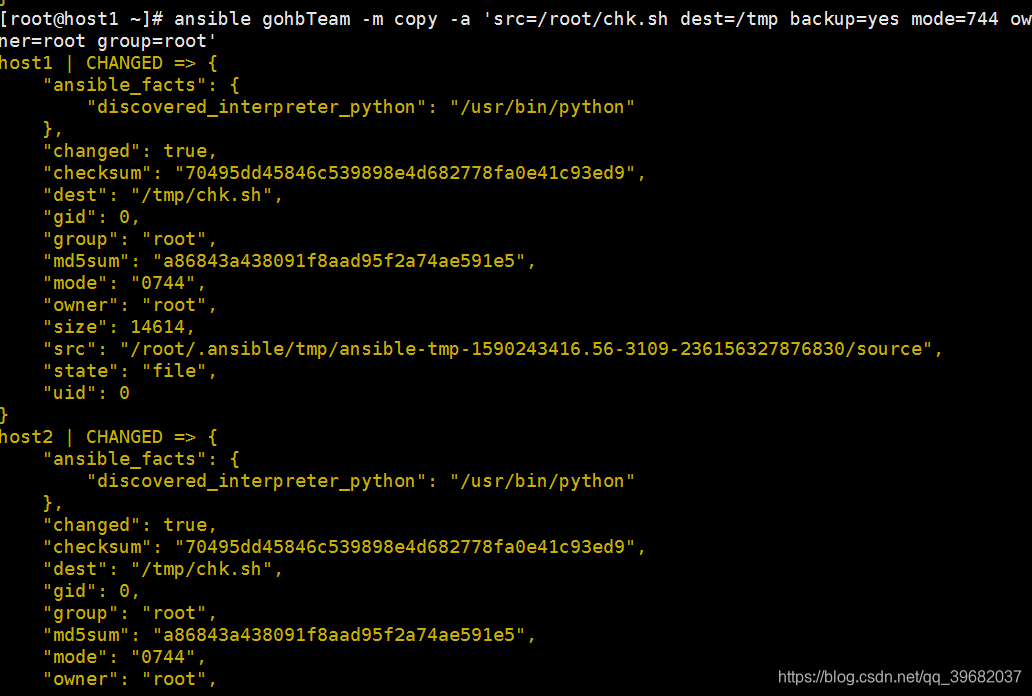
shell模块
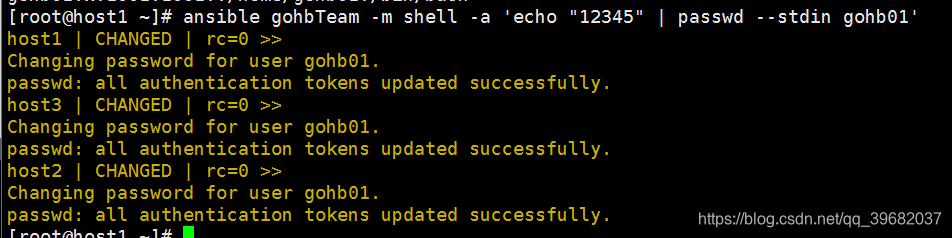
#批量为用户添加密码
[root@host1 ~]# ansible gohbTeam -m shell -a 'echo "12345" | passwd --stdin gohb01'
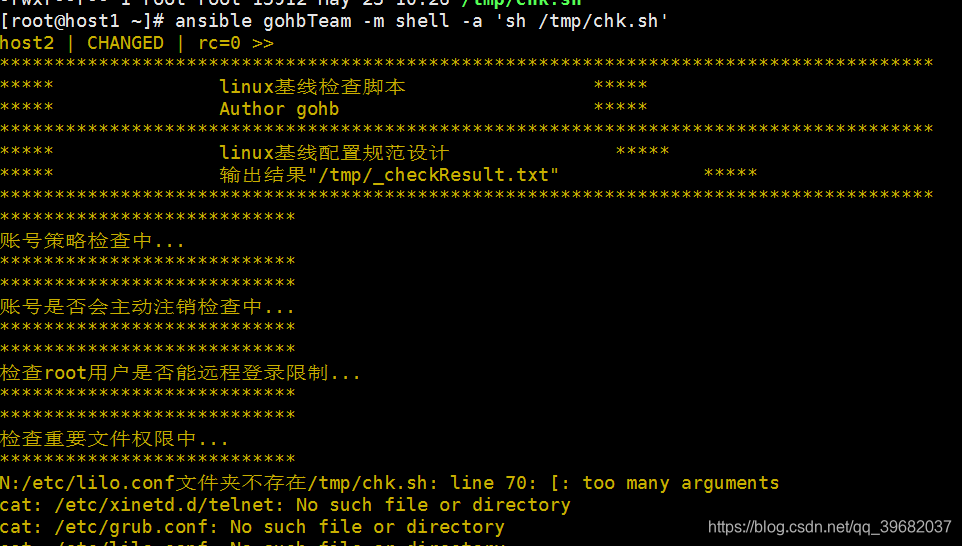
#批量自动化基线检测
[root@host1 ~]# ansible gohbTeam -m shell -a 'sh /tmp/chk.sh'
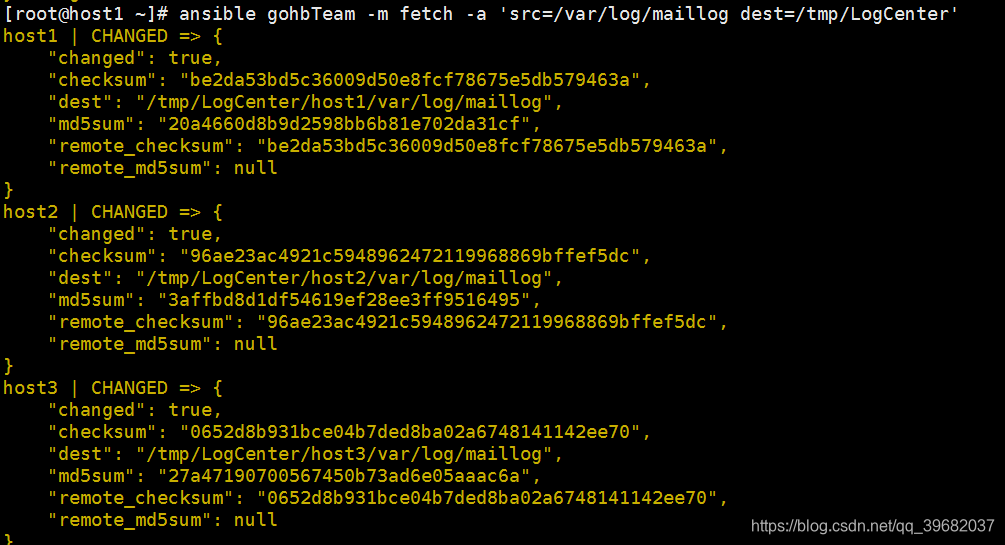
fetch模块
#src:源文件所在路径;
#dest:目的地路径;
[root@host1 ~]# ansible gohbTeam -m fetch -a 'src=/var/log/maillog dest=/tmp/LogCenter'

一站式 AI 云服务平台
更多推荐



 0
0 0
0- 0


 已为社区贡献1条内容

所有评论(0)