
2024年Linux最全Linux使用chrony让局域网内的服务器时间同步_chrony同步间隔(2),2024年最新1-3年Linux运维开发工程师面试经验分享
最近很多小伙伴找我要Linux学习资料,于是我翻箱倒柜,整理了一些优质资源,涵盖视频、电子书、PPT等共享给大家!
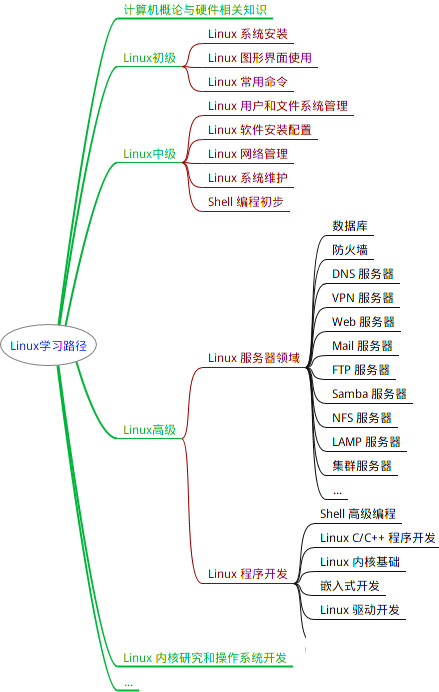
最全的Linux教程,Linux从入门到精通
======================
-
linux从入门到精通(第2版)
-
Linux系统移植
-
Linux驱动开发入门与实战
-
LINUX 系统移植 第2版
-
Linux开源网络全栈详解 从DPDK到OpenFlow
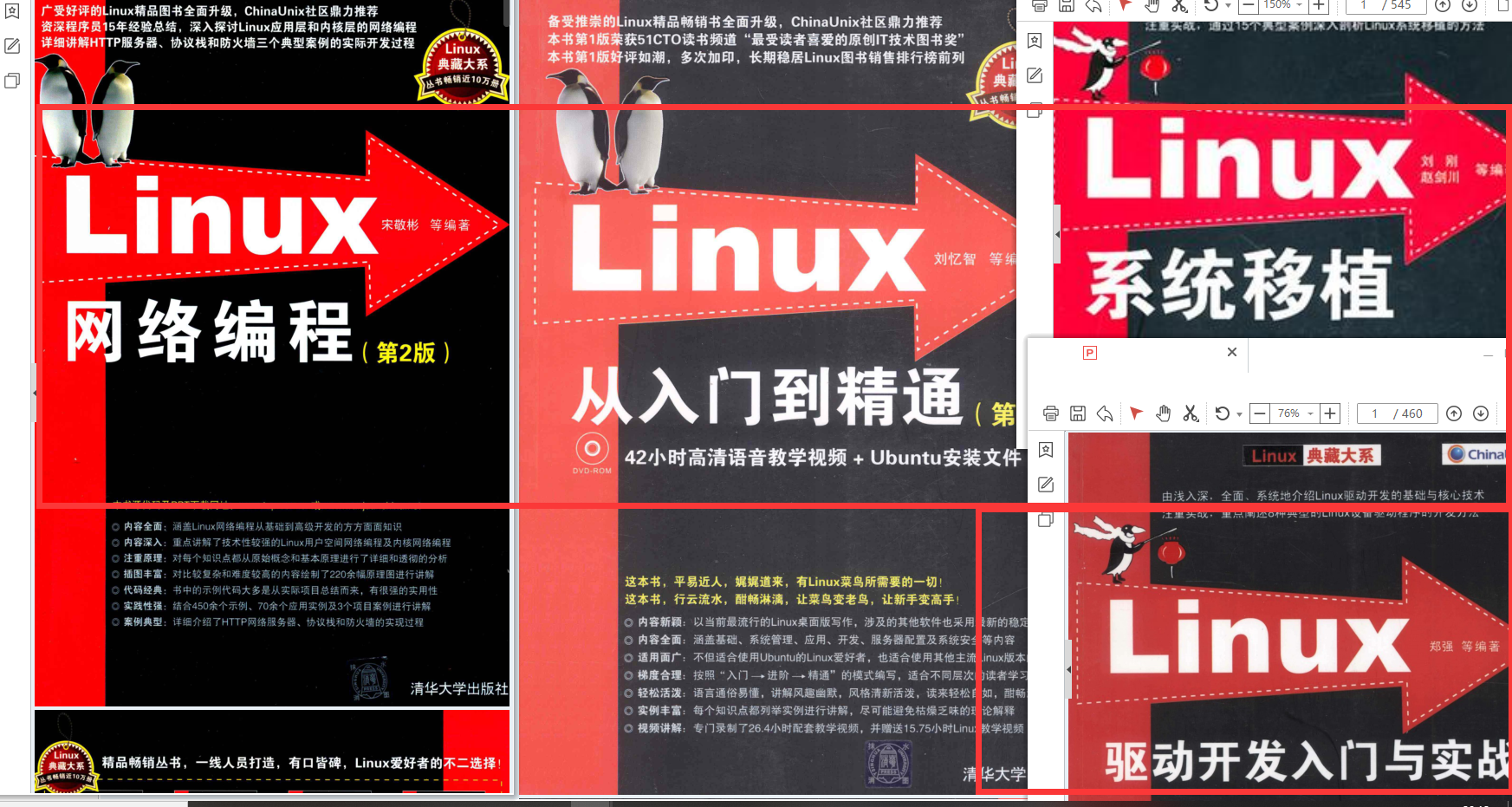
第一份《Linux从入门到精通》466页
====================
内容简介
====
本书是获得了很多读者好评的Linux经典畅销书**《Linux从入门到精通》的第2版**。本书第1版出版后曾经多次印刷,并被51CTO读书频道评为“最受读者喜爱的原创IT技术图书奖”。本书第﹖版以最新的Ubuntu 12.04为版本,循序渐进地向读者介绍了Linux 的基础应用、系统管理、网络应用、娱乐和办公、程序开发、服务器配置、系统安全等。本书附带1张光盘,内容为本书配套多媒体教学视频。另外,本书还为读者提供了大量的Linux学习资料和Ubuntu安装镜像文件,供读者免费下载。

本书适合广大Linux初中级用户、开源软件爱好者和大专院校的学生阅读,同时也非常适合准备从事Linux平台开发的各类人员。
需要《Linux入门到精通》、《linux系统移植》、《Linux驱动开发入门实战》、《Linux开源网络全栈》电子书籍及教程的工程师朋友们劳烦您转发+评论
网上学习资料一大堆,但如果学到的知识不成体系,遇到问题时只是浅尝辄止,不再深入研究,那么很难做到真正的技术提升。
一个人可以走的很快,但一群人才能走的更远!不论你是正从事IT行业的老鸟或是对IT行业感兴趣的新人,都欢迎加入我们的的圈子(技术交流、学习资源、职场吐槽、大厂内推、面试辅导),让我们一起学习成长!
在所有节点上设置统一的时间区域,本文中将其设置为亚洲时区,用户可自行定义。
# 查看时区
[root@x ~]# timedatectl
      Local time: Sun 2022-04-17 11:15:48 CST
  Universal time: Sun 2022-04-17 03:15:48 UTC
        RTC time: Sun 2022-04-17 11:15:48
       Time zone: Asia/Shanghai (CST, +0800)
     NTP enabled: yes
NTP synchronized: yes
 RTC in local TZ: yes
      DST active: n/a

# 筛选式查看在亚洲S开的上海可用时区:
[root@x ~]# timedatectl list-timezones | grep -E "Asia/S.\*"
Asia/Sakhalin
Asia/Samarkand
Asia/Seoul
Asia/Shanghai
Asia/Singapore
Asia/Srednekolymsk

# 设置当前系统为Asia/Shanghai上海时区:
[root@x ~]# timedatectl set-timezone Asia/Shanghai

# 修改日期时间(可选,主节时钟源无法同步,可以先关闭NTP同步)
timedatectl set-ntp false
timedatectl set-time "2022-04-17 15:50:20"

# 开启 NTP
timedatectl set-ntp true

#设置完时区后,强制同步下系统时钟:
[root@x ~]# chronyc -a makestep
200 OK
三、防火墙设置
因NTP使用123/UDP端口协议,所以允许NTP服务即可。但是我一般都会把防火墙和selinux禁止。
# 查看防火墙状态
[root@x ~]# systemctl status firewalld.service
● firewalld.service - firewalld - dynamic firewall daemon
   Loaded: loaded (/usr/lib/systemd/system/firewalld.service; disabled; vendor preset: enabled)
   Active: inactive (dead)
     Docs: man:firewalld(1)
# 启动防火墙
[root@x ~]# systemctl start firewalld.service

# 防火墙内放行NTP服务
[root@x ~]# firewall-cmd --add-service=ntp --permanent
success
# reload才能生效
[root@x ~]# firewall-cmd --reload
success
内部访问一般直接关闭防火墙
[root@x ~]# systemctl stop firewalld
[root@x ~]# systemctl disalbe firewalld
四、配置Chrony
1.服务器端配置
将主节点设置为内部NTP Server,编辑“/etc/chrony.conf”文件,如有公网的情况,可以配置阿里云的ntp服务地址作为源 。
ntp1.aliyun.com
授时中心参考
- 210.72.145.44 国家授时中心
- ntp.aliyun.com 阿里云
- s1a.time.edu.cn 北京邮电大学
- s1b.time.edu.cn 清华大学
- s1c.time.edu.cn 北京大学
- s1d.time.edu.cn 东南大学
- s1e.time.edu.cn 清华大学
- s2a.time.edu.cn 清华大学
- s2b.time.edu.cn 清华大学
- s2c.time.edu.cn 北京邮电大学
- s2d.time.edu.cn 西南地区网络中心
- s2e.time.edu.cn 西北地区网络中心
- s2f.time.edu.cn 东北地区网络中心
- s2g.time.edu.cn 华东南地区网络中心
- s2h.time.edu.cn 四川大学网络管理中心
- s2j.time.edu.cn 大连理工大学网络中心
- s2k.time.edu.cn CERNET桂林主节点
- s2m.time.edu.cn 北京大学
- ntp.sjtu.edu.cn 202.120.2.101 上海交通大学
master01作为服务端,当前节点IP地址为172.16.24.65,网段是172.16.24.0/24,配置详情如下
server ntp1.aliyun.com iburst
allow 172.16.24.0/24
local stratum 10
[root@master01 ~]# vim /etc/chrony.conf
# Use public servers from the pool.ntp.org project.
# Please consider joining the pool (http://www.pool.ntp.org/join.html).
# server 0.centos.pool.ntp.org iburst
# server 1.centos.pool.ntp.org iburst
# server 2.centos.pool.ntp.org iburst
#server 3.centos.pool.ntp.org iburst
# 公网时间服务器
server ntp1.aliyun.com iburst

# Record the rate at which the system clock gains/losses time.
driftfile /var/lib/chrony/drift

# Allow the system clock to be stepped in the first three updates
# if its offset is larger than 1 second.
makestep 1.0 3

# Enable kernel synchronization of the real-time clock (RTC).
rtcsync

# Enable hardware timestamping on all interfaces that support it.
#hwtimestamp \*

# Increase the minimum number of selectable sources required to adjust
# the system clock.
#minsources 2

# Allow NTP client access from local network.
# 指定一台主机、子网,或者网络以允许或拒绝访问本服务器
allow 172.16.24.0/24

# Serve time even if not synchronized to a time source.
# 即使server指令中时间服务器不可用,也允许将本地时间作为标准时间授时给其它客户端chronyc命令
local stratum 10

# Specify file containing keys for NTP authentication.
#keyfile /etc/chrony.keys

# Specify directory for log files.
logdir /var/log/chrony

# Select which information is logged.
#log measurements statistics tracking
2.客户端节点配置
其他work节点使用主节点(master01)作为时钟源,增加内网时钟源
server master01 iburst
[root@worker01 ~]# vim /etc/chrony.conf
# Use public servers from the pool.ntp.org project.
# Please consider joining the pool (http://www.pool.ntp.org/join.html).
# server 0.centos.pool.ntp.org iburst
# server 1.centos.pool.ntp.org iburst
# server 2.centos.pool.ntp.org iburst
#server 3.centos.pool.ntp.org iburst
# 内网时钟服务端
server master01 iburst

# Record the rate at which the system clock gains/losses time.
driftfile /var/lib/chrony/drift

# Allow the system clock to be stepped in the first three updates
# if its offset is larger than 1 second.
makestep 1.0 3

# Enable kernel synchronization of the real-time clock (RTC).
rtcsync

# Enable hardware timestamping on all interfaces that support it.
#hwtimestamp \*

# Increase the minimum number of selectable sources required to adjust
# the system clock.
#minsources 2

# Allow NTP client access from local network.
#allow 192.168.0.0/16

# Serve time even if not synchronized to a time source.
#local stratum 10

# Specify file containing keys for NTP authentication.
#keyfile /etc/chrony.keys

# Specify directory for log files.
logdir /var/log/chrony

# Select which information is logged.
#log measurements statistics tracking
3.配置文件说明:
/etc/chrony.conf
- server
可用于时钟服务器,iburst 选项当服务器可达时,发送一个八个数据包而不是通常的一个数据包。 包间隔通常为2秒,可加快初始同步速度,这个可以添加外网服务器或者内网服务器,域名或者IP都可以。 - driftfile
根据实际时间计算出计算机增减时间的比率,将它记录到一个文件中,会在重启后为系统时钟作出补偿 - stratumweight
stratumweight指令设置当chronyd从可用源中选择同步源时,每个层应该添加多少距离到同步距离。默认情况下,CentOS中设置为0,让chronyd在选择源时忽略源的层级。 - rtcsync
启用内核模式,系统时间每11分钟会拷贝到实时时钟(RTC) - allow / deny
指定一台主机、子网,或者网络以允许或拒绝访问本服务器 - cmdallow / cmddeny
可以指定哪台主机可以通过chronyd使用控制命令 - bindcmdaddress
允许chronyd监听哪个接口来接收由chronyc执行的命令 - makestep
通常chronyd将根据需求通过减慢或加速时钟,使得系统逐步纠正所有时间偏差。在某些特定情况下,系统时钟可能会漂移过快,导致该调整过程消耗很长的时间来纠正系统时钟。该指令强制chronyd在调整期大于某个阀值时调整系统时钟 - local stratum 10
即使server指令中时间服务器不可用,也允许将本地时间作为标准时间授时给其它客户端chronyc命令
四、启动chrony服务
在所有节点上将其配置为在系统引导时启动。
# 设置开机启动
[root@x~]# systemctl enable chronyd.service
# 重启服务
[root@x~]# systemctl restart chronyd.service
# 查看时间同步状态
[root@x~]# timedatectl status

# 手动强制同步下系统时钟
[root@x~]# chronyc -a makestep
# 查看时间同步源
[root@x~]# chronyc sources -v
# 查看时间同步源状态
[root@x~]# chronyc sourcestats -v
# 硬件时间默认为UTC
[root@x~]# timedatectl set-local-rtc 1
# 启用NTP时间同步
[root@x~]# timedatectl set-ntp yes
五、chronyc相关命令
最后的话
最近很多小伙伴找我要Linux学习资料,于是我翻箱倒柜,整理了一些优质资源,涵盖视频、电子书、PPT等共享给大家!
资料预览
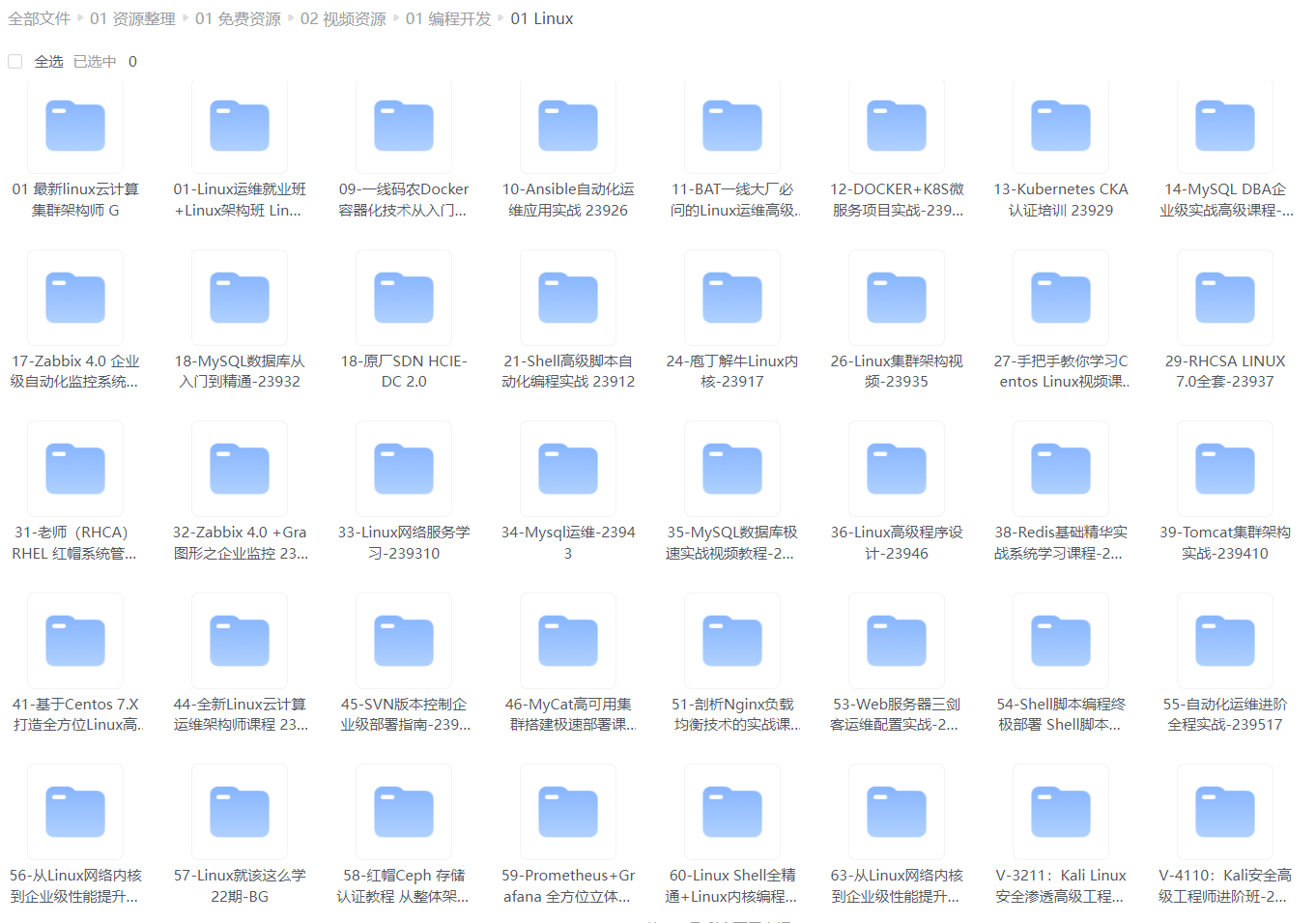
给大家整理的视频资料:
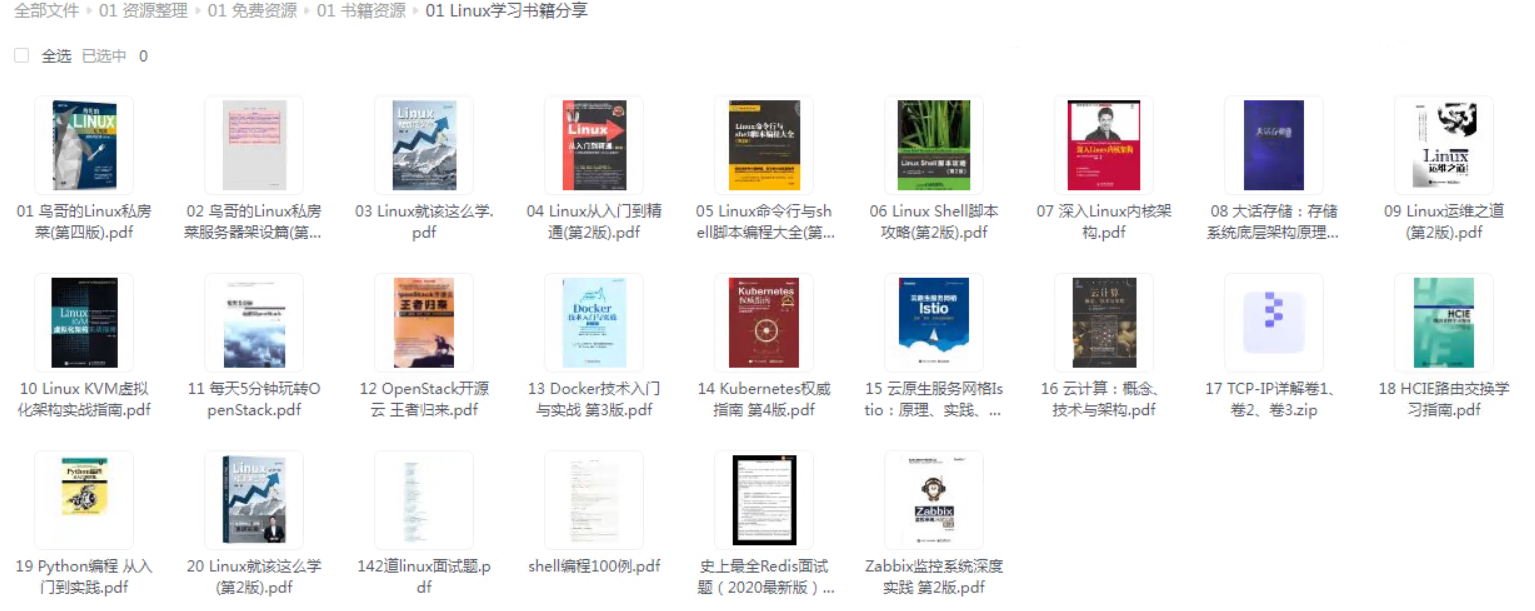
给大家整理的电子书资料:
如果本文对你有帮助,欢迎点赞、收藏、转发给朋友,让我有持续创作的动力!
网上学习资料一大堆,但如果学到的知识不成体系,遇到问题时只是浅尝辄止,不再深入研究,那么很难做到真正的技术提升。
一个人可以走的很快,但一群人才能走的更远!不论你是正从事IT行业的老鸟或是对IT行业感兴趣的新人,都欢迎加入我们的的圈子(技术交流、学习资源、职场吐槽、大厂内推、面试辅导),让我们一起学习成长!
(img-JrKP374t-1715162695998)]
给大家整理的电子书资料:
[外链图片转存中…(img-rxWyQLy4-1715162695998)]
如果本文对你有帮助,欢迎点赞、收藏、转发给朋友,让我有持续创作的动力!
网上学习资料一大堆,但如果学到的知识不成体系,遇到问题时只是浅尝辄止,不再深入研究,那么很难做到真正的技术提升。
一个人可以走的很快,但一群人才能走的更远!不论你是正从事IT行业的老鸟或是对IT行业感兴趣的新人,都欢迎加入我们的的圈子(技术交流、学习资源、职场吐槽、大厂内推、面试辅导),让我们一起学习成长!

一站式 AI 云服务平台
更多推荐



 30
30 0
0- 0


 已为社区贡献17条内容

所有评论(0)