
深度学习环境配置:Ubuntu20.04安装TensorFlow-cpu版,并在Jupyter notebook上使用
前言之前在windows下配置了:深度学习环境配置:Windows安装TensorFlow并在Jupyter notebook上使用这篇文章想试试ubuntu# 1. ubuntu20.04安装Anaconda3按照教程:ubuntu16.04安装和使用Anaconda3(详细)# 2. 安装TensorFlow创建虚拟环境tfconda create -n tf切换到虚拟环境tfconda ac
·
前言
-
之前在windows下配置了:深度学习环境配置:Windows安装TensorFlow并在Jupyter notebook上使用
-
这篇文章想试试ubuntu
# 1. ubuntu20.04安装Anaconda3
# 2. 安装TensorFlow
- 创建虚拟环境
tf
conda create -n tf
- 切换到虚拟环境tf
conda activate tf
- 查看Python版本
python -V
Python 3.8.10
- 安装tensorflow默认版本(
cpu版本)
conda install tensorflow
# 3. 安装jupyter
conda install jupyter notebook

#################################################################
# 查看内核安装位置
# jupyter kernelspec list
#################################################################

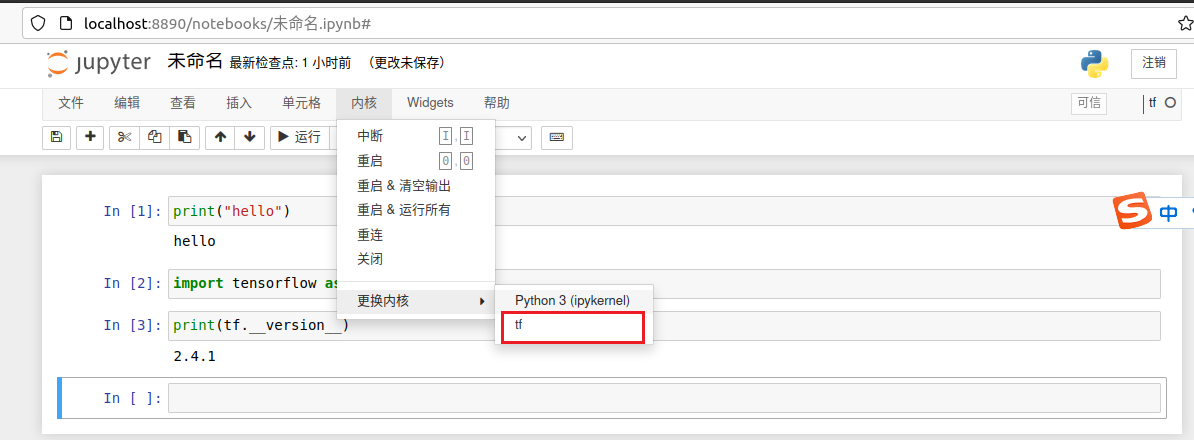
# 使得jupyter中的内核能显示 tf:效果如下图所示
python -m ipykernel install --user --name tf --display-name "tf"

# 查看内核安装位置
# jupyter kernelspec list
使得jupyter中的内核能显示 tf
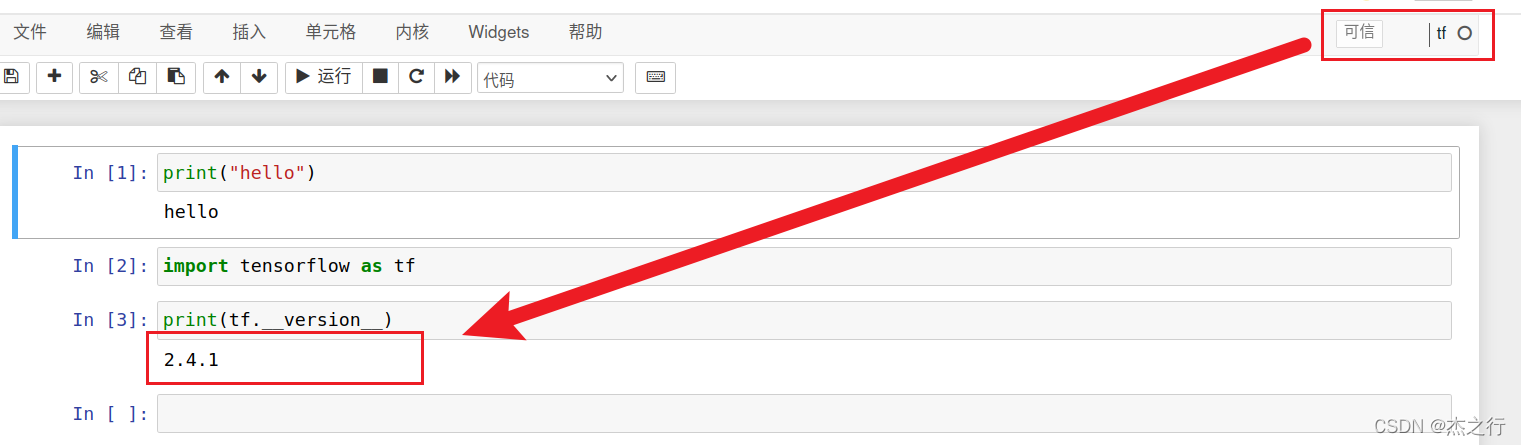
# 4. 安装成功

一站式 AI 云服务平台
更多推荐



 1
1 0
0- 0


 已为社区贡献1条内容

所有评论(0)