
免账号,一键配置Claude code,畅爽使用claude编程!
本文旨在以最简步骤,帮助使用者免去claude账号,大规模减少claude code token花费!
·
本教程参考自开源项目:https://github.com/XTurnV007/cheapClaude-cc
本文旨在帮助使用者免去claude账号,大规模减少claude code token花费!(需自备科学上网)
下文以windows为例:
1. 以管理员身份运行PowerShell;
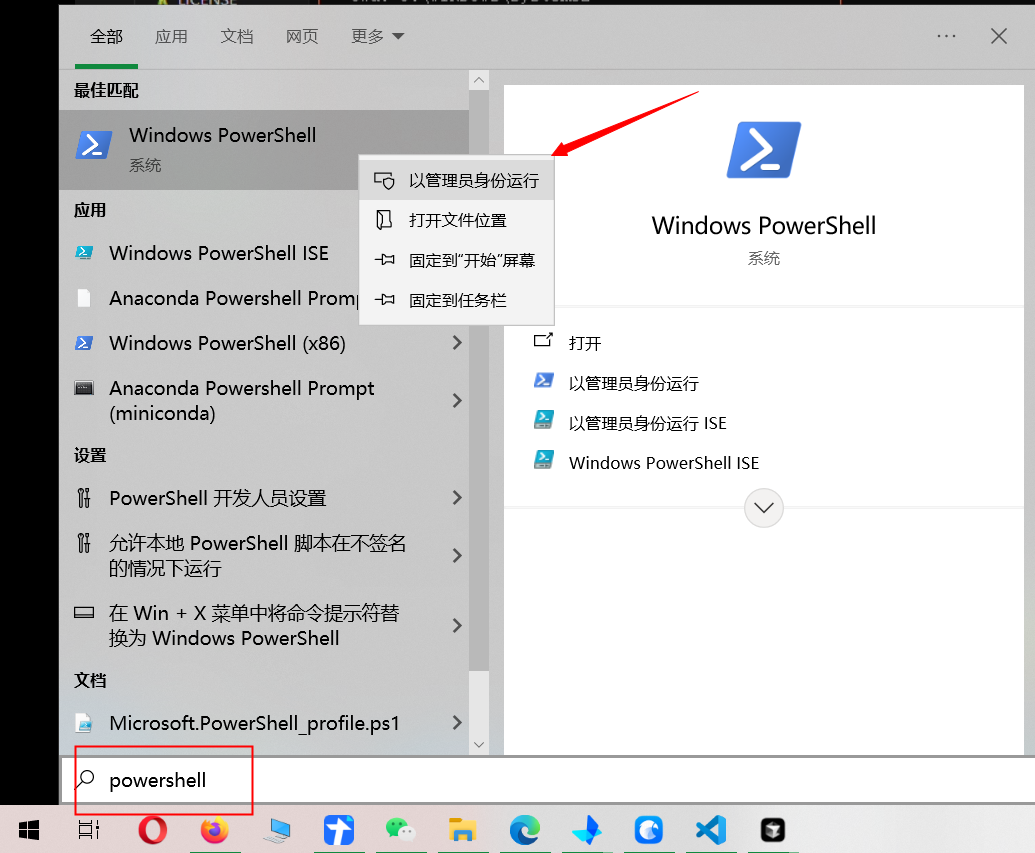
2. 右键粘贴以下命令行,等待运行完成粘贴密钥,回车;
Invoke-WebRequest -Uri "https://raw.githubusercontent.com/XTurnV007/cheapClaude-cc/refs/heads/main/install.ps1" -OutFile "install.ps1" -ContentType "text/plain; charset=utf-8"; Get-Content -Path "install.ps1" -Encoding UTF8 | Out-String | Invoke-Expression; Remove-Item "install.ps1"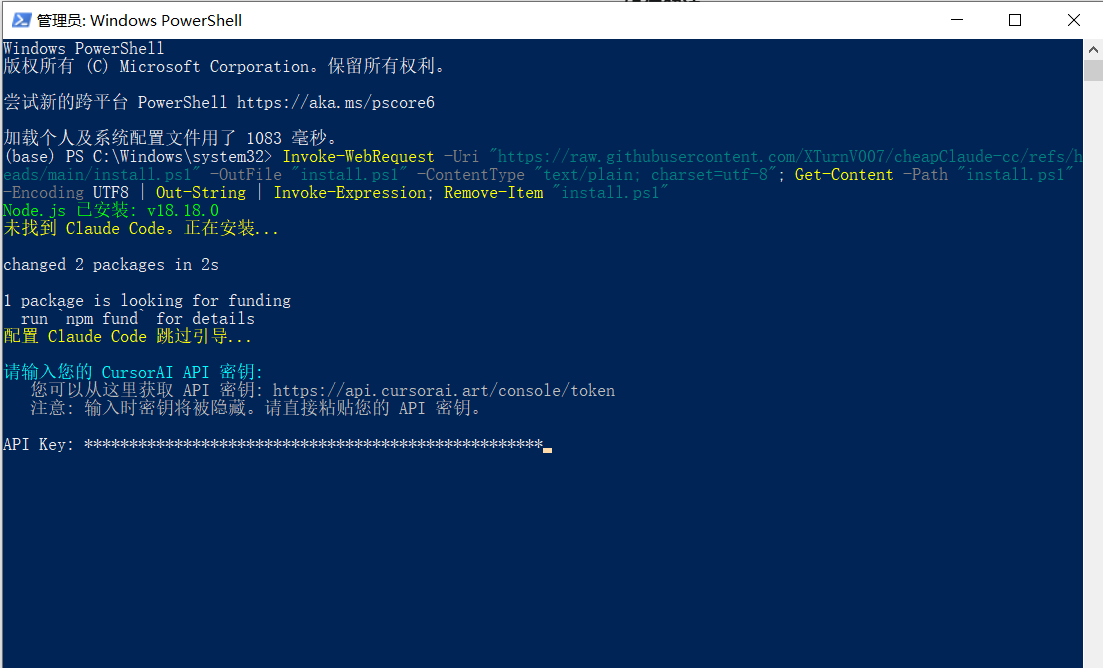
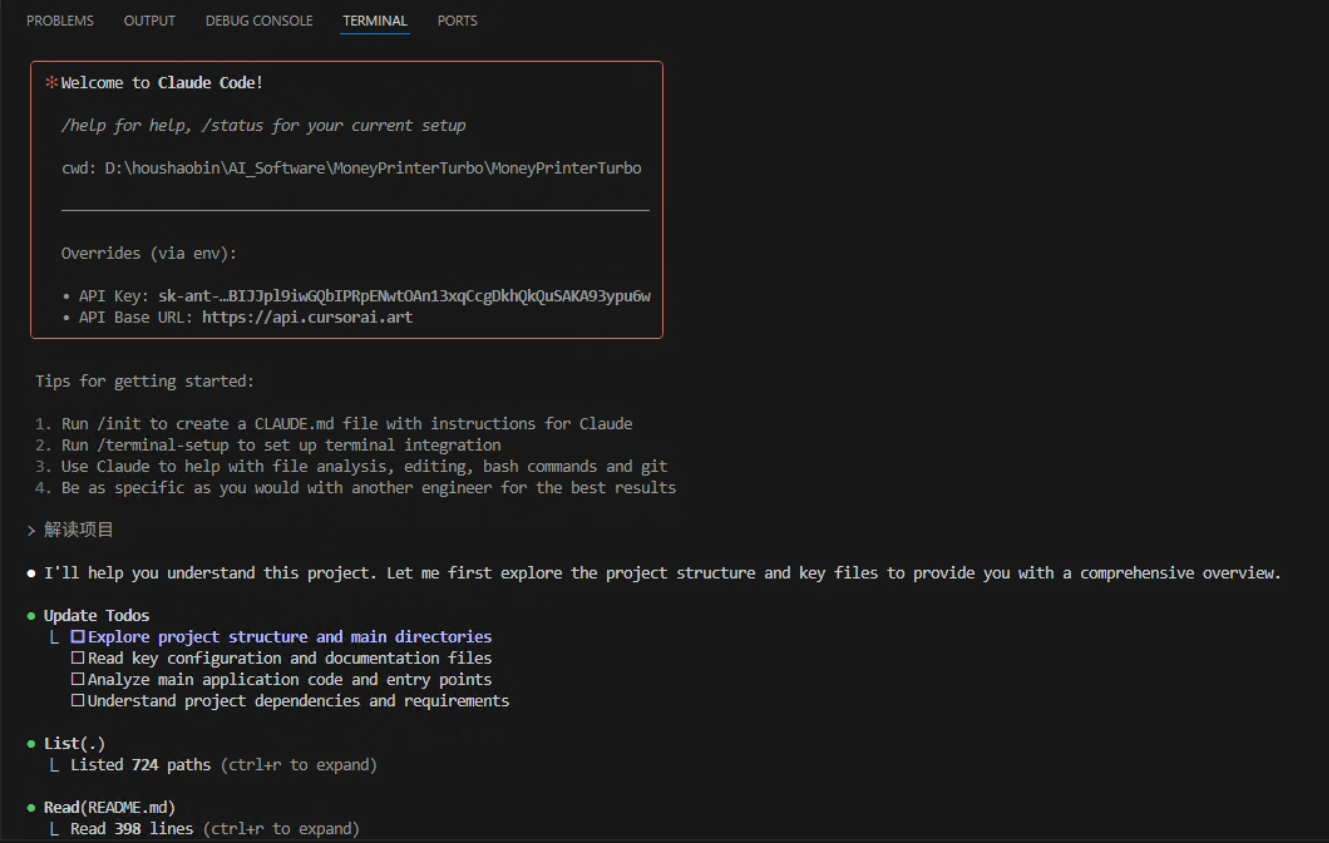
3. 重启powershell,在IDE或者终端输入claude,即可使用!

一站式 AI 云服务平台
更多推荐



 2
2 0
0- 0


 已为社区贡献2条内容

所有评论(0)