
# HBuilderX + uni-app 实战:从零搭建一个跨端「新闻资讯」App
# HBuilderX + uni-app 实战:从零搭建一个跨端「新闻资讯」App

> 别啃文档了。用 HBuilderX 花 30 分钟,跑通一个能同时运行在 **H5、微信小程序和手机 App** 上的新闻资讯应用——这才是学框架最高效的方式。

---

## 前言

学框架最高效的方式不是啃文档,而是 **做一个完整的项目跑通全流程**。

很多初学者在 uni-app 的第一步就卡住了:项目怎么建?路由怎么配?接口怎么联调?多端差异怎么处理?这些问题看似琐碎,却是阻碍你从"看懂"到"做出来"的关键断层。

本文将用 **HBuilderX + uni-app(Vue 3 + Composition API)** 从零搭建一个「新闻资讯」应用,完整覆盖:

| 能力模块 | 你将学到的 |
|---------|-----------|
| 项目初始化 | 目录规划、pages.json 深度配置 |
| 首页列表 | 下拉刷新 + 触底分页加载 + 分类切换 |
| 详情页 | 自定义导航栏 + 富文本渲染 + 点赞/收藏 |
| 我的页面 | 用户卡片 + 数据统计 + 功能入口 |
| TabBar | 底部导航 + 图标规范 + 选中态 |
| 接口联调 | uni.request 封装 + Mock 数据兜底 |
| 多端适配 | 条件编译 + 真机调试 + 打包发布 |

跟完本文,你将建立起对 uni-app 开发的 **完整认知闭环**。

> 开发环境要求:HBuilderX 4.x / Node 18+ / Vue 3

---

## 一、效果预览

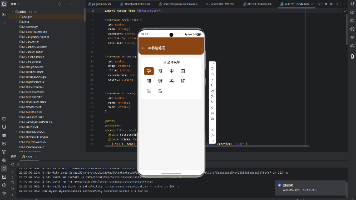
最终完成的效果包含 **3 个核心页面**:
# HBuilderX + uni-app 实战:从零搭建一个跨端「新闻资讯」App > 别啃文档了。用 HBuilderX 花 30 分钟,跑通一个能同时运行在 **H5、微信小程序和手机 App** 上的新闻资讯应用——这才是学框架最高效的方式。 --- ## 前言 学框架最高效的方式不是啃文档,而是 **做一个完整的项目跑通全流程**。 很多初学者在 uni-app 的第一步就卡住了:项目怎么建?路由怎么配?接口怎么联调?多端差异怎么处理?这些问题看似琐碎,却是阻碍你从"看懂"到"做出来"的关键断层。 本文将用 **HBuilderX + uni-app(Vue 3 + Composition API)** 从零搭建一个「新闻资讯」应用,完整覆盖: | 能力模块 | 你将学到的 | |---------|-----------| | 项目初始化 | 目录规划、pages.json 深度配置 | | 首页列表 | 下拉刷新 + 触底分页加载 + 分类切换 | | 详情页 | 自定义导航栏 + 富文本渲染 + 点赞/收藏 | | 我的页面 | 用户卡片 + 数据统计 + 功能入口 | | TabBar | 底部导航 + 图标规范 + 选中态 | | 接口联调 | uni.request 封装 + Mock 数据兜底 | | 多端适配 | 条件编译 + 真机调试 + 打包发布 | 跟完本文,你将建立起对 uni-app 开发的 **完整认知闭环**。 > 开发环境要求:HBuilderX 4.x / Node 18+ / Vue 3 --- ## 一、效果预览 最终完成的效果包含 **3 个核心页面**: ┌──────────────────┐ ┌──────────────────┐ ┌──────────────────┐ │ 新闻列表 │ │ 新闻详情 │ │ 我的 │ │ │ │ │ │ │ │ [推荐][科技][财经] │ │ ← 新闻详情 │ │ 👤 资讯读者 │ │ ──────────────── │ │ │ │ 阅读是一种力量 │ │ 📰 标题1 [图] │ │ 大标题 │ │ │ │ 📰 标题2 [图] │ │ ┌──────────┐ │ │ 128 36 12 │ │ 📰 标题3 │ │ │ 封面图 │ │ │ 阅读 收藏 点赞 │ │ 📰 标题4 [图] │ │ └──────────┘ │ │ │ │ ... │ │ 正文内容... │ │ ⭐ 我的收藏 > │ │ 正在加载... │ │ │ │ 🕐 浏览历史 > │ │ │ │ 🤍点赞 ⭐收藏 ↗分享│ │ ⚙️ 设置 > │ │ [首页] [我的] │ │ │ │ [首页] [我的] │ └──────────────────┘ └──────────────────┘ └──────────────────┘
text
---

## 二、创建项目与目录规划

### 2.1 一键创建

打开 HBuilderX:
--- ## 二、创建项目与目录规划 ### 2.1 一键创建 打开 HBuilderX: 文件 → 新建 → 项目 → uni-app → 默认模板(Vue3) → 项目名称:news-app → Vue 版本:Vue3
text
> **关于 uniCloud**:本文使用公共 API + Mock 数据,无需勾选 uniCloud。如果你有云开发需求,勾选后可以在云函数中封装自己的新闻接口。

### 2.2 目录结构

创建完成后,清理默认模板,手动搭建以下目录:
> **关于 uniCloud**:本文使用公共 API + Mock 数据,无需勾选 uniCloud。如果你有云开发需求,勾选后可以在云函数中封装自己的新闻接口。 ### 2.2 目录结构 创建完成后,清理默认模板,手动搭建以下目录: news-app/ ├── pages/ │ ├── index/ │ │ └── index.vue # 首页 - 新闻列表 │ ├── detail/ │ │ └── detail.vue # 新闻详情 │ └── mine/ │ └── mine.vue # 我的页面 ├── static/ │ └── tab/ │ ├── home.png # TabBar 图标 - 首页(未选中) │ ├── home-active.png # TabBar 图标 - 首页(选中) │ ├── mine.png # TabBar 图标 - 我的(未选中) │ └── mine-active.png # TabBar 图标 - 我的(选中) ├── utils/ │ └── request.js # 网络请求封装 ├── uni.scss # 全局样式变量 ├── App.vue # 应用入口 ├── main.js # 启动配置 └── pages.json # 路由与导航配置
text
> **TabBar 图标规范**:尺寸 81×81px,格式 PNG,不支持 SVG。推荐在 [iconfont.cn](https://www.iconfont.cn) 搜索并下载免费图标。

---

## 三、核心配置:pages.json

这是 uni-app 的 **路由与导航中枢**。用以下内容完整替换 `pages.json`:

```json
{
  "pages": [
    {
      "path": "pages/index/index",
      "style": {
        "navigationBarTitleText": "资讯",
        "enablePullDownRefresh": true,
        "backgroundTextStyle": "dark",
        "navigationBarBackgroundColor": "#1a1a2e",
        "navigationBarTextStyle": "white"
      }
    },
    {
      "path": "pages/detail/detail",
      "style": {
        "navigationBarTitleText": "详情",
        "navigationStyle": "custom"
      }
    },
    {
      "path": "pages/mine/mine",
      "style": {
        "navigationBarTitleText": "我的",
        "navigationBarBackgroundColor": "#1a1a2e",
        "navigationBarTextStyle": "white"
      }
    }
  ],
  "globalStyle": {
    "navigationBarTextStyle": "white",
    "navigationBarTitleText": "新闻资讯",
    "navigationBarBackgroundColor": "#1a1a2e",
    "backgroundColor": "#f5f5f5",
    "app-plus": {
      "titleNView": false
    }
  },
  "tabBar": {
    "color": "#999999",
    "selectedColor": "#e94560",
    "borderStyle": "black",
    "backgroundColor": "#ffffff",
    "list": [
      {
        "pagePath": "pages/index/index",
        "text": "首页",
        "iconPath": "static/tab/home.png",
        "selectedIconPath": "static/tab/home-active.png"
      },
      {
        "pagePath": "pages/mine/mine",
        "text": "我的",
        "iconPath": "static/tab/mine.png",
        "selectedIconPath": "static/tab/mine-active.png"
      }
    ]
  }
}
> **TabBar 图标规范**:尺寸 81×81px,格式 PNG,不支持 SVG。推荐在 [iconfont.cn](https://www.iconfont.cn) 搜索并下载免费图标。 --- ## 三、核心配置:pages.json 这是 uni-app 的 **路由与导航中枢**。用以下内容完整替换 `pages.json`: ```json { "pages": [ { "path": "pages/index/index", "style": { "navigationBarTitleText": "资讯", "enablePullDownRefresh": true, "backgroundTextStyle": "dark", "navigationBarBackgroundColor": "#1a1a2e", "navigationBarTextStyle": "white" } }, { "path": "pages/detail/detail", "style": { "navigationBarTitleText": "详情", "navigationStyle": "custom" } }, { "path": "pages/mine/mine", "style": { "navigationBarTitleText": "我的", "navigationBarBackgroundColor": "#1a1a2e", "navigationBarTextStyle": "white" } } ], "globalStyle": { "navigationBarTextStyle": "white", "navigationBarTitleText": "新闻资讯", "navigationBarBackgroundColor": "#1a1a2e", "backgroundColor": "#f5f5f5", "app-plus": { "titleNView": false } }, "tabBar": { "color": "#999999", "selectedColor": "#e94560", "borderStyle": "black", "backgroundColor": "#ffffff", "list": [ { "pagePath": "pages/index/index", "text": "首页", "iconPath": "static/tab/home.png", "selectedIconPath": "static/tab/home-active.png" }, { "pagePath": "pages/mine/mine", "text": "我的", "iconPath": "static/tab/mine.png", "selectedIconPath": "static/tab/mine-active.png" } ] } }关键配置说明
| 配置项 | 作用 | 注意事项 |
|---|---|---|
enablePullDownRefresh |
开启下拉刷新 | 需在页面中配合 onPullDownRefresh 生命周期 |
navigationStyle: "custom" |
自定义导航栏 | 详情页使用,需自行处理状态栏适配 |
app-plus.titleNView |
关闭 App 端原生导航栏 | 避免自定义导航栏与原生导航栏重复 |
borderStyle: "black" |
TabBar 上边框颜色 | 仅 black / white 两个值 |
四、全局样式变量
在 uni.scss 中统一定义配色体系:
scss
/* uni.scss —— 全局 SCSS 变量,所有页面自动引入 */

$primary: #e94560;       // 主题色 — 活力红
$primary-light: #ff6b81; // 主题色浅
$dark-bg: #1a1a2e;       // 深色背景
$dark-bg-deep: #16213e;  // 更深的背景(渐变用)
$card-bg: #ffffff;       // 卡片背景
$text-main: #1a1a2e;     // 主标题色
$text-body: #444444;     // 正文色
$text-sub: #999999;      // 辅助文字
$text-light: #cccccc;    // 最浅文字
$page-bg: #f4f5f7;       // 页面底色
$border: #f0f0f0;        // 边线色
$shadow: rgba(0, 0, 0, 0.04); // 阴影
/* uni.scss —— 全局 SCSS 变量,所有页面自动引入 */ $primary: #e94560; // 主题色 — 活力红 $primary-light: #ff6b81; // 主题色浅 $dark-bg: #1a1a2e; // 深色背景 $dark-bg-deep: #16213e; // 更深的背景(渐变用) $card-bg: #ffffff; // 卡片背景 $text-main: #1a1a2e; // 主标题色 $text-body: #444444; // 正文色 $text-sub: #999999; // 辅助文字 $text-light: #cccccc; // 最浅文字 $page-bg: #f4f5f7; // 页面底色 $border: #f0f0f0; // 边线色 $shadow: rgba(0, 0, 0, 0.04); // 阴影为什么要统一管理? uni-app 中所有
.vue文件的<style lang="scss">都会自动引入uni.scss中的变量。这意味着你在任何页面都能直接使用$primary,无需手动 import。
五、首页:新闻列表(核心页面)
5.1 完整代码
vue
<!-- pages/index/index.vue -->
<template>
  <view class="page">
    <!-- 顶部分类标签 -->
    <scroll-view
      scroll-x
      class="category-bar"
      :show-scrollbar="false"
      :enhanced="true"
    >
      <view
        v-for="(cat, i) in categories"
        :key="i"
        class="cat-item"
        :class="{ active: currentCat === i }"
        @tap="switchCategory(i)"
      >
        {{ cat.name }}
      </view>
    </scroll-view>

    <!-- 新闻列表 -->
    <view class="news-list">
      <view
        v-for="(item, index) in newsList"
        :key="item.id"
        class="news-card"
        :style="{ animationDelay: index * 0.06 + 's' }"
        @tap="goDetail(item)"
      >
        <!-- 左侧文字 -->
        <view class="card-content">
          <text class="card-title">{{ item.title }}</text>
          <view class="card-meta">
            <text class="meta-source">{{ item.source }}</text>
            <text class="meta-dot">·</text>
            <text class="meta-time">{{ item.time }}</text>
          </view>
        </view>
        <!-- 右侧封面图 -->
        <image
          v-if="item.cover"
          class="card-cover"
          :src="item.cover"
          mode="aspectFill"
          lazy-load
        />
      </view>

      <!-- 空状态 -->
      <view v-if="!loading && newsList.length === 0" class="empty-state">
        <text class="empty-icon">📭</text>
        <text class="empty-text">暂无新闻,下拉刷新试试</text>
      </view>

      <!-- 加载状态 -->
      <view v-else class="load-status">
        <text v-if="loading" class="loading-text">
          <text class="loading-dot">●</text> 加载中...
        </text>
        <text v-else-if="noMore">— 我是有底线的 —</text>
      </view>
    </view>
  </view>
</template>

<script setup>
import { ref } from 'vue';

// ========== 分类数据 ==========
const categories = ref([
  { name: '推荐', key: 'recommend' },
  { name: '科技', key: 'tech' },
  { name: '财经', key: 'finance' },
  { name: '体育', key: 'sports' },
  { name: '娱乐', key: 'entertainment' },
  { name: '教育', key: 'education' }
]);
const currentCat = ref(0);

// ========== 列表状态 ==========
const newsList = ref([]);
const page = ref(1);
const loading = ref(false);
const noMore = ref(false);

// ========== Mock 数据 ==========
// 实际项目中替换为接口请求,详见第七节
const mockData = [
  {
    id: 1,
    title: '2025 年全球开发者调查报告发布,AI 工具使用率突破 80%',
    source: 'TechCrunch',
    time: '2小时前',
    cover: 'https://picsum.photos/200/150?random=1'
  },
  {
    id: 2,
    title: 'Vue 4.0 正式发布,性能提升 300%,开发者社区沸腾',
    source: 'InfoQ',
    time: '3小时前',
    cover: 'https://picsum.photos/200/150?random=2'
  },
  {
    id: 3,
    title: '微信小程序日活突破 6 亿,生态持续扩大',
    source: '36氪',
    time: '5小时前',
    cover: 'https://picsum.photos/200/150?random=3'
  },
  {
    id: 4,
    title: '跨端框架深度对比:uni-app vs Taro vs Flutter 2025 版',
    source: '掘金',
    time: '6小时前',
    cover: null
  },
  {
    id: 5,
    title: '国家发布新一代人工智能发展规划,推动 AI 与实体经济深度融合',
    source: '新华社',
    time: '8小时前',
    cover: 'https://picsum.photos/200/150?random=5'
  },
  {
    id: 6,
    title: '开源之夏 2025 启动,超 500 个项目开放报名',
    source: '开源中国',
    time: '10小时前',
    cover: 'https://picsum.photos/200/150?random=6'
  }
];

// ========== 核心方法 ==========

/**
 * 加载新闻数据
 * @param {boolean} reset - 是否重置列表(切换分类、下拉刷新时传 true)
 */
function loadNews(reset = false) {
  if (loading.value) return;

  if (reset) {
    page.value = 1;
    noMore.value = false;
    newsList.value = [];
  }

  loading.value = true;

  // TODO: 实际项目替换为 uni.request,详见第七节
  setTimeout(() => {
    const newItems = mockData.map((item) => ({
      ...item,
      // 用 page 偏移 id,避免重复 key
      id: item.id + (page.value - 1) * 10
    }));

    // 模拟第 3 页之后无数据
    if (page.value >= 3) {
      noMore.value = true;
    } else {
      newsList.value = [...newsList.value, ...newItems];
    }

    loading.value = false;
  }, 800);
}

/** 切换分类 */
function switchCategory(index) {
  if (currentCat.value === index) return; // 避免重复点击
  currentCat.value = index;
  // 滚动到顶部
  uni.pageScrollTo({ scrollTop: 0, duration: 200 });
  loadNews(true);
}

/** 跳转详情页 */
function goDetail(item) {
  uni.navigateTo({
    url: `/pages/detail/detail?id=${item.id}&title=${encodeURIComponent(item.title)}&source=${encodeURIComponent(item.source)}`
  });
}

// ========== 生命周期 ==========

// 页面首次加载
loadNews();

// 下拉刷新(需在 pages.json 中开启 enablePullDownRefresh)
onPullDownRefresh(() => {
  loadNews(true);
  // 给数据加载留足时间后关闭动画
  setTimeout(() => uni.stopPullDownRefresh(), 1200);
});

// 触底加载更多
onReachBottom(() => {
  if (!noMore.value && !loading.value) {
    page.value++;
    loadNews();
  }
});
</script>

<style lang="scss" scoped>
.page {
  background: $page-bg;
  min-height: 100vh;
}

/* ========== 分类标签栏 ========== */
.category-bar {
  white-space: nowrap;
  background: #fff;
  padding: 24rpx 16rpx;
  border-bottom: 1rpx solid $border;
  position: sticky;
  top: 0;
  z-index: 100;

  .cat-item {
    display: inline-block;
    padding: 14rpx 32rpx;
    margin: 0 8rpx;
    font-size: 28rpx;
    color: $text-sub;
    border-radius: 32rpx;
    transition: all 0.3s ease;

    &.active {
      background: $primary;
      color: #fff;
      font-weight: 600;
      box-shadow: 0 4rpx 16rpx rgba($primary, 0.3);
    }
  }
}

/* ========== 新闻卡片 ========== */
.news-card {
  display: flex;
  justify-content: space-between;
  align-items: center;
  background: $card-bg;
  margin: 20rpx 24rpx;
  padding: 28rpx;
  border-radius: 20rpx;
  box-shadow: 0 2rpx 16rpx $shadow;
  opacity: 0;
  animation: fadeUp 0.5s ease forwards;
  transition: transform 0.15s ease;

  &:active {
    transform: scale(0.98);
  }

  .card-content {
    flex: 1;
    margin-right: 24rpx;
  }

  .card-title {
    font-size: 30rpx;
    font-weight: 600;
    color: $text-main;
    line-height: 1.6;
    display: -webkit-box;
    -webkit-line-clamp: 2;
    -webkit-box-orient: vertical;
    overflow: hidden;
  }

  .card-meta {
    margin-top: 20rpx;
    display: flex;
    align-items: center;
    gap: 10rpx;
  }

  .meta-source {
    font-size: 22rpx;
    color: $primary;
    font-weight: 500;
  }

  .meta-dot {
    font-size: 20rpx;
    color: $text-light;
  }

  .meta-time {
    font-size: 22rpx;
    color: $text-sub;
  }

  .card-cover {
    width: 200rpx;
    height: 140rpx;
    border-radius: 14rpx;
    flex-shrink: 0;
    background: #f0f0f0; // 图片加载占位
  }
}

/* ========== 空状态 ========== */
.empty-state {
  display: flex;
  flex-direction: column;
  align-items: center;
  padding: 120rpx 0;

  .empty-icon {
    font-size: 80rpx;
    margin-bottom: 20rpx;
  }

  .empty-text {
    font-size: 28rpx;
    color: $text-sub;
  }
}

/* ========== 加载状态 ========== */
.load-status {
  text-align: center;
  padding: 40rpx 0;
  font-size: 24rpx;
  color: $text-light;

  .loading-text {
    color: $text-sub;
  }

  .loading-dot {
    color: $primary;
    animation: blink 1s infinite;
  }
}

/* ========== 动画 ========== */
@keyframes fadeUp {
  from {
    opacity: 0;
    transform: translateY(30rpx);
  }
  to {
    opacity: 1;
    transform: translateY(0);
  }
}

@keyframes blink {
  0%, 100% { opacity: 1; }
  50% { opacity: 0.3; }
}
</style>
<!-- pages/index/index.vue --> <template> <view class="page"> <!-- 顶部分类标签 --> <scroll-view scroll-x class="category-bar" :show-scrollbar="false" :enhanced="true" > <view v-for="(cat, i) in categories" :key="i" class="cat-item" :class="{ active: currentCat === i }" @tap="switchCategory(i)" > {{ cat.name }} </view> </scroll-view> <!-- 新闻列表 --> <view class="news-list"> <view v-for="(item, index) in newsList" :key="item.id" class="news-card" :style="{ animationDelay: index * 0.06 + 's' }" @tap="goDetail(item)" > <!-- 左侧文字 --> <view class="card-content"> <text class="card-title">{{ item.title }}</text> <view class="card-meta"> <text class="meta-source">{{ item.source }}</text> <text class="meta-dot">·</text> <text class="meta-time">{{ item.time }}</text> </view> </view> <!-- 右侧封面图 --> <image v-if="item.cover" class="card-cover" :src="item.cover" mode="aspectFill" lazy-load /> </view> <!-- 空状态 --> <view v-if="!loading && newsList.length === 0" class="empty-state"> <text class="empty-icon">📭</text> <text class="empty-text">暂无新闻,下拉刷新试试</text> </view> <!-- 加载状态 --> <view v-else class="load-status"> <text v-if="loading" class="loading-text"> <text class="loading-dot">●</text> 加载中... </text> <text v-else-if="noMore">— 我是有底线的 —</text> </view> </view> </view> </template> <script setup> import { ref } from 'vue'; // ========== 分类数据 ========== const categories = ref([ { name: '推荐', key: 'recommend' }, { name: '科技', key: 'tech' }, { name: '财经', key: 'finance' }, { name: '体育', key: 'sports' }, { name: '娱乐', key: 'entertainment' }, { name: '教育', key: 'education' } ]); const currentCat = ref(0); // ========== 列表状态 ========== const newsList = ref([]); const page = ref(1); const loading = ref(false); const noMore = ref(false); // ========== Mock 数据 ========== // 实际项目中替换为接口请求,详见第七节 const mockData = [ { id: 1, title: '2025 年全球开发者调查报告发布,AI 工具使用率突破 80%', source: 'TechCrunch', time: '2小时前', cover: 'https://picsum.photos/200/150?random=1' }, { id: 2, title: 'Vue 4.0 正式发布,性能提升 300%,开发者社区沸腾', source: 'InfoQ', time: '3小时前', cover: 'https://picsum.photos/200/150?random=2' }, { id: 3, title: '微信小程序日活突破 6 亿,生态持续扩大', source: '36氪', time: '5小时前', cover: 'https://picsum.photos/200/150?random=3' }, { id: 4, title: '跨端框架深度对比:uni-app vs Taro vs Flutter 2025 版', source: '掘金', time: '6小时前', cover: null }, { id: 5, title: '国家发布新一代人工智能发展规划,推动 AI 与实体经济深度融合', source: '新华社', time: '8小时前', cover: 'https://picsum.photos/200/150?random=5' }, { id: 6, title: '开源之夏 2025 启动,超 500 个项目开放报名', source: '开源中国', time: '10小时前', cover: 'https://picsum.photos/200/150?random=6' } ]; // ========== 核心方法 ========== /** * 加载新闻数据 * @param {boolean} reset - 是否重置列表(切换分类、下拉刷新时传 true) */ function loadNews(reset = false) { if (loading.value) return; if (reset) { page.value = 1; noMore.value = false; newsList.value = []; } loading.value = true; // TODO: 实际项目替换为 uni.request,详见第七节 setTimeout(() => { const newItems = mockData.map((item) => ({ ...item, // 用 page 偏移 id,避免重复 key id: item.id + (page.value - 1) * 10 })); // 模拟第 3 页之后无数据 if (page.value >= 3) { noMore.value = true; } else { newsList.value = [...newsList.value, ...newItems]; } loading.value = false; }, 800); } /** 切换分类 */ function switchCategory(index) { if (currentCat.value === index) return; // 避免重复点击 currentCat.value = index; // 滚动到顶部 uni.pageScrollTo({ scrollTop: 0, duration: 200 }); loadNews(true); } /** 跳转详情页 */ function goDetail(item) { uni.navigateTo({ url: `/pages/detail/detail?id=${item.id}&title=${encodeURIComponent(item.title)}&source=${encodeURIComponent(item.source)}` }); } // ========== 生命周期 ========== // 页面首次加载 loadNews(); // 下拉刷新(需在 pages.json 中开启 enablePullDownRefresh) onPullDownRefresh(() => { loadNews(true); // 给数据加载留足时间后关闭动画 setTimeout(() => uni.stopPullDownRefresh(), 1200); }); // 触底加载更多 onReachBottom(() => { if (!noMore.value && !loading.value) { page.value++; loadNews(); } }); </script> <style lang="scss" scoped> .page { background: $page-bg; min-height: 100vh; } /* ========== 分类标签栏 ========== */ .category-bar { white-space: nowrap; background: #fff; padding: 24rpx 16rpx; border-bottom: 1rpx solid $border; position: sticky; top: 0; z-index: 100; .cat-item { display: inline-block; padding: 14rpx 32rpx; margin: 0 8rpx; font-size: 28rpx; color: $text-sub; border-radius: 32rpx; transition: all 0.3s ease; &.active { background: $primary; color: #fff; font-weight: 600; box-shadow: 0 4rpx 16rpx rgba($primary, 0.3); } } } /* ========== 新闻卡片 ========== */ .news-card { display: flex; justify-content: space-between; align-items: center; background: $card-bg; margin: 20rpx 24rpx; padding: 28rpx; border-radius: 20rpx; box-shadow: 0 2rpx 16rpx $shadow; opacity: 0; animation: fadeUp 0.5s ease forwards; transition: transform 0.15s ease; &:active { transform: scale(0.98); } .card-content { flex: 1; margin-right: 24rpx; } .card-title { font-size: 30rpx; font-weight: 600; color: $text-main; line-height: 1.6; display: -webkit-box; -webkit-line-clamp: 2; -webkit-box-orient: vertical; overflow: hidden; } .card-meta { margin-top: 20rpx; display: flex; align-items: center; gap: 10rpx; } .meta-source { font-size: 22rpx; color: $primary; font-weight: 500; } .meta-dot { font-size: 20rpx; color: $text-light; } .meta-time { font-size: 22rpx; color: $text-sub; } .card-cover { width: 200rpx; height: 140rpx; border-radius: 14rpx; flex-shrink: 0; background: #f0f0f0; // 图片加载占位 } } /* ========== 空状态 ========== */ .empty-state { display: flex; flex-direction: column; align-items: center; padding: 120rpx 0; .empty-icon { font-size: 80rpx; margin-bottom: 20rpx; } .empty-text { font-size: 28rpx; color: $text-sub; } } /* ========== 加载状态 ========== */ .load-status { text-align: center; padding: 40rpx 0; font-size: 24rpx; color: $text-light; .loading-text { color: $text-sub; } .loading-dot { color: $primary; animation: blink 1s infinite; } } /* ========== 动画 ========== */ @keyframes fadeUp { from { opacity: 0; transform: translateY(30rpx); } to { opacity: 1; transform: translateY(0); } } @keyframes blink { 0%, 100% { opacity: 1; } 50% { opacity: 0.3; } } </style>5.2 关键实现解析
分页加载原理
text
首次加载 → loadNews()         → page=1, 列表 = [...mockData]
滑动到底部 → onReachBottom()  → page=2, 列表 = [...旧数据, ...新数据]
再次到底  → onReachBottom()   → page=3, noMore=true, 停止加载
首次加载 → loadNews() → page=1, 列表 = [...mockData] 滑动到底部 → onReachBottom() → page=2, 列表 = [...旧数据, ...新数据] 再次到底 → onReachBottom() → page=3, noMore=true, 停止加载下拉刷新流程
text
用户下拉 → 触发 onPullDownRefresh
        → loadNews(true) 重置所有状态
        → 1.2秒后 uni.stopPullDownRefresh() 关闭动画
用户下拉 → 触发 onPullDownRefresh → loadNews(true) 重置所有状态 → 1.2秒后 uni.stopPullDownRefresh() 关闭动画踩坑预警
| 问题 | 原因 | 解决 |
|---|---|---|
| 下拉刷新不生效 | pages.json 未配置 enablePullDownRefresh |
在对应页面 style 中添加配置 |
| 触底加载重复触发 | 忘记判断 loading 状态 |
onReachBottom 中加 !loading.value 条件 |
| 列表 key 报错 | 切换分类后 id 重复 | 用 page 偏移 id 或使用唯一标识 |
| 卡片动画只播一次 | v-for 复用 DOM 导致动画不重播 | 切换分类时清空列表再填充 |
六、详情页:自定义导航栏 + 交互功能
6.1 完整代码
vue
<!-- pages/detail/detail.vue -->
<template>
  <view class="detail-page">
    <!-- 自定义导航栏(沉浸式) -->
    <view
      class="custom-nav"
      :style="{ paddingTop: statusBarHeight + 'px' }"
    >
      <view class="nav-inner">
        <view class="nav-back" @tap="goBack" hover-class="nav-back-hover">
          <text class="back-arrow">←</text>
        </view>
        <text class="nav-title">新闻详情</text>
        <view class="nav-placeholder" />
      </view>
    </view>

    <!-- 文章内容区 -->
    <view class="content" :style="{ paddingTop: navTotalHeight + 'px' }">
      <text class="article-title">{{ article.title }}</text>

      <view class="article-info">
        <view class="source-badge">
          <text class="info-source">{{ article.source }}</text>
        </view>
        <text class="info-time">{{ article.time }}</text>
        <text class="info-read">{{ article.readCount }} 阅读</text>
      </view>

      <image
        v-if="article.cover"
        class="article-cover"
        :src="article.cover"
        mode="widthFix"
        lazy-load
      />

      <!-- 正文区域 -->
      <view class="article-body">
        <text class="body-text" user-select>{{ article.content }}</text>
      </view>

      <!-- 底部操作栏 -->
      <view class="action-bar">
        <view class="action-item" @tap="toggleLike">
          <view class="action-icon-wrap" :class="{ active: isLiked }">
            <text class="action-icon">{{ isLiked ? '❤️' : '🤍' }}</text>
          </view>
          <text class="action-text">{{ isLiked ? '已赞' : '点赞' }}</text>
        </view>

        <view class="action-item" @tap="toggleCollect">
          <view class="action-icon-wrap" :class="{ active: isCollected }">
            <text class="action-icon">{{ isCollected ? '⭐' : '☆' }}</text>
          </view>
          <text class="action-text">{{ isCollected ? '已收藏' : '收藏' }}</text>
        </view>

        <!-- 微信小程序专用分享按钮 -->
        <!-- #ifdef MP-WEIXIN -->
        <button class="action-item share-btn" open-type="share">
          <view class="action-icon-wrap">
            <text class="action-icon">↗️</text>
          </view>
          <text class="action-text">分享</text>
        </button>
        <!-- #endif -->

        <!-- 非小程序端的复制链接 -->
        <!-- #ifndef MP-WEIXIN -->
        <view class="action-item" @tap="copyLink">
          <view class="action-icon-wrap">
            <text class="action-icon">🔗</text>
          </view>
          <text class="action-text">复制链接</text>
        </view>
        <!-- #endif -->
      </view>
    </view>
  </view>
</template>

<script setup>
import { ref, reactive } from 'vue';

// ========== 系统信息 ==========
const statusBarHeight = ref(0);
const navTotalHeight = ref(0);
const isLiked = ref(false);
const isCollected = ref(false);

// 获取状态栏高度,适配沉浸式导航栏
const sysInfo = uni.getSystemInfoSync();
statusBarHeight.value = sysInfo.statusBarHeight || 44;
navTotalHeight.value = statusBarHeight.value + 44; // 状态栏 + 导航栏

// ========== 文章数据 ==========
const article = reactive({
  id: '',
  title: '加载中...',
  source: '编辑部',
  time: '刚刚',
  readCount: 0,
  cover: '',
  content: ''
});

// 模拟文章详情数据
const articleDetail = {
  title: '',
  source: '编辑部',
  time: '2小时前',
  readCount: 2680,
  cover: 'https://picsum.photos/750/400?random=10',
  content: `这是一篇示例新闻的正文内容。

在实际项目中,这里会从后端接口获取富文本数据,通过 uni-app 提供的 rich-text 组件或社区的 mp-html 插件进行渲染。

uni-app 的跨端能力让开发者只需编写一套代码,就能同时发布到 iOS、Android、微信小程序、H5 等多个平台,极大地提升了开发效率。

HBuilderX 作为官方推荐的开发工具,在代码提示、真机调试、打包发布等方面都提供了优秀的开发体验。

▎ 关键优势一览

1. 一套代码,多端运行,开发效率提升 60% 以上
2. 丰富的插件生态(DCloud 插件市场 2000+ 插件)
3. 支持 Vue 3 Composition API,拥抱最新前端范式
4. 条件编译灵活处理平台差异
5. 内置 uniCloud 云开发,后端零搭建

如果你正在寻找一套高效的跨端开发方案,uni-app + HBuilderX 绝对值得尝试。`
};

// ========== 页面初始化 ==========

onLoad((options) => {
  // 接收从列表页传递的参数
  article.id = options.id || '';
  article.title = options.title ? decodeURIComponent(options.title) : '未知标题';
  article.source = options.source ? decodeURIComponent(options.source) : '编辑部';

  // 合并模拟详情数据
  Object.assign(article, articleDetail, {
    id: article.id,
    title: article.title,
    source: article.source
  });

  // TODO: 实际项目中在此请求接口获取文章详情
  // fetchArticleDetail(article.id);
});

// ========== 交互方法 ==========

function goBack() {
  const pages = getCurrentPages();
  if (pages.length > 1) {
    uni.navigateBack();
  } else {
    // 无上一页时跳转首页(如从分享链接直接打开)
    uni.switchTab({ url: '/pages/index/index' });
  }
}

function toggleLike() {
  isLiked.value = !isLiked.value;
  uni.vibrateShort(); // 触觉反馈(App 端生效)
  uni.showToast({
    title: isLiked.value ? '点赞成功 ❤️' : '已取消点赞',
    icon: 'none',
    duration: 1500
  });
}

function toggleCollect() {
  isCollected.value = !isCollected.value;
  uni.vibrateShort();
  uni.showToast({
    title: isCollected.value ? '收藏成功 ⭐' : '已取消收藏',
    icon: 'none',
    duration: 1500
  });
}

function copyLink() {
  uni.setClipboardData({
    data: `https://your-domain.com/article/${article.id}`,
    success: () => {
      uni.showToast({ title: '链接已复制', icon: 'success' });
    }
  });
}

// 微信小程序分享
onShareAppMessage(() => ({
  title: article.title,
  path: `/pages/detail/detail?id=${article.id}&title=${encodeURIComponent(article.title)}`
}));
</script>

<style lang="scss" scoped>
.detail-page {
  background: #fff;
  min-height: 100vh;
}

/* ========== 自定义导航栏 ========== */
.custom-nav {
  position: fixed;
  top: 0;
  left: 0;
  right: 0;
  z-index: 999;
  background: $dark-bg;
  box-shadow: 0 2rpx 20rpx rgba(0, 0, 0, 0.1);

  .nav-inner {
    height: 44px;
    display: flex;
    align-items: center;
    justify-content: space-between;
    padding: 0 24rpx;
  }

  .nav-back {
    width: 64rpx;
    height: 64rpx;
    display: flex;
    align-items: center;
    justify-content: center;
    border-radius: 50%;
    transition: background 0.2s;
  }

  .nav-back-hover {
    background: rgba(255, 255, 255, 0.1);
  }

  .back-arrow {
    font-size: 36rpx;
    color: #fff;
    font-weight: 300;
  }

  .nav-title {
    font-size: 32rpx;
    color: #fff;
    font-weight: 600;
    letter-spacing: 1rpx;
  }

  .nav-placeholder {
    width: 64rpx;
  }
}

/* ========== 文章内容 ========== */
.content {
  padding: 40rpx 32rpx;
}

.article-title {
  font-size: 44rpx;
  font-weight: 800;
  color: $text-main;
  line-height: 1.5;
  display: block;
  margin-bottom: 28rpx;
  letter-spacing: 1rpx;
}

.article-info {
  display: flex;
  align-items: center;
  gap: 20rpx;
  margin-bottom: 36rpx;
  font-size: 24rpx;
  color: $text-sub;
}

.source-badge {
  background: rgba($primary, 0.1);
  padding: 6rpx 20rpx;
  border-radius: 20rpx;

  .info-source {
    color: $primary;
    font-weight: 600;
    font-size: 22rpx;
  }
}

.info-time,
.info-read {
  color: $text-sub;
}

.article-cover {
  width: 100%;
  border-radius: 20rpx;
  margin-bottom: 36rpx;
}

.body-text {
  font-size: 32rpx;
  color: $text-body;
  line-height: 2;
  white-space: pre-wrap;
  letter-spacing: 0.5rpx;
}

/* ========== 底部操作栏 ========== */
.action-bar {
  display: flex;
  justify-content: space-around;
  align-items: center;
  margin-top: 60rpx;
  padding: 36rpx 0;
  border-top: 1rpx solid $border;

  .action-item {
    display: flex;
    flex-direction: column;
    align-items: center;
    gap: 12rpx;
    background: none;
    border: none;
    line-height: normal;
    padding: 0;
    margin: 0;
    font-size: inherit;

    &::after {
      display: none; // 去除小程序 button 默认边框
    }
  }

  .action-icon-wrap {
    width: 80rpx;
    height: 80rpx;
    border-radius: 50%;
    display: flex;
    align-items: center;
    justify-content: center;
    background: $page-bg;
    transition: all 0.3s ease;

    &.active {
      background: rgba($primary, 0.1);
      transform: scale(1.1);
    }
  }

  .action-icon {
    font-size: 36rpx;
  }

  .action-text {
    font-size: 22rpx;
    color: $text-sub;
  }
}
</style>
<!-- pages/detail/detail.vue --> <template> <view class="detail-page"> <!-- 自定义导航栏(沉浸式) --> <view class="custom-nav" :style="{ paddingTop: statusBarHeight + 'px' }" > <view class="nav-inner"> <view class="nav-back" @tap="goBack" hover-class="nav-back-hover"> <text class="back-arrow">←</text> </view> <text class="nav-title">新闻详情</text> <view class="nav-placeholder" /> </view> </view> <!-- 文章内容区 --> <view class="content" :style="{ paddingTop: navTotalHeight + 'px' }"> <text class="article-title">{{ article.title }}</text> <view class="article-info"> <view class="source-badge"> <text class="info-source">{{ article.source }}</text> </view> <text class="info-time">{{ article.time }}</text> <text class="info-read">{{ article.readCount }} 阅读</text> </view> <image v-if="article.cover" class="article-cover" :src="article.cover" mode="widthFix" lazy-load /> <!-- 正文区域 --> <view class="article-body"> <text class="body-text" user-select>{{ article.content }}</text> </view> <!-- 底部操作栏 --> <view class="action-bar"> <view class="action-item" @tap="toggleLike"> <view class="action-icon-wrap" :class="{ active: isLiked }"> <text class="action-icon">{{ isLiked ? '❤️' : '🤍' }}</text> </view> <text class="action-text">{{ isLiked ? '已赞' : '点赞' }}</text> </view> <view class="action-item" @tap="toggleCollect"> <view class="action-icon-wrap" :class="{ active: isCollected }"> <text class="action-icon">{{ isCollected ? '⭐' : '☆' }}</text> </view> <text class="action-text">{{ isCollected ? '已收藏' : '收藏' }}</text> </view> <!-- 微信小程序专用分享按钮 --> <!-- #ifdef MP-WEIXIN --> <button class="action-item share-btn" open-type="share"> <view class="action-icon-wrap"> <text class="action-icon">↗️</text> </view> <text class="action-text">分享</text> </button> <!-- #endif --> <!-- 非小程序端的复制链接 --> <!-- #ifndef MP-WEIXIN --> <view class="action-item" @tap="copyLink"> <view class="action-icon-wrap"> <text class="action-icon">🔗</text> </view> <text class="action-text">复制链接</text> </view> <!-- #endif --> </view> </view> </view> </template> <script setup> import { ref, reactive } from 'vue'; // ========== 系统信息 ========== const statusBarHeight = ref(0); const navTotalHeight = ref(0); const isLiked = ref(false); const isCollected = ref(false); // 获取状态栏高度,适配沉浸式导航栏 const sysInfo = uni.getSystemInfoSync(); statusBarHeight.value = sysInfo.statusBarHeight || 44; navTotalHeight.value = statusBarHeight.value + 44; // 状态栏 + 导航栏 // ========== 文章数据 ========== const article = reactive({ id: '', title: '加载中...', source: '编辑部', time: '刚刚', readCount: 0, cover: '', content: '' }); // 模拟文章详情数据 const articleDetail = { title: '', source: '编辑部', time: '2小时前', readCount: 2680, cover: 'https://picsum.photos/750/400?random=10', content: `这是一篇示例新闻的正文内容。 在实际项目中,这里会从后端接口获取富文本数据,通过 uni-app 提供的 rich-text 组件或社区的 mp-html 插件进行渲染。 uni-app 的跨端能力让开发者只需编写一套代码,就能同时发布到 iOS、Android、微信小程序、H5 等多个平台,极大地提升了开发效率。 HBuilderX 作为官方推荐的开发工具,在代码提示、真机调试、打包发布等方面都提供了优秀的开发体验。 ▎ 关键优势一览 1. 一套代码,多端运行,开发效率提升 60% 以上 2. 丰富的插件生态(DCloud 插件市场 2000+ 插件) 3. 支持 Vue 3 Composition API,拥抱最新前端范式 4. 条件编译灵活处理平台差异 5. 内置 uniCloud 云开发,后端零搭建 如果你正在寻找一套高效的跨端开发方案,uni-app + HBuilderX 绝对值得尝试。` }; // ========== 页面初始化 ========== onLoad((options) => { // 接收从列表页传递的参数 article.id = options.id || ''; article.title = options.title ? decodeURIComponent(options.title) : '未知标题'; article.source = options.source ? decodeURIComponent(options.source) : '编辑部'; // 合并模拟详情数据 Object.assign(article, articleDetail, { id: article.id, title: article.title, source: article.source }); // TODO: 实际项目中在此请求接口获取文章详情 // fetchArticleDetail(article.id); }); // ========== 交互方法 ========== function goBack() { const pages = getCurrentPages(); if (pages.length > 1) { uni.navigateBack(); } else { // 无上一页时跳转首页(如从分享链接直接打开) uni.switchTab({ url: '/pages/index/index' }); } } function toggleLike() { isLiked.value = !isLiked.value; uni.vibrateShort(); // 触觉反馈(App 端生效) uni.showToast({ title: isLiked.value ? '点赞成功 ❤️' : '已取消点赞', icon: 'none', duration: 1500 }); } function toggleCollect() { isCollected.value = !isCollected.value; uni.vibrateShort(); uni.showToast({ title: isCollected.value ? '收藏成功 ⭐' : '已取消收藏', icon: 'none', duration: 1500 }); } function copyLink() { uni.setClipboardData({ data: `https://your-domain.com/article/${article.id}`, success: () => { uni.showToast({ title: '链接已复制', icon: 'success' }); } }); } // 微信小程序分享 onShareAppMessage(() => ({ title: article.title, path: `/pages/detail/detail?id=${article.id}&title=${encodeURIComponent(article.title)}` })); </script> <style lang="scss" scoped> .detail-page { background: #fff; min-height: 100vh; } /* ========== 自定义导航栏 ========== */ .custom-nav { position: fixed; top: 0; left: 0; right: 0; z-index: 999; background: $dark-bg; box-shadow: 0 2rpx 20rpx rgba(0, 0, 0, 0.1); .nav-inner { height: 44px; display: flex; align-items: center; justify-content: space-between; padding: 0 24rpx; } .nav-back { width: 64rpx; height: 64rpx; display: flex; align-items: center; justify-content: center; border-radius: 50%; transition: background 0.2s; } .nav-back-hover { background: rgba(255, 255, 255, 0.1); } .back-arrow { font-size: 36rpx; color: #fff; font-weight: 300; } .nav-title { font-size: 32rpx; color: #fff; font-weight: 600; letter-spacing: 1rpx; } .nav-placeholder { width: 64rpx; } } /* ========== 文章内容 ========== */ .content { padding: 40rpx 32rpx; } .article-title { font-size: 44rpx; font-weight: 800; color: $text-main; line-height: 1.5; display: block; margin-bottom: 28rpx; letter-spacing: 1rpx; } .article-info { display: flex; align-items: center; gap: 20rpx; margin-bottom: 36rpx; font-size: 24rpx; color: $text-sub; } .source-badge { background: rgba($primary, 0.1); padding: 6rpx 20rpx; border-radius: 20rpx; .info-source { color: $primary; font-weight: 600; font-size: 22rpx; } } .info-time, .info-read { color: $text-sub; } .article-cover { width: 100%; border-radius: 20rpx; margin-bottom: 36rpx; } .body-text { font-size: 32rpx; color: $text-body; line-height: 2; white-space: pre-wrap; letter-spacing: 0.5rpx; } /* ========== 底部操作栏 ========== */ .action-bar { display: flex; justify-content: space-around; align-items: center; margin-top: 60rpx; padding: 36rpx 0; border-top: 1rpx solid $border; .action-item { display: flex; flex-direction: column; align-items: center; gap: 12rpx; background: none; border: none; line-height: normal; padding: 0; margin: 0; font-size: inherit; &::after { display: none; // 去除小程序 button 默认边框 } } .action-icon-wrap { width: 80rpx; height: 80rpx; border-radius: 50%; display: flex; align-items: center; justify-content: center; background: $page-bg; transition: all 0.3s ease; &.active { background: rgba($primary, 0.1); transform: scale(1.1); } } .action-icon { font-size: 36rpx; } .action-text { font-size: 22rpx; color: $text-sub; } } </style>6.2 条件编译详解
uni-app 通过注释语法实现 条件编译,这是处理多端差异的核心机制:
html
<!-- #ifdef MP-WEIXIN -->
<!-- 仅在微信小程序中编译 -->
<button open-type="share">分享</button>
<!-- #endif -->

<!-- #ifndef MP-WEIXIN -->
<!-- 除了微信小程序,其他平台都编译 -->
<view @tap="copyLink">复制链接</view>
<!-- #endif -->
<!-- #ifdef MP-WEIXIN --> <!-- 仅在微信小程序中编译 --> <button open-type="share">分享</button> <!-- #endif --> <!-- #ifndef MP-WEIXIN --> <!-- 除了微信小程序,其他平台都编译 --> <view @tap="copyLink">复制链接</view> <!-- #endif -->常用平台标识:
| 标识 | 含义 |
|---|---|
H5 |
网页端 |
MP-WEIXIN |
微信小程序 |
MP-ALIPAY |
支付宝小程序 |
APP-PLUS |
App 端(iOS + Android) |
MP |
所有小程序 |
最佳实践:把平台差异代码集中在组件/函数末尾,而不是散落在各处,方便维护和排查。
七、「我的」页面
vue
<!-- pages/mine/mine.vue -->
<template>
  <view class="mine-page">
    <!-- 用户卡片 -->
    <view class="user-card">
      <view class="avatar-wrap">
        <image
          class="avatar"
          src="https://api.dicebear.com/7.x/pixel-art/svg?seed=news-user"
          mode="aspectFill"
        />
        <view class="avatar-badge">
          <text class="badge-text">Lv.5</text>
        </view>
      </view>
      <view class="user-info">
        <text class="username">资讯读者</text>
        <text class="user-desc">阅读是一种力量</text>
      </view>
    </view>

    <!-- 数据统计 -->
    <view class="stats-row">
      <view
        v-for="(stat, i) in stats"
        :key="i"
        class="stat-item"
        hover-class="stat-hover"
      >
        <text class="stat-num">{{ stat.num }}</text>
        <text class="stat-label">{{ stat.label }}</text>
      </view>
    </view>

    <!-- 功能列表 -->
    <view class="menu-group">
      <view
        v-for="(item, i) in menus"
        :key="i"
        class="menu-item"
        hover-class="menu-hover"
        @tap="onMenuTap(item)"
      >
        <text class="menu-icon">{{ item.icon }}</text>
        <text class="menu-text">{{ item.text }}</text>
        <text class="menu-arrow">›</text>
      </view>
    </view>

    <!-- 版本信息 -->
    <view class="version-info">
      <text class="version-text">新闻资讯 v1.0.0</text>
      <text class="version-sub">Powered by uni-app</text>
    </view>
  </view>
</template>

<script setup>
const stats = [
  { num: 128, label: '阅读' },
  { num: 36, label: '收藏' },
  { num: 12, label: '点赞' }
];

const menus = [
  { icon: '⭐', text: '我的收藏', action: 'collect' },
  { icon: '🕐', text: '浏览历史', action: 'history' },
  { icon: '📥', text: '离线缓存', action: 'cache' },
  { icon: '🌙', text: '深色模式', action: 'darkMode' },
  { icon: '⚙️', text: '设置', action: 'settings' },
  { icon: '💬', text: '意见反馈', action: 'feedback' },
  { icon: 'ℹ️', text: '关于我们', action: 'about' }
];

function onMenuTap(item) {
  uni.showToast({
    title: `${item.text}(开发中)`,
    icon: 'none'
  });
}
</script>

<style lang="scss" scoped>
.mine-page {
  min-height: 100vh;
  background: $page-bg;
}

/* ========== 用户卡片 ========== */
.user-card {
  display: flex;
  align-items: center;
  padding: 80rpx 40rpx 50rpx;
  background: linear-gradient(135deg, $dark-bg 0%, $dark-bg-deep 100%);
  position: relative;
  overflow: hidden;

  // 装饰性光晕
  &::after {
    content: '';
    position: absolute;
    width: 300rpx;
    height: 300rpx;
    border-radius: 50%;
    background: rgba($primary, 0.15);
    top: -100rpx;
    right: -50rpx;
    filter: blur(60rpx);
  }

  .avatar-wrap {
    position: relative;
    margin-right: 32rpx;
  }

  .avatar {
    width: 130rpx;
    height: 130rpx;
    border-radius: 50%;
    border: 4rpx solid rgba(255, 255, 255, 0.3);
  }

  .avatar-badge {
    position: absolute;
    bottom: -4rpx;
    right: -4rpx;
    background: $primary;
    padding: 4rpx 14rpx;
    border-radius: 16rpx;
    border: 3rpx solid $dark-bg;

    .badge-text {
      font-size: 18rpx;
      color: #fff;
      font-weight: 700;
    }
  }

  .user-info {
    position: relative;
    z-index: 1;
  }

  .username {
    font-size: 38rpx;
    font-weight: 700;
    color: #fff;
    display: block;
  }

  .user-desc {
    font-size: 24rpx;
    color: rgba(255, 255, 255, 0.6);
    margin-top: 12rpx;
    display: block;
    letter-spacing: 2rpx;
  }
}

/* ========== 数据统计 ========== */
.stats-row {
  display: flex;
  justify-content: space-around;
  background: #fff;
  margin: -24rpx 24rpx 28rpx;
  padding: 36rpx 20rpx;
  border-radius: 20rpx;
  box-shadow: 0 8rpx 32rpx rgba(0, 0, 0, 0.06);
  position: relative;
  z-index: 2;

  .stat-item {
    display: flex;
    flex-direction: column;
    align-items: center;
    padding: 8rpx 24rpx;
    border-radius: 12rpx;
    transition: background 0.2s;
  }

  .stat-hover {
    background: $page-bg;
  }

  .stat-num {
    font-size: 44rpx;
    font-weight: 800;
    color: $text-main;
  }

  .stat-label {
    font-size: 24rpx;
    color: $text-sub;
    margin-top: 10rpx;
  }
}

/* ========== 功能列表 ========== */
.menu-group {
  background: #fff;
  margin: 0 24rpx;
  border-radius: 20rpx;
  overflow: hidden;

  .menu-item {
    display: flex;
    align-items: center;
    padding: 34rpx 32rpx;
    border-bottom: 1rpx solid #f8f8f8;
    transition: background 0.15s;

    &:last-child {
      border-bottom: none;
    }
  }

  .menu-hover {
    background: #fafafa;
  }

  .menu-icon {
    font-size: 38rpx;
    margin-right: 24rpx;
  }

  .menu-text {
    flex: 1;
    font-size: 30rpx;
    color: $text-main;
  }

  .menu-arrow {
    font-size: 40rpx;
    color: $text-light;
    font-weight: 300;
  }
}

/* ========== 版本信息 ========== */
.version-info {
  text-align: center;
  padding: 60rpx 0 40rpx;

  .version-text {
    display: block;
    font-size: 24rpx;
    color: $text-light;
  }

  .version-sub {
    display: block;
    font-size: 20rpx;
    color: $text-light;
    margin-top: 8rpx;
    opacity: 0.6;
  }
}
</style>
<!-- pages/mine/mine.vue --> <template> <view class="mine-page"> <!-- 用户卡片 --> <view class="user-card"> <view class="avatar-wrap"> <image class="avatar" src="https://api.dicebear.com/7.x/pixel-art/svg?seed=news-user" mode="aspectFill" /> <view class="avatar-badge"> <text class="badge-text">Lv.5</text> </view> </view> <view class="user-info"> <text class="username">资讯读者</text> <text class="user-desc">阅读是一种力量</text> </view> </view> <!-- 数据统计 --> <view class="stats-row"> <view v-for="(stat, i) in stats" :key="i" class="stat-item" hover-class="stat-hover" > <text class="stat-num">{{ stat.num }}</text> <text class="stat-label">{{ stat.label }}</text> </view> </view> <!-- 功能列表 --> <view class="menu-group"> <view v-for="(item, i) in menus" :key="i" class="menu-item" hover-class="menu-hover" @tap="onMenuTap(item)" > <text class="menu-icon">{{ item.icon }}</text> <text class="menu-text">{{ item.text }}</text> <text class="menu-arrow">›</text> </view> </view> <!-- 版本信息 --> <view class="version-info"> <text class="version-text">新闻资讯 v1.0.0</text> <text class="version-sub">Powered by uni-app</text> </view> </view> </template> <script setup> const stats = [ { num: 128, label: '阅读' }, { num: 36, label: '收藏' }, { num: 12, label: '点赞' } ]; const menus = [ { icon: '⭐', text: '我的收藏', action: 'collect' }, { icon: '🕐', text: '浏览历史', action: 'history' }, { icon: '📥', text: '离线缓存', action: 'cache' }, { icon: '🌙', text: '深色模式', action: 'darkMode' }, { icon: '⚙️', text: '设置', action: 'settings' }, { icon: '💬', text: '意见反馈', action: 'feedback' }, { icon: 'ℹ️', text: '关于我们', action: 'about' } ]; function onMenuTap(item) { uni.showToast({ title: `${item.text}(开发中)`, icon: 'none' }); } </script> <style lang="scss" scoped> .mine-page { min-height: 100vh; background: $page-bg; } /* ========== 用户卡片 ========== */ .user-card { display: flex; align-items: center; padding: 80rpx 40rpx 50rpx; background: linear-gradient(135deg, $dark-bg 0%, $dark-bg-deep 100%); position: relative; overflow: hidden; // 装饰性光晕 &::after { content: ''; position: absolute; width: 300rpx; height: 300rpx; border-radius: 50%; background: rgba($primary, 0.15); top: -100rpx; right: -50rpx; filter: blur(60rpx); } .avatar-wrap { position: relative; margin-right: 32rpx; } .avatar { width: 130rpx; height: 130rpx; border-radius: 50%; border: 4rpx solid rgba(255, 255, 255, 0.3); } .avatar-badge { position: absolute; bottom: -4rpx; right: -4rpx; background: $primary; padding: 4rpx 14rpx; border-radius: 16rpx; border: 3rpx solid $dark-bg; .badge-text { font-size: 18rpx; color: #fff; font-weight: 700; } } .user-info { position: relative; z-index: 1; } .username { font-size: 38rpx; font-weight: 700; color: #fff; display: block; } .user-desc { font-size: 24rpx; color: rgba(255, 255, 255, 0.6); margin-top: 12rpx; display: block; letter-spacing: 2rpx; } } /* ========== 数据统计 ========== */ .stats-row { display: flex; justify-content: space-around; background: #fff; margin: -24rpx 24rpx 28rpx; padding: 36rpx 20rpx; border-radius: 20rpx; box-shadow: 0 8rpx 32rpx rgba(0, 0, 0, 0.06); position: relative; z-index: 2; .stat-item { display: flex; flex-direction: column; align-items: center; padding: 8rpx 24rpx; border-radius: 12rpx; transition: background 0.2s; } .stat-hover { background: $page-bg; } .stat-num { font-size: 44rpx; font-weight: 800; color: $text-main; } .stat-label { font-size: 24rpx; color: $text-sub; margin-top: 10rpx; } } /* ========== 功能列表 ========== */ .menu-group { background: #fff; margin: 0 24rpx; border-radius: 20rpx; overflow: hidden; .menu-item { display: flex; align-items: center; padding: 34rpx 32rpx; border-bottom: 1rpx solid #f8f8f8; transition: background 0.15s; &:last-child { border-bottom: none; } } .menu-hover { background: #fafafa; } .menu-icon { font-size: 38rpx; margin-right: 24rpx; } .menu-text { flex: 1; font-size: 30rpx; color: $text-main; } .menu-arrow { font-size: 40rpx; color: $text-light; font-weight: 300; } } /* ========== 版本信息 ========== */ .version-info { text-align: center; padding: 60rpx 0 40rpx; .version-text { display: block; font-size: 24rpx; color: $text-light; } .version-sub { display: block; font-size: 20rpx; color: $text-light; margin-top: 8rpx; opacity: 0.6; } } </style>八、接入真实接口(推荐)
Mock 数据跑通后,下一步是接入真实 API。
8.1 推荐的免费新闻 API
| 平台 | 地址 | 免费额度 | 说明 |
|---|---|---|---|
| 天行数据 | tianapi.com | 100 次/天 | 新闻分类齐全,注册即用 |
| 聚合数据 | juhe.cn | 有限免费 | 接口种类丰富 |
| FastMock | fastmock.cn | 无限 | 自定义 Mock,前后端并行开发 |
8.2 封装请求工具
创建 utils/request.js:
javascript
// utils/request.js
// 统一请求封装 —— 自动携带 token、统一错误处理

const BASE_URL = 'https://api.tianapi.com';
const API_KEY = 'your-api-key-here'; // 替换为你的真实 Key

/**
 * 封装 uni.request 为 Promise
 */
function request(options) {
  return new Promise((resolve, reject) => {
    uni.request({
      url: BASE_URL + options.url,
      method: options.method || 'GET',
      data: {
        key: API_KEY,
        ...options.data
      },
      header: {
        'Content-Type': 'application/json'
      },
      timeout: 10000,
      success: (res) => {
        if (res.statusCode === 200 && res.data?.code === 200) {
          resolve(res.data);
        } else {
          const msg = res.data?.msg || '请求失败';
          uni.showToast({ title: msg, icon: 'none' });
          reject(new Error(msg));
        }
      },
      fail: (err) => {
        uni.showToast({ title: '网络异常,请检查网络', icon: 'none' });
        reject(err);
      }
    });
  });
}

export default request;
// utils/request.js // 统一请求封装 —— 自动携带 token、统一错误处理 const BASE_URL = 'https://api.tianapi.com'; const API_KEY = 'your-api-key-here'; // 替换为你的真实 Key /** * 封装 uni.request 为 Promise */ function request(options) { return new Promise((resolve, reject) => { uni.request({ url: BASE_URL + options.url, method: options.method || 'GET', data: { key: API_KEY, ...options.data }, header: { 'Content-Type': 'application/json' }, timeout: 10000, success: (res) => { if (res.statusCode === 200 && res.data?.code === 200) { resolve(res.data); } else { const msg = res.data?.msg || '请求失败'; uni.showToast({ title: msg, icon: 'none' }); reject(new Error(msg)); } }, fail: (err) => { uni.showToast({ title: '网络异常,请检查网络', icon: 'none' }); reject(err); } }); }); } export default request;8.3 替换 Mock 数据
将首页 loadNews 函数替换为:
javascript
import request from '@/utils/request';

async function loadNews(reset = false) {
  if (loading.value) return;

  if (reset) {
    page.value = 1;
    noMore.value = false;
    newsList.value = [];
  }

  loading.value = true;

  try {
    const res = await request({
      url: '/generalnews/index',
      data: {
        page: page.value,
        num: 10
      }
    });

    const data = res.newslist || [];

    if (data.length === 0) {
      noMore.value = true;
    } else {
      const formatted = data.map((item) => ({
        id: item.id || Math.random().toString(36).slice(2),
        title: item.title,
        source: item.source || '未知来源',
        time: item.ctime || '刚刚',
        cover: item.picUrl || null
      }));
      newsList.value = [...newsList.value, ...formatted];
    }
  } catch (e) {
    console.error('加载新闻失败:', e);
  } finally {
    loading.value = false;
  }
}
import request from '@/utils/request'; async function loadNews(reset = false) { if (loading.value) return; if (reset) { page.value = 1; noMore.value = false; newsList.value = []; } loading.value = true; try { const res = await request({ url: '/generalnews/index', data: { page: page.value, num: 10 } }); const data = res.newslist || []; if (data.length === 0) { noMore.value = true; } else { const formatted = data.map((item) => ({ id: item.id || Math.random().toString(36).slice(2), title: item.title, source: item.source || '未知来源', time: item.ctime || '刚刚', cover: item.picUrl || null })); newsList.value = [...newsList.value, ...formatted]; } } catch (e) { console.error('加载新闻失败:', e); } finally { loading.value = false; } }九、运行与调试
9.1 运行到浏览器(H5)
text
HBuilderX 顶部菜单 → 运行 → 运行到浏览器 → ChromeHBuilderX 顶部菜单 → 运行 → 运行到浏览器 → Chrome浏览器地址栏通常为 http://localhost:5173。
9.2 运行到微信小程序
text
1. 下载并打开「微信开发者工具」
2. 设置 → 安全 → 服务端口 → 开启
3. HBuilderX → 运行 → 运行到小程序模拟器 → 微信开发者工具
4. 首次运行会自动编译并在微信开发者工具中打开项目
1. 下载并打开「微信开发者工具」 2. 设置 → 安全 → 服务端口 → 开启 3. HBuilderX → 运行 → 运行到小程序模拟器 → 微信开发者工具 4. 首次运行会自动编译并在微信开发者工具中打开项目9.3 运行到手机真机
text
1. 手机用数据线连接电脑
2. 手机上开启「开发者选项」→「USB 调试」
3. HBuilderX → 运行 → 运行到手机或模拟器 → 选择设备
1. 手机用数据线连接电脑 2. 手机上开启「开发者选项」→「USB 调试」 3. HBuilderX → 运行 → 运行到手机或模拟器 → 选择设备9.4 真机调试常见问题
| 问题 | 排查方向 |
|---|---|
| 手机不显示设备 | 数据线换一根 / 驱动未安装 / USB 调试未开 |
| 编译成功但页面空白 | 检查 pages.json 路径是否正确 |
| 接口请求失败 | App 端需配置 SSL 证书 / 域名白名单 |
| 图标不显示 | TabBar 图标路径必须用相对路径,不能用绝对 URL |
| 小程序预览白屏 | 检查是否在微信后台配置了合法域名 |
十、正式打包发布
| 平台 | 操作路径 | 产物位置 | 注意事项 |
|---|---|---|---|
| H5 | 发行 → 网站-PC Web | dist/build/h5 |
部署到 Nginx/Vercel 即可 |
| 微信小程序 | 发行 → 小程序-微信 | dist/build/mp-weixin |
用微信开发者工具上传 |
| App(云打包) | 发行 → 原生App-云打包 | 云端生成 | 需 DCloud 账号,首次约 10 分钟 |
| App(本地打包) | 需 Android Studio / Xcode | 本地 | 适合需要自定义原生插件的场景 |
云打包是 uni-app 的一大优势:不需要本地配置 Android Studio 和 Xcode,提交后云端编译,直接下载安装包。
十一、进阶优化方向
基础功能跑通后,以下是可以持续打磨的方向:
性能优化
javascript
// 1. 图片懒加载(已在模板中使用 lazy-load 属性)
<image :src="item.cover" lazy-load mode="aspectFill" />

// 2. 长列表虚拟滚动(数据量 > 100 时推荐)
// 使用 uni-app 内置的 <virtual-list> 组件
<virtual-list :height="screenHeight" :item-height="180" :list="newsList">
  <template #default="{ item }">
    <news-card :data="item" />
  </template>
</virtual-list>

// 3. 接口数据本地缓存
function loadNewsWithCache() {
  const cacheKey = `news_${currentCat.value}_page${page.value}`;
  const cached = uni.getStorageSync(cacheKey);

  if (cached && Date.now() - cached.time < 5 * 60 * 1000) {
    // 缓存 5 分钟内有效
    newsList.value = [...newsList.value, ...cached.data];
    return;
  }

  // 缓存过期,请求接口...
}
// 1. 图片懒加载(已在模板中使用 lazy-load 属性) <image :src="item.cover" lazy-load mode="aspectFill" /> // 2. 长列表虚拟滚动(数据量 > 100 时推荐) // 使用 uni-app 内置的 <virtual-list> 组件 <virtual-list :height="screenHeight" :item-height="180" :list="newsList"> <template #default="{ item }"> <news-card :data="item" /> </template> </virtual-list> // 3. 接口数据本地缓存 function loadNewsWithCache() { const cacheKey = `news_${currentCat.value}_page${page.value}`; const cached = uni.getStorageSync(cacheKey); if (cached && Date.now() - cached.time < 5 * 60 * 1000) { // 缓存 5 分钟内有效 newsList.value = [...newsList.value, ...cached.data]; return; } // 缓存过期,请求接口... }体验优化
| 优化项 | 实现方式 | 效果 |
|---|---|---|
| 骨架屏 | <uni-skeleton> 组件 |
加载时不显示白屏 |
| 页面过渡动画 | animationType 配置 |
navigateTo 时的转场效果 |
| 深色模式 | uni.getSystemInfoSync().theme |
跟随系统主题 |
| 触觉反馈 | uni.vibrateShort() |
操作时手机微震 |
工程化
text
1. 封装请求拦截器(统一 loading、错误处理、token 刷新)
2. 使用 Pinia 做全局状态管理(用户信息、收藏列表)
3. 接入 ESLint + Prettier(代码规范自动化)
4. Git 分支管理(feature/develop/main)
5. CI/CD 自动化打包(Jenkins / GitHub Actions)
1. 封装请求拦截器(统一 loading、错误处理、token 刷新) 2. 使用 Pinia 做全局状态管理(用户信息、收藏列表) 3. 接入 ESLint + Prettier(代码规范自动化) 4. Git 分支管理(feature/develop/main) 5. CI/CD 自动化打包(Jenkins / GitHub Actions)总结
通过这个项目,我们完整跑通了 uni-app 开发的核心链路:
text
项目创建 → 路由配置 → 列表渲染 → 分页加载 → 详情页 → TabBar →
条件编译 → 接口联调 → 真机调试 → 打包发布
项目创建 → 路由配置 → 列表渲染 → 分页加载 → 详情页 → TabBar → 条件编译 → 接口联调 → 真机调试 → 打包发布整个过程使用 HBuilderX 一站式完成,没有额外配置 webpack,没有复杂的 CLI 命令。
这就是 HBuilderX + uni-app 的核心优势:
让开发者专注于业务逻辑,而不是工程配置。
如果本文对你有帮助,点赞收藏支持一下。有任何问题,评论区见。
开发环境:HBuilderX 4.x / uni-app Vue3 / Node 18+

一站式 AI 云服务平台
更多推荐


 5
5 0
0- 0


 已为社区贡献1条内容

所有评论(0)