
Flutter × HarmonyOS 7.0 跨端开发实战:构建文本对比应用
Flutter × HarmonyOS 7.0 跨端开发实战:构建文本对比应用
前言
在文档协作和版本管理场景中,文本对比是一项常见且重要的功能。本文将介绍如何基于 Flutter 框架,在 HarmonyOS 7.0 平台上构建一个文本对比应用,通过差异高亮显示、统计信息展示等功能,帮助用户快速识别两段文本的差异。本文将深入探讨 Flutter 状态管理、条件渲染以及列表构建等核心技术点。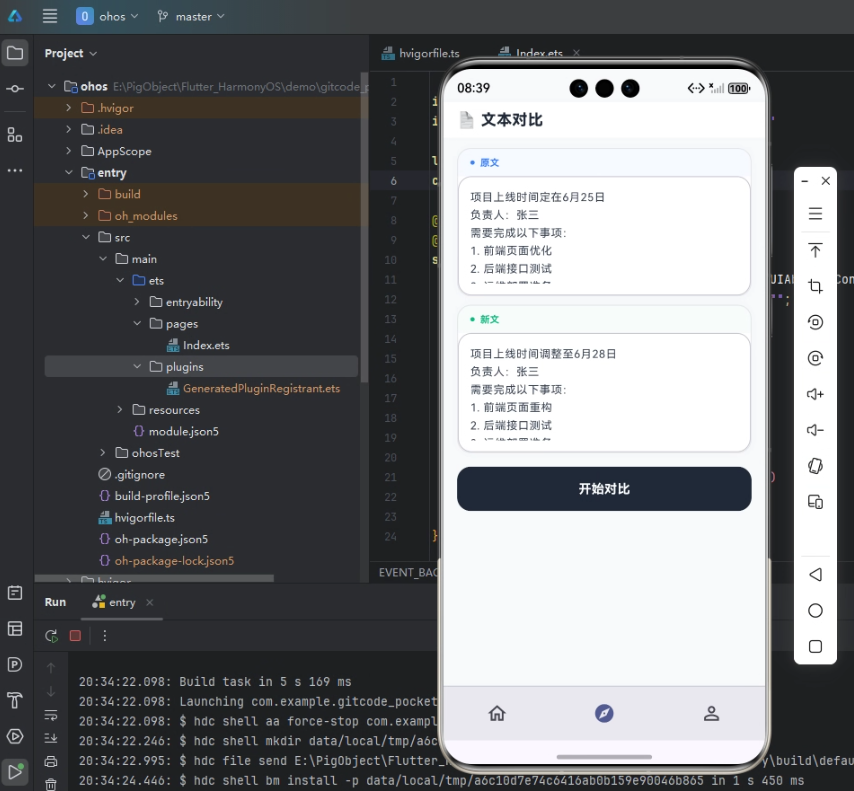
背景
随着 HarmonyOS 7.0 生态的逐步完善,跨平台开发成为企业降低研发成本的重要选择。Flutter 作为全球主流跨平台开发框架,凭借统一代码库、高性能渲染以及成熟生态,成为 HarmonyOS 跨端开发的重要技术路线之一。对于已经拥有 Flutter 技术栈的团队而言,无需推翻现有架构即可快速进入鸿蒙生态,实现"一次开发、多端部署"的目标。
文本对比应用是一个典型的工具类应用,涉及到文本处理、差异算法、列表渲染等核心技术点。通过本文的实践,读者可以掌握 Flutter 在 HarmonyOS 平台上的状态管理、条件渲染以及列表构建等核心开发技巧,为构建更复杂的跨端应用打下坚实基础。
Flutter × Harmony7.0 跨端开发介绍
Flutter 的核心架构由 Framework、Engine、Embedder 三层组成。在 HarmonyOS 7.0 平台上,Flutter 通过鸿蒙平台适配框架与 Flutter Engine 深度结合,实现 Dart 代码在 HarmonyOS 设备上的原生运行。开发者可以继续使用熟悉的 Flutter SDK、Dart 语言以及丰富的第三方组件生态,同时获得 HarmonyOS 提供的分布式能力、系统服务以及设备协同能力。
Flutter 在 HarmonyOS 上的运行并非简单的兼容层适配,而是通过 Embedder 层实现与系统的深度集成。Embedder 层主要负责窗口创建、生命周期管理、输入事件传递、GPU Surface 管理以及 Platform Channel 通信。这种架构设计保证了 Flutter 应用能够充分利用 HarmonyOS 的系统能力,同时保持跨平台的一致性。
在 Release 模式下,Flutter 采用 AOT(Ahead Of Time)编译技术,将 Dart 代码直接编译为 ARM64 原生机器码,运行时无需解释器参与,启动速度更快,CPU 开销更低。因此 Flutter 在 HarmonyOS 上能够达到接近原生应用的执行效率,尤其是在页面切换、动画渲染、长列表滚动等场景中表现优异。
开发核心代码
1. 文本差异算法实现
文本对比的核心在于差异算法的设计,需要逐行比较两段文本并标记差异类型。在 Flutter 中,我们通过自定义数据结构和算法实现高效的文本差异检测。
enum _DiffType { added, removed, unchanged }

class _DiffLine {
  final String text;
  final _DiffType type;
  const _DiffLine(this.text, this.type);
}

void _compare() {
  final a = _textA.text.split('\n');
  final b = _textB.text.split('\n');
  final diffs = <_DiffLine>[];
  final maxLen = a.length > b.length ? a.length : b.length;

  for (int i = 0; i < maxLen; i++) {
    final lineA = i < a.length ? a[i] : null;
    final lineB = i < b.length ? b[i] : null;
    if (lineA == lineB) {
      diffs.add(_DiffLine(lineA!, _DiffType.unchanged));
    } else if (lineA != null && lineB != null) {
      diffs.add(_DiffLine(lineA, _DiffType.removed));
      diffs.add(_DiffLine(lineB, _DiffType.added));
    } else if (lineA != null) {
      diffs.add(_DiffLine(lineA, _DiffType.removed));
    } else if (lineB != null) {
      diffs.add(_DiffLine(lineB, _DiffType.added));
    }
  }

  setState(() {
    _diffs = diffs;
    _compared = true;
  });
}
这段代码展示了 Flutter 中自定义数据结构和算法的实现方式。首先定义 _DiffType 枚举类型,包含 added、removed、unchanged 三种差异类型。_DiffLine 类封装了每一行文本及其差异类型。_compare 方法实现了核心的差异算法:将两段文本按行分割,逐行比较并生成差异列表。通过 setState 方法触发 UI 重建,将差异结果展示给用户。这种设计将数据处理与 UI 展示分离,符合 Flutter 的状态管理最佳实践。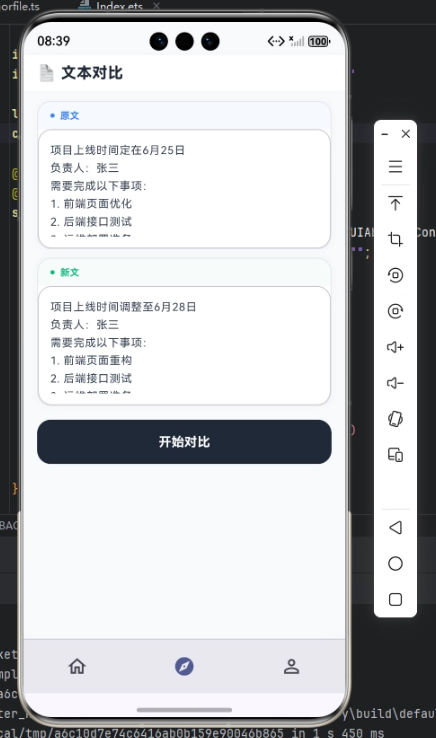
2. 输入界面的组件化设计
输入界面采用了组件化设计模式,将编辑器卡片封装为独立的可复用组件。在 Flutter 中,通过提取公共方法实现代码复用,提高代码的可维护性。
Widget _inputView() {
  return SingleChildScrollView(
    padding: const EdgeInsets.fromLTRB(16, 12, 16, 16),
    child: Column(children: [
      _editorCard('原文', _textA, const Color(0xFF3B82F6)),
      const SizedBox(height: 10),
      _editorCard('新文', _textB, const Color(0xFF10B981)),
      const SizedBox(height: 16),
      SizedBox(
        width: double.infinity,
        height: 52,
        child: ElevatedButton(
          onPressed: _compare,
          style: ElevatedButton.styleFrom(
            backgroundColor: const Color(0xFF1F2937),
            foregroundColor: Colors.white,
            shape: RoundedRectangleBorder(borderRadius: BorderRadius.circular(16)),
            elevation: 0,
          ),
          child: const Text('开始对比', style: TextStyle(fontSize: 15, fontWeight: FontWeight.w700)),
        ),
      ),
    ]),
  );
}

Widget _editorCard(String label, TextEditingController ctrl, Color color) {
  return Container(
    decoration: BoxDecoration(color: Colors.white, borderRadius: BorderRadius.circular(16), border: Border.all(color: const Color(0xFFE5E7EB)), boxShadow: [BoxShadow(color: Colors.black.withValues(alpha: 0.02), blurRadius: 6)]),
    child: Column(crossAxisAlignment: CrossAxisAlignment.start, children: [
      Container(
        width: double.infinity,
        padding: const EdgeInsets.symmetric(horizontal: 14, vertical: 8),
        decoration: BoxDecoration(color: color.withValues(alpha: 0.04), borderRadius: const BorderRadius.vertical(top: Radius.circular(15))),
        child: Row(children: [
          Icon(Icons.circle, size: 6, color: color),
          const SizedBox(width: 6),
          Text(label, style: TextStyle(fontSize: 11, fontWeight: FontWeight.w700, color: color)),
        ]),
      ),
      SizedBox(
        height: 140,
        child: TextField(
          controller: ctrl,
          maxLines: null,
          expands: true,
          textAlignVertical: TextAlignVertical.top,
          style: const TextStyle(fontSize: 13, color: Color(0xFF374151), height: 1.6),
          decoration: const InputDecoration(contentPadding: EdgeInsets.all(14), border: InputBorder.none, hintText: '输入文本...'),
        ),
      ),
    ]),
  );
}
这段代码展示了 Flutter 组件化设计的核心思想。_inputView 方法使用 SingleChildScrollView 实现滚动布局,通过 Column 组件垂直排列两个编辑器卡片和一个对比按钮。_editorCard 方法接收标签、控制器和颜色三个参数,实现了编辑器卡片的复用。通过 BoxDecoration 设置圆角、边框和阴影,提升了视觉层次感。TextField 组件的 maxLines: null 和 expands: true 配置使其能够自适应容器高度,textAlignVertical: TextAlignVertical.top 确保文本从顶部开始输入。
3. 差异结果的高亮展示
差异结果的展示是本应用的核心功能,需要通过颜色区分不同类型的差异。在 Flutter 中,我们使用 ListView.builder 实现高效的列表渲染,通过条件判断设置不同的样式。
Widget _diffView() {
  final added = _diffs.where((d) => d.type == _DiffType.added).length;
  final removed = _diffs.where((d) => d.type == _DiffType.removed).length;

  return Column(children: [
    Container(
      padding: const EdgeInsets.all(12),
      decoration: const BoxDecoration(color: Colors.white, border: Border(bottom: BorderSide(color: Color(0xFFF3F4F6)))),
      child: Row(mainAxisAlignment: MainAxisAlignment.center, children: [
        _statChip('+ $added 行', _added),
        const SizedBox(width: 16),
        _statChip('- $removed 行', _removed),
        const SizedBox(width: 16),
        _statChip('${_diffs.where((d) => d.type == _DiffType.unchanged).length} 行未变', const Color(0xFF6B7280)),
      ]),
    ),
    Expanded(
      child: ListView.builder(
        padding: const EdgeInsets.all(12),
        itemCount: _diffs.length,
        itemBuilder: (_, i) {
          final d = _diffs[i];
          final isAdded = d.type == _DiffType.added;
          final isRemoved = d.type == _DiffType.removed;

          return Container(
            margin: const EdgeInsets.only(bottom: 2),
            padding: const EdgeInsets.symmetric(horizontal: 12, vertical: 8),
            decoration: BoxDecoration(
              color: isAdded ? _addedBg : isRemoved ? _removedBg : Colors.transparent,
              borderRadius: BorderRadius.circular(6),
            ),
            child: Row(crossAxisAlignment: CrossAxisAlignment.start, children: [
              SizedBox(
                width: 24,
                child: isAdded ? const Icon(Icons.add, size: 14, color: _added) : isRemoved ? const Icon(Icons.remove, size: 14, color: _removed) : const Text('  ', style: TextStyle(fontSize: 12)),
              ),
              const SizedBox(width: 4),
              Expanded(
                child: Text(d.text, style: TextStyle(fontSize: 13, height: 1.5, color: isAdded ? _added : isRemoved ? _removed : _unchanged, fontWeight: isAdded || isRemoved ? FontWeight.w600 : FontWeight.w400)),
              ),
            ]),
          );
        },
      ),
    ),
  ]);
}
这段代码展示了 Flutter 列表渲染和条件样式的实现方式。首先通过 where 方法统计新增、删除、未变的行数,使用 _statChip 方法展示统计信息。ListView.builder 实现了高效的列表渲染,只构建可见区域的组件,降低了内存占用。通过 isAdded 和 isRemoved 变量判断差异类型,设置不同的背景颜色和文字样式。Container 的 BoxDecoration 实现了圆角背景,Row 组件水平排列差异标记和文本内容。这种设计使得用户能够快速识别文本差异,提升了应用的实用性。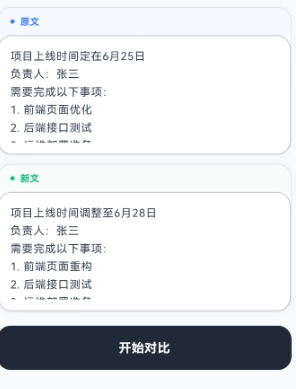
心得
通过本次文本对比应用的开发,我深刻体会到 Flutter 在 HarmonyOS 平台上的强大表现力。首先,Flutter 的声明式 UI 编程模式极大地简化了界面构建过程,开发者只需描述"当前状态下界面应该长什么样",而不需要手动控制每个组件的生命周期。其次,ListView.builder 提供了高效的列表渲染能力,能够处理大量数据的展示。此外,Flutter 的状态管理非常灵活,通过 setState 方法可以轻松实现 UI 的动态更新。
在性能优化方面,Flutter 的 AOT 编译机制保证了应用在 HarmonyOS 上的运行效率。通过合理使用 const Widget、RepaintBoundary 等技术,可以进一步降低 Widget 重建开销和 GPU 压力。在屏幕适配方面,建议使用 flutter_screenutil 库处理不同尺寸设备的适配问题,同时通过 MediaQuery.of(context) 获取屏幕信息动态布局。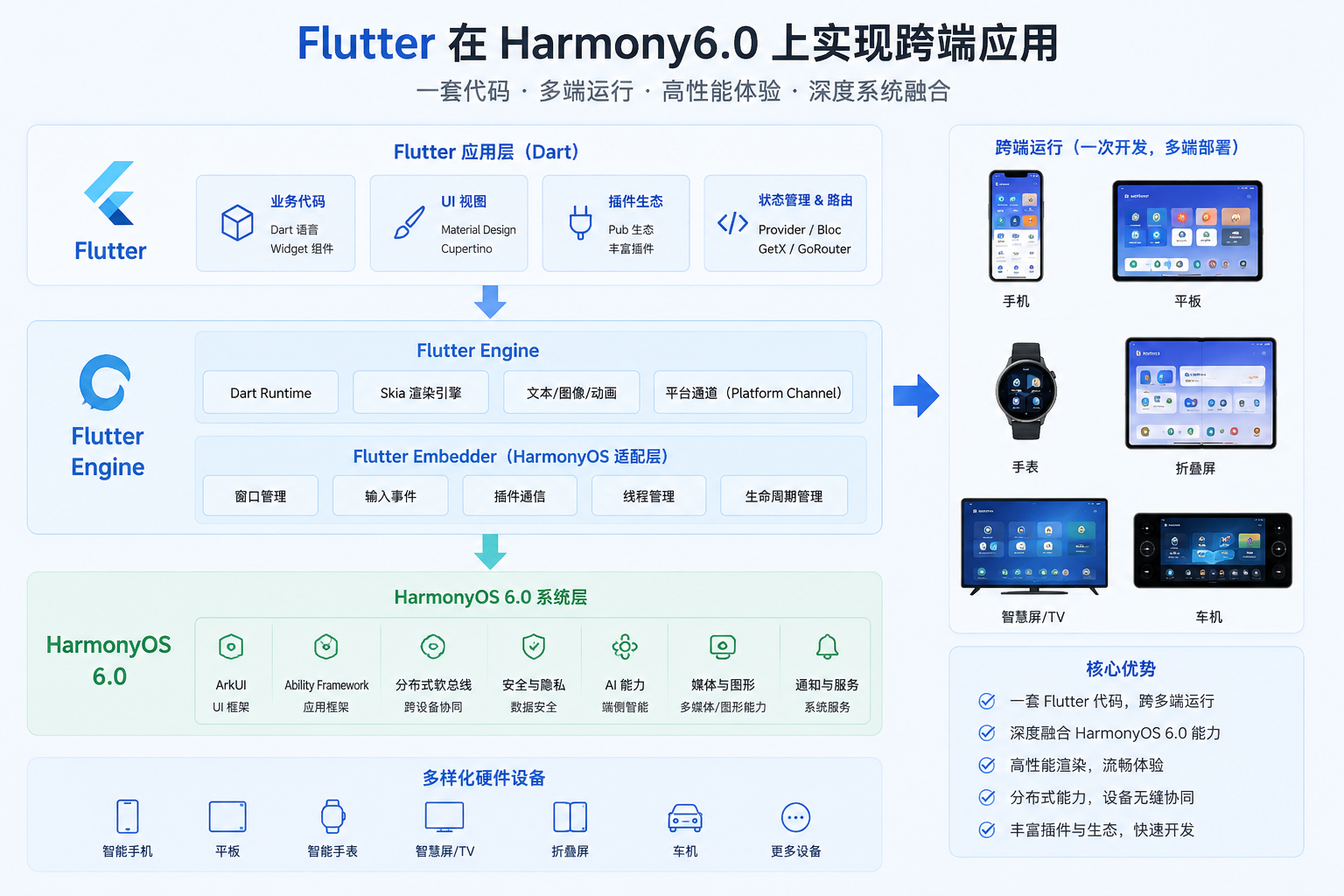
总结
本文通过一个文本对比应用的开发实践,详细介绍了 Flutter 在 HarmonyOS 7.0 平台上的核心开发技术。从状态管理、组件化设计到列表渲染,涵盖了 Flutter 跨端开发的关键技术点。Flutter 与 HarmonyOS 的结合,不仅保留了 Flutter 统一代码库、高性能渲染的优势,还能够充分利用 HarmonyOS 的分布式能力和系统服务。对于企业级项目而言,这意味着同一套 Flutter 代码可以覆盖 Android、iOS、HarmonyOS 等多个平台,大幅降低研发成本和维护复杂度。随着 HarmonyOS 生态的持续发展,Flutter × HarmonyOS 的组合将成为企业跨平台应用开发的重要技术方案之一。

一站式 AI 云服务平台
更多推荐


 5
5 0
0- 0



 已为社区贡献144条内容

所有评论(0)